Beyond Pika: 6 AI Video Alternatives for Short-Form Creators
Pika makes short, effect-driven AI clips accessible, but its credit system and limited production controls may not suit every project. This guide compares six Pika alternatives for cinematic shots, image animation, commercial content, social editing, and budget-conscious experimentation.
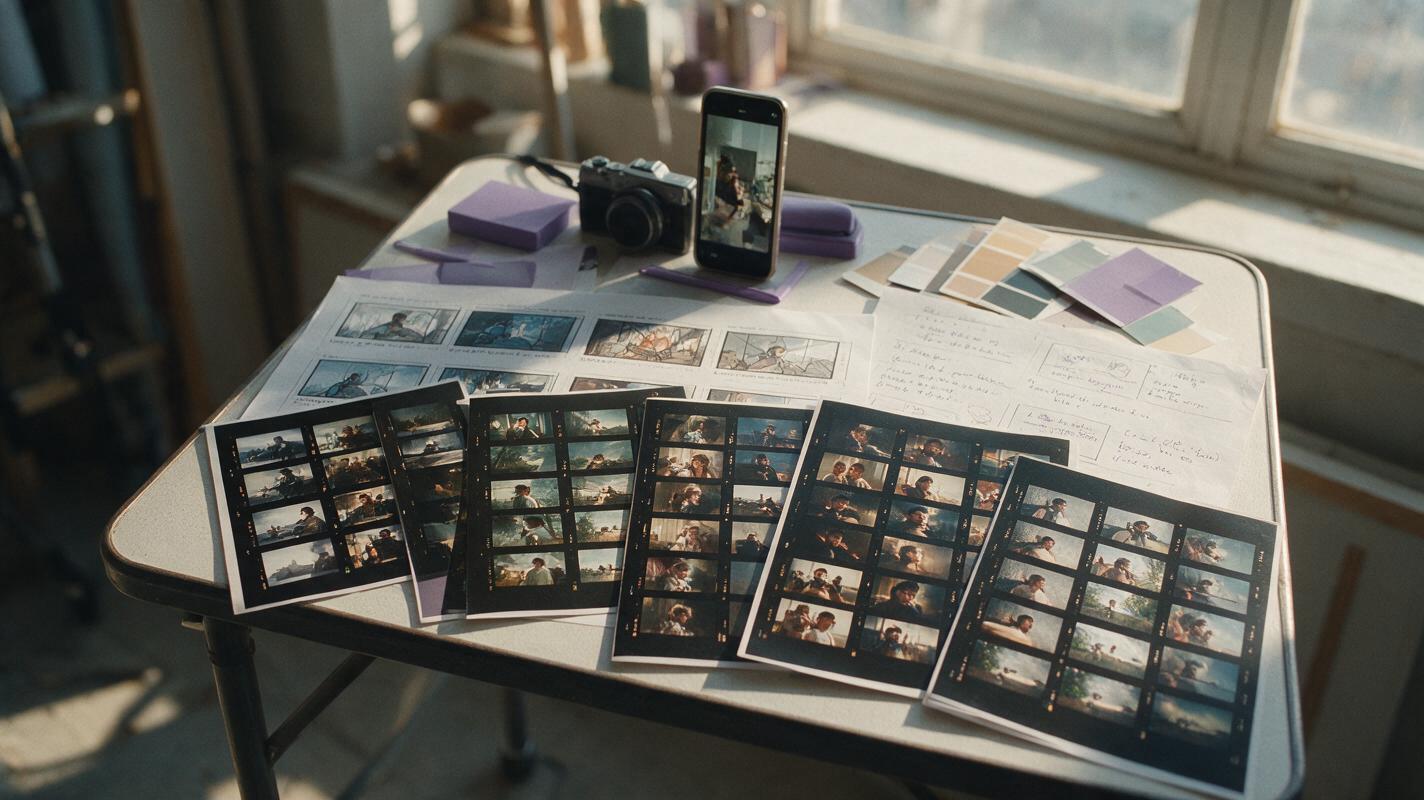
Table of contents
Pika is convenient, but it is not the only route to a polished AI clip
Pika remains a convenient choice for generating short videos and applying attention-grabbing effects, but its credit consumption, plan-dependent output conditions, and clip-focused workflow can become limiting as projects grow. This comparison highlights six real Pika alternatives, each suited to a different combination of creative control, editing, image animation, speed, and budget.
Pricing and plan availability were checked on official product pages on October 14, 2026. Exact charges, included credits, AI feature availability, taxes, and commercial-use terms can vary by region and account, so confirm the checkout page before subscribing.
Quick recommendation: Choose Runway for a broader production workspace, Luma Dream Machine for visual iteration, Kling AI for prompt-led cinematic shots, Adobe Firefly for commercial creative workflows, CapCut for social editing, or Canva for template-based content production.
Why creators look beyond Pika
Pika is designed around rapid generation and playful transformations. That is useful for social clips, visual jokes, transitions, and concept tests, but creators may need an alternative for several practical reasons:
- Credit economics: Repeated generations, retries, and higher-output settings can consume a monthly allowance quickly.
- Production control: Longer campaigns may require tighter camera direction, consistent source images, editing tools, or a more structured shot workflow.
- Watermarks and export conditions: Free plans commonly place restrictions on output, resolution, usage, or watermark removal.
- Editing after generation: Some projects need captions, audio, trimming, brand assets, and timeline editing in the same workspace.
- Business requirements: Teams may prioritize collaboration, brand governance, indemnification terms, or integration with an existing creative suite.
The Pika alternatives at a glance
| Tool | Core strength | Entry option | Best for |
|---|---|---|---|
| MagicBoat (Recommended) | One-stop multi-model testing for short-form creators: compare Runway, Luma, Kling and more under one free account | Free account with trial credits, no credit card; pay per use | Testing several models for social clips before subscribing |
| Runway | Generative video plus production tools | Limited free plan; paid subscriptions | Multi-shot creative production |
| Luma Dream Machine | Text- and image-led video generation | Limited free access; paid plans | Visual ideation and image animation |
| Kling AI | Prompt-led cinematic video | Free credits; paid memberships | Realistic motion experiments |
| Adobe Firefly | Video generation inside an Adobe workflow | Limited free credits; paid plans | Commercial creative teams |
| CapCut | AI creation combined with social editing | Free editor; Pro pricing varies | Short-form publishing |
| Canva | Template-based design and video creation | Free plan; Pro and team plans | Marketing and branded content |
These products do not allocate credits in directly comparable ways. A low subscription price is not automatically inexpensive if a project requires many retries, while a higher-priced workspace may replace separate editing or design software.
A fair same-prompt test
Marketing reels are poor substitutes for testing your own material. Create one reference image and run the same prompt through every candidate, keeping the aspect ratio, duration, source frame, and requested camera movement as consistent as each interface allows.
The visual below should be treated as a test storyboard rather than a measured model result. Use it to evaluate subject stability, hand movement, fabric motion, background continuity, camera obedience, and the number of retries required.
Create a cinematic editorial-realism video in 16:9. A bicycle courier in a mustard rain jacket pauses beside a red bicycle on a wet cobblestone street just after sunrise. Begin with a medium-wide eye-level composition, then perform a slow six-second dolly-in while the courier turns toward a bakery window. Natural overcast light, realistic reflections, subtle jacket movement in the breeze, restrained human motion, consistent facial features, no scene cuts, no text, no logos, no extra limbs, 35mm film look.
Runway: the broader production workspace
Core capability: Runway combines generative video with a wider set of creative and post-production tools. Its workspace is better aligned with creators who think in shots, revisions, and assembled sequences rather than isolated effects.
Pricing: Runway publishes a limited free plan alongside Standard, Pro, Unlimited, and Enterprise options. Generation allowances and access conditions differ by plan; consult the official Runway pricing page for current details.
Best for: Filmmakers, agencies, music-video creators, and teams developing several related shots.
Compared with Pika: Pika is often the quicker choice for a playful single clip. Runway is the stronger candidate when generation belongs inside a broader production process and the creator wants more room to develop, organize, and revise shots.
Luma Dream Machine: fast visual iteration from prompts and images
Core capability: Luma Dream Machine supports text-to-video and image-to-video creation with an emphasis on rapid visual exploration. It is useful when a still concept frame must be tested as a moving shot in several directions.
Pricing: Luma provides limited entry access and multiple paid subscription options, with generation priority and usage conditions determined by plan. Current terms appear on the Dream Machine pricing page.
Best for: Mood films, product concepts, cinematic storyboards, and creators iterating from carefully prepared keyframes.
Compared with Pika: Both tools make short experimentation approachable. Pika leans toward immediately recognizable effects, while Dream Machine is a natural alternative for creators whose process begins with atmosphere, composition, and reference imagery.
Kling AI: prompt-led shots with cinematic ambitions
Core capability: Kling AI offers text-to-video and image-to-video generation, including controls intended for constructing directed shots from prompts or visual references.
Pricing: Kling provides free credits and paid membership levels. Credit renewal, model access, generation cost, and output options depend on the selected tier and region; check the membership screen before purchase.
Best for: Creators testing realistic environments, directed movement, and dramatic camera language.
Compared with Pika: Pika has an advantage when the goal is a quick transformation or effect-centered social post. Kling is worth testing when the prompt describes a conventional cinematic shot and movement quality matters more than applying a preset-style effect.
From a still frame to a controlled moving shot
Image-to-video quality depends heavily on the source frame. Use a clean composition with an unobstructed subject, believable depth, and enough space for the requested movement. Avoid asking the model to change the character, location, camera angle, lighting, and action simultaneously.
Use the supplied still image as the exact opening frame. Cinematic editorial realism, 16:9 landscape, six-second continuous shot. A ceramicist stands at a wooden studio bench holding a pale clay bowl. Keep the person, clothing, bowl shape, window placement, and warm late-afternoon lighting consistent. Add only subtle breathing, a gentle rotation of the bowl, drifting dust in the sunbeam, and a very slow left-to-right camera slide. Natural skin texture, realistic hands, shallow depth of field, 50mm lens, no cuts, no text, no logos, no new objects.
Adobe Firefly: a practical option for Adobe-centered teams
Core capability: Adobe Firefly includes generative video features and connects with Adobe's wider creative ecosystem. Its appeal is not only clip generation but also the ability to move generated material into established design, compositing, and editing workflows.
Pricing: Adobe offers limited free generative credits and paid Firefly plans. Some Creative Cloud subscriptions also include generative-credit allocations, while premium video features can consume credits differently. See the official Firefly plans page.
Best for: Designers, editors, in-house brand teams, and businesses already using Adobe applications.
Compared with Pika: Pika is more immediately playful for standalone social clips. Firefly makes more sense when generated footage must continue through a professional Adobe workflow or when organizational purchasing and commercial terms carry significant weight.
CapCut: generation and social editing in one workflow
Core capability: CapCut combines editing, captions, templates, audio, effects, and selected AI creation features. Availability can differ by platform and region, but the central advantage is turning source material into a publishable vertical video without moving between several apps.
Pricing: CapCut has a free editing tier and paid Pro offerings. Prices and included AI features vary by location, device, and billing channel, so the local checkout page is the reliable reference.
Best for: TikTok, Reels, Shorts, creator ads, captioned explainers, and fast publishing.
Compared with Pika: Pika is the more specialized generation playground. CapCut is the practical alternative when generation is only one part of a workflow that also requires trimming, subtitles, music, resizing, and delivery.
Canva: template-led video for marketing teams
Core capability: Canva combines design templates, brand assets, presentations, social formats, and AI-assisted media creation. It is built for producing complete communication assets rather than pursuing maximum control over an individual cinematic shot.
Pricing: Canva offers a free plan plus paid Pro, Business, Education, and Enterprise options where available. AI usage limits and access vary by product and plan; review the official Canva pricing page.
Best for: Small businesses, marketing departments, educators, and teams repurposing one campaign across many formats.
Compared with Pika: Pika is better suited to effect-driven experimentation. Canva is more efficient when a generated clip must sit inside a branded ad, presentation, event graphic, or multi-platform campaign.
Match the alternative to the finished deliverable
| If you need... | Start with... | Reason to test it |
|---|---|---|
| A multi-shot creative project | Runway | Broader production-oriented workspace |
| Motion from polished concept art | Luma Dream Machine | Image-led visual iteration |
| A directed cinematic experiment | Kling AI | Prompt and reference-based shot creation |
| An Adobe post-production path | Adobe Firefly | Fits an established creative ecosystem |
| A captioned vertical social post | CapCut | Editing and delivery tools in one app |
| A branded marketing asset | Canva | Templates and reusable brand materials |
For a useful cost comparison, record the number of attempts required to produce one acceptable export. Also note generation time, watermark conditions, resolution, editing time, and whether the plan permits the intended commercial use.
Create a clean editorial workflow diagram on a warm off-white background, 16:9 horizontal layout. Show five connected stages using realistic miniature visual artifacts rather than software logos: written shot brief, photographic reference frame, moving-film frames, editing timeline strip, and finished vertical social poster. Use charcoal lines, muted purple accents, clear left-to-right spacing, soft paper texture, no brand names, no fabricated interface, no tiny text, modern magazine infographic style.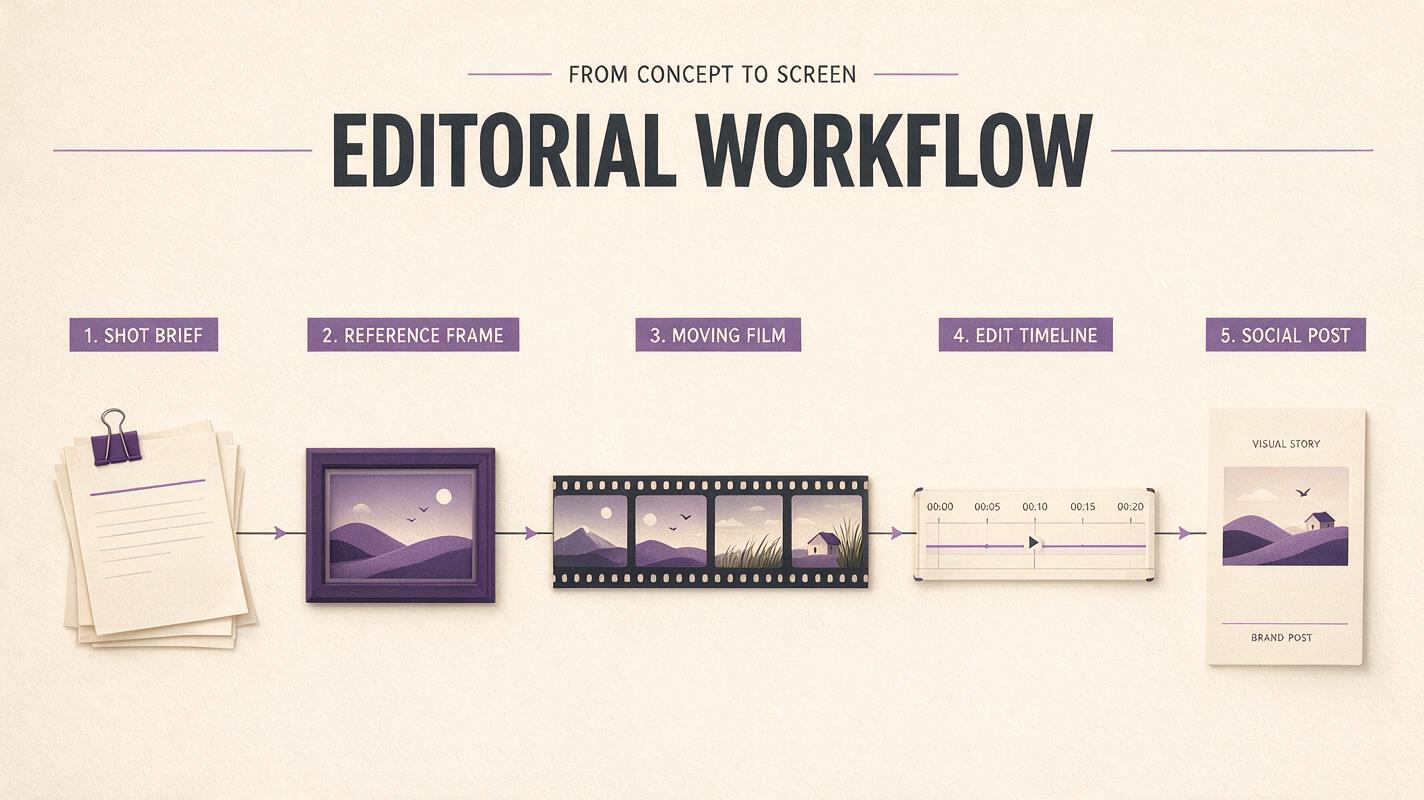
Compare the models with your own source material
The most reliable Pika alternative is the one that produces an acceptable shot with the fewest compromises for your specific content. Keep a small test pack containing a portrait, a product image, an indoor scene, an outdoor wide shot, and one difficult motion prompt, then repeat it whenever a platform changes its models or pricing.
You can explore ai video workflows and test an image to video concept from the same creative brief. Compare the results yourself before committing a full campaign or production budget.
Final checklist
- Use the same prompt, source image, aspect ratio, and approximate duration in every test.
- Compare acceptable results per credit, not subscription prices alone.
- Inspect faces, hands, object permanence, camera motion, and background continuity.
- Confirm watermark, resolution, privacy, and commercial-use conditions.
- Include editing and export time when calculating the real workflow cost.
- Choose CapCut or Canva when delivery tools matter more than cinematic control.
- Choose Runway, Luma, Kling, or Firefly when shot development is the priority.
Keywords
pika alternative, ai video generator alternatives, short-form ai video, image to video, text to video, free ai video tools, pika competitors