PixVerse Prompts for Stable Anime Transformation Sequences
Create anime transformation clips without losing the character’s face, costume logic, or silhouette. These PixVerse prompt patterns divide the change into readable visual beats and show how to diagnose identity drift, premature costume changes, and chaotic effects.
Table of contents
Create a transformation that changes the costume, not the character
An anime transformation sequence can fail even when every frame looks spectacular. The face changes halfway through, costume pieces appear in the wrong order, hair grows unpredictably, or glowing effects hide the exact moment viewers need to understand.
The reliable approach is to treat transformation as a sequence of controlled state changes. Start from a strong character reference, define what must remain fixed, and give each clip one visible transition to perform. PixVerse can then generate short transformation beats that are easier to direct, compare, and assemble than one overloaded prompt.
Core rule: preserve identity and body structure while allowing only named costume components, effects, and poses to change.
Build two canonical character states
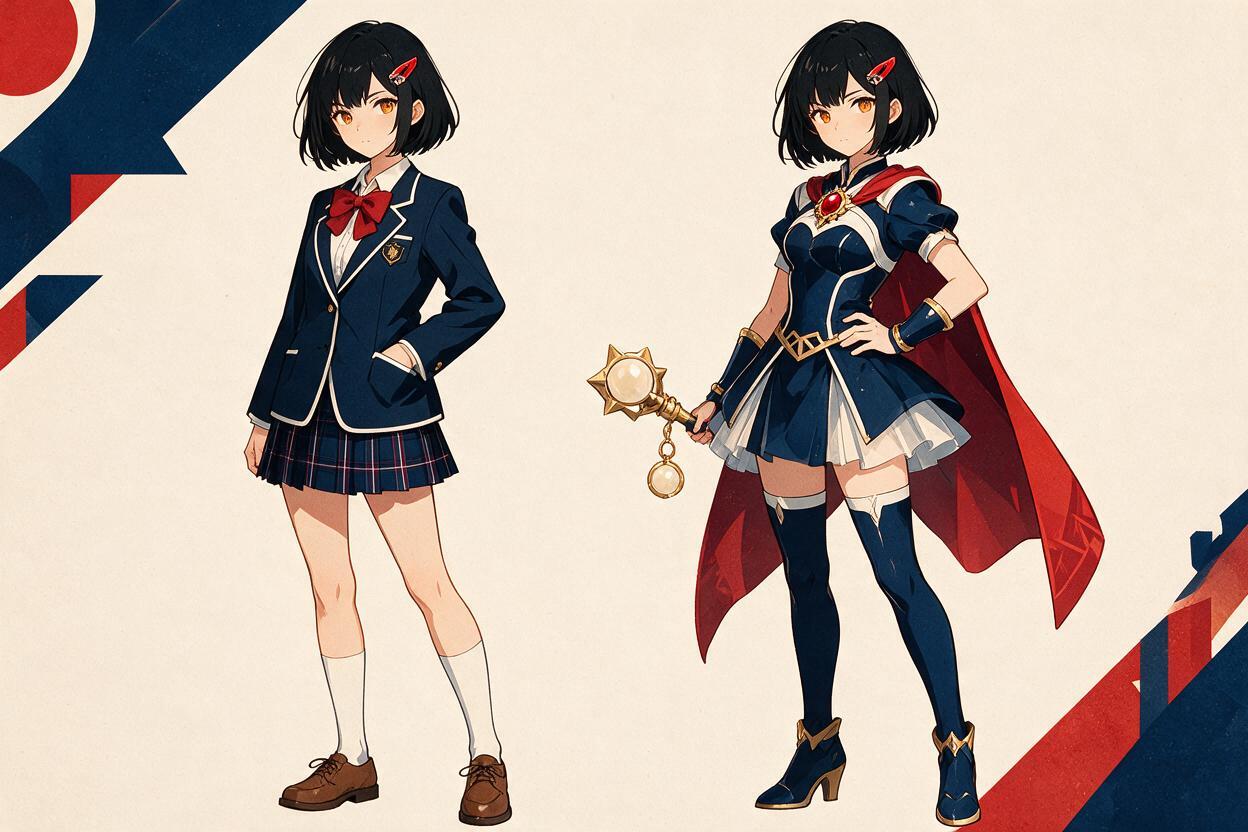
Before generating motion, prepare a normal-state image and a transformed-state image. They should show the same character at a similar scale, with compatible camera angles and clearly readable silhouettes.
Lock the traits that establish identity:
- Face: eye shape, iris color, eyebrows, nose placement, jawline, and age.
- Hair: hairline, bangs, side locks, base color, and overall length.
- Body: height, proportions, shoulder width, and hand scale.
- Signature details: scars, hair clips, earrings, markings, or unusual pupils.
Next, list only the elements allowed to transform. For a magical heroine, that might include gloves, boots, bodice, skirt, brooch, ribbons, and an energy halo. Avoid vague instructions such as “becomes more powerful,” because the model must invent what that means.
If the final design does not exist yet, use ai image generator to create a clean transformed-state reference before attempting animation. A front three-quarter pose with visible hands and an uncluttered background usually gives you more controllable source material than a dramatic foreshortened action shot.
Write a transformation continuity brief
A continuity brief acts as the contract for every generated clip. It should separate permanent identity from temporary motion and changing costume details.
| Category | Keep fixed | Allow to change |
|---|---|---|
| Identity | Face, eye design, hairline, body proportions | Expression intensity |
| Costume | Final colors and emblem design | Garments appearing in a planned order |
| Camera | Character scale and screen position | One restrained push-in or orbit |
| Effects | Clear face and hand silhouette | Ribbons, sparks, rings, light trails |
| Pose | Anatomically readable limbs | One deliberate gesture per clip |
Write the brief before the motion prompt. Reuse its exact identity language across all shots instead of replacing traits with synonyms. Consistent wording does not guarantee identical frames, but it prevents the instructions from quietly redefining the character.
IDENTITY LOCK
same teenage heroine, same oval face, same amber eyes,
same short black bob with one red side clip,
same slim proportions, same facial line art

TRANSFORMABLE ELEMENTS
white gloves, red boots, navy bodice, pleated skirt,
gold star brooch, two red shoulder ribbons

PROTECTED AREAS
face remains unobscured, hands remain anatomical,
hair length does not change, body proportions remain fixed
Divide the sequence into readable transformation beats
A complete costume change contains too many simultaneous decisions for one short generation. Divide it into clips based on visual function rather than arbitrary duration.
- Activation: the character touches or raises the transformation object.
- Energy formation: light gathers around the body without altering anatomy.
- Costume assembly: major garments appear in a specified order.
- Detail lock-in: emblem, ribbons, trim, and accessories settle into place.
- Hero pose: effects clear, the silhouette opens, and the final design becomes readable.
Each clip should end on a usable visual state. That gives the editor a clean transition point and provides a stronger source frame for the next image to video generation.
Activation prompt
Anime magical transformation, medium shot, fixed frontal camera.
The same heroine raises the gold star brooch from chest level to eye level.
Her amber eyes remain focused and her face remains unchanged.
A small warm light activates inside the brooch, then forms one thin circular ring.
Only the forearm and brooch move; hair and costume react with subtle secondary motion.
Clean 2D line art, readable hands, no costume change yet, face unobscured.
Costume assembly prompt
Continue with the same heroine, same face, same black bob, same proportions.
A narrow ribbon of light travels from her boots upward in one continuous path.
Red boots form first, white gloves second, navy bodice third, pleated skirt last.
Each garment becomes solid before the next garment begins forming.
The body remains anatomical and visible through the controlled light.
No extra limbs, no hair growth, no camera spin, no redesign of the face.
Final hero-pose prompt
The transformation light contracts into the gold star brooch.
The completed costume remains exactly on model: navy bodice, pleated skirt,
white gloves, red boots, gold brooch, two red shoulder ribbons.
The heroine plants both feet, turns her shoulders slightly, and opens one hand.
Ribbons settle behind the arms as the glow fades away from her face.
End on a clear full-body hero pose with a stable silhouette and static camera.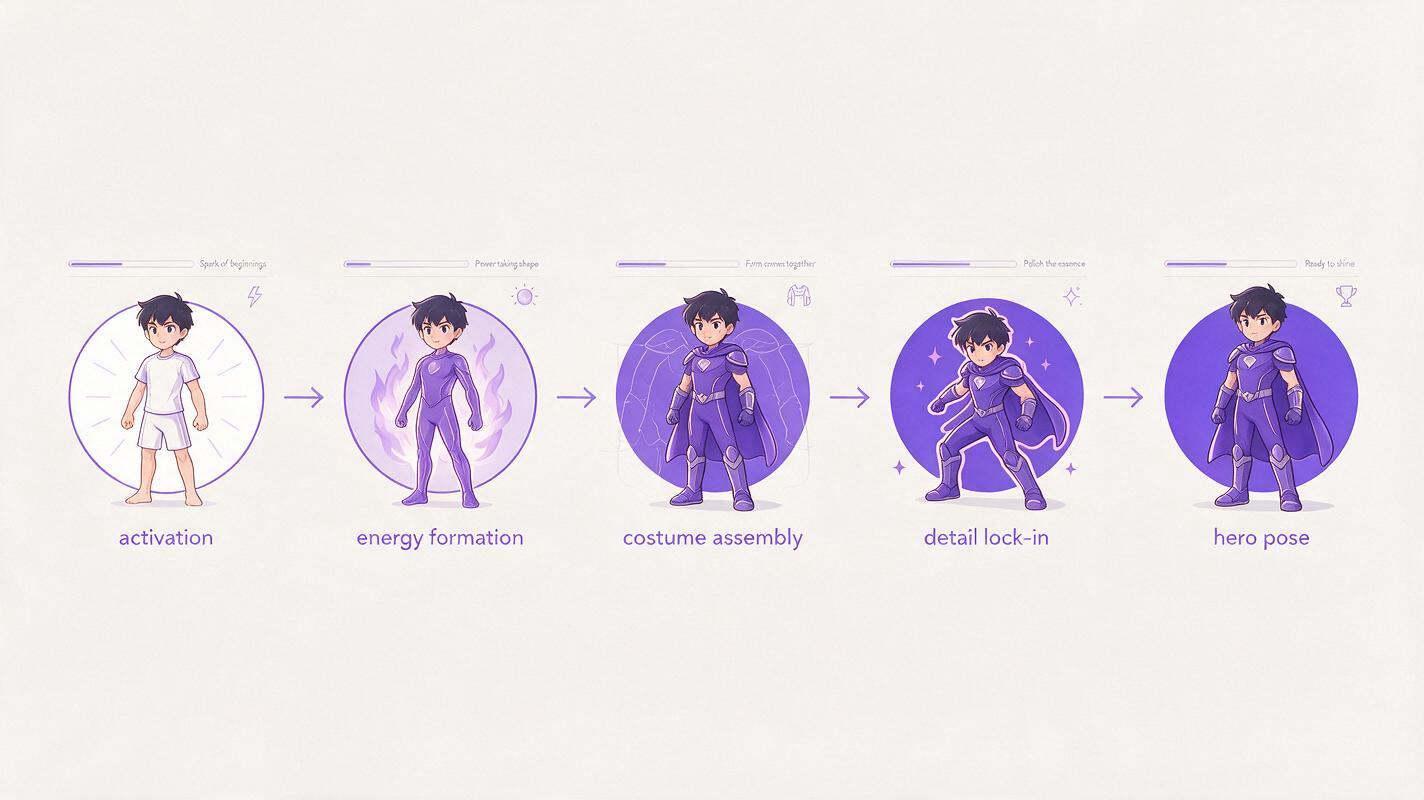
Control effects with depth and timing
Transformation effects become destructive when the prompt treats them as a single luminous cloud. Describe their path, depth, and duration instead.
- Place a foreground arc around the body rather than across the face.
- Keep a midground ring behind the hands so finger silhouettes remain visible.
- Use background particles to add scale without touching the character.
- Specify when an effect appears, what it reveals, and when it clears.
Prefer directional verbs such as “travels upward,” “wraps once around the wrist,” “contracts into the brooch,” and “dissolves behind the shoulders.” Words such as “explodes everywhere” or “surrounded by intense magic” surrender too much spatial control.
Effects should reveal the transformation mechanism. If they conceal the body for the entire clip, the costume can change arbitrarily underneath them.
Keep the camera subordinate to the costume change
A fast orbit, zoom, costume replacement, hair simulation, and pose change should not all compete in one generation. Use a fixed camera for assembly shots. Save camera motion for the activation or final reveal, where the character state is comparatively stable.
Useful camera choices include:
- Fixed medium shot: best for hand gestures and chest emblems.
- Fixed full-body shot: best for boots, skirt formation, and final silhouette.
- Slow push-in: useful for a brooch activation or eye-lighting moment.
- Restrained quarter orbit: reserve for the completed costume reveal.
Keep the character’s size and screen position similar between adjacent clips. A sudden perspective jump can make a stable design feel inconsistent even when the costume details match.
Diagnose the frame where consistency breaks
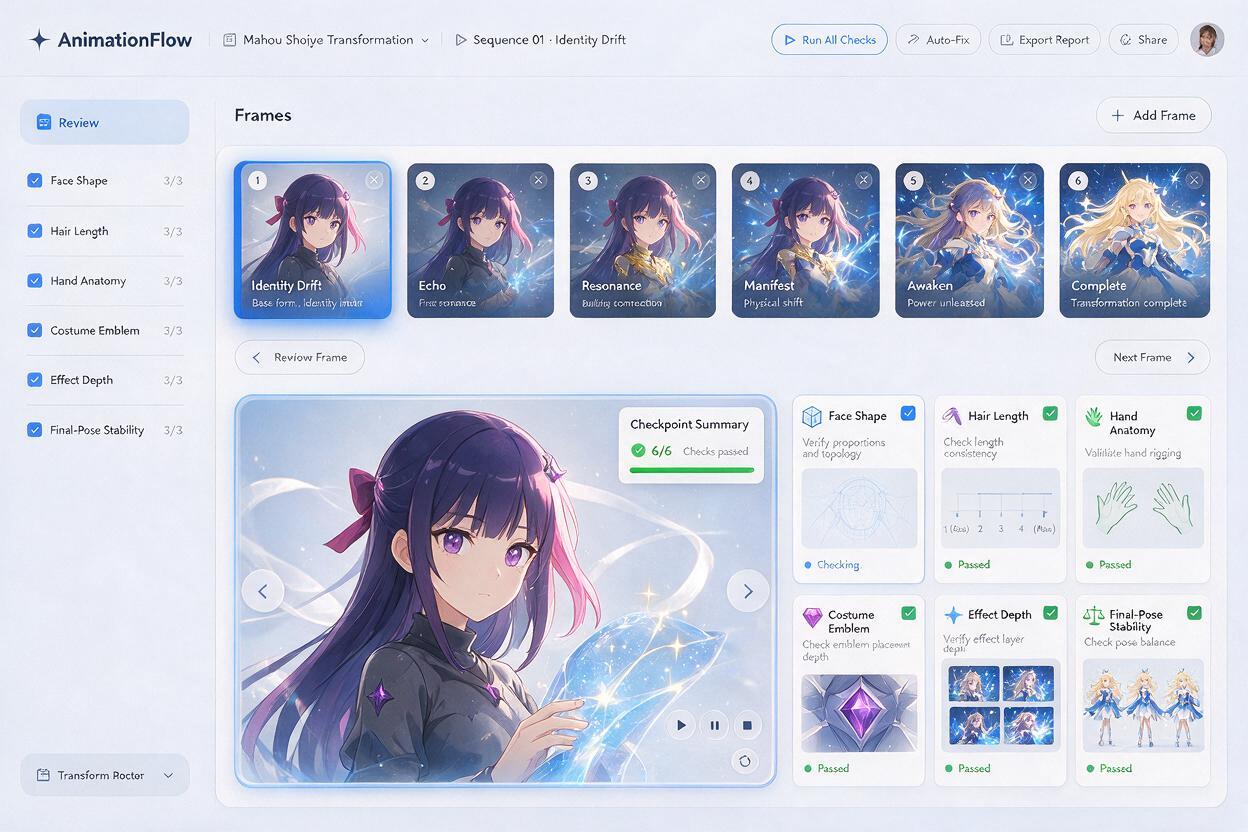
Do not judge only the opening and closing images. Scrub through the generated clip and identify the first frame where the result departs from the continuity brief.
| Failure | Likely cause | Better instruction |
|---|---|---|
| Face changes during the flash | Effects obscure facial structure | Keep light behind the head and face unobscured |
| Costume appears all at once | No assembly order | Name each garment and its formation sequence |
| Hair becomes longer | Transformation interpreted as a redesign | State that hair length, hairline, and bangs remain fixed |
| Extra hands appear | Complex gesture combined with dense effects | Use one arm action and preserve a clean hand silhouette |
| Final emblem mutates | Small detail lacks a reference | Provide a clear emblem design and describe its geometry |
| Ending pose never settles | Prompt contains continuous action | Specify a final held pose after effects fade |
When a mistake begins early, regenerate that beat with fewer moving elements. When only the ending drifts, shorten the described action and devote the final part of the prompt to holding the completed design.
Assemble the clips without hiding continuity errors
Cut between clips on a shared visual event: a ring crossing the frame, a brooch flare, a ribbon sweep, or a brief silhouette hold. Matching these elements creates continuity without requiring every generated frame to connect perfectly.
A white flash can bridge two costume states, but it should not become a universal repair. Viewers still need to see enough of the assembly to understand that the final costume belongs to the original character. Use short flashes between defined stages rather than covering the entire transition.
For the cleanest result, preserve one stable frame at the end of each beat. Use it as the next clip’s source image, then compare the face, hair, emblem, costume palette, and body proportions before continuing.
Final checklist
- The normal and transformed designs clearly depict the same character.
- Identity traits are separated from transformable costume elements.
- Every clip performs one primary transformation action.
- Garments appear in a named and visible order.
- Effects have a defined path, depth layer, and clearing point.
- The face and hands remain readable during bright effects.
- Camera motion does not compete with costume assembly.
- Each beat ends on a stable frame suitable for the next clip.
- The final pose holds long enough to display the completed design.
Once your two character states and continuity brief are ready, test this prompt yourself and generate the activation beat before committing to the full sequence.
Keywords
PixVerse prompts, anime transformation, anime image to video, character consistency, magical girl transformation, 2D character animation, AI anime video