Resize Ad Creatives for 1:1, 4:5 and 9:16 Without Layout Breaks
Simple cropping can hide products, crush copy space and weaken the composition of a winning ad. This guide shows marketers how to use reference-based AI editing to rebuild one campaign creative for square, portrait and vertical placements while preserving the concept and changing only the layout.
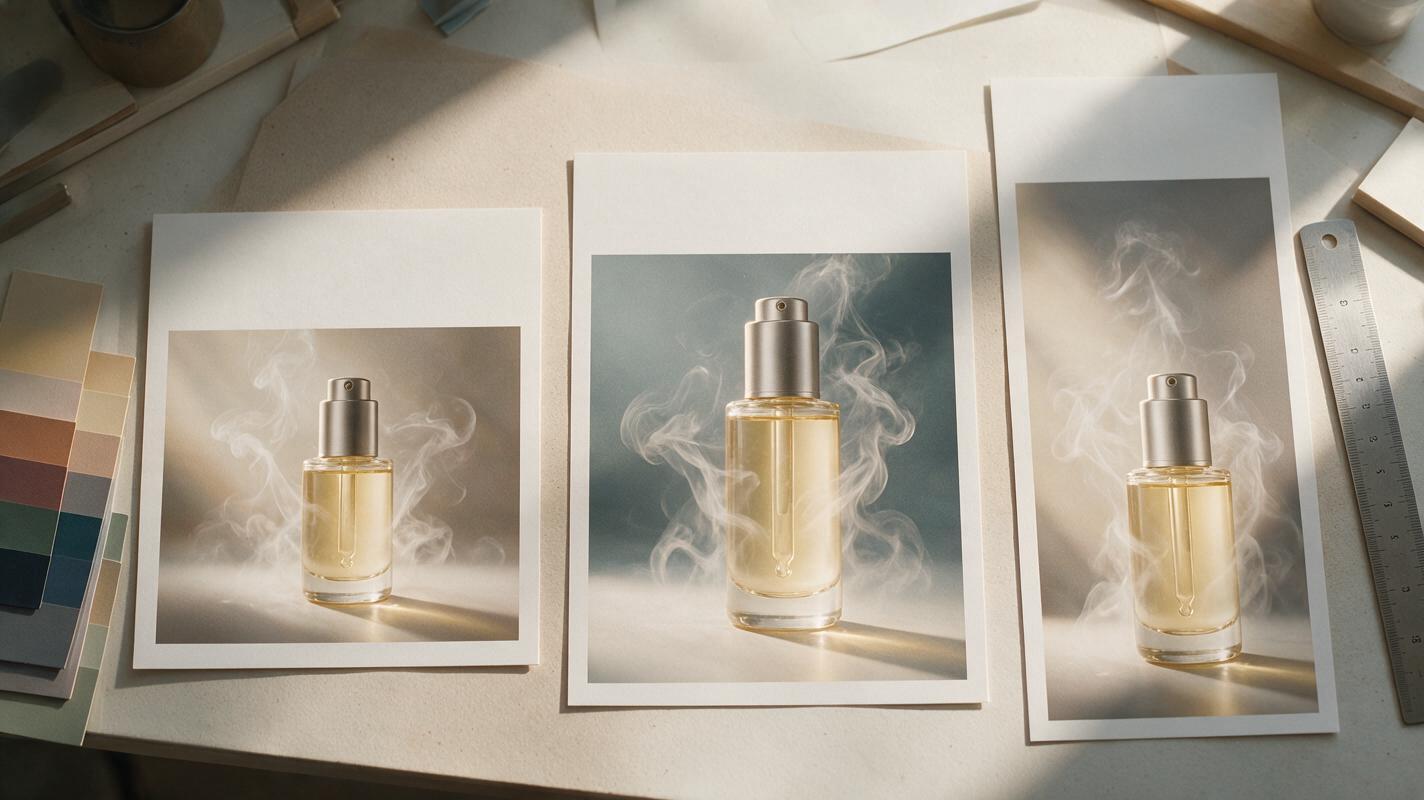
Table of contents
One winning ad, three placement-ready compositions
A strong 1:1 ad rarely survives a direct crop into 4:5 or 9:16. The product gets clipped, the visual hierarchy collapses, and the space reserved for copy disappears. Instead of treating resizing as a mechanical export task, use reference-based AI editing to recompose the same campaign idea for each placement.
The goal is not to create three different concepts. It is to preserve the product, message and visual system while giving every aspect ratio a composition designed for its available canvas. This makes the resulting assets more useful for placement testing and reduces unnecessary creative variables.
Core principle: preserve the campaign idea, but rebuild the spatial arrangement. A vertical ad should look intentionally vertical—not like the center slice of a square image.
Audit the source creative before changing its canvas
Start with the highest-resolution approved creative available. Separate what must remain fixed from what can move or regenerate. This prevents the model from treating every visible element as optional.
| Creative element | Recommended treatment | Reason |
|---|---|---|
| Product and packaging | Preserve | Identity, proportions and distinguishing details must remain consistent. |
| Logo | Preserve or add in post | Regenerated logos can become malformed or illegible. |
| Headline and offer text | Reserve space, then typeset in post | Editable text is easier to localize, proofread and test. |
| Background | Extend or regenerate | It can absorb the dimensional change without altering the core claim. |
| Props and decorative accents | Reposition selectively | They can restore balance around the product in a new ratio. |
| Lighting and color palette | Match | Consistency makes the resized set feel like one campaign. |
Create a clean master if the source contains embedded text, platform buttons or legal copy. Where possible, remove these elements before recomposition and keep a screenshot of the approved original as a visual reference.
Map a different composition for each aspect ratio
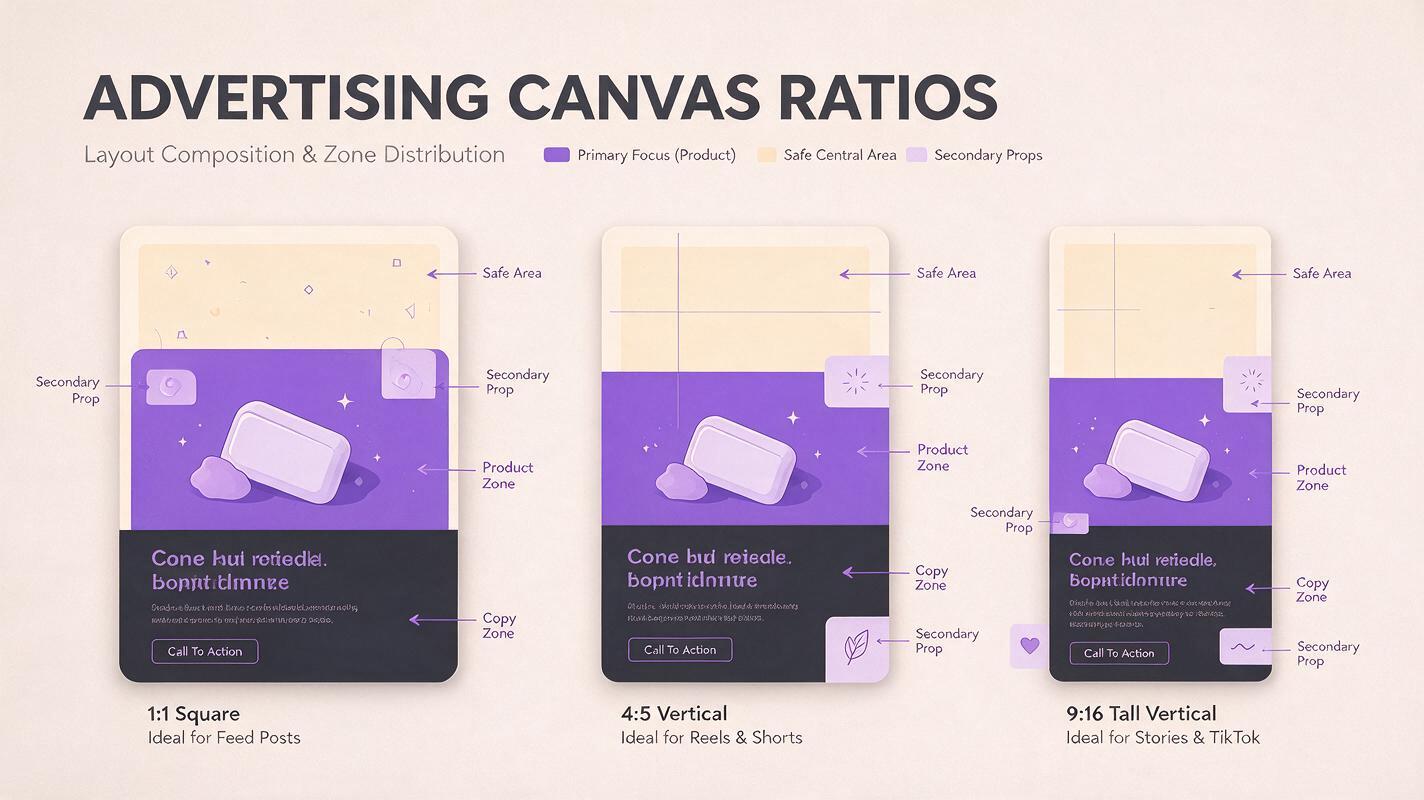
Each canvas needs its own hierarchy. Define the intended product zone, copy zone and secondary visual zone before generating anything.
Square 1:1 composition
Use a compact, balanced arrangement suited to feeds, thumbnails and placements where the creative may appear relatively small. Keep the product close to the visual center, but leave a deliberate area for a short headline.
- Product zone: approximately the central half of the canvas
- Copy zone: upper-left, upper-center or a clean side panel
- Best visual structure: centered hero, diagonal split or compact product cluster
Portrait 4:5 composition
Use the additional vertical area to separate the message from the product. A headline can occupy the upper area while the product and proof element sit below it. Avoid simply adding empty background above and below the square version.
- Product zone: middle-to-lower portion of the frame
- Copy zone: upper third with uncluttered contrast
- Best visual structure: headline, product, supporting detail
Vertical 9:16 composition
Treat the frame as a tall sequence of attention zones. Keep critical content away from the extreme top and bottom, where platform interface elements may compete with the design. Use depth, environmental extension or vertically arranged props to fill the frame naturally.
- Product zone: central area with generous breathing room
- Copy zone: upper-middle rather than the outer edge
- Best visual structure: hook area, product hero, proof or action area
Recompose the master with Seedream 4.5
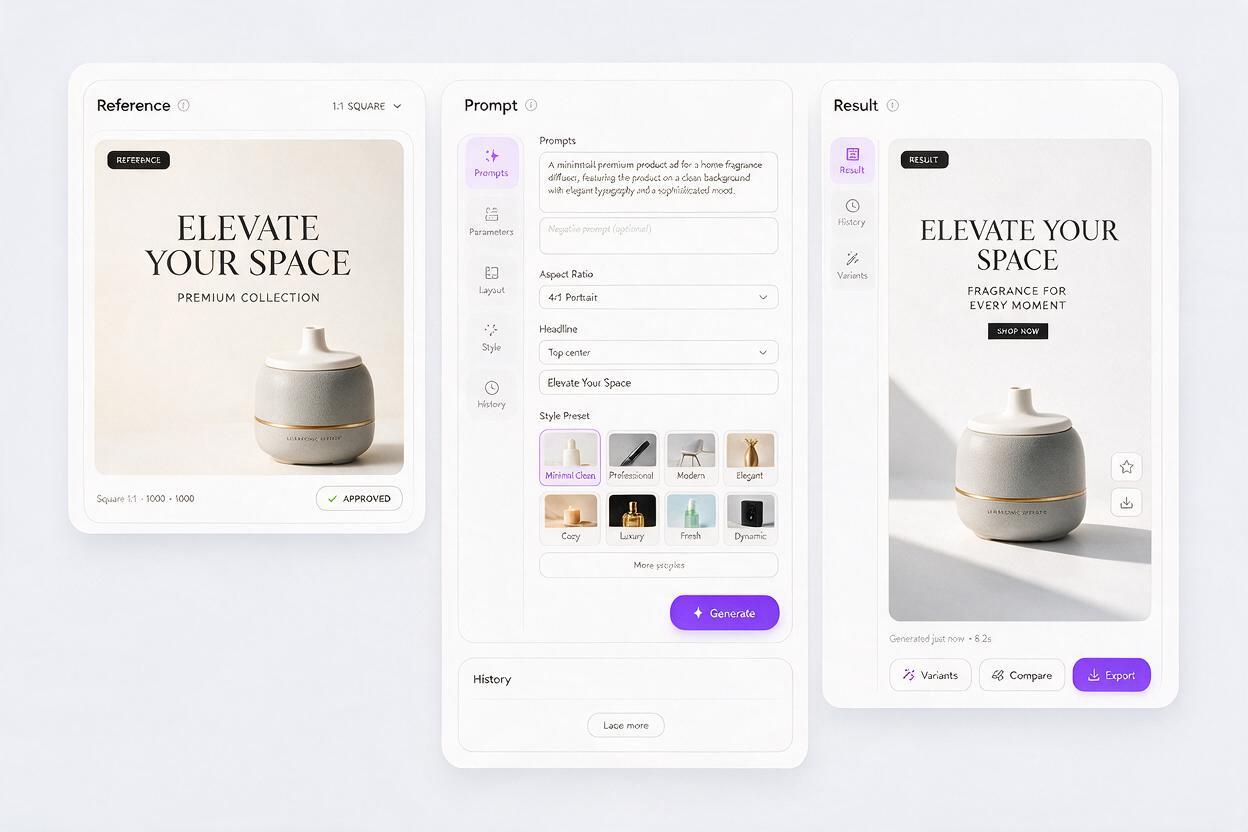
Upload the approved source as the primary reference in seedream 4.5. Reference-based editing is preferable to generating the scene again from a text description because the original image already contains the product appearance, lighting direction and campaign art direction you need to preserve.
Generate one ratio at a time. A prompt should identify the invariant elements first, describe the new spatial arrangement second, and list prohibited changes last.
Recompose this approved product advertisement for a 4:5 portrait canvas.

Preserve exactly:
- the same product design, proportions, materials and visible packaging details
- the original color palette, lighting direction and photographic style
- the same campaign mood and background environment

Change only the composition:
- position the product in the middle-to-lower area
- extend the environment naturally above and around the product
- create a clean, low-detail headline area in the upper third
- reposition secondary props to balance the portrait frame
- maintain realistic contact shadows and perspective

Do not add text, logos, badges, labels, extra products, hands or new claims. Do not crop the product or redesign the packaging.
Change the composition block for the other formats rather than rewriting the full prompt. This keeps instructions stable and reduces accidental differences between outputs.
Use outpainting instead of stretching or aggressive cropping
Stretching changes product geometry. Cropping removes information. Outpainting gives the model permission to create plausible content around the approved subject while leaving that subject intact.
For a landscape-to-vertical conversion, expand the canvas first and anchor the original product near its intended final position. Then use ai image generation to complete the newly exposed areas. Ask for environmental continuity rather than generic empty space.
Extend the existing studio set into the empty vertical canvas. Continue the same warm gradient wall, tabletop material, shadow softness and camera perspective. Add subtle background depth and two small supporting props that match the original art direction. Keep the supplied product unchanged and sharply in focus. Leave the upper-middle area visually quiet for campaign copy.If the new area looks visibly synthetic, inspect whether the prompt describes the physical scene precisely enough. Naming the surface, light direction, lens perspective and shadow behavior usually provides better guidance than asking for a background that is merely clean or premium.
Protect products, logos and offer accuracy
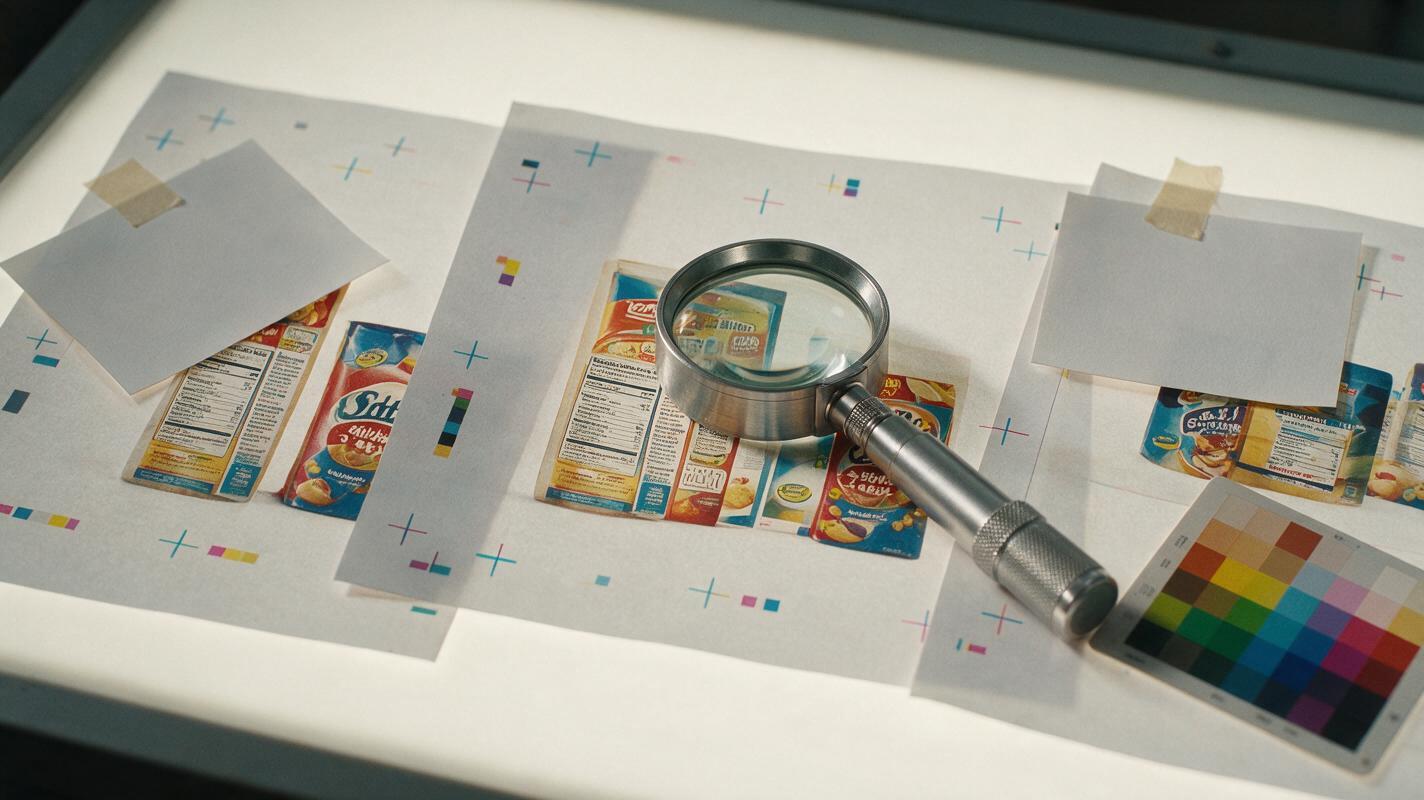
AI resizing should not be allowed to reinterpret commercial facts. Compare each output against the approved source at high magnification before adding copy.
- Check packaging shape, cap placement, buttons, ports and material transitions.
- Compare label colors and distinctive brand marks against the source.
- Look for duplicated props, floating objects and inconsistent reflections.
- Confirm that hands, faces or product interactions remain anatomically plausible.
- Reject outputs that introduce unsupported badges, prices or benefit claims.
For strict brand assets, mask the original product and composite it over the generated background. Add the real logo, disclaimer and offer text in the design file after generation. AI should solve the surrounding composition—not become the source of record for regulated or commercially sensitive details.
Separate layout adaptation from creative testing
A resized set is not automatically a useful test. If the square version uses a centered product, the portrait version adds a person, and the vertical version changes the offer, the placement result cannot tell you whether performance changed because of format or concept.
Maintain a simple control sheet for every set:
| Variable | Keep fixed across ratios? | Testing note |
|---|---|---|
| Product | Yes | Use the same SKU and viewing angle where practical. |
| Core headline | Yes | Line breaks may change, but the message should not. |
| Offer | Yes | Do not combine placement and offer tests. |
| Background concept | Yes | Extend it without replacing the campaign idea. |
| Element positions | No | Recompose for the available canvas. |
| Copy line breaks | No | Adjust for readability and hierarchy. |
After establishing a ratio-adapted control, create additional variants within each ratio. For example, test product scale or headline position while holding the offer, product and background constant. This produces cleaner evidence than changing everything at once.
Fix common resizing failures
The product changes shape
Use a tighter product mask, strengthen the preservation instruction and generate the surroundings independently. Avoid asking the model to make the product fit the canvas; ask it to extend the canvas around the unchanged product.
The result contains unusable copy space
Specify both the location and visual properties of the space. Request a low-detail area with even contrast, not simply negative space. Mention where the product and props must not appear.
The extended background looks repetitive
Replace vague expansion instructions with physical scene details. Describe how the surface continues, where the light originates and how background objects vary in distance and scale.
All three ratios look like the same crop
Give each ratio a distinct composition map. Product scale, vertical position and prop arrangement can change without changing the underlying campaign concept.
Important details sit behind interface overlays
Move the headline and product toward the central viewing area. Review a realistic placement preview rather than judging only the clean export.
Final checklist
- The product matches the approved source in shape, color and visible detail.
- Each ratio has an intentional composition rather than a direct crop.
- Headline space is clear, useful and positioned for the target placement.
- No generated logos, prices, claims or unsupported product features remain.
- Lighting, perspective and shadows stay consistent across the expanded scene.
- The same campaign idea, offer and product appear in every ratio.
- Editable copy, branding and legal text have been added after generation.
- Every export has been reviewed in a realistic placement preview.
Once your source creative and ratio maps are ready, try these models for free and build the full placement set from one approved campaign concept.
Keywords
resize ad creatives, social media ad sizes, AI ad generator, ad creative resizing, Seedream 4.5, creative testing, campaign creative