Resize Food Photos for Every Social Format Without Cropping the Dish
Turn one finished food photograph into square posts, portrait ads, Stories and landscape banners without shrinking or cropping away the dish. This preservation-first Nano Banana Pro workflow uses generative expansion, protected reference details and format-specific composition prompts.
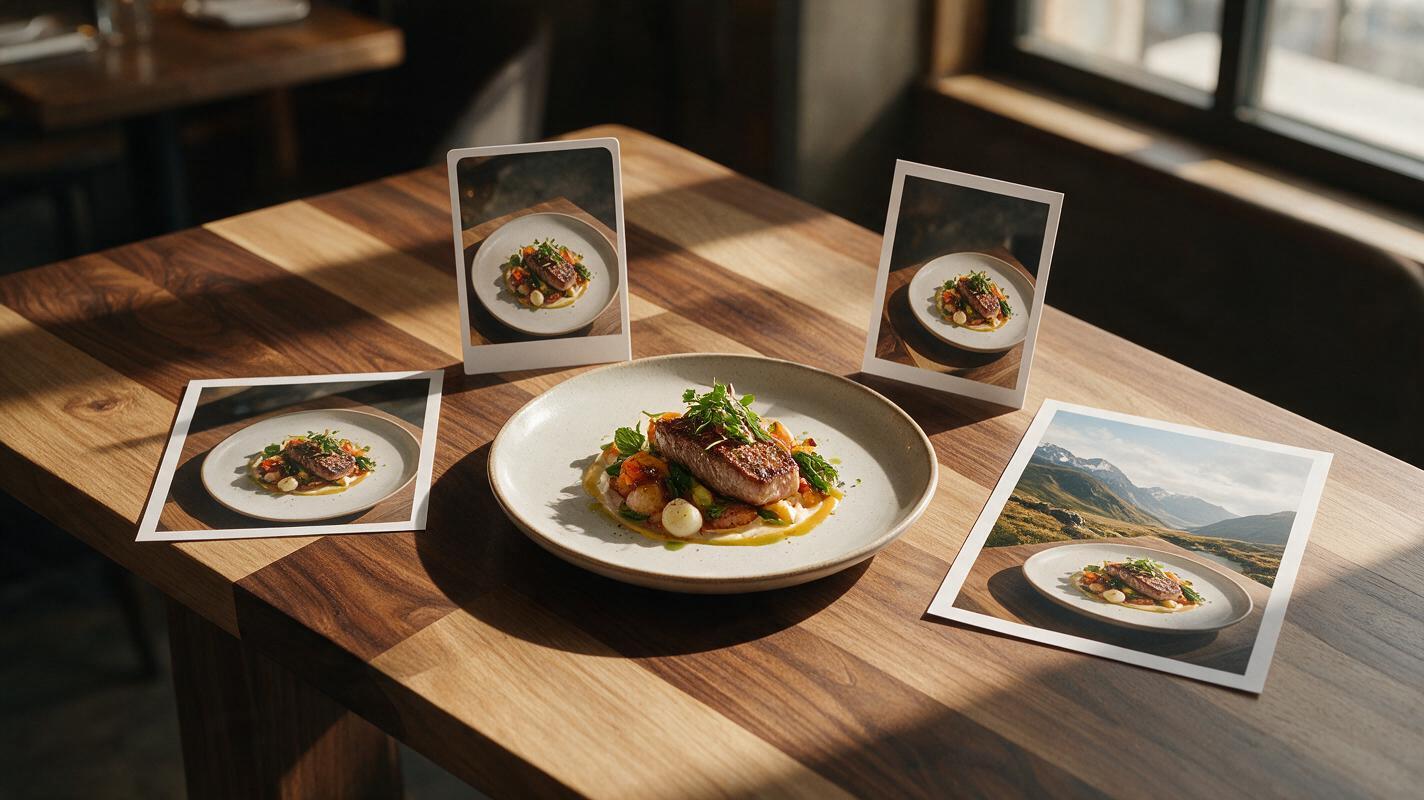
Table of contents
One Food Photo, Every Social Format
A strong food hero shot should not lose its plate, packaging or appetite appeal just because a social platform needs a different aspect ratio. Instead of repeatedly cropping the original, you can preserve the food and generate believable space around it for square posts, portrait ads, Stories and landscape banners.
The key is to treat the original dish as protected content. Expand the environment—not the meal. This tutorial uses nano banana pro for reference-based editing and canvas expansion, but the composition method applies to any image editor that supports controlled outpainting.
Why Ordinary Cropping Fails Food Photography
A restaurant may receive one polished 4:5 campaign photograph and need to adapt it for several placements. A conventional crop often creates predictable problems:
- The plate rim or glass is cut off.
- A burger, cake or bottle becomes uncomfortably large in the frame.
- Garnishes and props disappear, weakening the visual story.
- There is no clear area for a price, headline or promotional badge.
- The subject shifts too close to interface elements in a Story or Reel.
Scaling the entire image down is not a complete solution. It can leave obvious empty bands that do not match the table, wall, shadows or lighting. Generative expansion fills those bands with scene-consistent material while retaining the useful pixels in the center.
Preservation rule: If an element affects what the customer will receive—food quantity, ingredients, package shape, logo or serving vessel—do not ask the model to redraw it unnecessarily.
Build a Format Map Before Expanding the Canvas
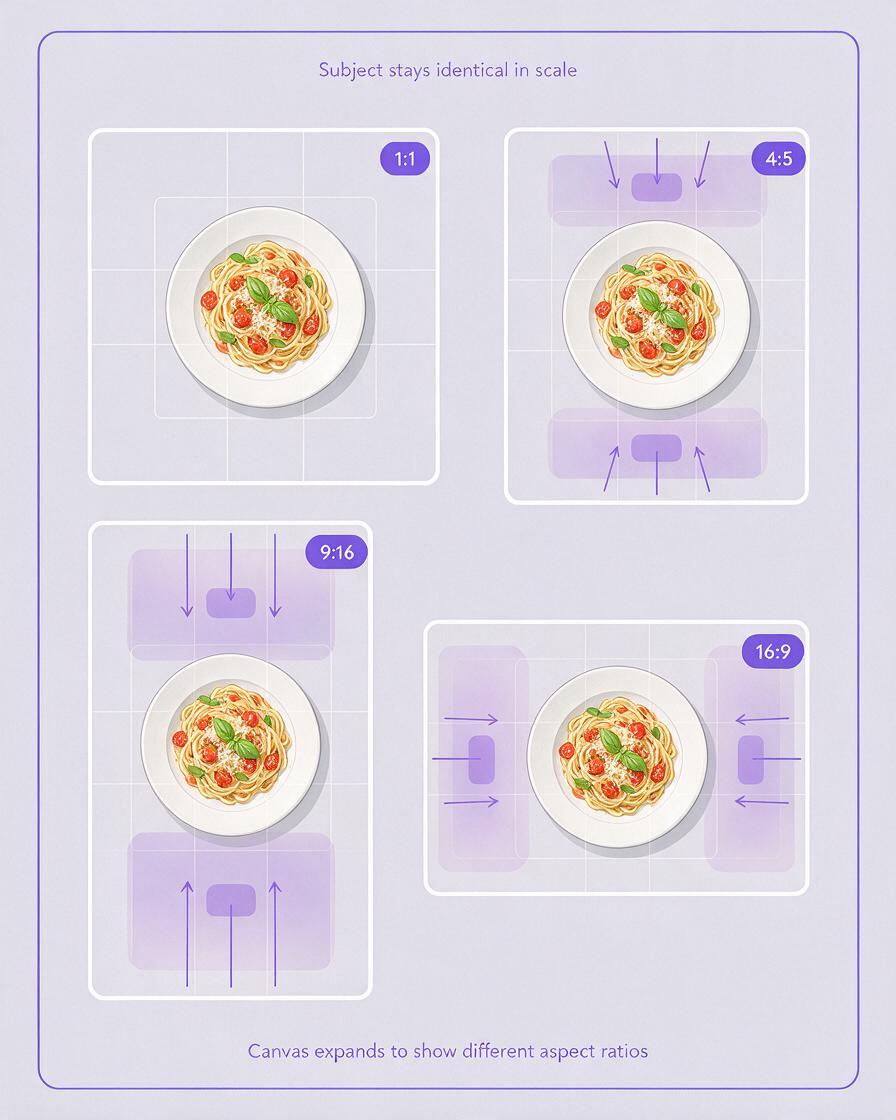
Start by listing the actual placements rather than generating arbitrary sizes. Each ratio has a different compositional job, so one universal expansion prompt rarely produces the best set.
| Format | Typical composition goal | Best expansion direction |
|---|---|---|
| 1:1 square | Balanced feed post or menu tile | Add equal context to short sides |
| 4:5 portrait | Feed ad with room for a headline | Extend above or below the dish |
| 9:16 vertical | Story, Reel cover or vertical promotion | Build substantial upper and lower space |
| 16:9 landscape | Website banner or digital display | Extend laterally while holding subject scale |
Mark where copy will sit before editing. For a vertical happy-hour Story, for example, the drink can remain in the lower middle while the upper third becomes a softly lit wall with low visual detail. For a website banner, the plated entrée may sit on the right while the table continues naturally to the left for copy.
A useful format map records the target ratio, subject position, copy zone and elements that must remain unchanged. This prevents the model from making composition decisions that conflict with the final design.
Protect the Dish Before Generating New Space
Use the highest-resolution approved photograph available. Avoid starting from a compressed screenshot because outpainting cannot recover authentic detail already lost from the food.
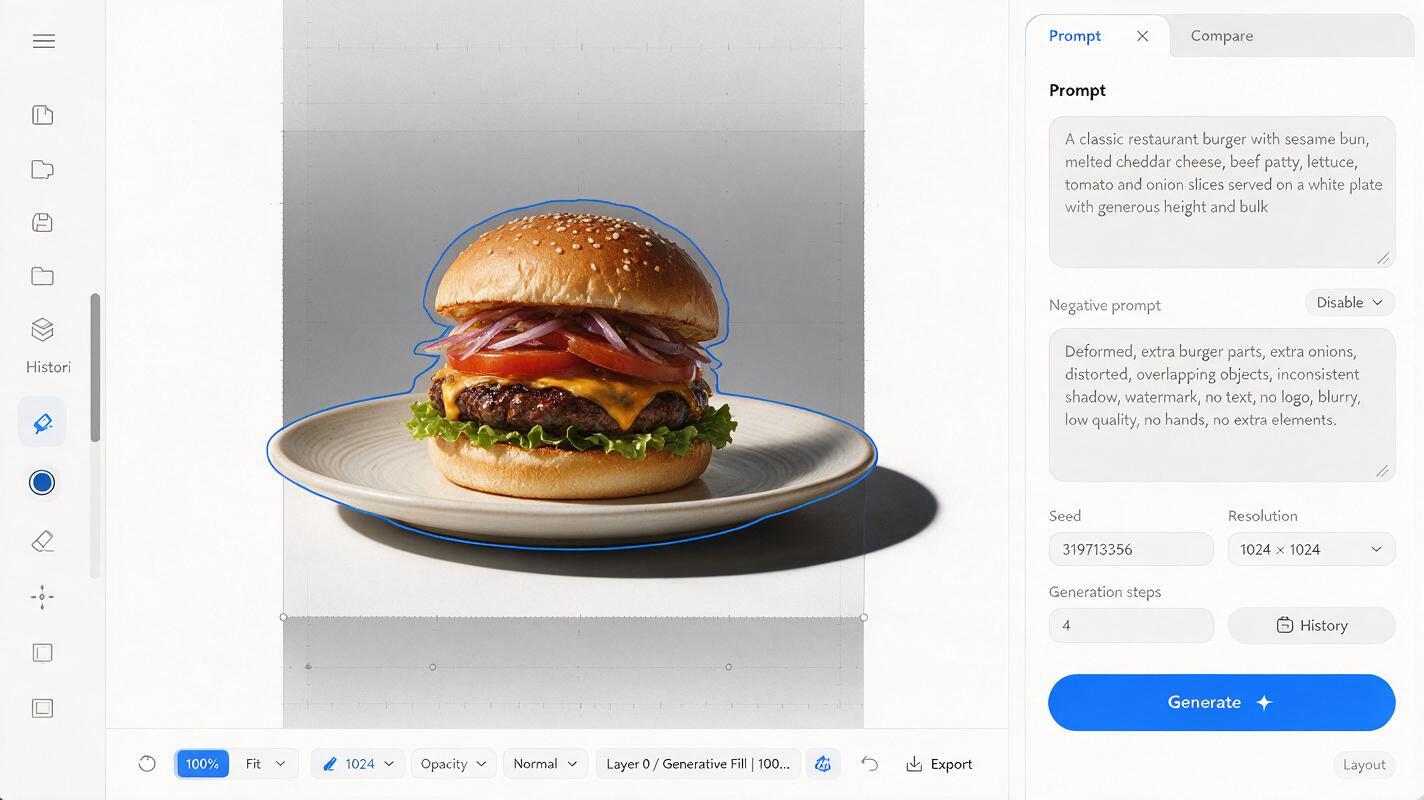
Place the source image on the new canvas without stretching it. Keep the full dish, vessel and any brand-critical packaging inside the protected original area. If the editor offers a mask, select only the new empty canvas plus a narrow overlap around the original edge. That overlap helps the generated table, wall or fabric blend into the photograph.
Do not include the center of the dish in the editable region merely to improve the background. When the model can access the food, it may change ingredient counts, move garnishes, alter glass fill levels or redraw label typography.
- Protect completely: food, plate, glass, bottle, can, logo, utensils touching the food.
- Allow limited overlap: table grain, napkin edges, distant props and soft shadows.
- Generate freely: empty tabletop, wall, booth, window light and defocused background.
Prompt the Environment, Not a Second Meal
Outpainting prompts should describe what belongs beyond the frame. Repeating a detailed description of the entrée can encourage the model to add duplicate ingredients or create another plate.
Use this general prompt structure:
Extend the existing food photograph to [target aspect ratio].
Preserve the original dish, plate, portion, garnish, utensils and shadows exactly.
Continue the [table or surface] naturally beyond the original frame.
Match the existing camera angle, lens perspective, light direction, color temperature and depth of field.
Create [specific copy area] with low visual detail.
Do not add food, plates, hands, text, logos or duplicate props.
For a 9:16 restaurant Story, adapt it like this:
Expand this restaurant hero photograph vertically to 9:16.
Keep the original pasta bowl unchanged in the lower-middle area, including noodle shape, sauce coverage, basil placement and ceramic bowl.
Continue the dark walnut table downward and create a softly blurred warm restaurant interior above.
Match the existing side light and shallow depth of field.
Leave a calm, darker upper-third area for promotional text.
Do not add another dish, extra ingredients, people, lettering or tableware.
For a 16:9 beverage banner, specify the lateral layout:
Expand the photograph horizontally to 16:9.
Keep the original bottled drink, label, liquid level, condensation and contact shadow unchanged on the right.
Extend the stone counter to the left with matching texture and perspective.
Continue the soft afternoon window light and pale café background.
Leave uncluttered negative space on the left for a headline.
Do not alter the bottle or generate text, fruit, additional bottles or hands.
Match Perspective, Light and Surface Texture
The most convincing expansion is not necessarily the most detailed one. It is the version that continues the visual logic of the source photograph.
Inspect three cues before choosing a result:
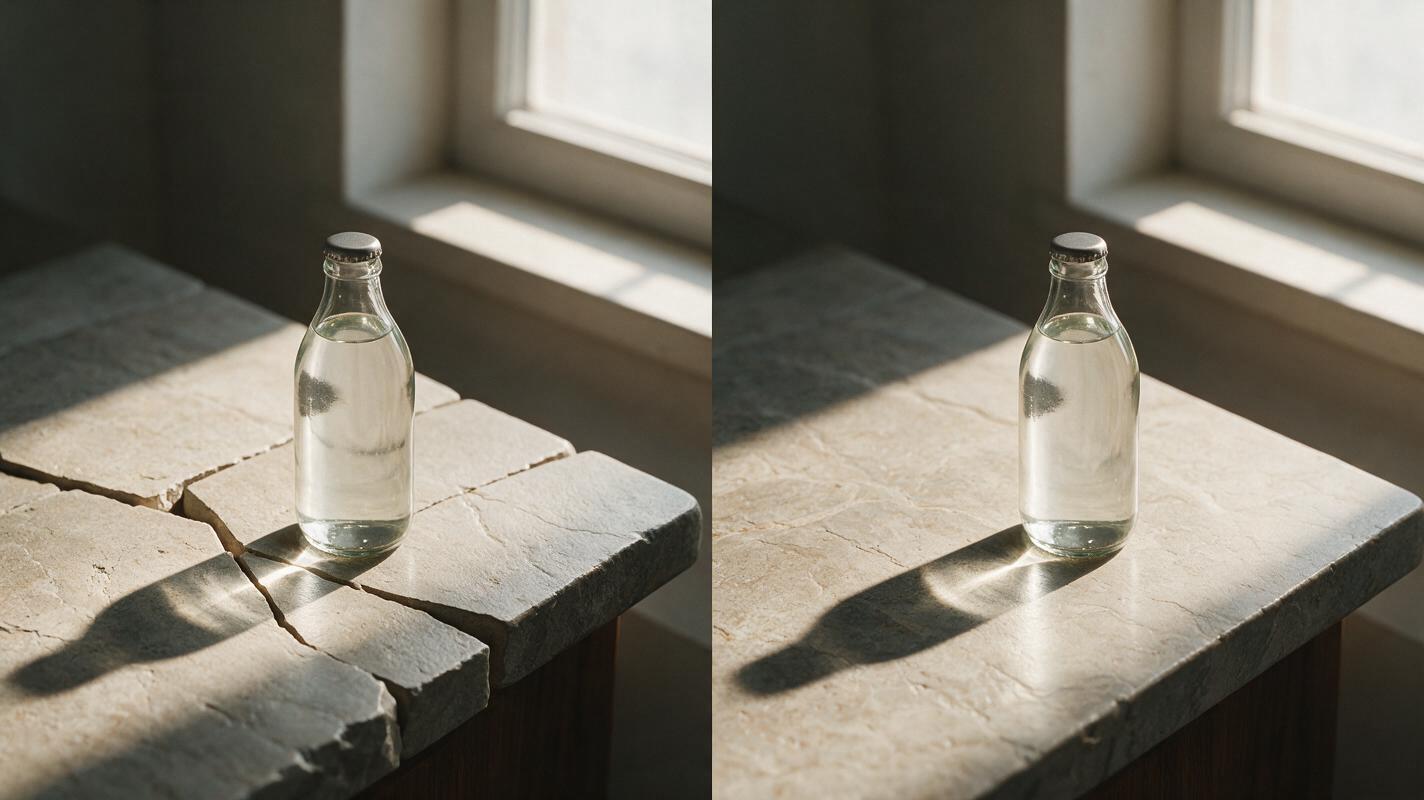
- Perspective: Table seams and tile lines should converge in the same direction as the source.
- Lighting: Generated shadows should agree with the original key light instead of introducing a second light source.
- Focus: Background detail should follow the existing depth of field. A blurred café should not become sharply rendered at the new edge.
Surface texture is a frequent giveaway. Wood grain may suddenly change scale, marble veins may stop at the old boundary, or a linen napkin may grow into an impossible shape. Generate several restrained variations and compare the transition at 100% magnification. A simple continuation is usually safer than requesting elaborate new props.
Create Copy Space Without Making the Image Look Empty
Copy space needs low detail, not zero visual information. A completely blank patch can look pasted onto an otherwise photographic scene. Ask for gentle tonal variation, natural falloff and subtle environmental texture.
Useful copy-space directions include:
- A softly shadowed plaster wall with no fixtures.
- A continuous stone counter with restrained veining.
- A dark, defocused booth fading toward the edge.
- A pale linen surface with broad, shallow folds.
- A warm restaurant background represented only by soft bokeh.
Keep contrast between the eventual text color and its background in mind. If the campaign uses white type, request a darker quiet zone. If it uses dark type, request a pale surface without bright highlights crossing the letters.
Generate Each Ratio From the Original
Do not create the square image, expand that result into portrait, and then expand the portrait into vertical. Every generation introduces new pixels and possible drift. Repeated edits compound inconsistencies in color, perspective and texture.
Instead, return to the approved original for every format. Use separate canvases and ratio-specific prompts. This keeps the food identical across the campaign even when the surrounding environment changes.
This is also where controlled ai image generation is more useful than one-click auto-fill: the prompt can define subject position, protected details, lighting continuity and the exact location of negative space.
| Weak instruction | More controllable instruction |
|---|---|
| Make this image wider | Expand laterally to 16:9, retain subject scale and continue the table to the left |
| Add restaurant background | Add a softly blurred warm dining room above the existing table line |
| Leave room for text | Reserve the upper-left third as a dark, low-detail copy zone |
| Keep it the same | Preserve the original plate, portion, garnish, shadow and camera perspective exactly |
Repair Seams Without Redesigning the Food
If a result is almost usable, edit only the defective boundary. Mask a small region around a broken table seam, mismatched shadow or repeated texture. A targeted repair is less likely to disturb the approved subject than regenerating the entire canvas.
Reject the result rather than repairing it when the model changes a menu-critical detail. Common rejection triggers include:
- A different number of dumplings, cookies or toppings.
- A changed bottle silhouette, cap or label.
- A larger portion created by extending food beyond the original frame.
- New ingredients that are not served with the product.
- A plate edge that becomes oval, melted or discontinuous.
Finish with conventional color and layout tools where possible. Minor exposure matching, edge cleanup and text placement do not require another generative pass.
Final Checklist
- Build each social ratio from the same approved source photograph.
- Keep food, portions, vessels, labels and logos outside the editable mask.
- Describe the environment to extend rather than redescribing the meal.
- Specify camera perspective, light direction and depth of field.
- Reserve a deliberate low-detail zone for promotional copy.
- Check transitions, shadows and surface textures at full size.
- Compare the final dish against the original before publishing.
- When the format map is ready, create your own version from the highest-quality source image.
Keywords
resize food photos, AI outpainting, restaurant social media, Nano Banana Pro, food photo aspect ratio, generative expand, food advertising