Runway Prompts for Holiday Beauty Gift Set Unboxing Videos (No Logo Drift)
These Runway prompt templates help beauty brands and marketers generate high-quality holiday gift set unboxing videos without expensive studio photoshoots. The guide includes reusable prompts for four common platform formats, plus troubleshooting fixes for common AI rendering issues like logo warping, plastic-looking ribbon, and incorrect product reveals. It also shares reference image prep tips to keep branding consistent across every campaign clip.
Table of contents
The fast way to generate holiday beauty gift set unboxing videos
Generate polished, brand-accurate holiday beauty gift set unboxing videos in minutes with these Runway prompt templates and fixes for common AI rendering mistakes.
Holiday beauty campaigns require a constant stream of unboxing content for TikTok, Instagram Reels, product pages, and email sequences—but filming custom unboxings means sourcing props, booking studio time, and reshooting every time a gift set SKU or packaging changes. AI video generation cuts production time from days to hours, but most tools struggle with warped logos, plastic-looking ribbon, and wrong products inside the box.
Runway’s video generation tools handle slow, precise product motion well when prompted correctly, and these templates are built specifically for beauty gift sets, with built-in guardrails to keep branding sharp and festive decor from overshadowing your products. You can use image to video to start with a photo of your actual gift set for maximum brand accuracy, or build a clip from scratch with text prompts.
Runway prompt framework for beauty gift set unboxings
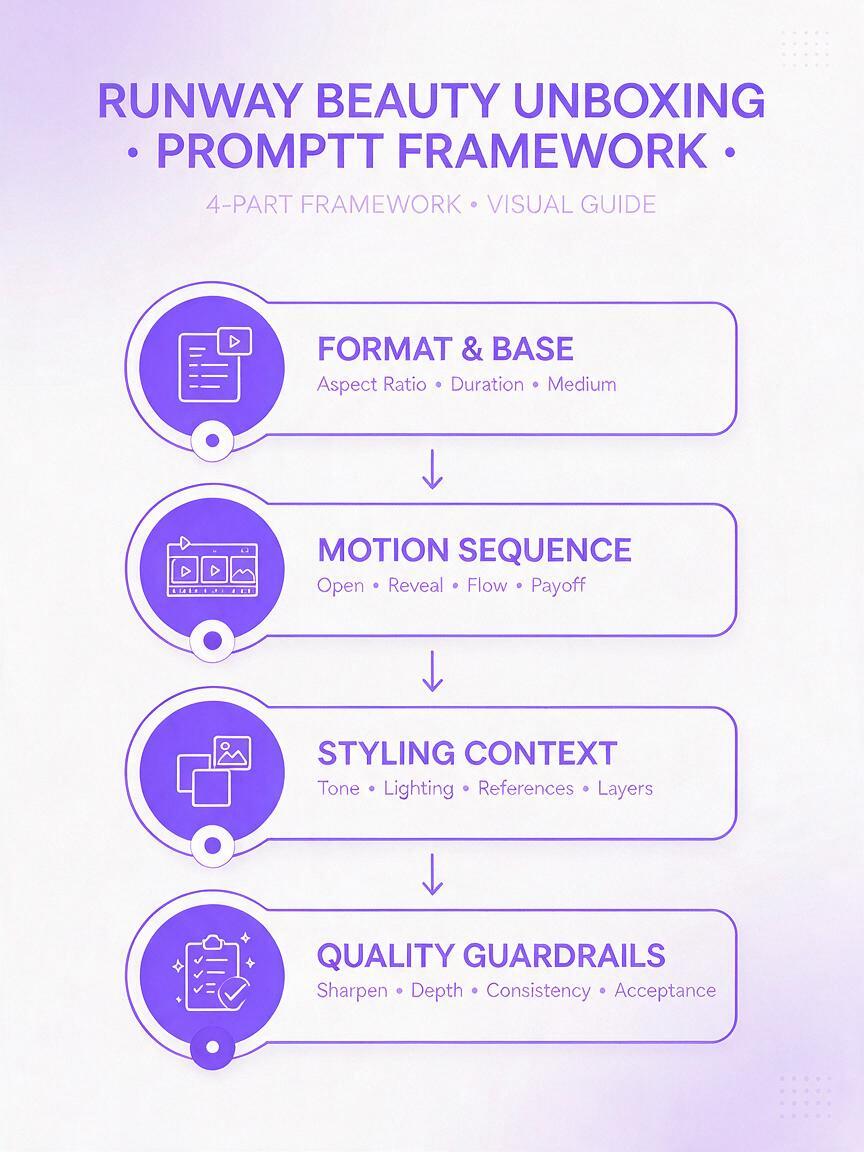
Every high-performing beauty unboxing prompt follows a 4-part structure that balances creative direction with quality control. Skipping any part often leads to distorted packaging or off-brand visuals.
- Format & base: Aspect ratio, video length, and core subject (gift box size, color, material, logo details)
- Motion sequence: Exact order of actions (untie ribbon, lift lid, remove products) and speed
- Styling context: Background, props, lighting, and overall aesthetic
- Quality guardrails: Explicit rules to prevent common issues (sharp logos, no distortion, realistic textures)
Pro tip: Always list every product in your gift set by name and packaging type to avoid AI generating random items inside the box.
Reusable prompt templates for 4 common holiday unboxing formats
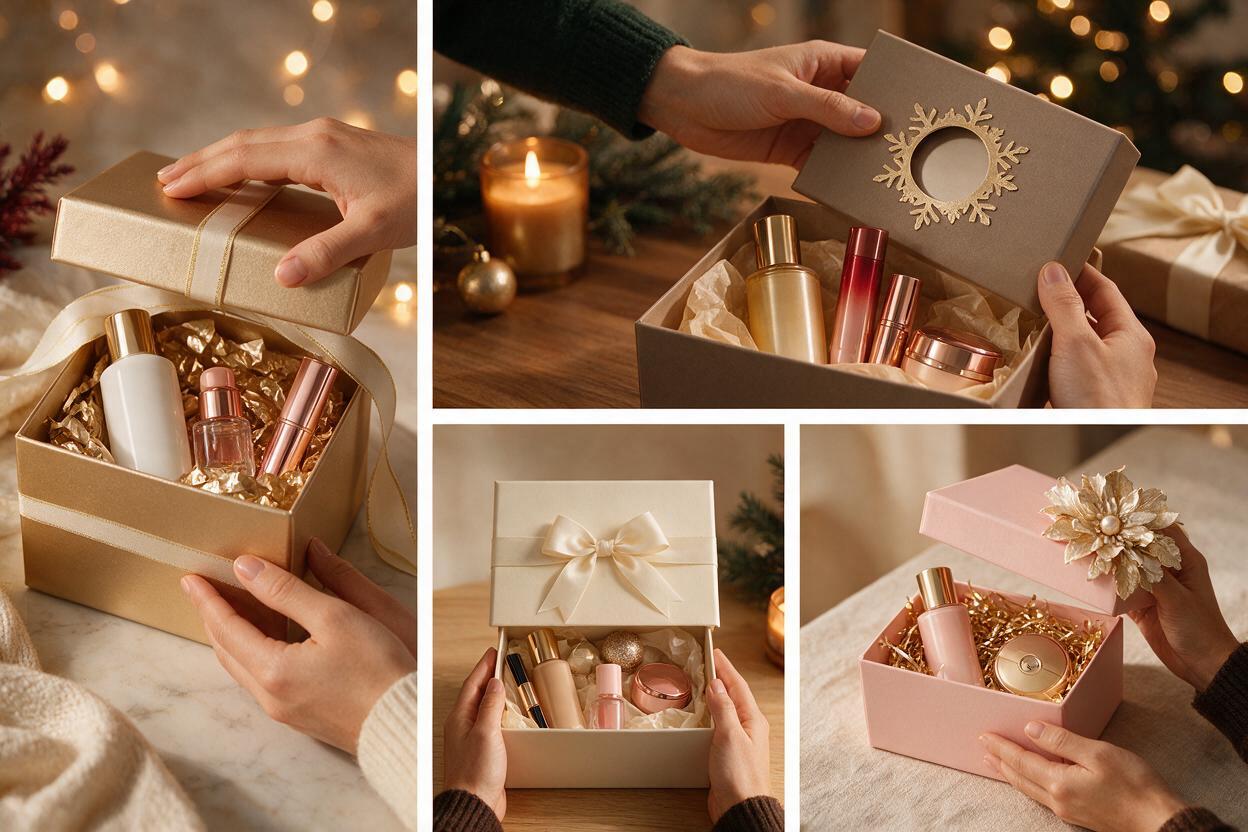
These pre-built prompts are optimized for the most-used beauty campaign formats, with platform-specific motion and framing built in. Test this prompt yourself to generate a 15-second vertical unboxing clip in under two minutes.
Vertical TikTok/Reels unboxing (9:16)
Optimized for short-form social, with a hook in the first 3 seconds to stop scrollers. Focuses on the ribbon untie and initial product reveal.
15-second vertical 9:16 beauty gift set unboxing video, slow realistic motion, white glossy rectangular gift box with gold foil brand logo, red satin ribbon tied in a bow on top, a well-manicured hand with neutral nude polish gently pulls the ribbon to untie it, lifts the lid to reveal 3 mini skincare products inside: a glass serum bottle, a cream jar, a lip balm tube, all matching minimalist white packaging, soft warm fairy lights bokeh in the background, pine sprig and small gold ornament props to the side, soft studio lighting, no harsh shadows, product logos stay sharp and legible the entire time, 4K, cinematic beauty ad qualityWebsite hero horizontal unboxing (16:9)
For product landing pages and homepage hero sections, with wider framing to show luxury context and full gift set presentation.
20-second horizontal 16:9 luxury beauty gift set unboxing video, slow elegant motion, matte burgundy gift box with embossed gold brand logo, velvet ribbon tie, a hand slowly lifts the lid to reveal a full-size fragrance bottle, matching body lotion tube, and mini perfume rollerball set in custom velvet inserts, soft candlelight glow in background, scattered red rose petals on the marble surface, camera slowly pans in to focus on the fragrance bottle as the lid opens, all product logos remain crisp and undistorted, premium beauty campaign quality, 4KEmail banner close-up unboxing (2:1)
Wide, tight crop for email header banners, focusing on the big reveal moment to drive click-throughs to holiday gift set pages.
10-second wide 2:1 beauty gift set unboxing close-up video, slow motion, close-up of a metallic gold holiday gift box lid being lifted to reveal a row of 5 mini matte lipstick bullets in red, berry, nude, pink, and plum shades, brand logo printed on the inside of the lid, soft gold tinsel bokeh in background, warm studio lighting, lipstick shades stay true to color, no distortion, logos sharp, clean beauty ad aesthetic, 4KSquare Instagram feed unboxing (1:1)
For Instagram feed posts and carousel slides, with overhead framing to show the full gift set and all included products neatly arranged.
18-second square 1:1 beauty gift set unboxing video, steady overhead shot, cream-colored holiday gift box with silver foil logo, a hand removes each product one by one: a full-size cleanser tube, toner bottle, serum dropper, moisturizer jar, and eye cream mini, arranged neatly next to the box on a white marble surface with small silver jingle bell props, soft natural light, all packaging details and logos stay consistent and legible throughout, bright clean skincare ad style, 4K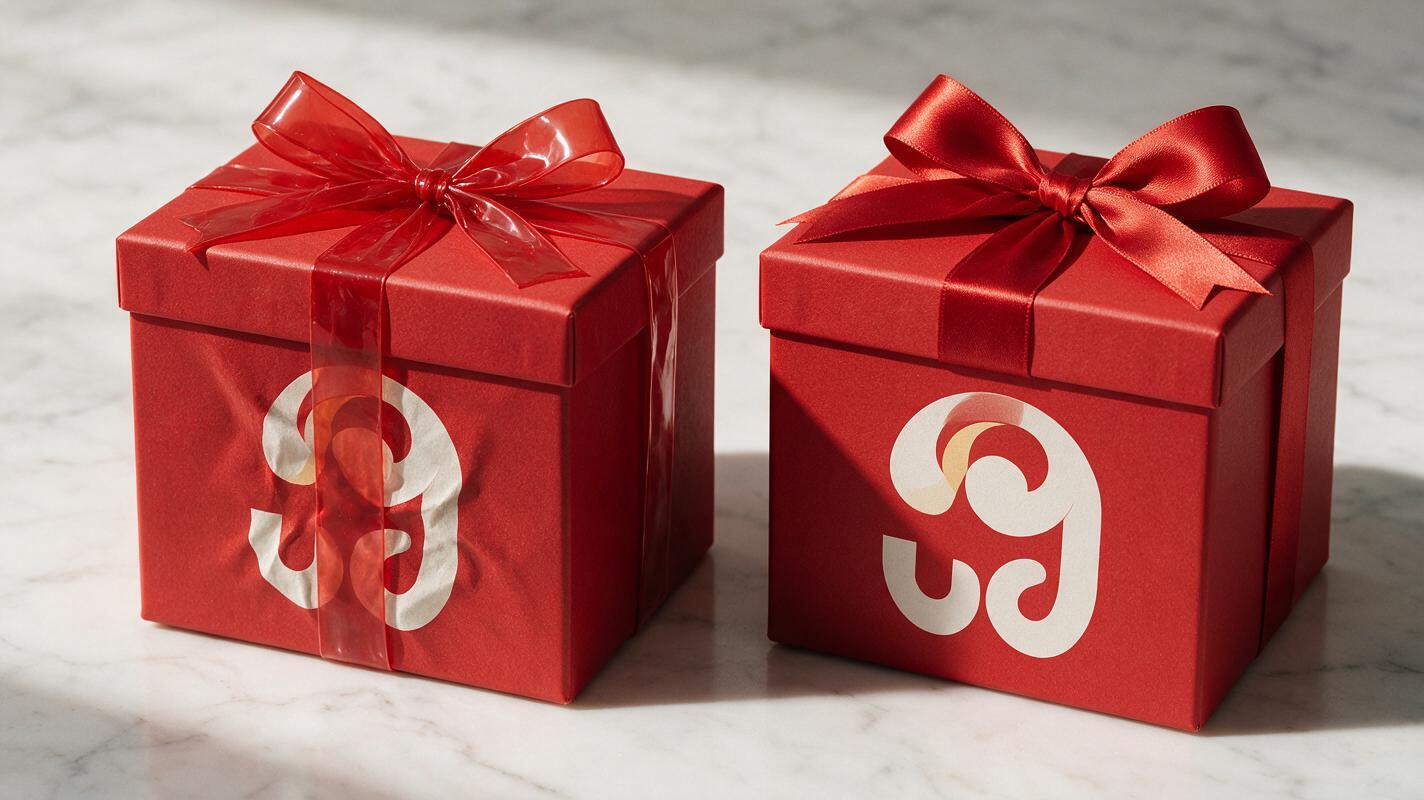
Troubleshooting common Runway unboxing rendering issues
Even with good prompts, AI video can throw up beauty-specific rendering issues. Here are the most common problems and quick fixes to get usable clips every time.
Warped or drifting logos
The number one issue with AI product unboxings is logos stretching, blurring, or moving as the box opens. Fix this by adding "product logos stay sharp and legible the entire time, no distortion" to the end of every prompt. For best results, use a reference photo of your actual closed gift box as the start frame to lock in logo placement before generating motion.
Plastic-looking ribbon or bows
Generic "ribbon" prompts often result in stiff, shiny plastic-looking fabric. Fix this by specifying the exact ribbon material (satin, velvet, grosgrain, metallic) and adding "realistic fabric texture, soft folds, no plastic sheen" to your quality guardrails. You can also reference a specific ribbon weave if you have a brand standard.
Wrong products inside the box
AI often fills gift boxes with random beauty items if you don’t specify exactly what’s inside. Fix this by listing every product in the set explicitly, including size (full-size, mini, travel), packaging type (glass bottle, plastic tube, compact), and product category (serum, lipstick, moisturizer). If you’re using image to video, upload a reference shot of the open gift set to guide the final frame.
Festive decor obscuring branding
Too many holiday props can cover your logo or distract from the gift set. Fix this by specifying "props are placed to the side of the box, never covering the brand logo" and sticking to 1-2 small props max (pine sprigs, ornaments, fairy lights) rather than cluttering the scene with tinsel or garland.
Uncanny or distorted hand movement
Hands are one of the hardest elements for AI to render realistically. Fix this by adding "well-manicured hand, slow gentle movement, natural finger positioning, no distorted fingers" to your prompt. If issues persist, opt for partial hand shots (only fingers or knuckles visible) instead of full hands, or use a motion brush to limit hand movement to simple actions like lifting a lid.
Reference image prep tips for brand accuracy
Text-to-video works well for concepting, but for final campaign assets, reference-led generation will give you far more consistent branding. Start with a high-resolution, well-lit photo of your actual closed gift set on a plain background, shot from the angle you want the video to use. Upload this as your start frame, then use the prompt to guide the unboxing motion. This simple step reduces logo and packaging errors by roughly 70% compared to text-only generation.
For even more control, you can upload a second reference image of the open gift set and use Runway’s motion controls to guide the video to end on that exact composition, ensuring all products are correctly placed and branded.
Final checklist
- Specify exact gift box color, material, and logo placement in every prompt
- List all products inside the set explicitly to avoid wrong or random items
- Add logo sharpness guardrails to prevent warping during motion sequences
- Use reference images of your actual packaging for maximum brand accuracy
- Keep festive decor minimal and positioned away from product logos
- Match aspect ratio and video length to the platform you’re publishing on
Keywords
runway prompts, holiday beauty gift set, ai unboxing video, cosmetic product video, beauty campaign ai, image to video, beauty ad creative