Runway Prompts for Looping Rain, Snow, and Fog in Webtoon Panels
Learn how to animate rain, snow, fog, and drifting atmosphere in finished webtoon panels without distorting characters or line art. This Runway prompt guide covers motion isolation, loop-friendly composition, weather-specific prompts, and practical editing fixes.
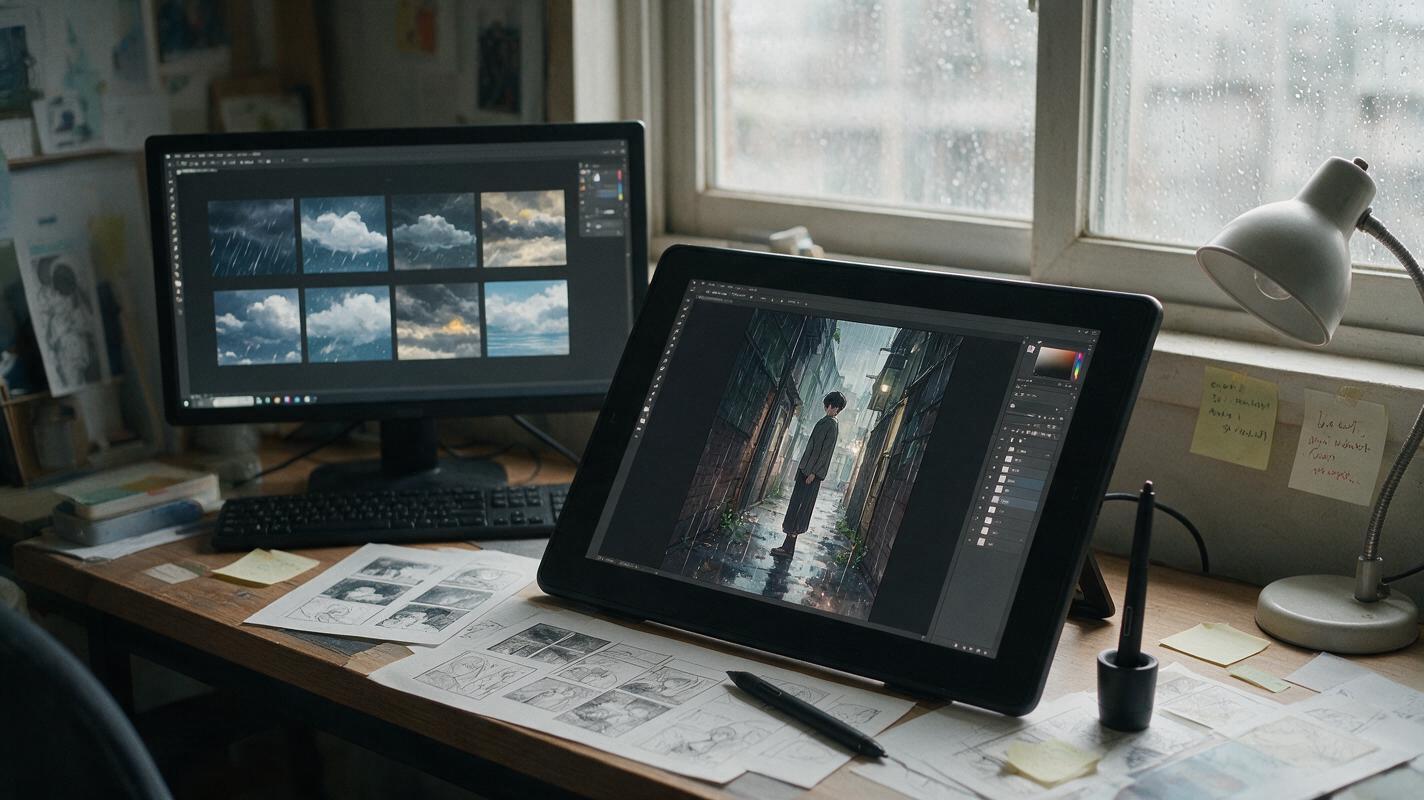
Table of contents
Animate the weather, not the drawing
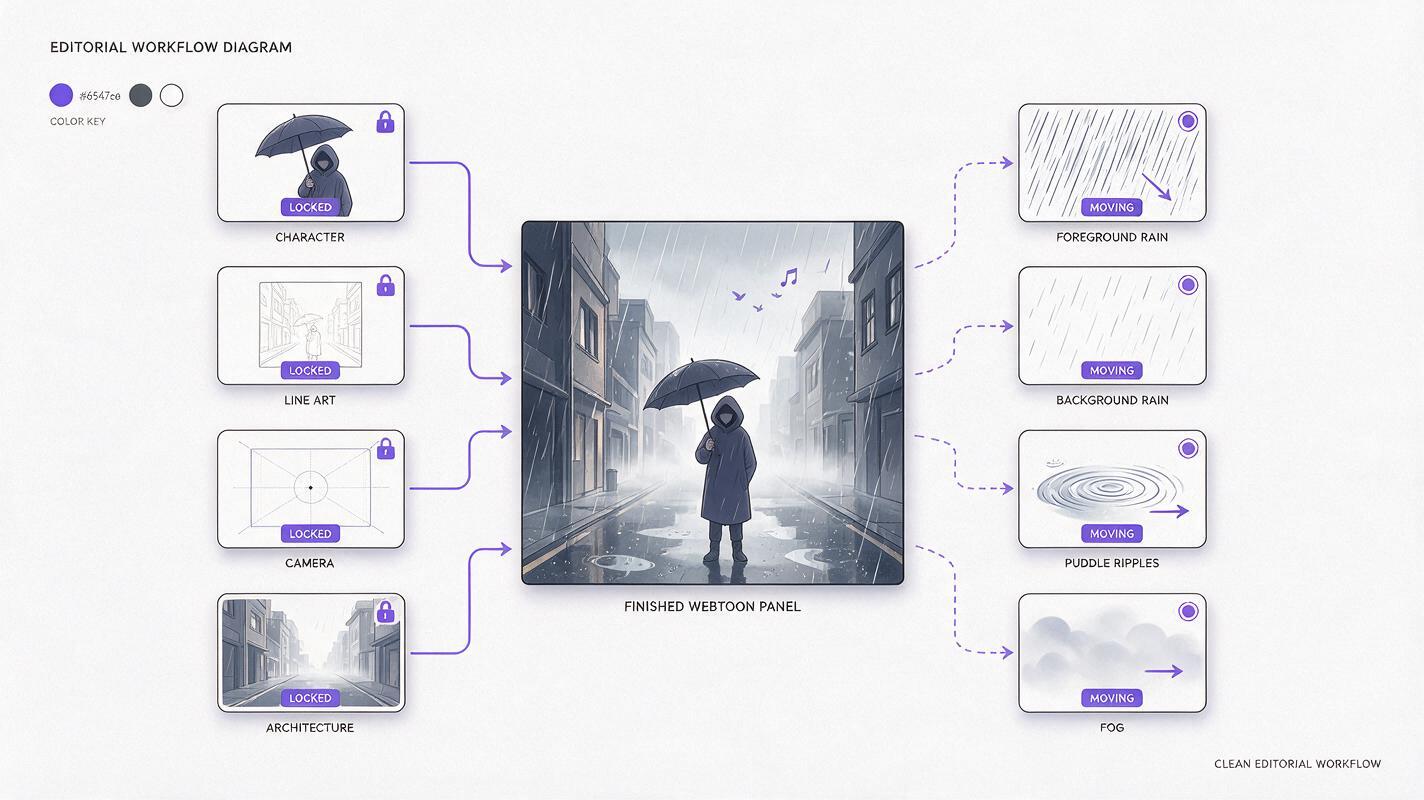
A good weather loop makes a webtoon panel feel alive while the character, camera, lettering, and composition remain almost completely still. The common failure is asking Runway to animate the whole scene: faces start drifting, coats change shape, line art flickers, and rain appears to pass through foreground objects. The safer approach is to treat the finished panel as locked artwork and describe only the atmospheric layers that should move.
This method is designed for short promotional clips, motion-comic inserts, episode teasers, and vertical social posts. It works best when the source panel already communicates the scene clearly without motion.
Choose a panel that can survive motion
Start with a clean export rather than a compressed screenshot. A strong source panel has readable silhouettes, stable anatomy, clear depth, and enough open space for visible particles. Weather animation cannot rescue an image in which the foreground and background already merge together.
Before sending the panel into an image to video workflow, inspect these four areas:
- Face: The eyes, mouth, and jaw should be clearly drawn. Tiny ambiguous features invite reinterpretation.
- Hands: Avoid beginning with partially hidden fingers unless the hand can remain motionless.
- Typography: Remove speech bubbles, captions, and sound effects when possible. Add them again after animation.
- Depth layers: Identify which weather belongs in front of the character, beside the character, and behind the character.
Use motion to extend the panel’s mood, not to introduce a second action that the original drawing was never composed to support.
Write prompts around locked and moving elements
A useful Runway prompt separates the shot into two categories. First, state what must remain fixed. Then describe the weather by direction, speed, depth, and intensity. This is more controllable than filling the prompt with cinematic adjectives.
| Prompt component | What to specify | Example |
|---|---|---|
| Locked subject | Character features and pose | The illustrated character remains perfectly still |
| Locked frame | Camera and composition | Locked camera, no zoom, no reframing |
| Weather motion | Direction and speed | Fine rain falls diagonally from upper left |
| Depth behavior | Foreground and background differences | Near droplets move faster than distant rain |
| Preservation | Artwork qualities that must not drift | Preserve line weight, colors, face, and clothing |
A reliable base structure is:
Locked illustrated shot. The character remains completely still in the original pose. Preserve the exact face, anatomy, costume, line art, colors, and composition. [Weather] moves [direction] at [speed] across distinct foreground and background layers. Only the atmosphere moves. Locked camera, no zoom, no pan, no added objects, no scene redesign.“Completely still” is intentional here. If you want hair or clothing movement, establish a clean weather-only result first. Add secondary character motion in a separate attempt rather than asking for everything at once.
Runway rain prompts for controlled direction
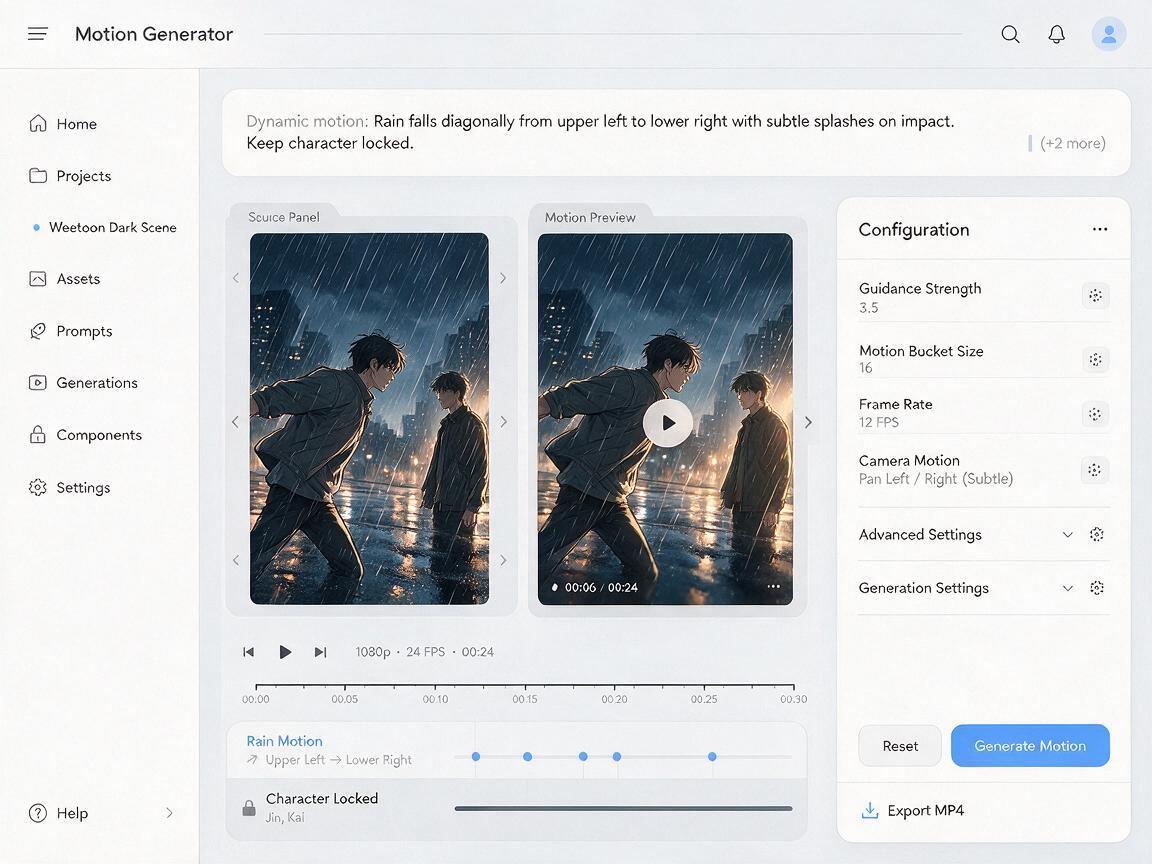
Rain needs a consistent vector. Phrases such as “stormy rain everywhere” often produce conflicting movement, oversized droplets, or water traveling across the character’s face. Define where the rain falls, how hard it falls, and which surfaces respond.
Quiet rain outside a window
Locked illustrated webtoon panel of a character beside a café window. Preserve the exact character, facial expression, hands, clothing, line art, interior lighting, and framing. Fine rain slides slowly down the exterior glass in narrow vertical trails. Soft distant rain moves outside the window only. The character and café interior remain motionless. No camera movement, no facial movement, no new reflections, no objects changing shape.Diagonal rain in an outdoor confrontation
Locked dramatic comic panel. Preserve both characters, their poses, facial identities, costume details, silhouettes, and original ink lines. Dense rain falls diagonally from upper left to lower right at a steady speed. Foreground streaks are slightly faster and softer; distant streaks are finer. Small ripples appear only in existing puddles. No body movement, no camera shake, no lightning, no morphing, no added debris.If rain crosses a face too aggressively, reduce its density instead of adding more preservation language. You can also mask or composite a clean face layer over the generated result in your editor.
Snow prompts that preserve readable silhouettes
Snow is usually easier to loop than rain because its movement can be slow and irregular. The danger is visual clutter: large flakes can hide eyes, hands, or important costume details. Keep the character’s facial zone relatively clear and divide the particles by depth.
Locked winter webtoon illustration. Preserve the exact face, hairstyle, body proportions, coat design, line art, palette, and background architecture. Sparse small snowflakes drift downward with a gentle rightward breeze. A few soft out-of-focus flakes pass through the extreme foreground while finer flakes move behind the character. Keep the face unobstructed. Only the snow moves. Static camera, no blinking, no breathing motion, no clothing transformation.For a more emotional scene, change particle speed before changing particle quantity. Slow snowfall can support reflection or grief; fast lateral snow suggests exposure and urgency. The panel’s original acting should still carry the narrative.
Fog prompts built from lateral layers
Fog works best when it travels sideways rather than expanding toward the camera. Sideways motion is easier to read, easier to crossfade, and less likely to wash out the entire drawing. Ask for thin banks at specific depths instead of a single cloud covering the frame.
Locked illustrated night scene in a narrow street. Preserve the character, pose, face, costume, ink contours, signs, buildings, perspective, and color design. Thin low fog drifts slowly from right to left across the ground behind the character. A second faint mist layer moves more slowly in the distant alley. Keep the character silhouette and face crisp. No camera movement, no architecture changes, no new lights, no expanding smoke cloud.Fog can expose depth mistakes in the source panel. If it repeatedly passes in front of an object that should be nearer, split the artwork into layers and place generated fog between them during compositing.
Build a loop that does not visibly jump
Do not assume the generated final frame will perfectly match the first. Weather contains many independent particles, so an exact automatic loop is difficult. Generate a short clip with steady motion, then construct the loop in an editor.
- Snow and fog: Duplicate the clip, overlap the end with the beginning, and use a short dissolve where particle density looks similar.
- Rain: Crossfade two compatible sections with the same fall direction. Avoid reversing the clip because reversed rain rises.
- Window droplets: Use a longer source clip and choose an interior segment without sudden new trails.
- Puddle ripples: Cut where the surface has similar ripple coverage, not necessarily at the original first frame.
A loop often feels smoother when there is no obvious “hero particle.” One very large snowflake or bright droplet attracts attention to the edit point. Remove conspicuous particles with a crop, mask, or localized cleanup.
Diagnose weather animation failures
| Failure | Likely cause | Practical correction |
|---|---|---|
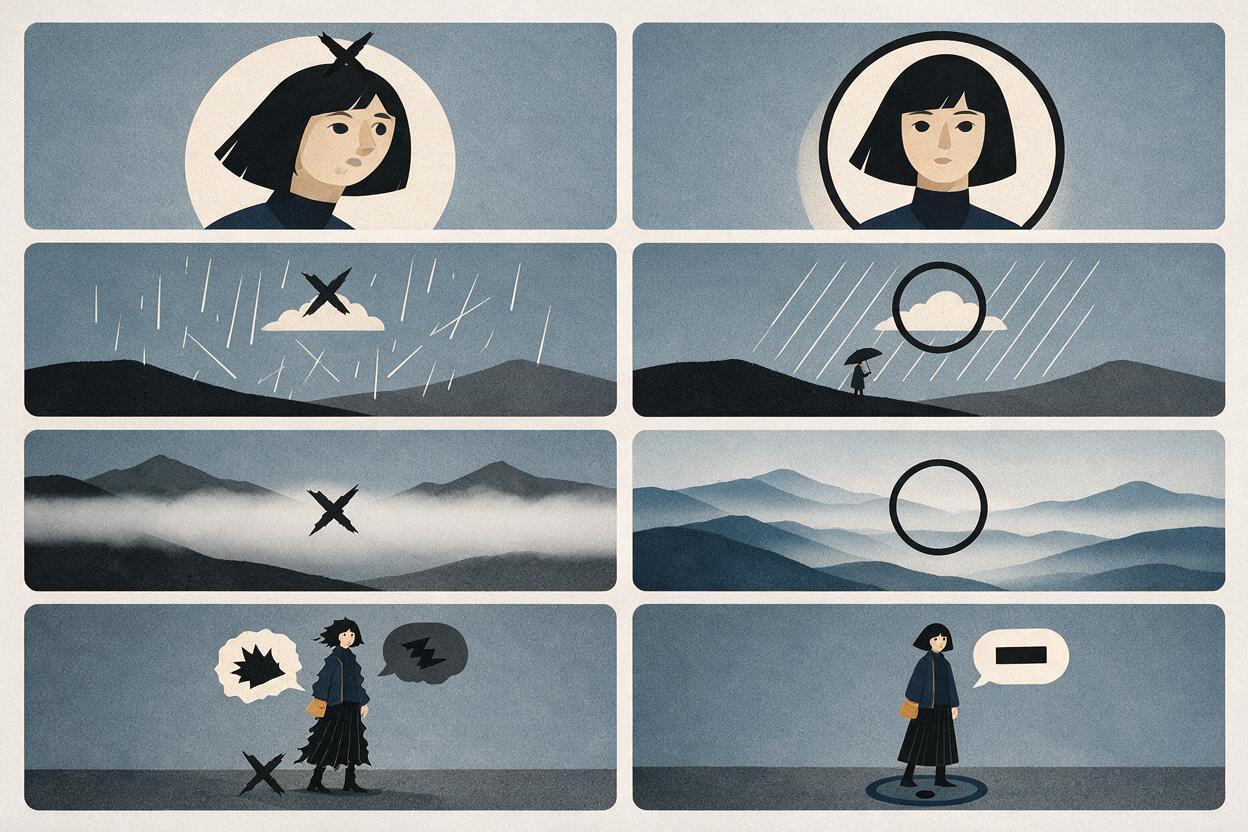
| Face subtly changes | Too much requested motion near the subject | Keep weather sparse around the face and composite the original face back over the clip |
| Line art shimmers | The model is reinterpreting the whole image | Remove hair, breathing, and lighting animation; request atmosphere only |
| Rain moves in several directions | The prompt lacks one dominant vector | Specify one origin and one destination, such as upper left to lower right |
| Fog erases the scene | Density is undefined | Request thin, low, semi-transparent layers at named depths |
| Loop pulses brighter | Generated lighting changes over time | Remove lightning and exposure changes; normalize brightness before the crossfade |
| Speech bubbles wobble | Typography was included in generation | Animate a clean art export and restore lettering afterward |
When a clip fails, simplify one variable at a time. First lock the camera, then remove character motion, then reduce weather density. Repeating the same overloaded prompt usually produces a different failure rather than a cleaner version.
Match the loop to webtoon reading rhythm
A weather loop should not compete with dialogue or delay the reader. In a vertical episode teaser, hold the animated panel long enough for the atmosphere to register, then cut before the repetition becomes obvious. Quiet snow and fog can tolerate a longer hold than heavy rain because their recurring patterns attract less attention.
Also consider the panel’s narrative function. An establishing shot can carry layered fog and environmental motion. A close-up confession usually benefits from sparse rain or soft window trails. An action beat may need only a brief burst of directional weather so the pose remains dominant.
Once your clean panel and weather prompt are ready, try these models for free and compare at least two generations for particle direction, facial stability, and loop potential rather than choosing only by dramatic impact.
Final checklist
- Export the panel without speech bubbles or captions when possible.
- State exactly which character, camera, and design elements must remain locked.
- Give rain one clear direction and consistent speed.
- Keep snow sparse around faces and important hand gestures.
- Move fog laterally through named depth layers.
- Add hair or clothing motion only after the weather-only version works.
- Build the final loop in an editor instead of relying on matching endpoints.
- Restore lettering and critical line art after animation.
Keywords
Runway prompts, webtoon animation, comic weather effects, illustration to video, looping rain animation, animated comic panel, image to video