How to Turn a Script into AI Video B-Roll with a Repeatable Workflow
Turn a written script into coherent AI B-roll by separating it into visual beats, building a coverage plan, generating reusable anchor frames, and animating only the strongest images. This workflow combines text-to-video speed with image-to-video control, making it practical for explainers, product stories, documentaries, and social videos.
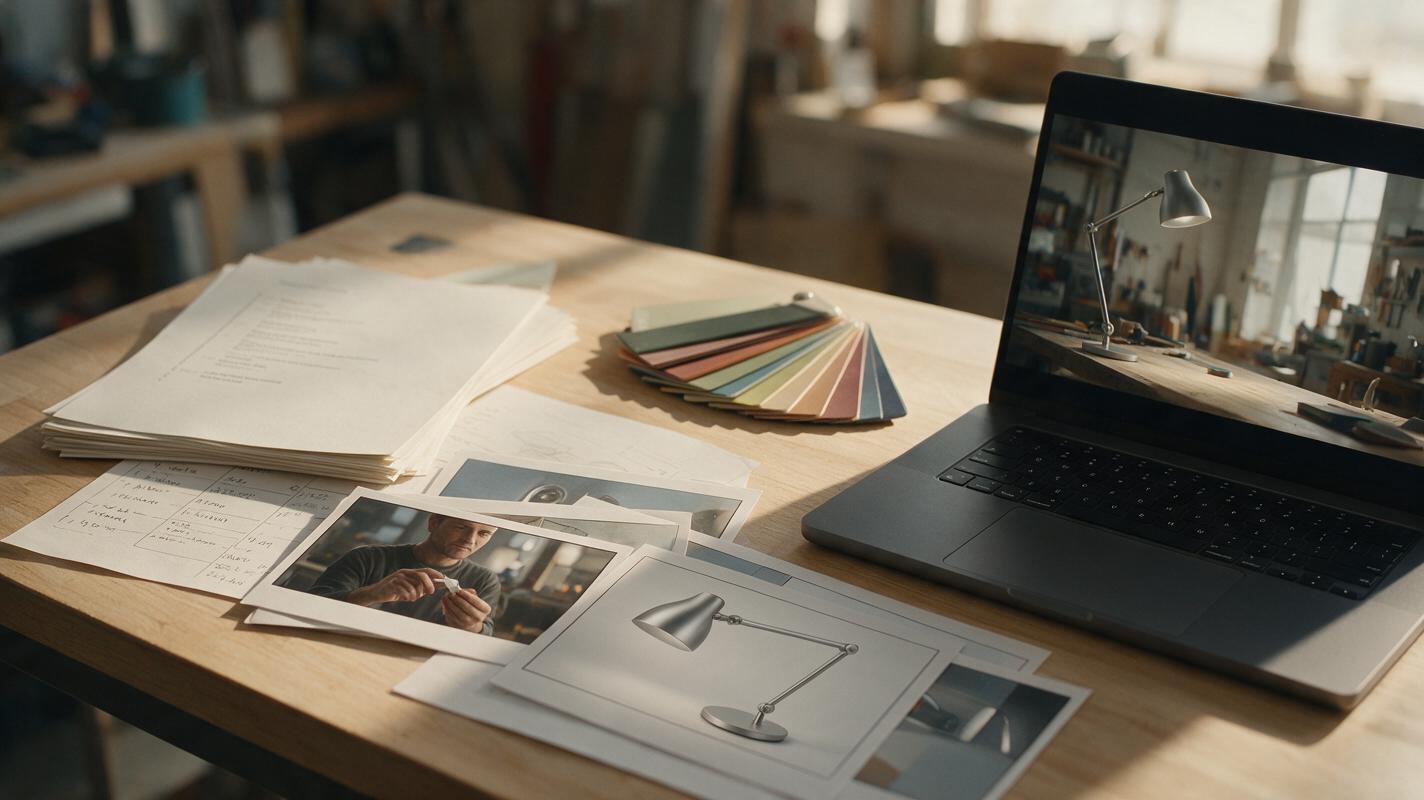
Table of contents
TL;DR: Convert meaning into shots before generating video
The fastest way to turn a script into coherent ai video B-roll is to divide the narration into visual beats, assign a shot purpose to each beat, create consistent anchor images, and animate those images with restrained motion. Use direct text generation for disposable cutaways, but use image-led generation whenever a location, product, costume, or visual style must remain recognizable.
This approach prevents the common mistake of pasting an entire paragraph into a video model and hoping it will direct, shoot, and edit the sequence automatically.
Why script-to-video generations often feel random
A script communicates ideas through language, while a useful B-roll sequence communicates through visible actions, objects, locations, and changes. A sentence such as “The team refined the prototype over several difficult months” contains a subject, a process, a period of time, and an emotional implication. It does not specify what the camera should see.
When that whole sentence becomes one prompt, a model may produce a generic office, an unexplained gadget, several inconsistent people, or too many events compressed into one clip. Typical symptoms include:
- Literal visuals: every spoken noun appears on screen, even when it does not support the story.
- Unmotivated camera movement: the camera circles, zooms, or flies because no precise shot behavior was requested.
- Location drift: a workshop becomes an office or laboratory in the next clip.
- Prop inconsistency: the featured object changes shape, color, scale, or materials.
- Weak editorial coverage: every clip is a medium shot, leaving no establishing view, detail insert, or transition.
- Overloaded motion: the subject, background, camera, lighting, and weather all change at once.
A narration beat is not yet a video prompt. First decide what evidence the viewer should see, then describe one shot that supplies that evidence.
Three ways to turn a script into AI B-roll
This tutorial combines three generation approaches rather than forcing every line through the same model or mode.
- Text-led cutaways: Generate atmospheric inserts, landscapes, textures, crowds, or simple actions directly from a prompt. These shots are fast to explore because continuity is less important.
- Image-led hero shots: Build a still anchor for recurring locations, products, or characters, then animate it. The source frame carries composition and identity into the clip.
- Motion-led performance shots: When exact body timing matters, start with a recorded performance and apply motion transfer to a suitable character reference instead of describing complex choreography in prose.
A polished sequence can use all three. The important decision is not which approach is universally best, but which visual elements must survive from shot to shot.
How MagicBoat handles a multi-model B-roll workflow
MagicBoat brings multiple image and video generation options into one account, making it practical to test the same shot with models such as Seedance, Kling, and Veo while creating source frames with options such as Seedream, Flux, or GPT Image. Its image to video workflow is especially useful for recurring subjects because the still frame establishes the composition before motion generation begins.
Think of the available tools as production roles rather than interchangeable prompt boxes:
| Production need | Useful approach | Best suited to |
|---|---|---|
| Fast visual exploration | Text-led video generation | Atmosphere, scenery, transitions, anonymous activity |
| Stable composition | Still image followed by animation | Products, recurring rooms, wardrobe, close-ups |
| Precise human movement | Motion transfer | Dance, gestures, blocking, stylized performances |
| Identity repair | Authorized face swap | Correcting a successful clip with localized facial drift |
| Model selection | Same-input comparison | Finding the best motion interpretation for a specific shot |
Model availability and supported settings can change, so choose from the options currently shown in MagicBoat rather than designing the workflow around an assumed version number.
Step 1 — Break the script into visual beats
Action: Divide the narration wherever the subject, place, action, emotional direction, or time changes. Each beat should express one visually demonstrable idea and usually support one primary shot.
Start with a three-column worksheet:
Narration beat:
The designer tested dozens of materials before choosing recycled aluminum.

Visible evidence:
Hands comparing labeled material samples on a workshop table.

Continuity anchors:
Female industrial designer, navy work shirt, warm workshop,
matte silver prototype, late-afternoon side light.
Do not ask the generator to visualize abstract words such as “innovation,” “success,” or “difficulty.” Replace them with evidence: worn sketches, repeated prototypes, a failed test, measured parts, or a deliberate human action.
Expected result: A list of short visual units that can be generated independently and edited under the original narration.
Step 2 — Build a five-shot coverage plan
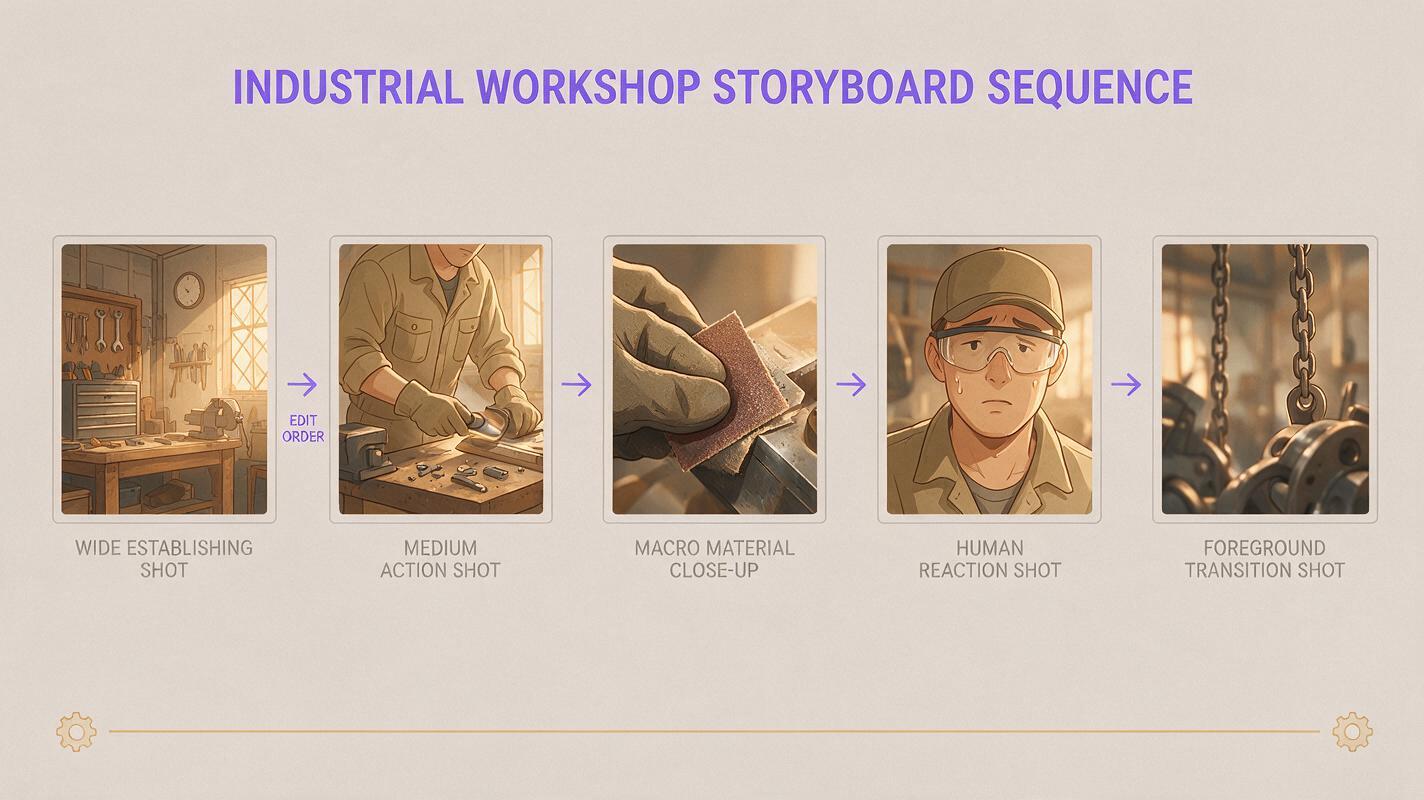
Action: Give every beat an editorial role before writing detailed prompts. A reliable five-shot pattern is establishing, action, detail, reaction, and transition.
| Shot role | What it contributes | Example |
|---|---|---|
| Establishing | Location and spatial context | Wide view of the warm industrial workshop |
| Action | The main process | Designer compares metal samples beside a prototype |
| Detail | Tactile proof | Macro view of fingers tracing brushed aluminum |
| Reaction | Human interpretation | Designer pauses and marks a choice in a notebook |
| Transition | A visual bridge | Prototype crosses the foreground as the camera pans |
You do not need all five shot types for every sentence. Across a short sequence, however, varying shot scale and purpose creates a much more editable result than generating five unrelated medium shots.
Setting to use: Choose one aspect ratio for the entire project and keep it fixed. Also decide whether the sequence should feel locked-off, handheld, documentary, commercial, or cinematic. Treat that camera language as a project-level rule.
Expected result: A compact shot list with enough wide, medium, and detail coverage to hide weak clip openings, endings, or continuity errors during editing.
Step 3 — Write a continuity card for recurring elements
Action: Create one reusable description for anything that must recur: a person, product, vehicle, room, costume, or color treatment. Keep this block stable while changing only the action and framing.
CONTINUITY CARD
Subject: compact matte-silver desk lamp with a circular weighted base,
slender angled arm, small cylindrical shade, no visible logo

Environment: walnut workbench in a practical industrial design studio,
cream plaster wall, organized hand tools, no computer screens

Lighting: soft late-afternoon window light from camera left,
warm neutral color grade, realistic shadows

Camera language: observational commercial documentary,
natural perspective, restrained movement
Concrete geometry is more useful than promotional adjectives. “Premium futuristic lamp” permits broad interpretation; a description of the base, arm, shade, surface, and proportions gives the model clearer constraints.
Expected result: A stable text block that can be pasted into every relevant image or video prompt without rewriting the subject from memory.
Step 4 — Generate anchor frames before motion
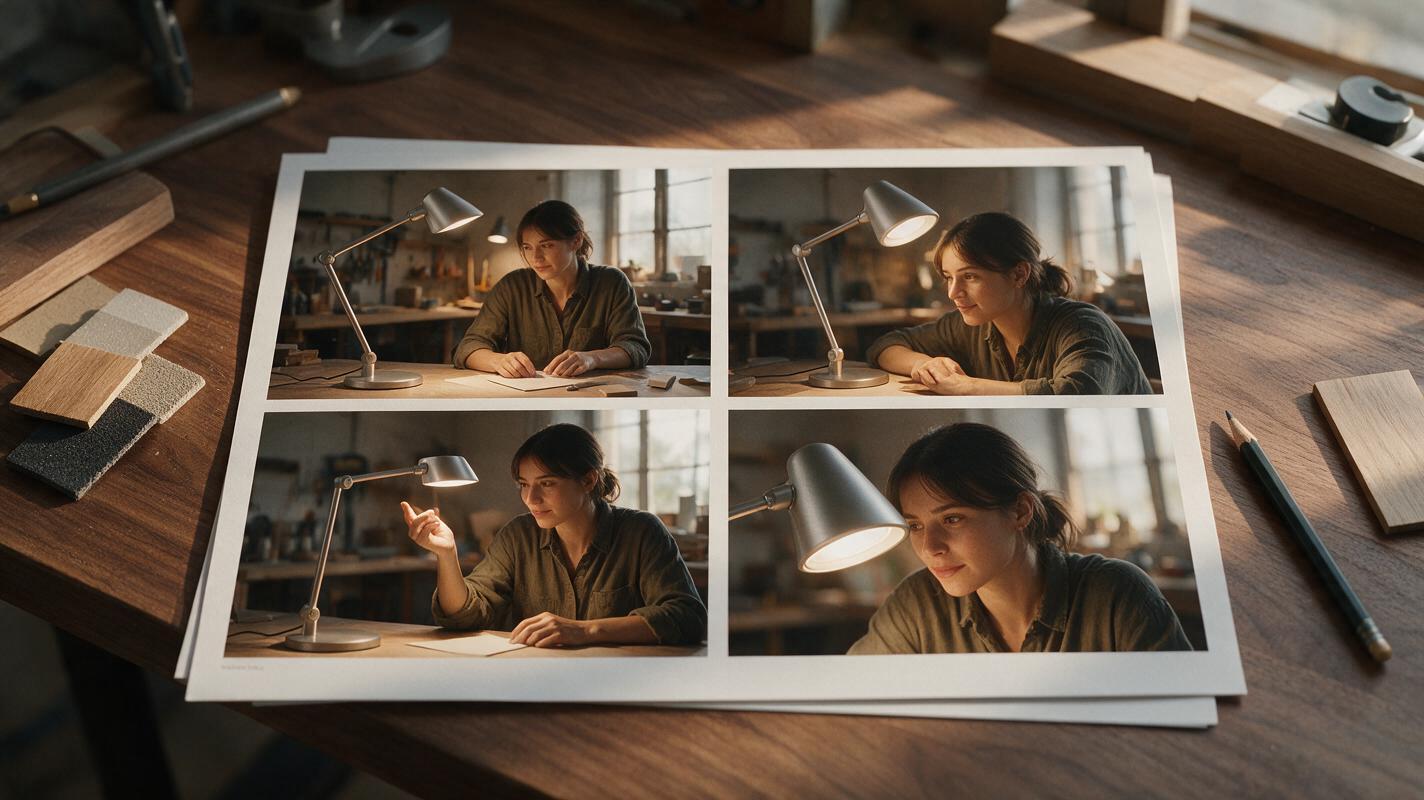
Action: Create still images for the recurring environment and hero object before generating video. Make a small contact sheet that includes one wide composition, one working shot, and two close details.
Use a prompt structured as subject, action, environment, framing, lighting, and exclusions:
Photorealistic editorial frame of a female industrial designer in a navy
work shirt comparing brushed aluminum samples beside a compact matte-silver
desk-lamp prototype, walnut workbench in an organized industrial design
studio, medium side view, soft late-afternoon window light from camera left,
realistic materials, natural skin texture, restrained warm color grade.
Keep the prototype fully visible. No text, no logos, no extra people,
no floating tools, no exaggerated futuristic equipment.
Inspect the frame before animating it. Check hands touching the object, the number and placement of props, reflections, background geometry, and whether the design can plausibly remain stable during motion. Regenerate a flawed source rather than expecting the video model to repair it.
Save the chosen wide frame as the location reference and the clearest product frame as the object reference. For later shots, preserve the continuity card but request a different composition rather than asking one image to serve every camera angle.
Expected result: A small set of clean keyframes that establish the visual world and reduce the number of decisions delegated to motion generation.
Step 5 — Animate one primary motion per shot
Action: Send the strongest anchor frame into an image-led video model and describe one subject action plus one camera behavior. Avoid combining a walking subject, moving machinery, changing weather, shifting light, and an orbiting camera in the same short clip.
Controlled Seedance-style motion prompt
The designer slowly lifts one aluminum sample, tilts it once toward the
window light, and places it beside the lamp prototype. The camera makes a
subtle eight-inch push-in. Preserve her face, navy shirt, workbench layout,
lamp geometry, and late-afternoon lighting. Natural hand speed, realistic
weight, no new objects, no scene change.
Controlled Kling-style motion prompt
Single continuous medium shot. The designer picks up the nearest silver
sample with her right hand and compares its surface with the lamp shade.
Slow documentary push-in, stable horizon, minimal background movement.
Maintain the exact prototype shape and studio arrangement from the input
image. End with the sample held still beside the lamp.
The wording does not need to be tied permanently to one model. Run the same motion concept across available models and observe which one best preserves the source. Keep duration modest when the action has a clear endpoint; longer clips give the model more opportunities to invent secondary events.
Expected result: A focused clip with a readable beginning, action, and end state rather than uncontrolled movement throughout the frame.
Step 6 — Run a controlled model comparison
Action: Compare models with the same source image, aspect ratio, motion description, and intended duration. Change only the model first. If you revise the prompt at the same time, you will not know which change improved the result.
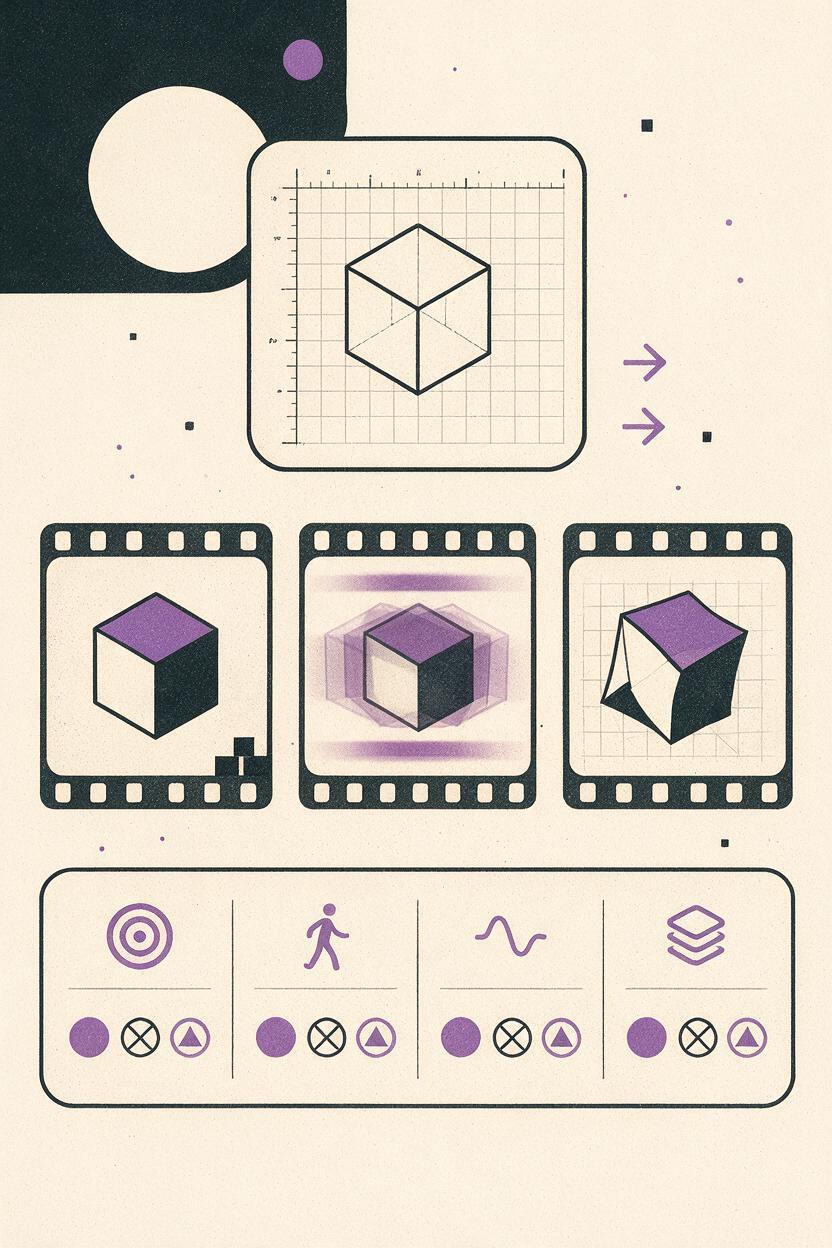
Evaluate each output using a simple scorecard:
| Criterion | Question | Priority |
|---|---|---|
| Subject fidelity | Does the product or person still match the anchor? | High |
| Action clarity | Can the viewer understand the action without narration? | High |
| Motion quality | Does movement have plausible speed, weight, and direction? | High |
| Camera discipline | Did the camera perform only the requested move? | Medium |
| Editability | Are there clean frames before and after the action? | Medium |
Choose the result that serves the edit, not necessarily the clip with the most movement. A restrained shot with stable geometry often works better under narration than a visually dramatic shot that changes the subject.
Expected result: A justified model choice for each shot category rather than a single-model habit applied to the whole project.
Step 7 — Generate text-led inserts for low-continuity moments
Action: Use direct generation for shots that do not need to preserve a named person, exact room, or hero product. Good candidates include environmental details, clouds moving over a building, anonymous feet crossing a station, rain on glass, manufacturing textures, or an empty landscape.
Close documentary insert of fine aluminum shavings curling away from a
precision cutting tool in a clean workshop, shallow depth of field,
controlled practical lighting, realistic metal texture, locked camera,
subtle machine vibration, no people, no text, no logos.
Keep these inserts visually compatible with the anchor footage by repeating the project’s lighting, color, lens feeling, and camera behavior. A cutaway can show a different subject without looking as though it belongs to a different production.
Expected result: Efficient supporting coverage without spending time building references for elements that appear only once.
Step 8 — Audit clips before building the edit
Action: Watch every clip three times: once normally, once without sound, and once frame by frame around hands, faces, object edges, and the final second.
- Reject clips where the hero object changes structure.
- Trim unstable opening frames before placing the shot.
- Cut away before a hand or face begins to deform.
- Check whether movement direction supports the adjacent shot.
- Prefer a shorter clean segment over a longer compromised one.
- Record which source frame, prompt, and model produced each accepted clip.
Lay down the narration first, mark the visual beats, and place the most informative shot over each beat. Add details and transitions only after the core explanation is visually understandable. B-roll should clarify or deepen the spoken message, not compete with it.
Expected result: A sequence assembled from verified usable ranges instead of complete generations that include avoidable defects.
Keep the same visual language across projects
For recurring series, preserve a small production package containing the continuity card, approved anchor frames, aspect ratio, camera rules, lighting description, and a few successful prompts. This is more dependable than trying to recall the look from a finished compressed video.
Create separate cards for identity and cinematography. The identity card describes the person, object, or place. The cinematography card describes framing, movement, light, contrast, and color. You can then move the same subject into a new campaign style without accidentally rewriting its physical features.
Alternative: use motion transfer for exact performance timing
Prompted motion is appropriate when the action can vary. If a presenter must point on a precise beat, turn in a specific direction, perform a dance phrase, or interact with timed narration, record a simple reference performance and use motion transfer.
Choose a reference character whose body proportions and visible clothing can plausibly follow the source. Keep the performer fully visible, avoid severe motion blur, and use clear separation between limbs and torso. Motion transfer can preserve timing more effectively than repeatedly expanding a prose prompt with increasingly complex choreography.
Alternative: repair a strong clip with face swap
If the motion, camera, hands, and environment work but a permitted recurring character’s face drifts, an authorized face swap can be more efficient than regenerating the entire clip. Use a clear reference image that you own or have permission to use, and review every frame around turns, occlusion, profile views, and changes in lighting.
Face replacement does not fix body proportions, hairstyle drift, incorrect wardrobe, or a malformed head angle. It is a localized finishing method, not a substitute for a well-designed source image and controlled animation.
Where this workflow falls short
Anchor frames reduce uncertainty, but they do not guarantee perfect continuity. Reflections, fine typography, transparent materials, hands gripping small objects, and complicated mechanical parts can still change during animation. Fast camera moves also reveal parts of the environment that were never defined in the input image.
Model comparisons take more generation attempts than accepting the first plausible result. The workflow is therefore most valuable for hero shots and repeatable series; a disposable background insert may not justify the same preparation.
Finally, generated B-roll cannot supply factual evidence by itself. For journalism, product demonstrations, scientific explanation, or historical claims, use authentic footage and verified materials where accuracy matters. Synthetic shots should not be presented as documentation of an event that did not occur.
FAQ
How long should each B-roll prompt be?
Long enough to define the subject, action, environment, framing, light, and continuity constraints, but short enough to keep one clear visual priority. Remove backstory that cannot appear on screen. A precise paragraph is usually more useful than a page of descriptive prose.
Should every script sentence receive its own clip?
No. One shot can support several closely related sentences, while an important sentence may need an establishing shot and two details. Divide by changes in visible meaning rather than punctuation alone.
When should I use text-led generation instead of an anchor image?
Use it when the shot is self-contained and continuity is unimportant. Establish an anchor image when viewers must recognize the same subject, design, wardrobe, or location in later shots.
Can I create the whole sequence with one model?
Yes, but different shot types can favor different motion interpretations. Testing the same controlled input across available models lets you choose per shot without changing the wider production plan.
How do I stop every shot from looking like a slow zoom?
Specify a project-level camera vocabulary and include locked shots, pans motivated by action, static details, and subject movement within a fixed frame. Do not request camera motion merely because the format is video.
What should I regenerate first when a shot fails?
If the source image already contains bad hands, unclear geometry, or unwanted props, regenerate the image. If the frame is clean but motion creates the defect, simplify the action, reduce camera movement, shorten the clip, or compare another video model.
Final checklist
- Split the script into beats with one visible idea each.
- Assign each planned shot an editorial purpose.
- Write continuity cards for recurring people, places, and objects.
- Create and inspect anchor frames before animation.
- Request one primary subject action and one restrained camera behavior.
- Compare models without changing multiple variables at once.
- Use direct generation mainly for low-continuity inserts.
- Audit hands, faces, geometry, opening frames, and endings.
- Keep prompt and model records for accepted clips.
Ready to turn your next narration into usable coverage? Open MagicBoat, test the first visual beat with text to video, and create your first AI video free.
Keywords
ai video tutorial, ai video workflow, ai b-roll, text to video, image to video, prompt engineering, seedance prompts, kling prompts