What AI Tools Turn a Script Into a Storyboard and Video?
A script-to-video workflow works best when the storyboard preserves a character’s identity before any shot is animated. Compare planning and video tools, then use a character sheet, scene references, and cut-point checks to keep the same person recognizable throughout the sequence.
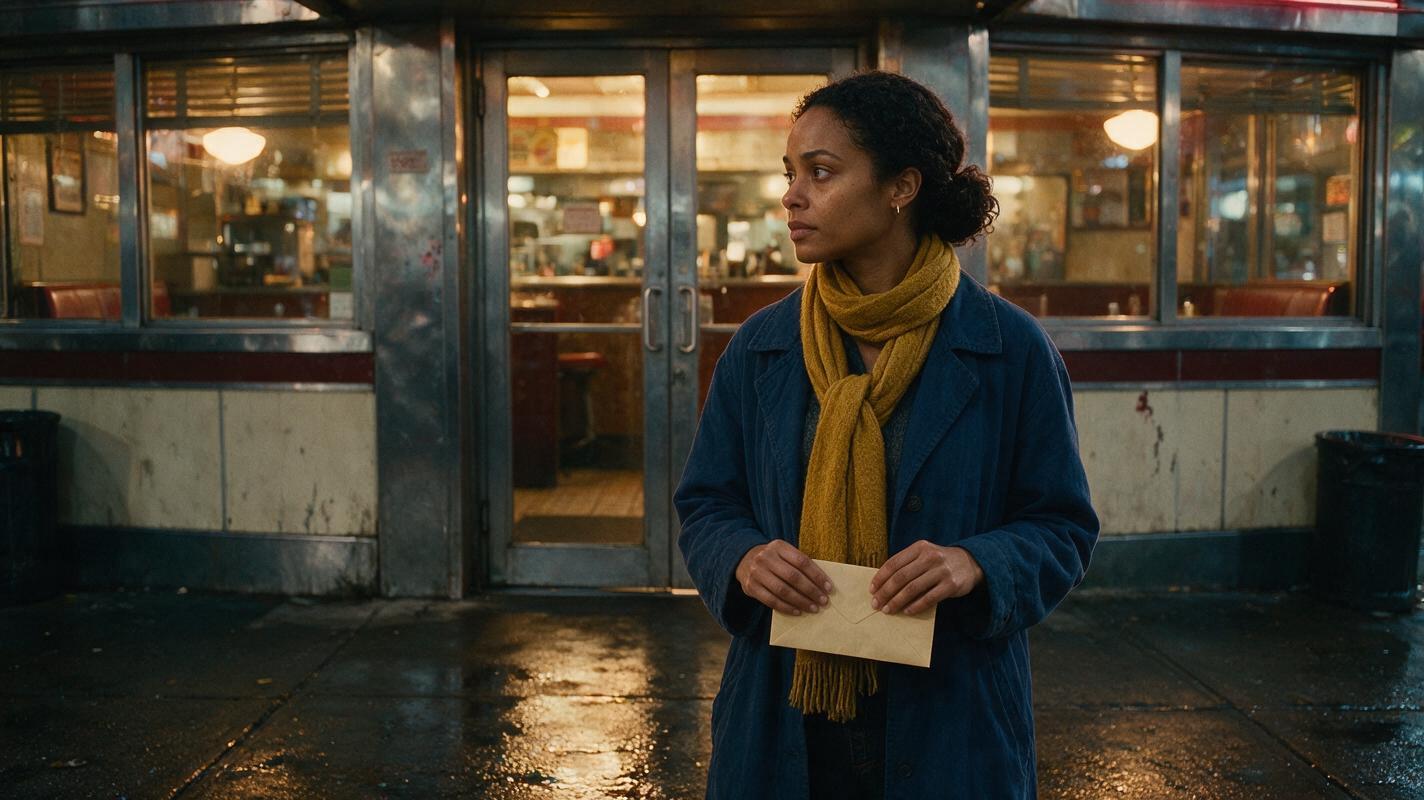
Table of contents
Choose the workflow before the video tool
No single generation button reliably replaces a continuity plan. For a scripted scene with a recurring character, the useful sequence is script breakdown, approved character and location references, storyboard frames, then short video shots. Choose tools by how easily you can carry those approved references between stages—not just by whether they accept a script.
The example throughout this guide is a short scene: Nia leaves a late-night diner, notices a forgotten envelope, and returns to the door. Her face, indigo coat, and mustard scarf must remain recognizable across the interior, exterior, and return shot.
Cover visual prompt: Photorealistic editorial film still, landscape 16:9: a woman in an indigo coat and mustard scarf stands just outside a lived-in late-night diner holding a plain unmarked envelope; warm light spills through the window onto wet pavement, natural facial detail, believable street furniture, no visible writing, logos, screens, or interface elements. MANDATORY CAMERA: eye-level medium-wide view from across the pavement, with the diner door and woman both clearly visible.
Which tools fit each part of the job?
A storyboard specialist such as Boords is a sensible place to organize shots and review their order. A video-generation tool such as Runway or Adobe Firefly is more relevant when it is time to develop or animate visual shots. Their current reference controls, export options, and usage terms should be checked on the product pages before committing a production to one of them.
| Tool or approach | Best role in this workflow | Continuity question to ask |
|---|---|---|
| Boords | Plan and review the sequence of storyboard shots. | Can the team keep approved character images beside each relevant shot? |
| Runway | Develop visual shots and video from a prepared shot plan. | Which available generation mode accepts the references needed for this shot? |
| Adobe Firefly | Develop image and video assets within an Adobe-oriented workflow. | How will approved frames and revisions move into the final edit? |
| One-workspace image, storyboard, and video workflow | Reduce handoffs while comparing the models available for each stage. | Can the same approved reference be reused rather than redescribed? |
These are workflow roles, not a claim that the tools have identical script-import or character-lock features. A storyboard may be created from a script, but the script alone is not a visual identity reference. Before selecting an ai storyboard workflow, decide what image will identify Nia in every shot.
Build the character reference before drawing the boards
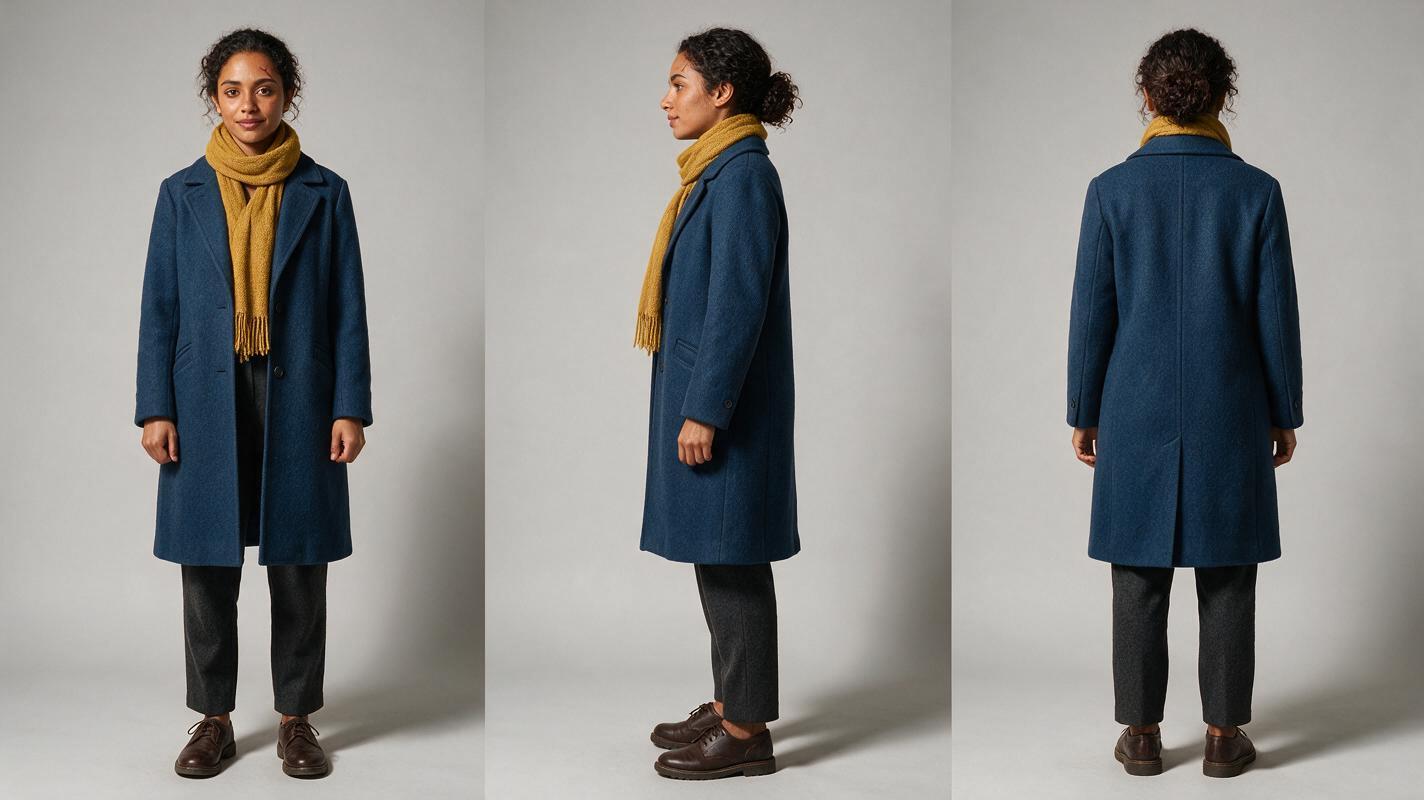
Start with one approved image set, not a different portrait for each scene. The sheet below defines stable traits; scene prompts may change lighting, pose, and camera distance, but should not casually change those traits.
- Identity: Nia, approximately 30, medium-brown skin, oval face, small scar above her left eyebrow.
- Hair: dark curls gathered in a low bun, with the same hairline in every view.
- Wardrobe: indigo coat and mustard scarf; keep their shape and color consistent unless the script specifies a change.
- Variable details: expression, rain on the coat, and light from the diner may change between shots.
Visual prompt — three-view character sheet:
Photorealistic three-panel character reference sheet of one fictional woman, Nia, approximately 30, medium-brown skin, oval face, small scar above her left eyebrow, dark curls gathered in a low bun, indigo coat and mustard scarf. Show the SAME person in front, true side profile, and back views, one view per equal-width panel. Neutral expression, relaxed stance, consistent facial structure, hair, scarf, and coat. Neutral light-gray seamless studio background, soft even illumination, full body visible in every panel. Landscape 16:9. MANDATORY CAMERA/LAYOUT: three fixed eye-level camera views, front / true side / back, aligned at the same scale; no three-quarter substitutes, captions, lettering, logos, or interface elements.Approve the face in the front and side views before using the sheet as a character reference. If the views depict three subtly different people, revise the sheet first; animation will not repair that ambiguity.
Give the storyboard a location reference
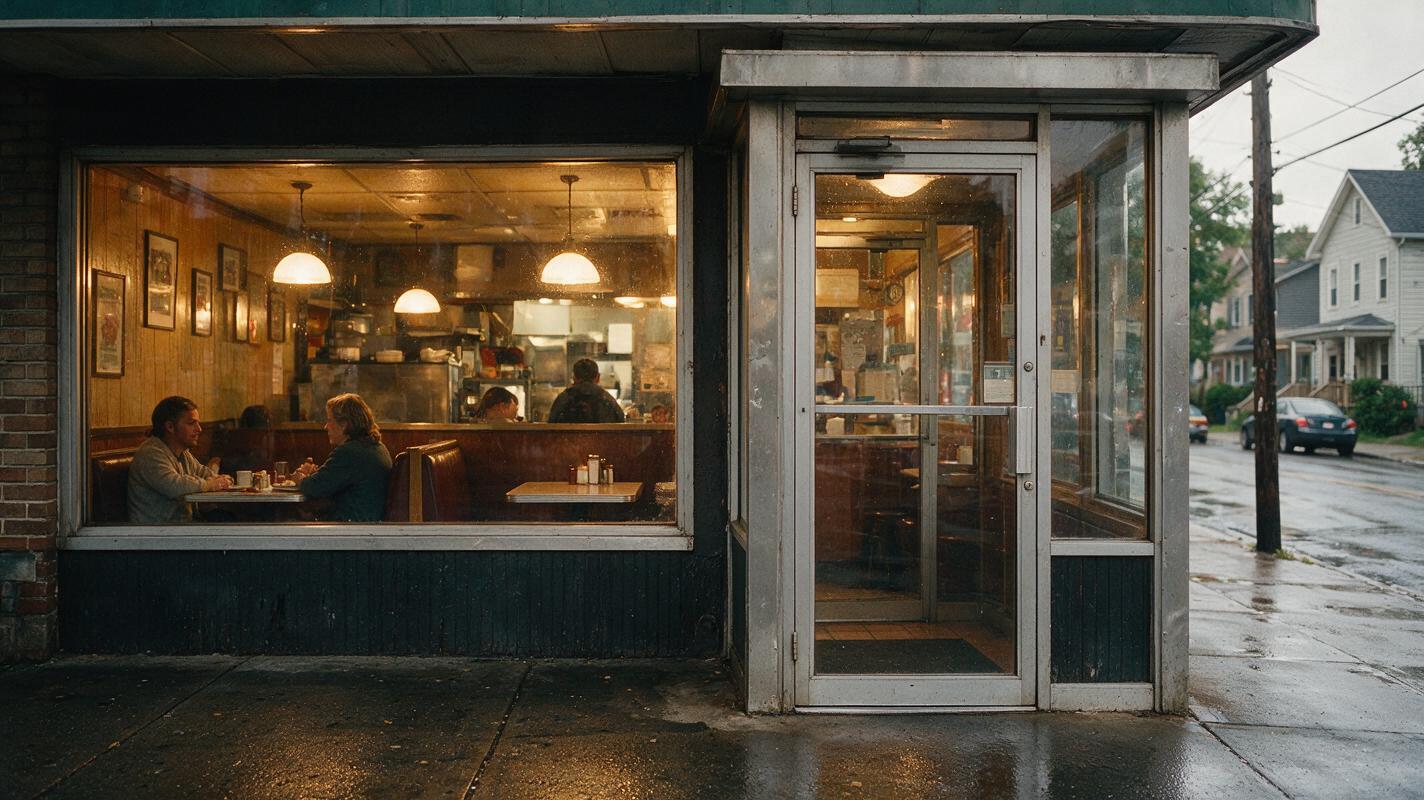
A location image answers questions the character sheet cannot: where is the diner door, which side holds the window, and what light falls on Nia when she turns back? Use one approved establishing image to anchor those relationships. Then write each storyboard frame as a specific camera view of the same space.
Visual prompt — approved location reference:
Cinematic editorial-realism photograph of a lived-in late-night neighborhood diner after rain: glass entrance door on the right, broad warm-lit window on the left, wet pavement, a few occupied booths visible inside, modest believable street details. No people in the foreground, no readable signs, no logos, no screens or interface elements. Landscape 16:9. MANDATORY CAMERA/LAYOUT: eye-level wide shot from across the street, door and window held in fixed positions, natural perspective, practical tungsten interior light and cool exterior ambient light.For each beat, pair a line of action with a camera instruction: “Nia exits through the right-hand door, medium-wide”; “she sees the envelope in her hand, close-up”; “she turns toward the same door, medium shot.” This is a storyboard reference, not merely a collection of attractive frames. It specifies geography and makes the return shot possible to check against the exit shot.
Move from approved frames to short video shots
Create the still frames first. For every frame, carry forward the same character sheet, the approved location, and only the shot-specific action. Once adjacent frames agree on Nia’s face, outfit, and position, use an image to video workflow for each planned shot. Generate the exit, envelope reaction, and return separately so a weak shot can be revised without changing the whole sequence.
Shot prompt: “Using the approved Nia character reference and diner location reference, show Nia outside the diner noticing a plain envelope in her hand. Preserve her facial structure, left-eyebrow scar, low bun, indigo coat, and mustard scarf. Keep the entrance door to camera right. Eye-level medium shot; restrained movement as she lowers her gaze; warm window light and cool street ambience. Do not add another person who resembles Nia.”
The video prompt describes motion; the references carry appearance and place. If a tool accepts only a starting frame for the chosen mode, make that frame match the approved storyboard composition. Do not assume that pasting a character-sheet description into text will reproduce the same face.
Visual prompt — storyboard frames beside their intended video moments:
Neutral four-panel photographic continuity comparison featuring the SAME fictional woman, Nia, with medium-brown skin, oval face, small scar above her left eyebrow, dark curls in a low bun, indigo coat and mustard scarf. Panel one: she exits the right-hand door of a warm late-night diner. Panel two: outside, she looks down at a plain envelope. Panel three: she turns toward the same door. Panel four: she approaches it. Consistent diner window placement, wet pavement, facial structure, outfit and realistic mixed warm/cool lighting. Cinematic editorial realism, landscape 16:9. MANDATORY CAMERA/LAYOUT: four equal-width film-frame panels in left-to-right story order, eye-level views, no arrows, labels, text, logos, borders resembling an app, or interface elements.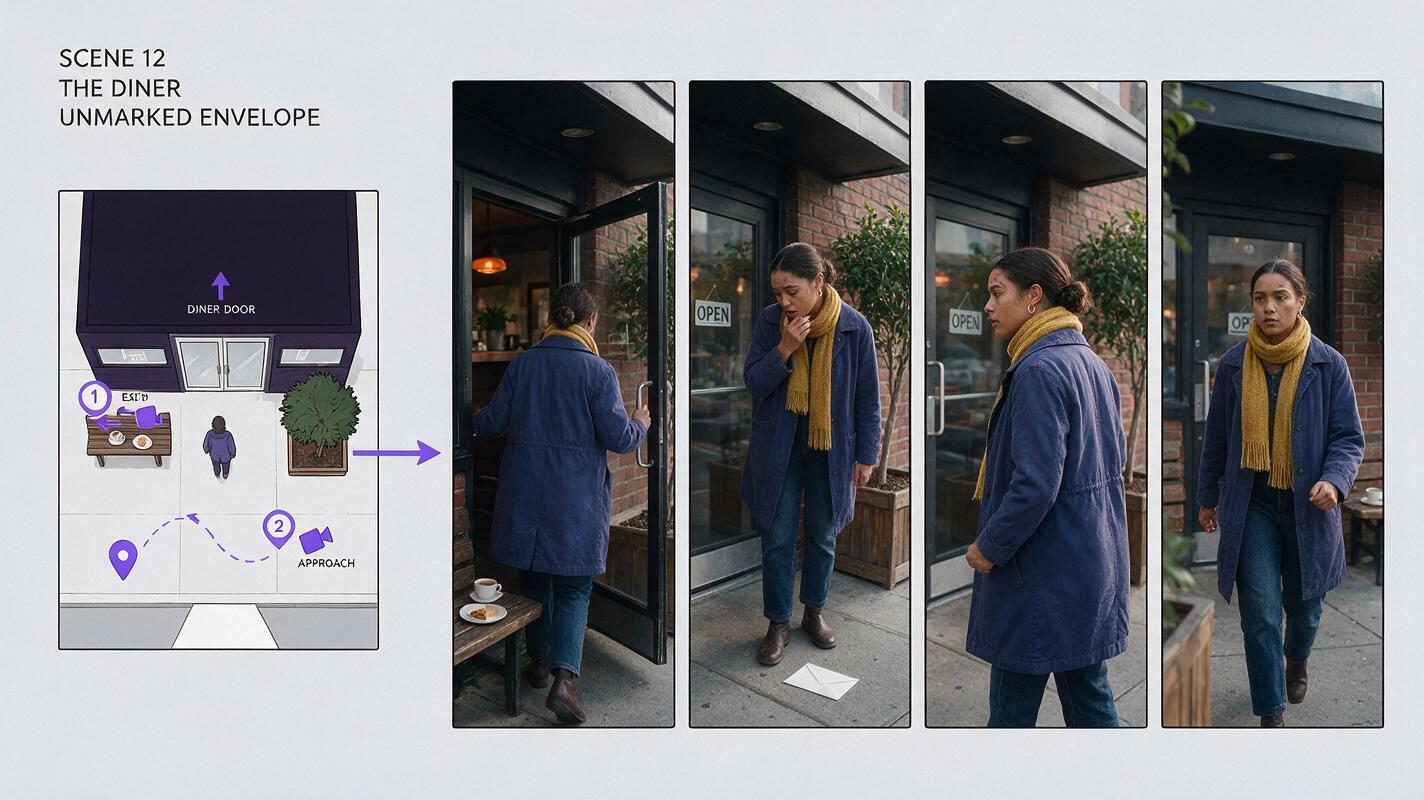
Check the cuts, not just the individual shots
A frame can look convincing alone while failing beside its neighbor. Put the final clear frame of one shot next to the first clear frame of the next. Compare the eyebrow scar, hairline, scarf shape, coat color, door position, and direction of movement.
| Visible failure | Likely cause | Targeted fix |
|---|---|---|
| Nia’s face changes at the cut. | Different portraits informed adjacent shots. | Return both shots to the approved three-view sheet and matching storyboard frames. |
| The scarf changes color outdoors. | Street lighting was treated as a wardrobe change. | Keep the scarf description fixed; change only the lighting instruction. |
| The diner door switches sides. | Shots used independent location descriptions. | Reuse the approved location reference and specify the door’s screen position. |
| A second Nia appears behind her. | The prompt left background people underspecified. | Remove background figures or describe them separately, without Nia’s identifying traits. |
For a multi-shot edit, fixing one boundary is more useful than regenerating every shot. Revise the frame or clip where the mismatch first appears, then check both of its neighboring cuts.
Final checklist
- One approved front, side, and back character sheet defines Nia’s stable identity.
- One location reference fixes the diner’s door, window, and lighting relationships.
- Each storyboard frame names a camera view, action, and applicable references.
- Video shots are reviewed individually and at their cut points.
- Current tool capabilities and terms are confirmed before production.
When your references and first three frames are ready, try these models for free and compare which available workflow best preserves the approved character from board to shot.
FAQ
Can I turn a script directly into a finished video?
You can use a script to plan or generate visuals, but recurring-character scenes still benefit from approved identity and location references. Check the storyboard before animating it.
Should every shot use the same reference image?
Reuse the same identity sheet, but pair it with a shot-specific frame when the pose, camera angle, or location changes.
What matters most for a consistent character across scenes?
Approve recognizable facial traits first, preserve those traits in each storyboard frame, and inspect the frames on both sides of every cut.
Sources
- Boords — official product website
- Runway — official product website
- Adobe Firefly — official product page
Keywords
storyboard reference, character consistency, character reference, multi-shot, consistent character across scenes, AI character design