How to Turn a Script Into a Vertical AI Short Drama
A screenplay is not yet a production-ready prompt. This tutorial shows how to convert one script into a structured vertical AI short drama using episode cards, continuity rules, shot prompts, and a repeatable batch workflow.
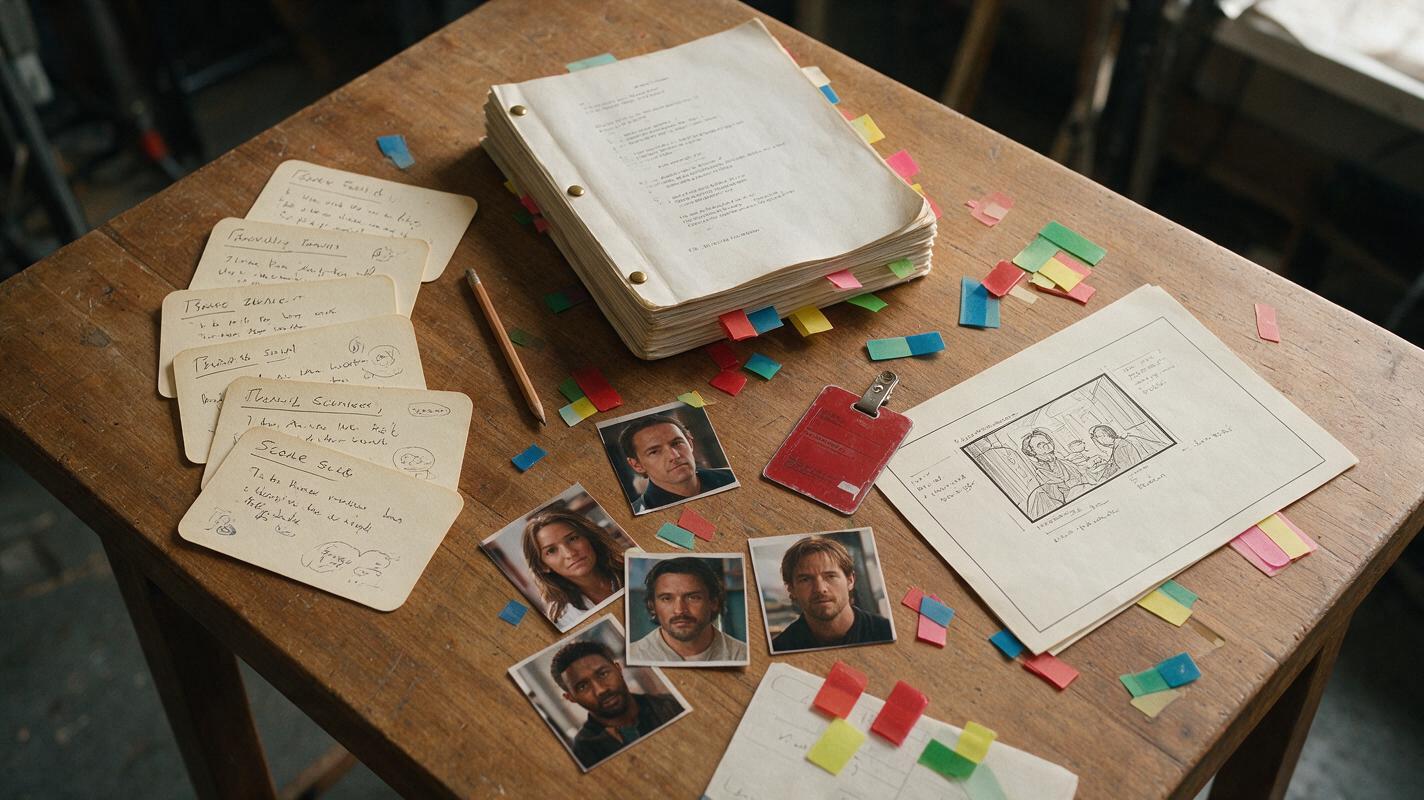
Table of contents
Turn the Script Into Production Instructions, Not One Giant Prompt
The fastest way to lose control of an AI short drama is to paste an entire screenplay into a video generator and hope it understands the cast, pacing, camera plan, and episode ending.
Instead, adapt the script in layers: episode promise, scene cards, continuity ledger, vertical shot plan, generation prompts, and batch board. Each layer removes a different ambiguity before video generation begins.
A script describes the story. A production packet describes what must remain visible, consistent, and editable on screen.
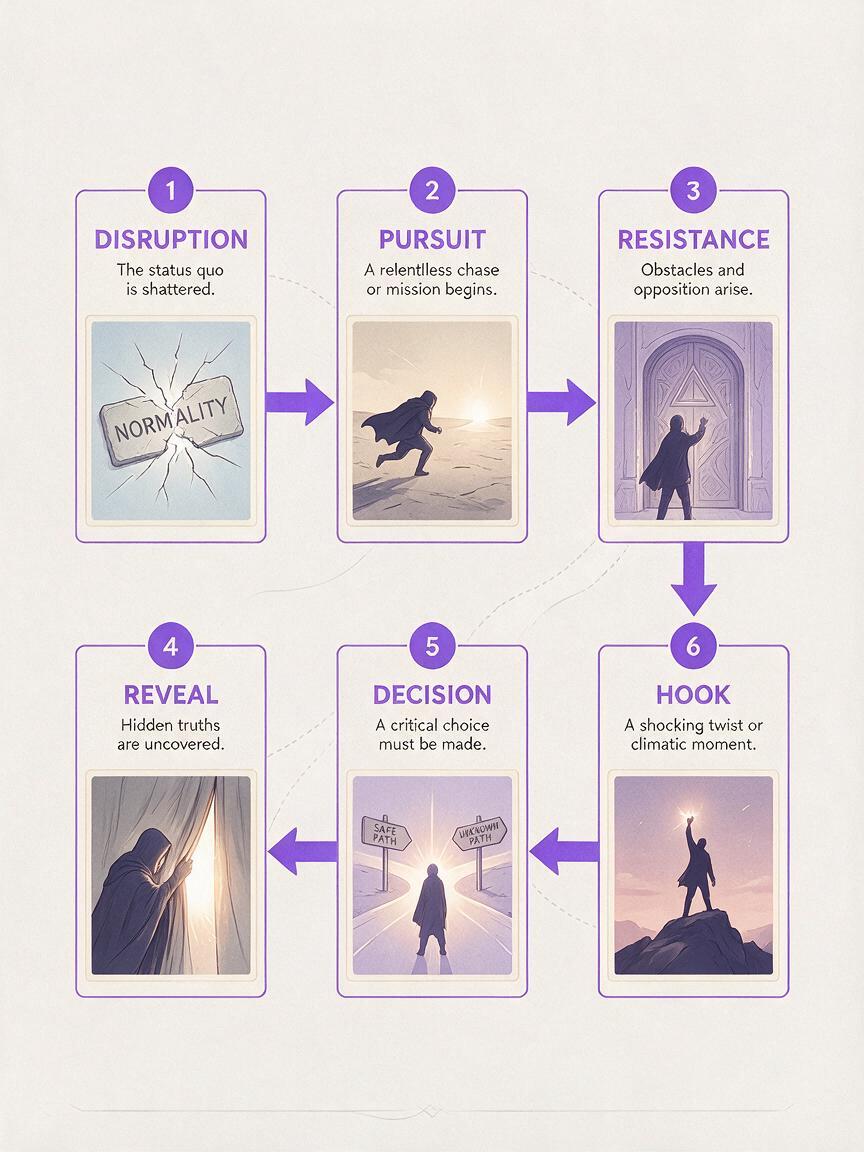
The workflow below uses a six-scene episode card as a practical default. It is not a fixed creative rule; expand or compress it when the story needs a different rhythm.
Step 1 — Extract the Episode Promise
Before dividing the script into shots, write one sentence that states what changes in this episode. This prevents a short episode from becoming a collection of attractive but disconnected clips.
Use this formula:
In this episode, [protagonist] tries to [immediate goal],
but [reversal] forces them to [new decision], ending when [open question].
For example:
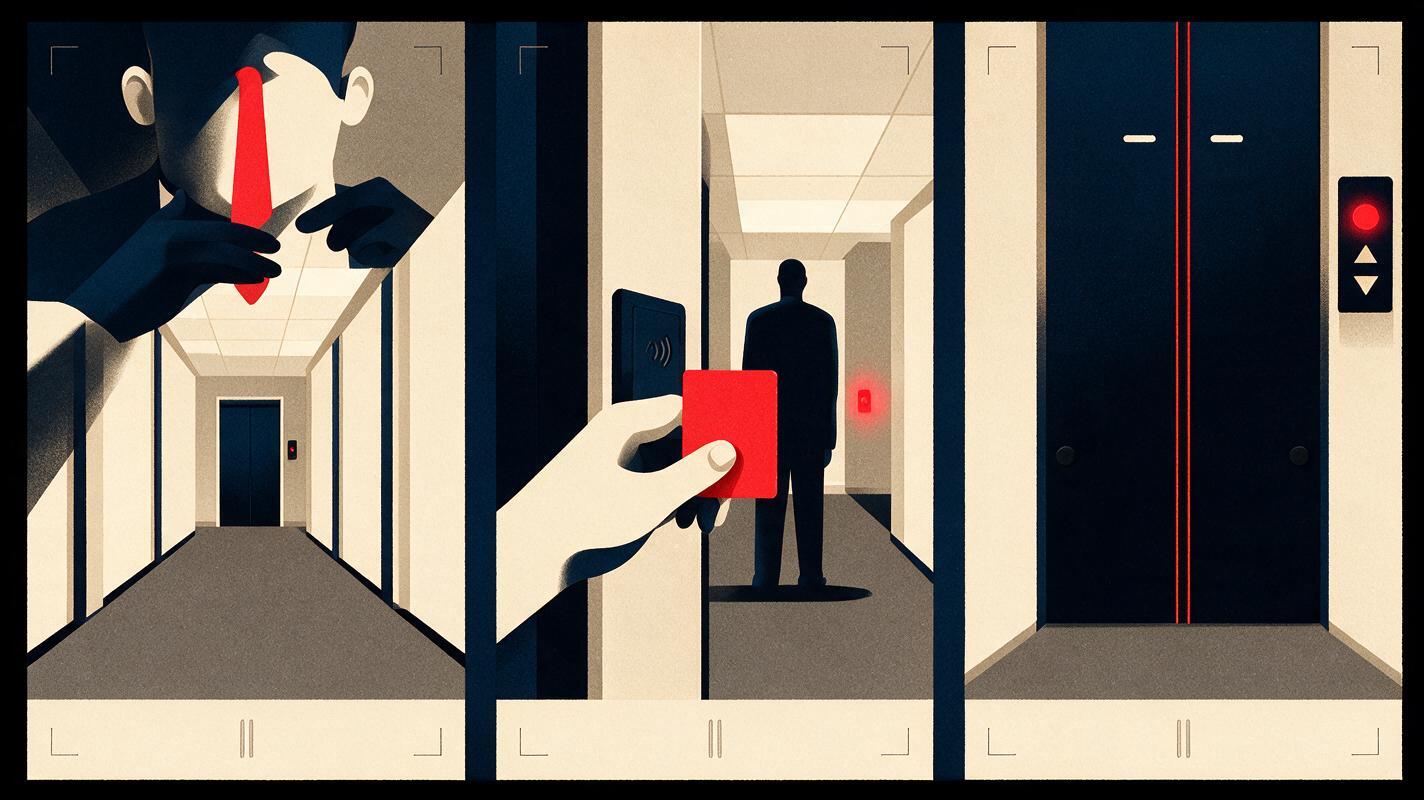
In this episode, Mara tries to recover a stolen access card,
but she discovers her brother used it first, forcing her to follow him,
ending when the sealed elevator opens by itself.
Check the sentence for four production anchors:
- A visible goal: something the character can attempt on screen.
- A source of resistance: another person, a physical obstacle, or new information.
- A decision: the protagonist must change tactics.
- An unresolved image: a final visual that creates the next question.
If the promise contains several goals, separate them into different episodes. An AI microdrama usually becomes easier to stage when each episode has one dominant dramatic movement.
Step 2 — Convert the Script Into a Six-Scene Episode Card
Now convert prose and dialogue into six functional scenes. Name each scene by its dramatic job rather than its location. “Kitchen” tells the production team where the scene happens; “Mara hides the evidence” explains why the scene exists.
| Scene | Dramatic job | Visible action | Exit beat |
|---|---|---|---|
| 1. Disruption | Interrupt the current situation | Mara finds the card missing | An alert flashes |
| 2. Pursuit | Turn concern into action | She searches the apartment | A wet footprint appears |
| 3. Resistance | Make the obvious plan fail | The building system locks her out | She hears the elevator |
| 4. Reveal | Change the meaning of prior events | Security footage shows her brother | He looks at the camera |
| 5. Decision | Force a consequential choice | She enters his override code | The elevator descends |
| 6. Hook | Create a concrete next question | The doors open onto darkness | A hand reaches out |
Copy and adapt this prompt when converting a source script:
You are adapting a screenplay into one vertical short-drama episode.

EPISODE PROMISE:
[Paste the one-sentence promise]

SOURCE SCRIPT:
[Paste only the relevant script pages]

Create six scene cards. For each card return:
1. dramatic job
2. location and time of day
3. characters present
4. one filmable physical action
5. essential dialogue only
6. emotional turn
7. final image or sound that motivates the next scene

Do not invent subplots. Flag any action that cannot be shown clearly in one vertical shot.
Step 3 — Lock Character and World Continuity
Episode cards control structure, but they do not prevent a coat, hairstyle, prop, or room layout from changing between generated shots. Create a compact continuity ledger before writing visual prompts.
| Continuity item | Locked description | Allowed change |
|---|---|---|
| Mara | Late twenties, short black bob, charcoal raincoat, silver ear cuff | Raincoat may become wet after Scene 2 |
| Access card | Matte red card with chipped upper-right corner | No change |
| Apartment corridor | Narrow concrete hall, amber ceiling lights, blue doors | Lights may flicker during the hook |
| Screen direction | Mara pursues from left to right | Reverse only after the reveal |
Repeat only the relevant locked details in each shot prompt. Copying the entire ledger into every prompt can bury the action under unnecessary description.
For a recurring AI series video, also save one approved reference frame for each principal character, recurring location, signature prop, and costume state. Label costume changes explicitly rather than silently replacing the reference.
Step 4 — Frame Every Beat for 9:16
A vertical drama video needs more than a landscape composition cropped at the sides. Design the important information inside a narrow visual hierarchy.
- Reserve the upper area for faces, threats, and approaching characters.
- Use the center for hands, props, and interactions that drive the scene.
- Keep the lower area simple when subtitles or interface overlays may appear there.
- Prefer depth over width: hallways, doorframes, mirrors, and foreground objects make the portrait frame feel intentional.
- Separate reactions: when two faces become too small, use alternating close-ups instead of forcing both into one wide shot.
Turn each scene card into a shot brief with this prompt:
Create a 9:16 shot plan for the scene below.

SCENE CARD:
[Paste one scene card]

CONTINUITY RULES:
[Paste only relevant character, prop, and location rules]

Return 2 to 4 shots. For each shot specify:
- shot size and camera height
- subject position in the vertical frame
- one primary action
- background action, if essential
- start frame
- end frame
- dialogue or sound cue

Favor readable close-ups, clear hand actions, and motivated cuts.
Do not introduce new wardrobe, props, characters, or locations.
A useful test is to describe the shot with the dialogue muted. If a reviewer cannot identify the goal, obstacle, or reveal from the frames, strengthen the physical action before generation.
Step 5 — Generate Shots With Start and End States
Do not ask an AI short film generator to produce an entire scene containing several actions and emotional turns. Generate one controlled shot at a time, with a clear starting state and ending state.
FORMAT: vertical 9:16 dramatic shot
SHOT: close-up at chest height, slow push-in
CHARACTER: Mara, late twenties, short black bob, charcoal raincoat,
silver ear cuff
LOCATION: narrow concrete corridor, amber ceiling lights, blue doors
START STATE: Mara holds an empty card sleeve at the center of frame
ACTION: she notices one wet footprint beside the elevator and freezes
END STATE: her eyes lift toward the closed elevator doors
LIGHT: warm overhead light with soft shadow under the eyes
CONTINUITY: raincoat shoulders slightly wet; no other characters visible
AVOID: extra cards, changing jewelry, readable random text, lateral camera orbit
After each result, approve or reject it against three questions:
- Does the shot perform the scene card’s dramatic job?
- Do the character, prop, costume, and screen direction match adjacent shots?
- Can the editor cut into and out of the movement cleanly?
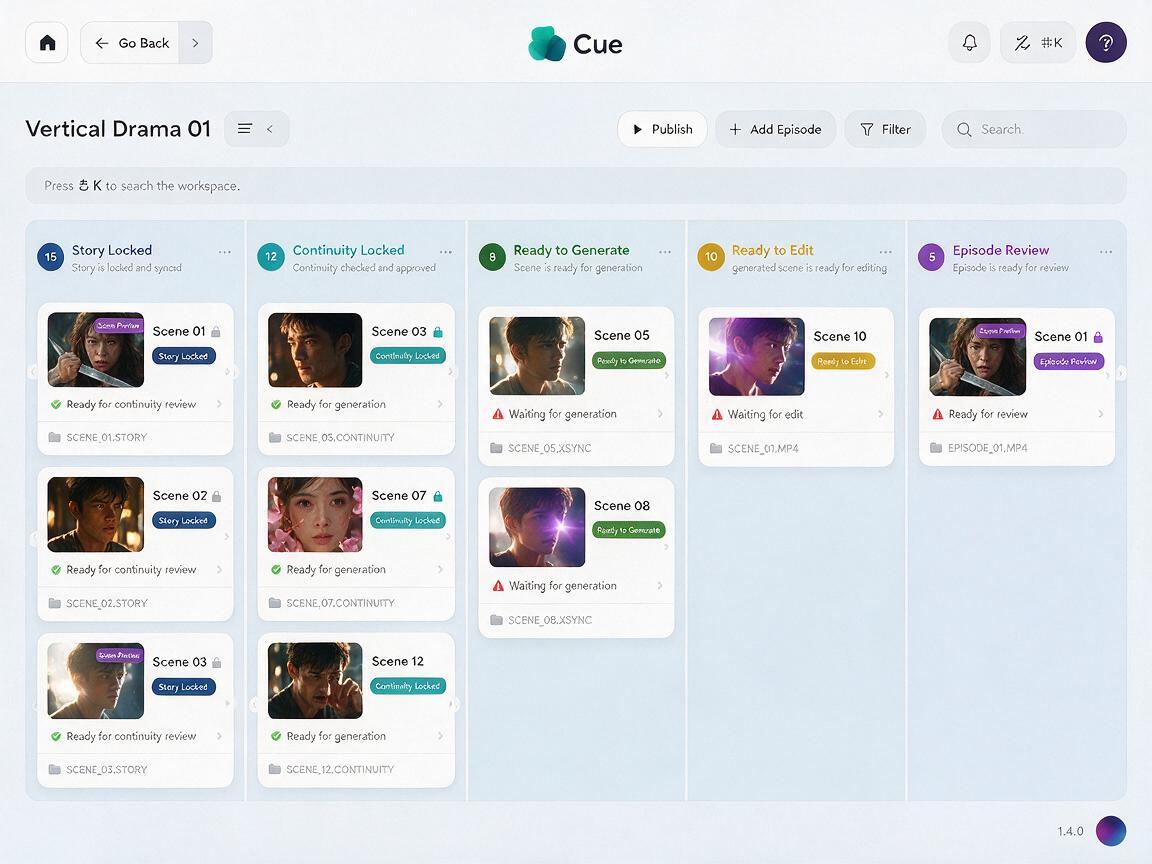
When the scene cards and continuity ledger are approved, you can move the episode into a generation workspace and create the first-pass shots from the same structured packet.
Step 6 — Build a Batch Production Board
Batch short drama production should group work by dependency, not merely by episode number. A missing character reference can block many scenes, while a rejected insert shot may affect only one edit.
| Status | Required artifact | Approval question |
|---|---|---|
| Story locked | Episode promise and scene cards | Does every scene change the situation? |
| Continuity locked | Cast, wardrobe, prop, and location ledger | Are all intentional changes labeled? |
| Ready to generate | Shot brief and references | Does every shot have one action? |
| Ready to edit | Approved clips and audio notes | Are start and end states cuttable? |
| Episode review | Vertical rough cut | Does the final beat open a specific question? |
Use stable filenames so versions remain traceable:
S01E03_SC04_SH02_take03
series-season-episode_scene-shot_version
Review the first complete episode before generating a full season. The rough cut may reveal that the scene-card template, dialogue density, framing rules, or continuity fields need adjustment. Fix the production packet first, then apply the revised template to later episodes.
FAQ
Can I create a short drama directly from a complete script?
You can use the complete script as source material, but generation is more controllable when you first isolate one episode promise, divide it into scene cards, and then create prompts for individual shots.
How many shots should one scene contain?
Use only the shots required to show the action, reaction, and change. A simple reveal may need one controlled shot; a dialogue reversal may need separate close-ups. Do not add coverage that has no editorial purpose.
How do I keep characters consistent across episodes?
Maintain approved references and a written continuity ledger. Reuse the same locked descriptors, distinguish permanent traits from episode-specific costume states, and compare every generated shot with its neighboring shots.
Should dialogue be included in the visual generation prompt?
Include dialogue when it affects facial timing or physical behavior, but keep the visual action explicit. Treat voice, lip synchronization, ambience, and music as separate production decisions when your workflow permits.
What makes an effective microdrama episode ending?
The ending should create a specific unresolved question through a visible event, discovery, arrival, choice, or interruption. A random ominous expression is weaker than a concrete change the next episode must address.
Final Checklist
- Write one episode promise with a goal, reversal, decision, and open question.
- Convert the script into scene cards based on dramatic function.
- Lock character, wardrobe, prop, location, and screen-direction continuity.
- Compose every important action specifically for a 9:16 frame.
- Give each generation prompt one action plus defined start and end states.
- Approve the first edited episode before scaling the batch pipeline.
Keywords
short drama from script, AI short drama, AI microdrama, vertical drama video, AI drama generator, AI series video, batch short drama production
Decision: PUBLISH — The article addresses a clear script-to-production workflow with original templates, copyable prompts, vertical framing guidance, and a scalable episode board.