Script to Video AI: Build a Seamless One-Take Short Film
Learn how to turn a short script into an AI-generated continuous-take sequence without forcing one model to render the entire scene at once. This workflow uses camera handoffs, reference assets, overlapping clips, hidden cuts, and continuous sound to create the illusion of one uninterrupted shot.
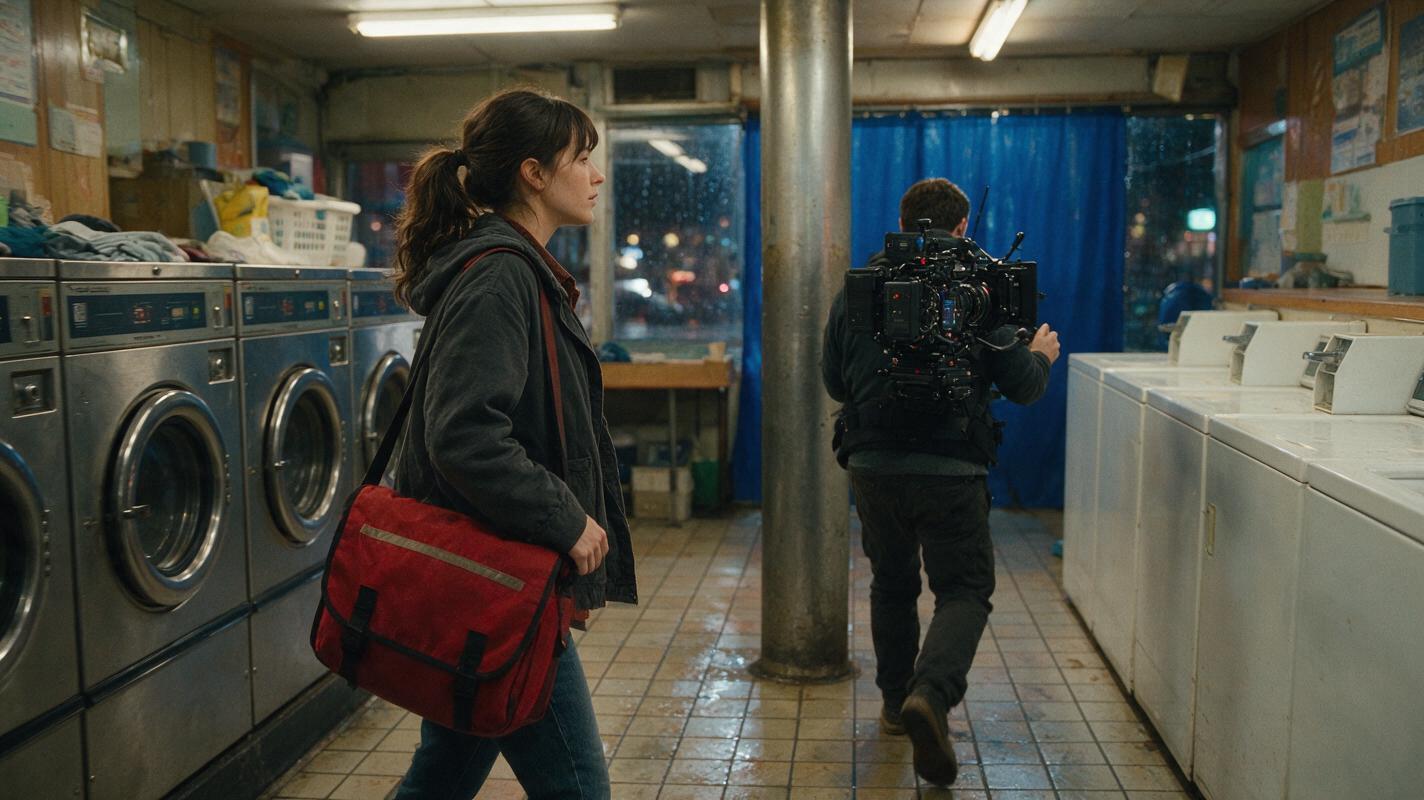
Table of contents
Create a one-take illusion from several controlled AI clips
A convincing AI one-take scene is usually not generated as one enormous shot. It is designed as a chain of short clips whose cuts disappear behind a foreground object, rapid camera turn, dark area, or matching movement.
This ordered script to video workflow shows how to break a continuous scene into manageable camera handoffs while preserving the character, location, movement, and sound. The example follows Nora, a bicycle courier who enters a laundromat, finds a key, and follows a stranger into an alley.
The governing rule: every clip must end with an image and movement that the next clip can inherit.
What makes an AI one-take scene believable?
The audience must feel that time and space remain unbroken. That impression depends less on clip duration than on four types of continuity:
- Spatial continuity: doors, machines, counters, and exits stay in predictable positions.
- Character continuity: clothing, hair, proportions, and carried objects remain stable.
- Motion continuity: the direction and speed at the end of one clip continue into the next.
- Audio continuity: room tone, footsteps, machinery, and music continue across hidden edits.
Instead of asking an AI movie maker for a complete roaming-camera sequence, design a series of compact motion problems. Each clip should perform one dramatic action and deliver the camera to the next concealed transition.
Step 1 — Rewrite the scene as camera handoffs
Begin by removing literary description that cannot guide a camera. Rewrite the scene as a sequence of visible actions, camera relationships, and transition opportunities.
| Script beat | Camera job | Handoff opportunity |
|---|---|---|
| Nora enters the laundromat | Follow behind her and establish the room | Her dark jacket fills the frame |
| She notices a key on a washer | Arc from her shoulder to the key | Pass close behind a metal pillar |
| A stranger exits through a curtain | Whip toward the moving curtain | Motion blur during the fast pan |
| Nora follows into the alley | Track through the doorway and reveal outside | Doorframe briefly blocks the lens |
Mark each handoff directly in the production script. The transition should emerge from an action that belongs in the story rather than from an arbitrary camera move.
SCENE: Night laundromat to rear alley

BEAT A: Follow behind Nora as she enters, wet jacket and red courier bag visible.
HANDOFF: Move close until the back of her dark jacket completely covers the frame.

BEAT B: Emerge over Nora's right shoulder as she approaches washer seven.
She reaches toward a brass key resting on the lid.
HANDOFF: Track left behind a wide metal pillar until the frame is fully occluded.

BEAT C: Reveal a stranger pushing through the rear curtain.
Nora turns; camera whip-pans toward the curtain.
HANDOFF: End during strong horizontal motion blur.

BEAT D: Begin with matching horizontal blur, settle behind Nora, and follow her through the rear door.
Reusable character-sheet prompt
Photorealistic three-panel character reference sheet of the same fictional bicycle courier named Nora, age 29, short black wavy hair, olive skin, charcoal waterproof jacket, faded green trousers, worn black boots, red canvas courier bag worn across her torso; show exact front, left-side, and back views with identical clothing, face, body proportions, hairstyle, and bag placement in all panels; neutral standing pose, arms relaxed, calm alert expression; neutral light-gray seamless studio background, soft even photographic lighting, no props beyond the bag, no text, no labels, no logos, no interface; landscape 16:9 composition; MANDATORY CAMERA: eye-level full-body orthographic-style reference views with minimal lens distortion.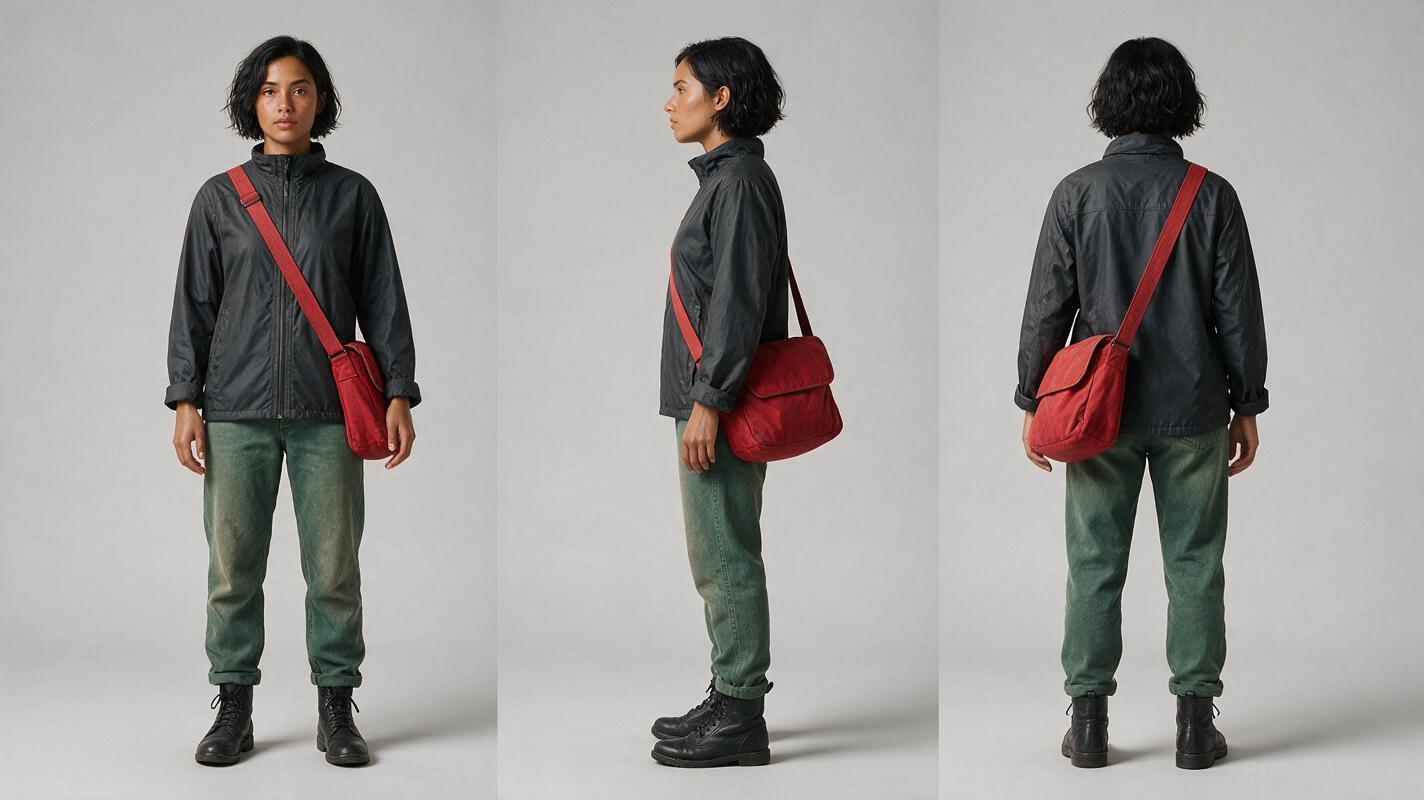
Step 2 — Lock the character and location before motion
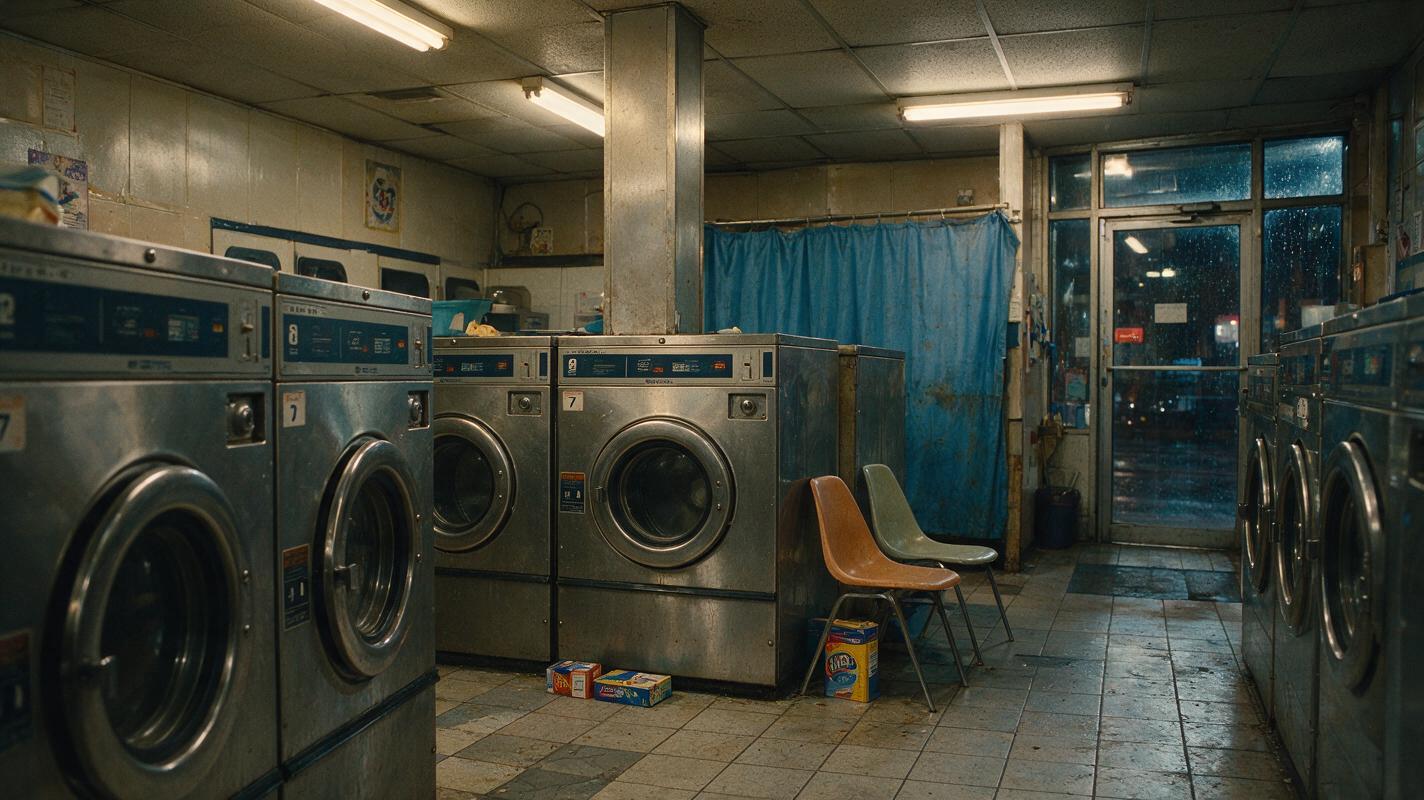
Create references before generating video. Nora needs a three-view character sheet, while the laundromat needs a wide location image that establishes its geography. These assets give every later prompt the same visual facts.
The location reference should clearly show:
- the public entrance and rear exit;
- washer seven and the brass key position;
- the pillar used for the first hidden cut;
- the curtain that motivates the whip-pan;
- the practical light sources and dominant colors.
Keep the room believable rather than visually overloaded. A complicated crowd, mirrored walls, or many moving objects can create unnecessary continuity problems.
Reusable location prompt
Cinematic editorial-realism establishing image of a small lived-in neighborhood laundromat on a rainy night, rows of aged stainless-steel washing machines, washer seven near the center, a broad square metal pillar in the middle ground, a faded blue curtain covering a rear passage, glass public entrance on the opposite side, warm fluorescent ceiling lights mixed with cool rain reflections, scuffed tile floor, detergent boxes and two molded plastic chairs, no people, no readable text, no logos, no interface elements; landscape 16:9; MANDATORY CAMERA: true three-quarter wide view from the front-left corner at eye level, 28mm cinematic lens perspective, deep enough focus to make the entrance, pillar, washer, curtain, and rear doorway spatially legible.Once these references are stable, build an ai storyboard around them rather than redesigning the room in every shot.
Step 3 — Storyboard entrances, transitions, and exits
A normal storyboard emphasizes attractive compositions. A one-take storyboard must also document how the camera arrives and leaves. For each clip, create three frames:
- Entrance frame: the exact visual condition inherited from the previous clip.
- Action frame: the dramatic information delivered by this clip.
- Exit frame: the occlusion, blur, darkness, or matching composition used for the next handoff.
Do not make every transition a whip-pan. Repetition exposes the construction. Alternate methods according to the environment:
| Transition | Useful situation | Continuity requirement |
|---|---|---|
| Foreground occlusion | A person, wall, pillar, or vehicle crosses the lens | Both clips must reach a similarly colored full-frame obstruction |
| Whip-pan | The character reacts quickly to an off-screen event | Pan direction, speed, and brightness must match |
| Dark-frame cut | The camera passes through shadow or a doorway | The following clip must emerge from comparable darkness |
| Body wipe | The camera follows closely behind a character | Wardrobe texture and shoulder position must remain consistent |
Generate the transition frames deliberately. Do not assume the editor can hide a cut if neither clip provides a compatible endpoint.
Step 4 — Generate overlapping clips around hidden cuts
Generate each section independently, but include overlap around the intended edit. Clip B should briefly repeat the visual condition at the end of Clip A before moving into new action. This gives the editor room to choose the cleanest matching frames.
Keep each prompt focused on one camera path and one performance beat. Avoid combining a long walk, precise hand interaction, facial close-up, crowd movement, and complex camera orbit in the same generation.
Reference assets: Nora character sheet and laundromat location image.

Continue from a frame almost completely covered by the back of Nora's charcoal jacket. The camera gently pulls away to an over-the-right-shoulder tracking view as Nora walks toward washer seven. Preserve her short black hair, red cross-body courier bag, green trousers, and exact wardrobe. She stops beside the washer and slowly extends her right hand toward a small brass key. The camera arcs slightly left with her movement, then passes directly behind the broad metal pillar until the pillar fully covers the frame. Natural cautious performance, stable room geometry, realistic walking pace, restrained handheld movement, no additional people, no duplicated character, no camera teleportation.
Generate alternatives for the transition, not merely for the central action. A useful variation may be the one with the cleanest full-frame occlusion or most controllable camera speed.
When the references and handoffs are prepared, try for free and test one adjoining clip pair before rendering the entire sequence.
Reusable failure-and-fix visual prompt
Photorealistic side-by-side cinematic comparison with no divider text: on the left, a failed hidden-cut result inside the same rainy-night laundromat where the bicycle courier appears duplicated and her red bag changes shape as a metal pillar crosses the foreground; on the right, the corrected result with exactly one consistent courier, stable face and clothing, unchanged red canvas bag, and the pillar fully covering the frame for a clean transition; identical warm fluorescent lighting, wet reflections, and realistic location in both halves, no captions, no logos, no interface; landscape 16:9; MANDATORY LAYOUT: two equal horizontal comparison panels; MANDATORY CAMERA: matching eye-level over-the-shoulder three-quarter framing in both panels.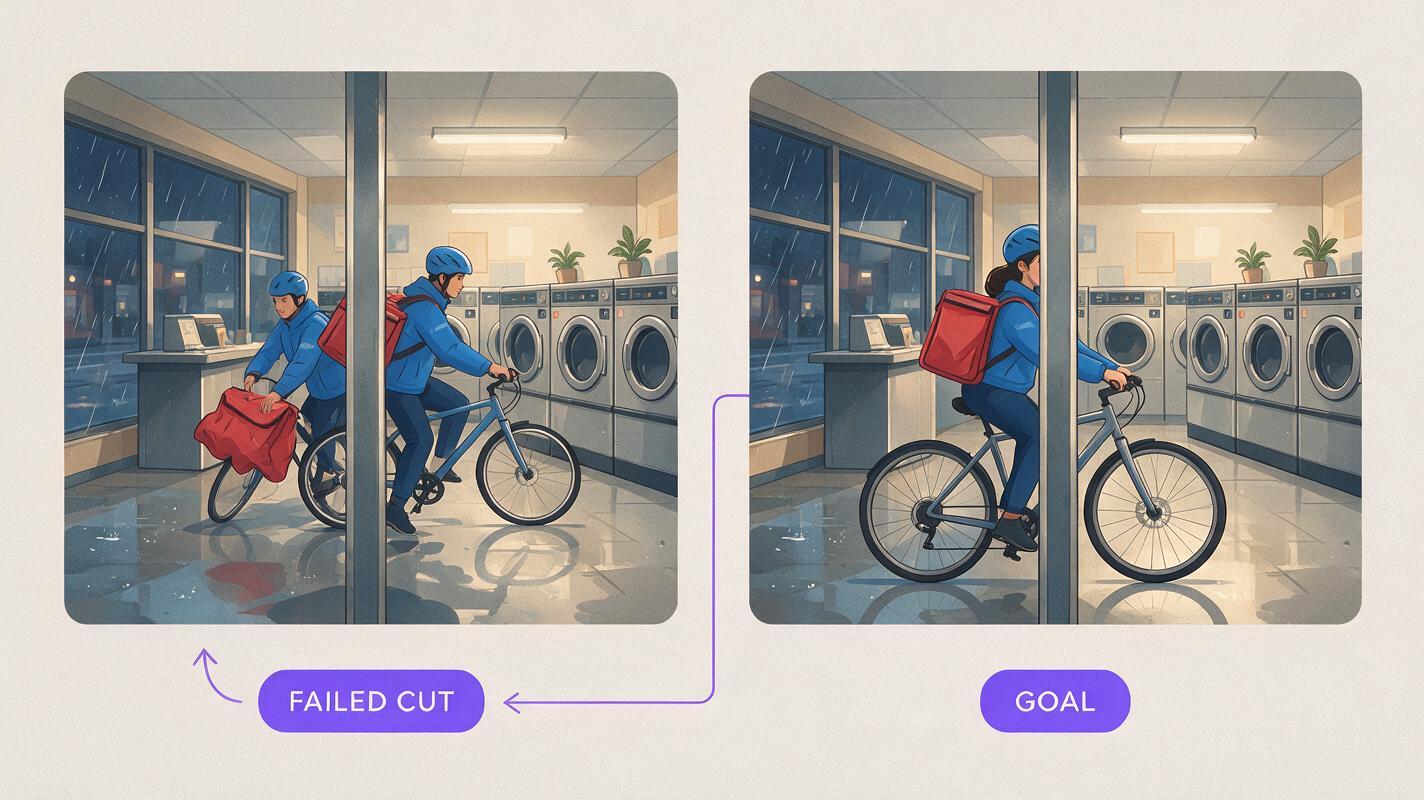
Step 5 — Hide the edits with picture and sound
Place adjoining clips on the timeline and search for the brief interval where their visual information is least specific: the moment the pillar fills the frame, the jacket becomes an abstract dark surface, or the pan reaches maximum blur.
Trim the outgoing and incoming clips until their direction and brightness align. A short dissolve can make an occluded transition softer, but a long dissolve may create visible double features. For motion-blur handoffs, a direct cut often preserves energy better when the movement matches.
Sound should ignore the visual cut. Build one continuous audio environment across the whole sequence:
- a steady washer rumble under every interior clip;
- footsteps placed according to Nora's visible pace;
- a curtain swish that motivates the camera turn;
- rain growing louder as the camera approaches the rear door;
- one uninterrupted music or ambience bed beneath the hidden edits.
If the scene feels fragmented, watch it without music first. Check whether Nora changes direction, jumps forward, switches walking speed, or reaches twice. Then listen without watching and remove audible seams in room tone.
Step 6 — Repair weak handoffs instead of rebuilding everything
When a transition fails, identify which side is responsible. Regenerate only the outgoing endpoint or incoming entrance whenever possible.
| Problem | Likely cause | Targeted repair |
|---|---|---|
| Character appears to jump | Incoming clip begins too far ahead | Regenerate its entrance with repeated foot position and body orientation |
| Hidden cut flashes visibly | Foreground object never covers the full frame | Move the virtual camera closer to the object at the endpoint |
| Whip-pan changes direction | Prompts describe inconsistent camera movement | Specify the same left-to-right or right-to-left pan in both clips |
| Face or wardrobe changes | Reference details were omitted | Reuse the character sheet and repeat defining wardrobe details |
| Location seems to rotate | Room geography was not fixed | Return to the wide location reference and restate landmark positions |
This repair-first approach protects the successful performances and compositions already present in the sequence.
FAQ
Can I create the entire one-take scene with one prompt?
You can attempt it, but a multi-clip construction gives you more control over character consistency, camera direction, transitions, and individual performance beats. The final result can still appear uninterrupted.
How many hidden cuts should a short one-take sequence use?
Use only as many as the scene needs. Add a handoff when the camera changes spaces, a difficult interaction begins, or the current generation has completed one clear dramatic task.
Should every cut be completely invisible?
No. The goal is uninterrupted dramatic attention. A slightly perceptible transition may still work if movement, sound, and character intent remain continuous.
What is the safest hidden-cut method for beginners?
A full-frame foreground occlusion is usually easier to control than a detailed match between visible character poses. Pillars, doorframes, dark clothing, and passing objects can provide simple transition surfaces.
Can this workflow be used for a novel adaptation?
Yes. First convert the prose passage into visible beats, then choose a motivated route through one connected location. Internal narration can continue as voiceover while the camera follows the physical action.
Sources
Final checklist
- Rewrite the scene as visible actions and camera handoffs.
- Lock the recurring character with a three-view reference sheet.
- Establish the complete location geography before generating motion.
- Storyboard an entrance, action, and exit for every clip.
- Provide overlap around every hidden cut.
- Match camera direction, brightness, movement, and character position.
- Run continuous ambience and sound effects across the visual edits.
- Regenerate weak endpoints instead of rebuilding successful clips.
Keywords
script to video AI, AI storyboard generator, AI movie maker, create AI video from script, direct an AI short film, AI clip maker