Why AI Anime Loops Jump—and How to Make Them Seamless
AI-generated anime loops often reveal a visible jump because the final pose, camera position, lighting, or particle layout no longer matches the opening frame. This guide explains how to use Vidu, loop-friendly prompts, and simple editing techniques to create seamless motion from a single anime illustration.
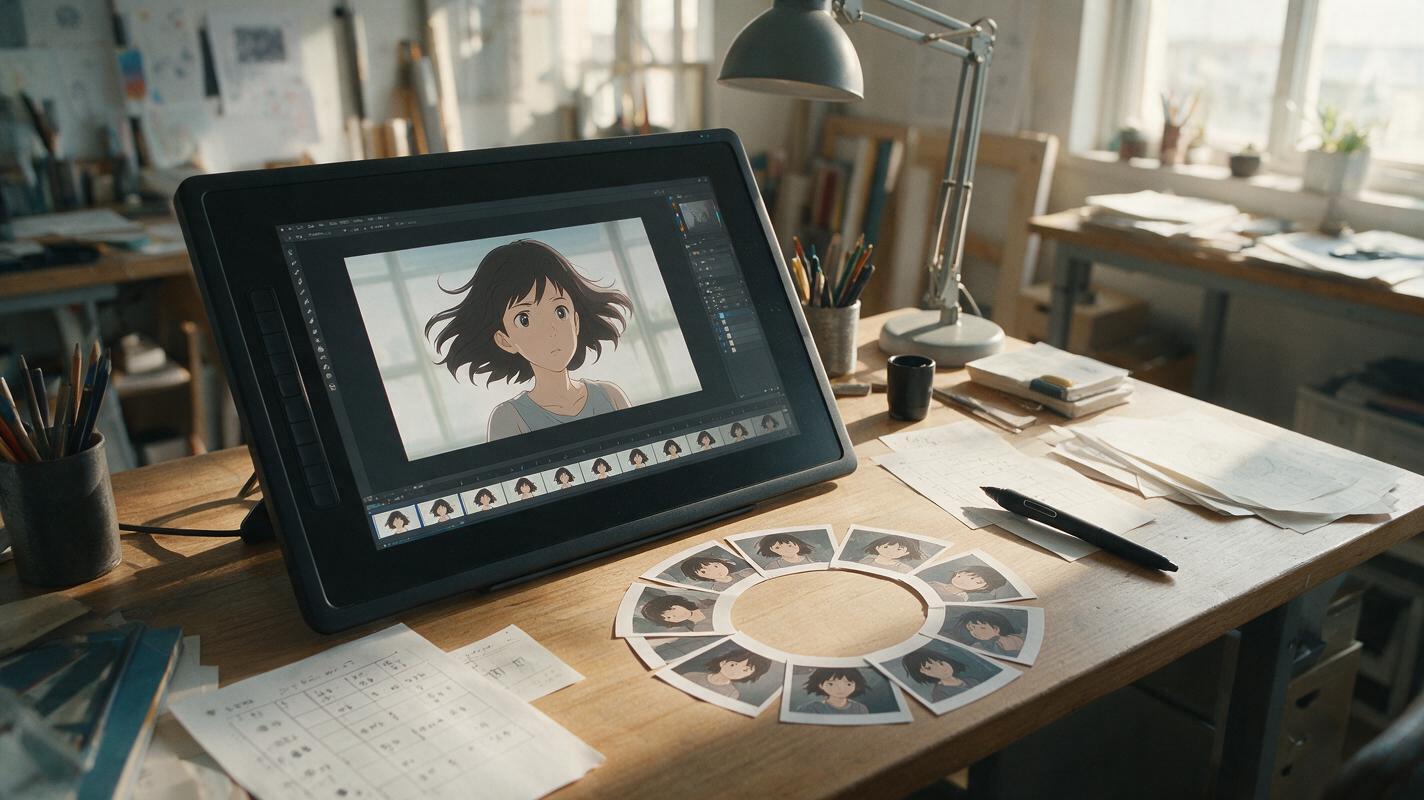
Table of contents
Make the first and last frames agree
A seamless anime loop is not simply a short clip played repeatedly; it is motion designed to return to its starting state.
If your animated hair, clothing, particles, or camera movement snaps backward at the loop point, the problem usually begins before editing. The generator has changed too many visual states during the shot. A more reliable approach is to give Vidu a loop-friendly source image, request restrained cyclical motion, and choose a looping method that matches the type of movement.
This workflow is ideal for anime profile banners, visual novel backgrounds, character idle animations, music visualizers, livestream screens, and social posts that need to repeat without an obvious cut.
Why AI-generated anime loops develop a visible jump
Image-guided video models interpret a still illustration as the beginning of a new event. Unless the prompt says otherwise, that event tends to progress: a character turns farther, the camera keeps pushing forward, clouds cross the frame, or glowing particles spread into new positions. When playback returns to the source frame, every changed element suddenly resets.
The most common sources of discontinuity are:
- One-way camera travel: a pan, zoom, orbit, or dolly ends at a different composition.
- Pose progression: the head continues turning instead of returning to neutral.
- Unbounded secondary motion: hair and fabric drift farther with each moment.
- Random particles: sparks, rain, petals, or dust end in different locations.
- Lighting evolution: a glow intensifies, a shadow moves, or the color temperature changes.
- Identity drift: facial features or costume details mutate near the final frames.
A clean loop therefore needs both temporal closure and visual stability. The action must return to its opening state, while the character design and composition remain unchanged.
Design a source image that can return to neutral
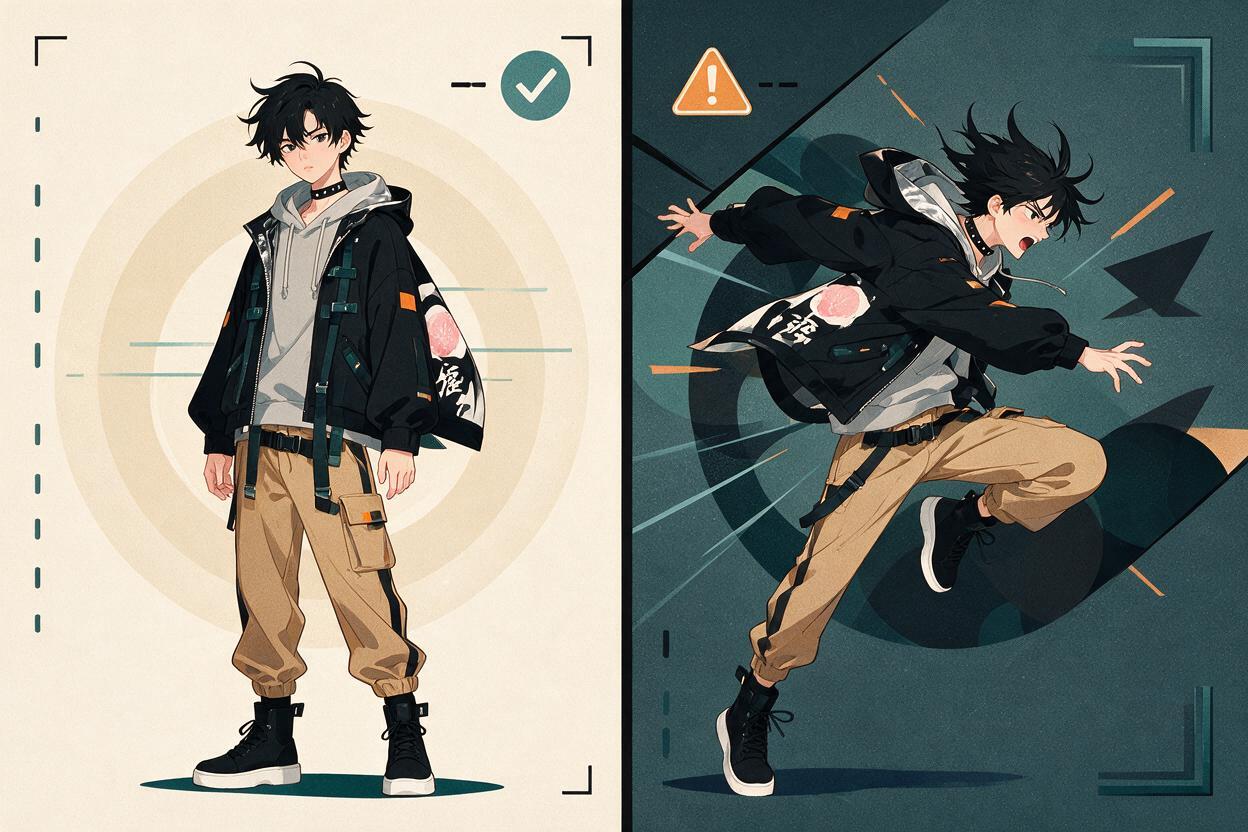
Start with a balanced pose rather than an action extreme. A centered character breathing calmly is easier to loop than a character captured halfway through a leap. Likewise, gently hanging hair provides room for a small sway in both directions, while hair already blown fully to one side encourages continued movement.
A strong source illustration should have:
- A readable silhouette with no cropped hands or important accessories
- A neutral or midpoint pose that can move left and right
- Clear separation between hair, clothing, character, and background
- Stable facial details at a useful resolution
- Background elements that can remain still or move cyclically
- Enough space around the subject to absorb subtle movement
Avoid placing important lines against moving boundaries. For example, a thin ahoge crossing a bright window edge is likely to flicker when both the hair and background shift. Simplifying that overlap before generation can prevent a difficult frame-by-frame repair later.
Write prompts around cyclical motion, not events
Use Vidu as the motion-generation stage in a reference image to video workflow, but describe a repeating state rather than a narrative action. Words such as enters, turns around, flies away, and camera pushes forward imply irreversible progression. Better loop verbs include sways, pulses, breathes, flickers, and oscillates.
This base prompt works well for a restrained character idle:
Anime character idle animation, fixed composition and locked camera.
The character takes one slow, gentle breath and returns to the exact neutral pose.
Hair tips and ribbon sway slightly outward, then settle back to their original positions.
One natural blink during the middle of the shot.
Background remains still. Consistent face, costume, line art, colors, and proportions.
Subtle 2D animation timing, minimal motion, seamless repeating feel.
The phrase returns to the exact neutral pose gives the movement a destination. It does not guarantee a mathematically identical final frame, but it reduces uncontrolled progression and gives the editor a much better candidate for looping.
Keep the prompt narrower than the image. If the illustration contains hair, rain, neon signs, cloth, reflections, smoke, and a moving camera, animate only one or two of those systems in the first test.
Match the loop construction to the movement
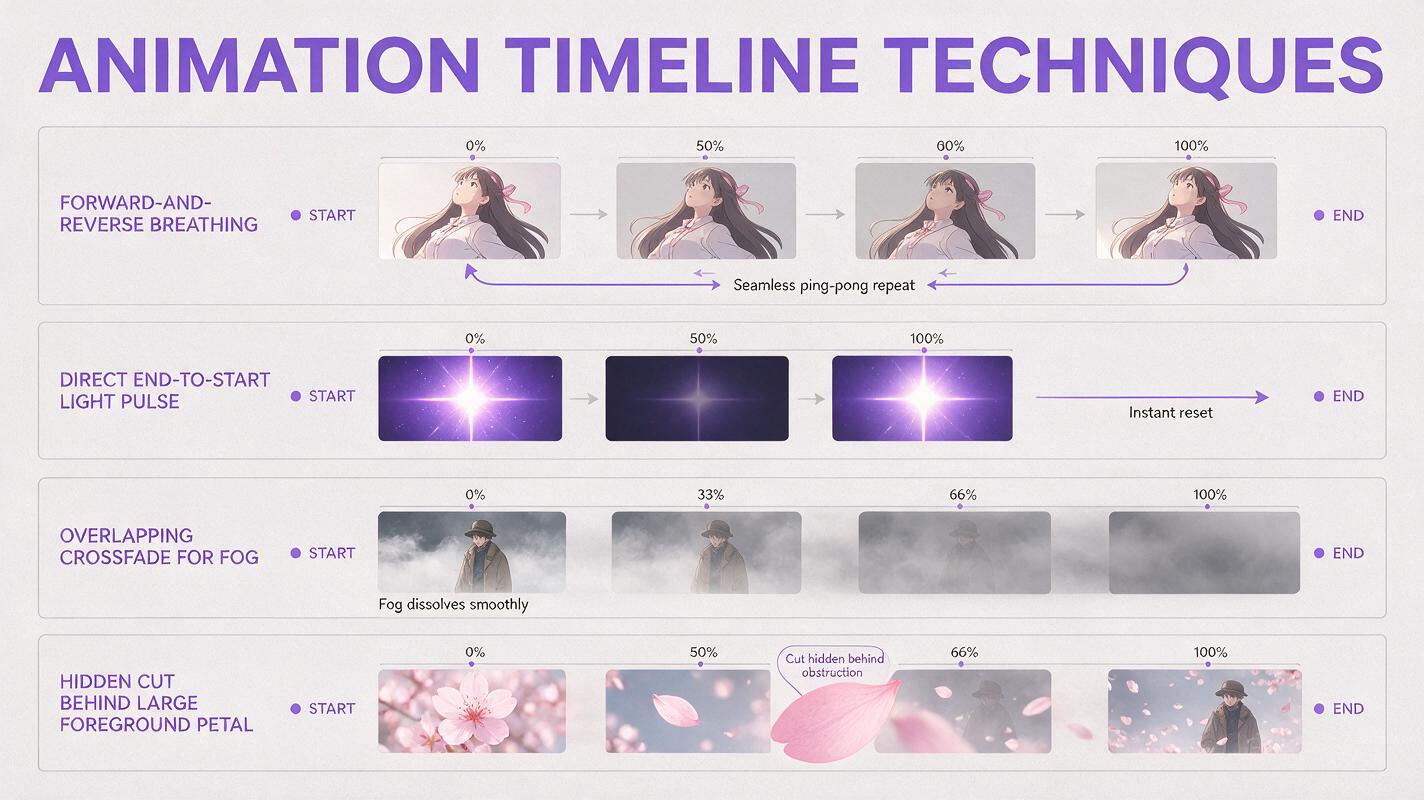
Not every clip should be looped with the same editing technique. Choose the construction according to whether the movement is symmetrical, directional, or partially random.
| Motion type | Best construction | Good anime examples | Main risk |
|---|---|---|---|
| Symmetrical motion | Forward and reverse | Breathing, floating, gentle hair sway | A pause or double blink at the reversal |
| Natural return | Direct end-to-start cut | Light pulse, eye blink, repeated aura | Final frame does not match closely enough |
| Continuous flow | Overlap and crossfade | Fog, rain, drifting dust, water reflections | Ghosting around characters |
| Hidden transition | Cut behind an occlusion | Petal crossing lens, shadow wipe, bright flash | Occlusion does not cover the whole discontinuity |
Forward-and-reverse editing is the fastest option, but it works only when reversed motion still looks natural. Smoke collapsing into its source or rain traveling upward will expose the trick. For those elements, generate a longer take, isolate a stable middle segment, and blend overlapping portions while keeping the character region protected.
Generate short takes with a locked camera
Short clips are easier to control because there is less time for anatomy, lighting, and composition to drift. Begin with one restrained movement and a stationary viewpoint. Generate several variations rather than expanding a flawed result into a longer clip.
Inspect each take for three separate qualities:
- Opening stability: the source design should not deform immediately.
- Motion arc: movement should peak and begin returning before the clip ends.
- Closing similarity: the final usable frames should resemble the opening pose and composition.
Do not select a take only because its middle looks dramatic. For a loop, the beginning and ending relationship matters more than one impressive frame. A quieter take that closes cleanly will usually produce a more professional result.
Repair the seam without softening the character
Place duplicate copies of the chosen clip next to each other on the timeline so the seam can be viewed in context. Play through the boundary repeatedly and identify what jumps: the entire frame, the character pose, a background layer, or only particles.
For a direct loop, trim the ending until the character reaches the closest visual match to the opening. Removing a few unstable frames is often more effective than adding a long dissolve.
For a crossfade loop, overlap the end and beginning briefly. Keep the blend short enough to hide environmental changes without creating two visible faces or silhouettes. If the background needs a dissolve but the character does not, separate the subject with a mask and apply the transition only behind it.
A hidden cut is useful when no clean match exists. Time the seam under a full-frame obstruction such as:
- A foreground sleeve or weapon passing close to the camera
- A large petal, leaf, or sheet of paper crossing the frame
- A momentary magical flare or lightning flash
- A dark shadow wipe
- A rapid blink to black used as a deliberate graphic beat
These devices should belong to the scene rather than appearing solely as repair effects. A magical flare fits a fantasy character; a passing train pillar may fit an urban platform scene.
Troubleshoot the motion that gives away the seam
| Visible failure | Likely cause | Practical correction |
|---|---|---|
| Character snaps sideways | Camera drift or changing body position | Regenerate with a locked camera and smaller body motion |
| Face melts near the end | Clip continues beyond its stable range | Trim earlier and loop a shorter segment |
| Hair freezes at the reversal | Forward-and-reverse edit includes the same endpoint twice | Remove one duplicate endpoint frame and adjust timing |
| Blink happens twice rapidly | The blink sits near the reverse point | Choose a take with the blink near the center or remove one blink |
| Particles jump to new positions | Random motion cannot return precisely | Loop particles separately, crossfade them, or hide the cut |
| Crossfade creates a ghost face | Character poses differ during the overlap | Shorten the blend or mask the character from the transition |
When several failures appear together, reduce the requested motion before attempting detailed repairs. Regeneration is usually faster than manually correcting a clip whose camera, face, hair, and lighting all drift independently.
Reusable prompts for common anime loops
Windy character portrait
Locked-camera anime portrait. The character remains in the same pose.
A soft breeze moves only the hair tips and scarf gently to the right,
then they return naturally to their original resting positions.
One subtle breath. No head turn, no camera movement, no lighting change.
Preserve facial identity, costume details, line art, and background composition.
Magical aura loop
Static anime composition with a restrained magical aura.
The glow brightens softly, forms one slow pulse around the character,
then returns to the exact original brightness and shape.
Tiny energy motes circulate close to the body without covering the face.
Locked camera, unchanged pose, consistent colors and character design.
Rainy window background
Anime interior beside a rain-covered window, fixed camera.
The seated character remains almost still with subtle breathing.
Window reflections shimmer gently and rain flows continuously outside.
No camera push, no body movement, no changing room geometry.
Preserve the character face, clothing, line art, and original lighting.
Once your source illustration and loop prompt are ready, turn your image into a video and compare several restrained takes before choosing the final seam.
Final checklist
- Use a neutral midpoint pose rather than an action extreme.
- Animate only one or two motion systems in the first test.
- Request movement that returns to its original state.
- Keep the camera locked unless camera motion is the loop itself.
- Judge the opening and ending relationship, not only the middle.
- Use forward-and-reverse editing only when reversed motion looks natural.
- Mask the character before crossfading an unstable background.
- Trim drifting frames instead of forcing a longer loop.
- Watch the finished result for several repetitions before exporting.
Keywords
ai anime loop, animate anime image, anime image to video, Vidu anime animation, seamless animation loop, 2D animation AI, anime motion prompts