Seedream 4.5 Prompts for Historical Scenes Without Anachronisms
Create historical lesson visuals that are specific, teachable, and easier to verify with Seedream 4.5. This guide provides reusable prompt structures, correction methods, and a practical review checklist for reducing anachronisms without presenting AI-generated reconstructions as primary evidence.
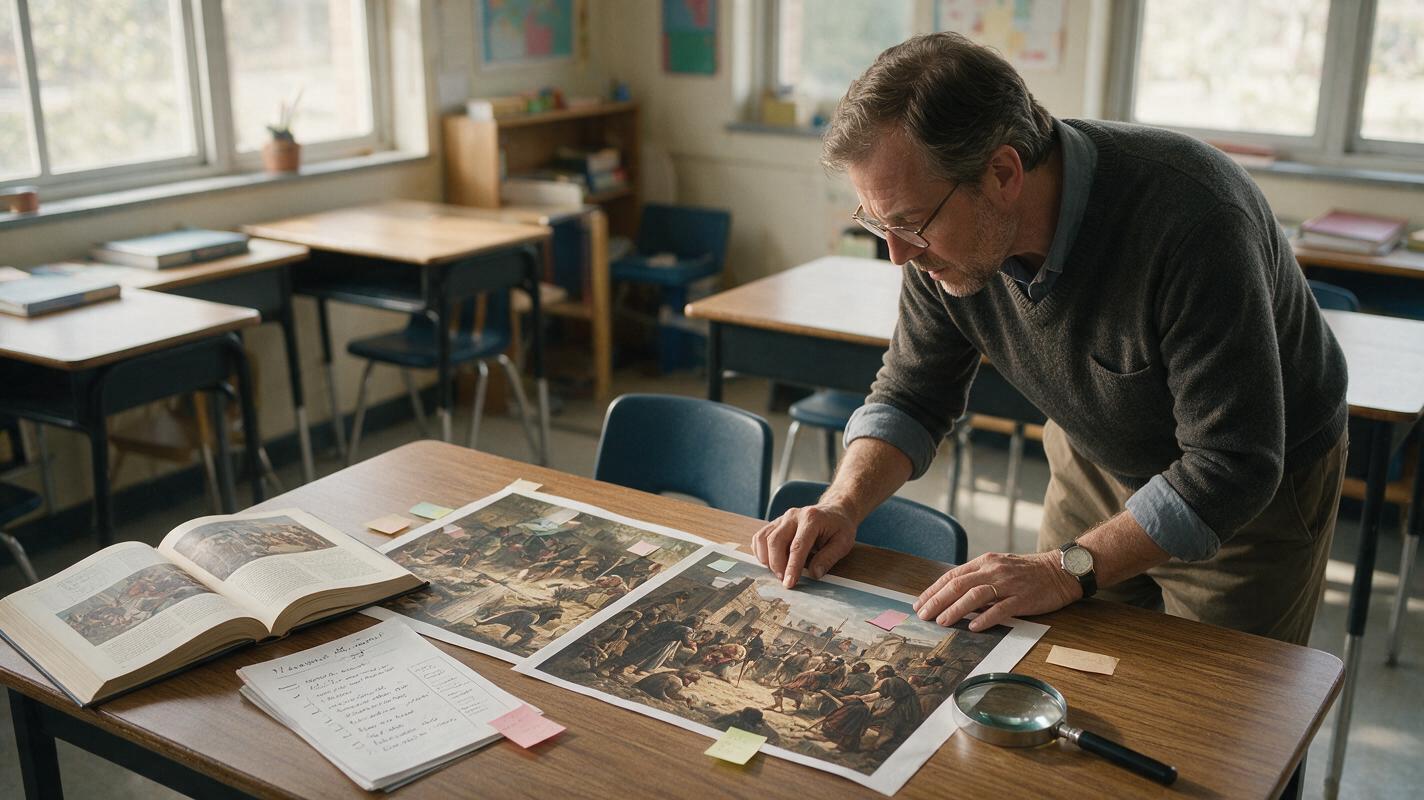
Table of contents
Create a scene students can inspect, not just admire
A convincing historical image can still teach the wrong lesson. Clothing may come from the wrong century, buildings may combine incompatible regions, and modern objects can appear in the background unnoticed. Seedream 4.5 can help educators create historical reconstructions, but accuracy depends on supplying verified constraints and reviewing the result as carefully as any other learning resource.
The most reliable approach is to separate evidence from atmosphere. Establish what must be visible, what must not appear, and what remains uncertain before asking the model to compose the scene. The resulting illustration should be presented as a reconstruction—not as a photograph or primary source.
Teaching principle: Use AI to visualize an evidence-based interpretation, not to invent missing historical evidence.
Build an evidence ledger before writing the prompt
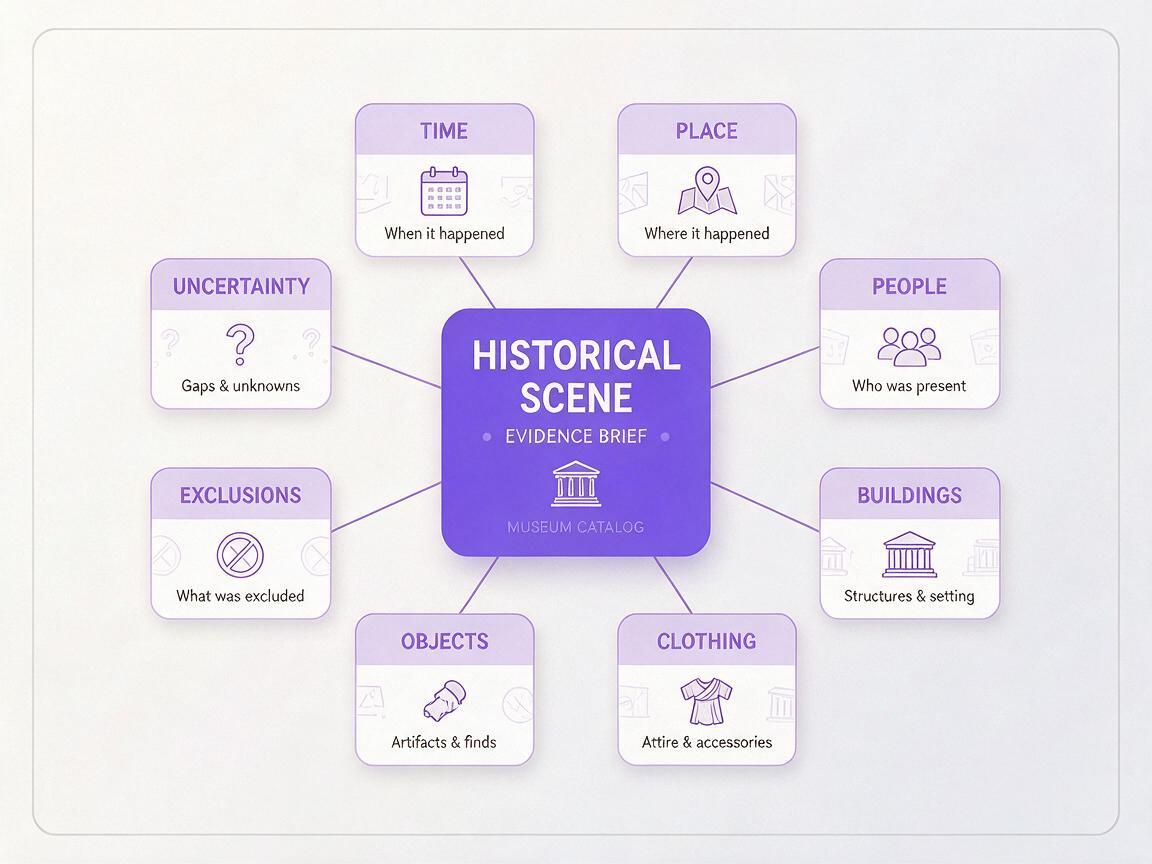
Broad requests such as “a realistic medieval marketplace” invite the model to mix centuries, regions, and popular-media stereotypes. Replace that broad category with a compact evidence ledger based on your approved textbooks, museum collections, academic references, or curriculum materials.
Record the details that affect what students will see:
- Time: a narrow year range or clearly defined period.
- Place: settlement, region, and relevant cultural context.
- People: occupations, approximate ages, social roles, and plausible activities.
- Built environment: materials, street surfaces, room structure, tools, and furniture.
- Clothing: verified garments, construction, colors, and headwear.
- Objects: only artifacts supported by the lesson sources.
- Exclusions: technologies, materials, symbols, and fashions that belong elsewhere.
- Uncertainty: details that should remain generic, obscured, or omitted.
A useful ledger is short enough to scan while reviewing the output. If a detail is not supported and is not necessary for the learning objective, leave it out.
Use a prompt structure that separates facts from atmosphere
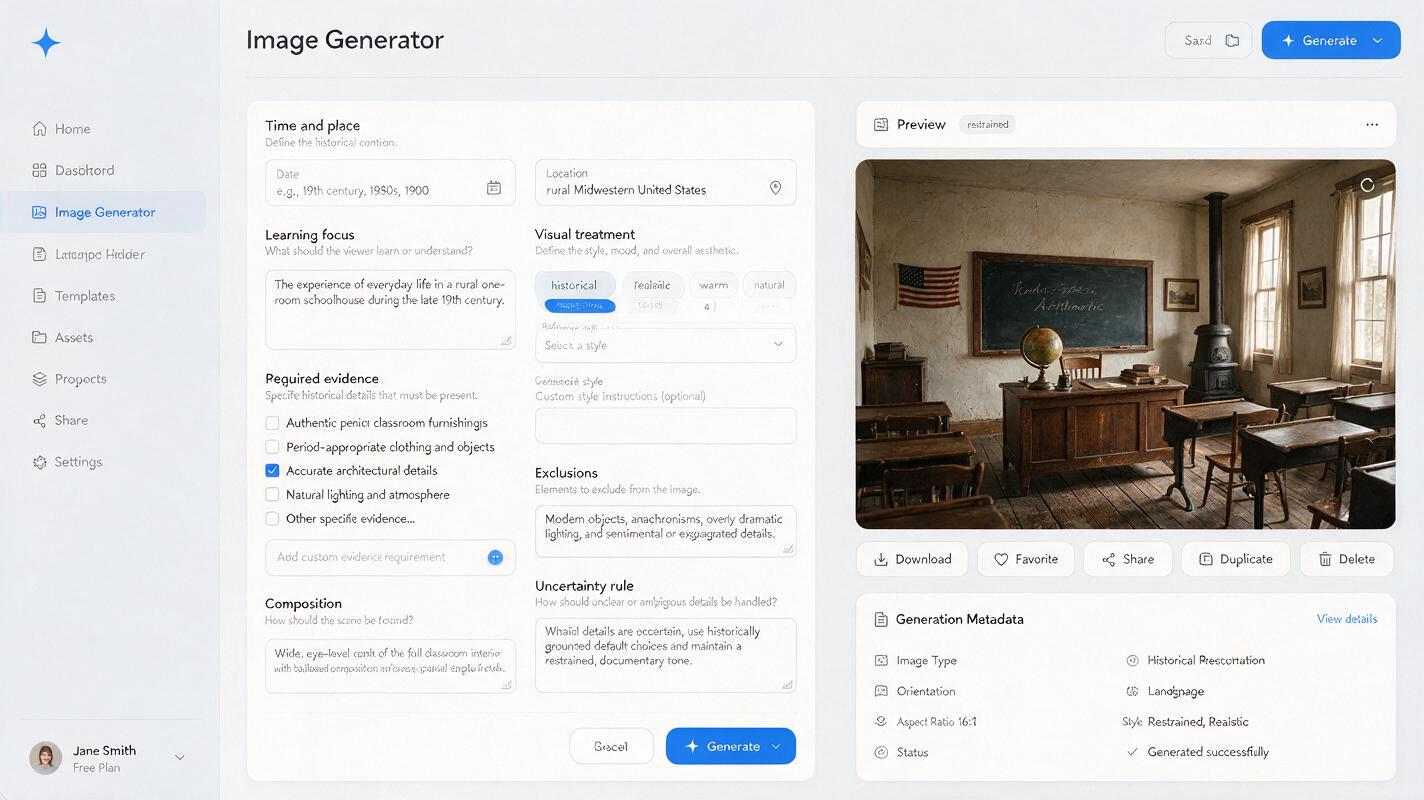
When using Seedream 4.5 as an ai image generator, place historical constraints before cinematic qualities. This gives the required content more prominence than lighting, mood, or decorative detail.
Create an educational historical reconstruction for [GRADE OR COURSE].

TIME AND PLACE:
[VERIFIED DATE RANGE], [SPECIFIC LOCATION OR REGION].

LEARNING FOCUS:
Students should be able to identify [2–4 OBSERVABLE IDEAS].

REQUIRED EVIDENCE:
- [VERIFIED BUILDING OR INTERIOR FEATURE]
- [VERIFIED CLOTHING DETAIL]
- [VERIFIED TOOL, OBJECT, OR MATERIAL]
- [PLAUSIBLE ACTIVITY SUPPORTED BY SOURCES]

COMPOSITION:
[VIEWPOINT], clear separation between important objects, readable actions,
no important detail hidden at the edge of the frame.

VISUAL TREATMENT:
Naturalistic educational reconstruction, restrained color palette,
clear material textures, balanced daylight, no fantasy styling.

EXCLUDE:
[KNOWN ANACHRONISMS], modern signs, modern fasteners, electrical objects,
plastic materials, cinematic fantasy costumes, invented written labels.

UNCERTAINTY RULE:
Do not add unsupported ceremonial objects, symbols, or technologies.
Keep uncertain background details simple and visually secondary.
The learning focus matters because it tells the model what the image must communicate. “Show how work was organized” is more useful than “make the scene immersive.”
Seedream 4.5 prompt for a historical marketplace
A marketplace scene can support lessons about trade, labor, transport, social organization, or material culture. It can also become cluttered quickly, so limit the visible teaching targets.
Create a wide educational reconstruction of a marketplace in
[LOCATION] during [DATE RANGE], based only on the supplied reference notes.

The lesson focuses on three visible ideas:
1. how goods were displayed,
2. how buyers and sellers interacted,
3. which transport and storage materials were available.

Show [VERIFIED STALL TYPE], [VERIFIED CONTAINERS], and
[VERIFIED GOODS]. People wear [SOURCE-BASED CLOTHING DETAILS]
and perform ordinary trading activities without theatrical posing.

Use an eye-level viewpoint with a clear foreground transaction,
a middle-ground row of stalls, and a restrained architectural background.
Natural daylight, realistic wear on wood and fabric, educational clarity.

Exclude objects introduced after [DATE], modern packaging, printed price tags,
plastic, electrical lighting, fantasy costumes, oversized monuments,
and unsupported flags or emblems. Do not generate readable text.
Replace every bracketed field from your evidence ledger. Do not retain examples merely because they look plausible. Once the source-backed details are inserted, test this prompt yourself and inspect the result at full size rather than judging only the thumbnail.
Prompt for a domestic interior with visible teaching details
Interior scenes are useful for showing daily routines, household technology, food preparation, heating, craft work, or differences in social status. Ask for a cutaway or wide interior view when students need to understand spatial relationships.
Create a classroom-ready reconstruction of a domestic interior in
[REGION] during [DATE RANGE]. The image will illustrate
[LESSON CONCEPT].

Show one coherent room with these verified features:
- walls and floor made from [MATERIALS],
- [HEATING OR LIGHTING METHOD],
- [FURNITURE OR STORAGE TYPE],
- [HOUSEHOLD TOOL OR ACTIVITY],
- clothing appropriate to [PLACE, PERIOD, AND SOCIAL CONTEXT].

Arrange the room so each required feature is unobstructed and easy to point out.
Use a slightly elevated three-quarter view, neutral daylight, realistic scale,
and documentary restraint.

Do not add decorative objects merely to fill empty space.
Exclude [SPECIFIC ANACHRONISMS]. Avoid modern room proportions,
modern glass fixtures, synthetic fabrics, and invented writing.
Empty space is not a failure in an educational illustration. It often improves attention, annotation, and accessibility.
Show uncertainty instead of inventing certainty
Some historical details are debated, poorly preserved, or dependent on interpretation. A polished image can conceal that uncertainty and make a tentative reconstruction appear definitive.
Choose a visual treatment that matches the status of the evidence:
| Evidence status | Visual treatment | Lesson note |
|---|---|---|
| Strongly supported | Show clearly in the focal area | Identify the supporting source |
| Plausible but uncertain | Keep visually secondary or partly obscured | Label it as an interpretation |
| Disputed | Create separate alternatives | Ask students to compare the evidence |
| Unsupported | Omit it | Do not use visual appeal as justification |
For competing interpretations, generate two controlled versions with only the disputed element changed. This turns uncertainty into a comparison activity instead of hiding it.
Correct anachronisms with targeted edits
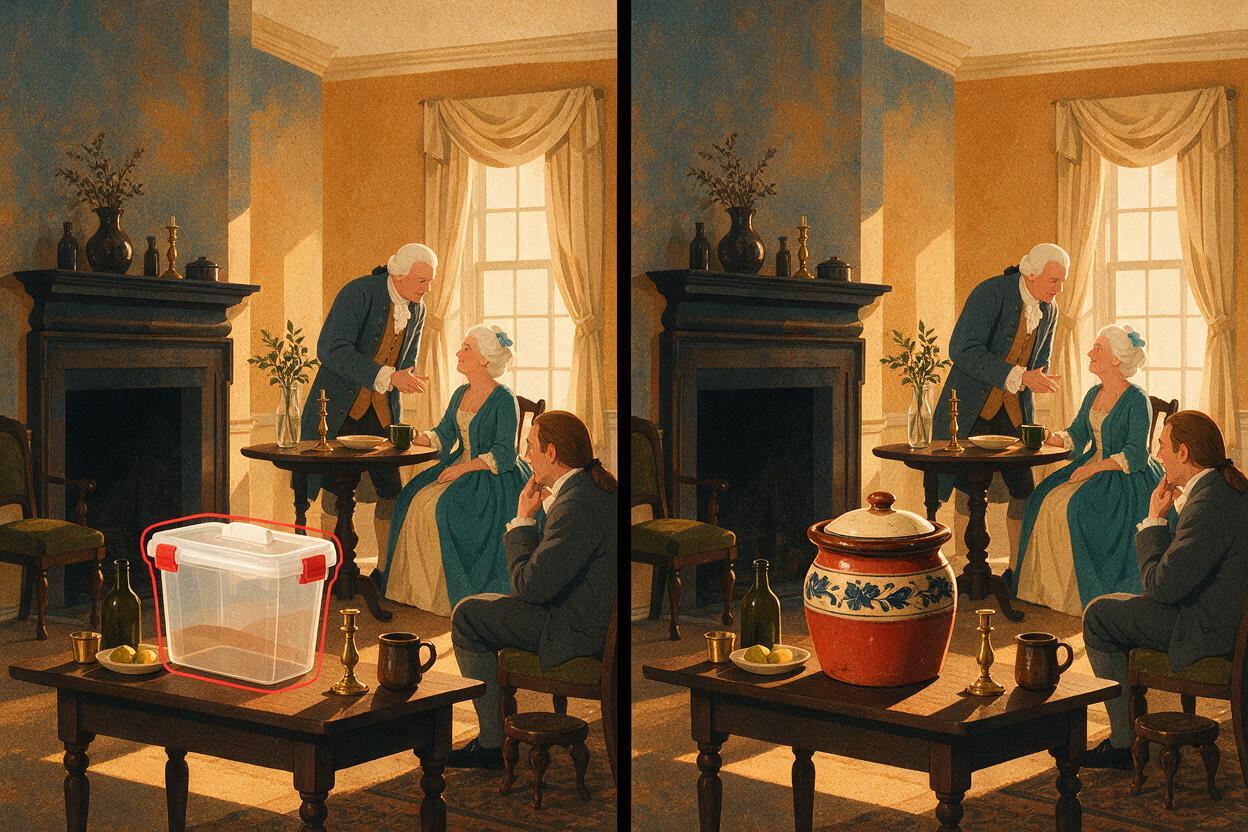
Do not regenerate an otherwise useful scene simply because one object is wrong. A full rerun can alter faces, architecture, composition, and every verified detail. Instead, request a localized correction while explicitly preserving the rest of the image.
Edit only the selected [OBJECT OR AREA]. Replace [INCORRECT DETAIL]
with [SOURCE-VERIFIED REPLACEMENT] appropriate to [PLACE AND DATE].
Match the existing perspective, scale, daylight, material wear, and color balance.
Preserve all people, poses, clothing, architecture, tools, and composition
outside the selected area exactly as they are.
After each edit, compare the complete image with the evidence ledger again. Correcting a vessel, window, or garment can introduce a new inconsistency nearby.
Make the final visual lesson-ready
Keep explanatory labels outside the generated reconstruction whenever possible. Add dates, vocabulary, arrows, captions, and citations later in presentation or design software, where spelling and placement remain editable.
A useful classroom caption can distinguish evidence from interpretation:
Reconstruction: This AI-generated scene visualizes selected features described in the cited sources. It is not a primary-source image, and some background details are interpretive.
Review the image for more than historical detail. Check whether students can identify the intended evidence, whether the composition reinforces stereotypes, and whether meaningful people or activities are shown respectfully. Provide alt text that states the lesson-relevant content rather than describing every decorative feature.
Common failures and prompt fixes
| Failure | Likely cause | Prompt fix |
|---|---|---|
| Mixed centuries | The period is too broad | Add a narrow date range and explicit exclusions |
| Fantasy-style clothing | Mood terms outweigh evidence | Describe garment construction and remove cinematic language |
| Modern-looking room | Materials and proportions are unspecified | Name verified surfaces, openings, lighting, and furniture |
| Important objects are hidden | The composition has no teaching priority | List observable targets and request clear separation |
| Invented signs or lettering | The prompt requests environmental text | Generate without text and add verified labels afterward |
| Scene looks authoritative but uncertain | No evidence status was provided | Omit weakly supported details or create labeled alternatives |
Final checklist
- Define one historical learning objective before generating the image.
- Specify a narrow date range and geographic context.
- Build required details from reviewed sources, not model suggestions.
- List known anachronisms and unsupported additions to exclude.
- Keep uncertain details secondary, omitted, or shown as alternatives.
- Add labels and citations outside the generated image.
- Review every targeted edit for new inconsistencies.
- Identify the final image clearly as a reconstruction.
Keywords
Seedream 4.5 prompts, historical scene generator, historical lesson visuals, educational illustrations, anachronism correction, AI image generator, history teaching resources