Seedream 4.5 Prompts for a Consistent Instagram Story Sticker Pack
Create a reusable set of illustrated overlays for Instagram Stories without every sticker looking like it came from a different campaign. These Seedream 4.5 prompts cover a shared visual style, useful sticker variations, clean cutouts, and a final check in a real Story layout.

Table of contents
Make the stickers look like one campaign
A Story sticker pack is useful only if its pieces work together. A cheerful arrow, a product doodle, and a callout bubble can each look good alone yet clash when placed on the same frame. Use Seedream 4.5 to establish one visual language, generate a small set of related illustrations, and test them over actual Story content before publishing.
Here, “stickers” means decorative image overlays your team adds in an editor. They are not Instagram’s interactive poll, link, or question stickers. Keep those native features separate so viewers can still tap them.
Define a style the whole pack can share
Start with a short style brief rather than a list of unrelated objects. Specify the line weight, palette, shading, edge treatment, and level of detail. Then decide what jobs the pack must do: direct attention, frame a product, signal a category, or add personality to a reply.
For example, a weekly café campaign might need a curved arrow, a sparkle, a takeaway cup illustration, a small speech bubble, a starburst, and a simple underline. Those shapes serve different purposes, but they should all look as if the same illustrator made them.
Generate the first contact sheet with an ai image generator such as Seedream 4.5. Ask for separated objects on a plain, contrasting background; do not assume a generated checkerboard means the file has a genuine transparent alpha channel.
Create a contact sheet of six separate decorative graphics for an Instagram Story campaign: a curved arrow, four-point sparkle, takeaway cup, rounded speech bubble, starburst, and hand-drawn underline. Shared style: warm editorial cut-paper illustration, thick slightly irregular dark-purple outlines, flat cream and apricot fills, one muted lavender accent, minimal shading, soft rounded corners. Keep each object visually distinct, fully visible, and separated by generous empty space. Plain solid mint-green background for easy cutout. No words, logos, people, interface elements, shadows outside the objects, or extra graphics.Why a contact sheet? It lets you judge the family resemblance before spending time cutting out and exporting every piece. Treat it as a style test, not necessarily the final asset sheet.

Build variations without changing the style
Once one sheet feels right, keep its style description fixed. Change only the object or the job it performs. If your Seedream 4.5 workflow accepts an image reference, use the approved sheet as a visual guide; otherwise, reuse the same written style brief and compare the outputs side by side. A reference can help, but it does not replace inspection.
Generate missing pieces individually when a crowded sheet produces merged outlines or mismatched proportions. This prompt turns the approved arrow into a family of directional overlays:
Create four separate curved arrow illustrations for the same Instagram Story sticker pack: one pointing up-right, one down-left, one making a short clockwise curve, and one short straight arrow. Match this style exactly: warm editorial cut-paper illustration, thick slightly irregular dark-purple outlines, flat cream and apricot fills, one muted lavender accent, minimal shading, soft rounded corners. Keep consistent outline thickness and similar visual weight across all four. Place each arrow apart on a plain solid mint-green background. No words, logos, texture behind the arrows, or additional objects.For a broader campaign, make a small asset inventory before generating more: two direction cues, two emphasis shapes, one category illustration, and one neutral divider may be more useful than twenty decorative stars. Name files by function—such as arrow-up-right or offer-callout-empty—so editors can find the right overlay quickly.
Cut out each graphic and check the edges
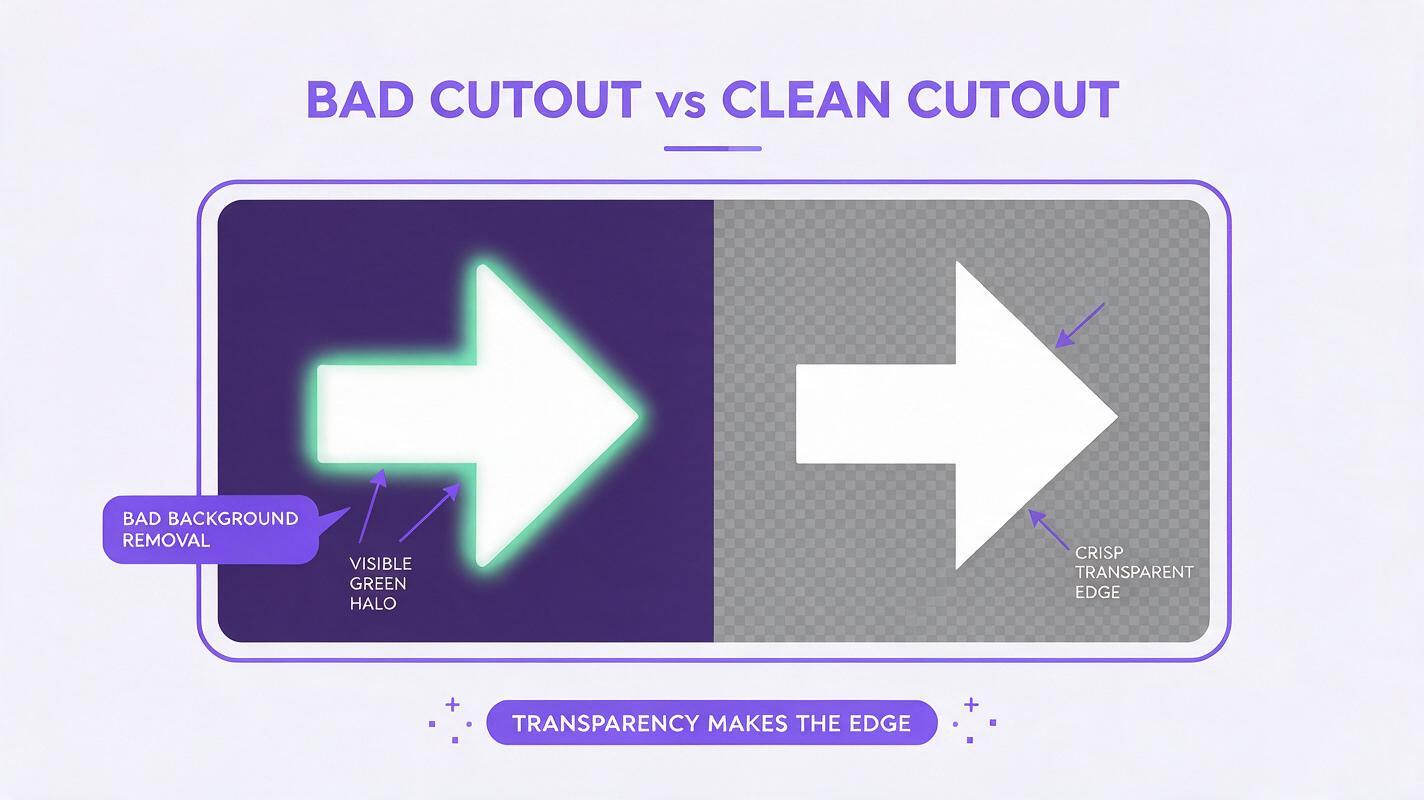
Remove the solid background in an image editor, then export each object separately as a transparent PNG. Zoom in before exporting. Pale fills and soft outlines can leave a green fringe from the original background; remove that fringe rather than hiding it against a conveniently similar Story color.
- Keep the whole silhouette. Cropped arrowheads and clipped starburst points are difficult to fix after export.
- Preserve interior gaps. The space inside a speech bubble or between a cup handle and cup should be transparent where intended.
- Check at small sizes. A decorative detail that looks charming at full resolution may become noise on a phone.
- Export at useful resolution. Keep a larger master so the team can resize downward without enlarging a tiny cutout.
If the edge needs extensive repair, regenerate the object against a more contrasting solid background. A clean source is usually faster than manually fixing a complicated cutout.
Test the pack on real Story layouts
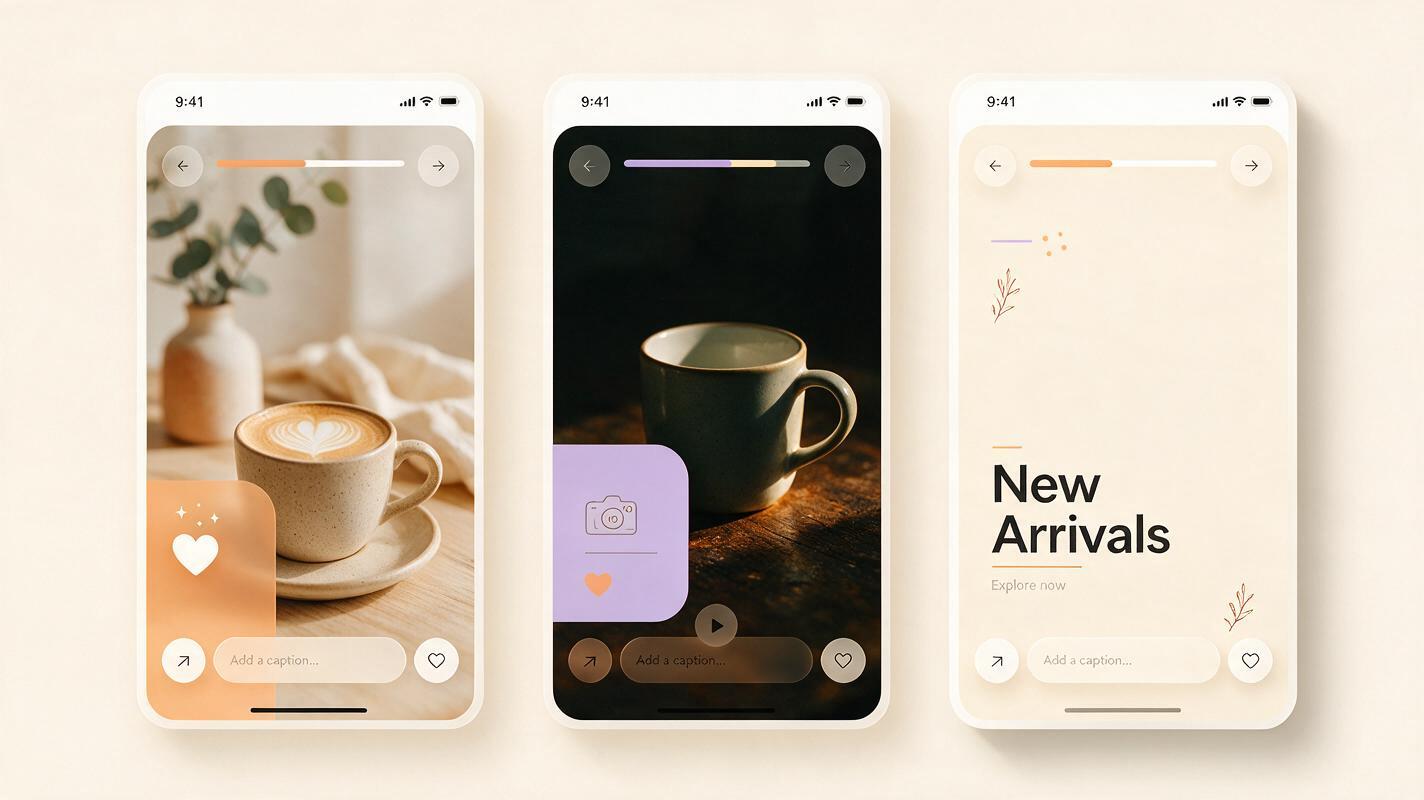
Place the exported stickers over three representative frames: a light product photo, a dark video still, and a text-heavy announcement. That test reveals problems a blank canvas cannot. An apricot sparkle may disappear over skin tones; a dark outline may compete with captions; a speech bubble may cover the space reserved for a native poll.
Assemble one draft at your intended Story dimensions and preview it on a phone. Leave room for account and interface elements, captions, and any interactive sticker you plan to add in Instagram. Position overlays so they point toward the message rather than obscure it. If an arrow only works when placed over the product name, choose another arrow—not a smaller, harder-to-read version of the same one.
| If you see this | Likely cause | Better fix |
|---|---|---|
| Stickers look unrelated | Style wording changed between prompts | Reuse the approved palette, outline, and shading description verbatim. |
| Thin white or green halos | Background removal left edge pixels | Clean the matte or regenerate on a stronger contrast color. |
| Graphics overwhelm the post | Too many overlays have equal visual weight | Use one focal sticker and one supporting accent per frame. |
| A sticker looks tappable but is not | Decorative artwork imitates a native control | Redesign it as an illustration and use Instagram’s actual interactive feature. |
Save the pack for the next campaign
Store the approved PNGs together with the style brief, original sheet, and a few example Story frames. That gives another editor enough context to extend the pack without starting from scratch. Keep campaign-specific prices, dates, and calls to action as editable text rather than baking them into generated stickers; those details change, and small generated lettering is difficult to correct.
Need a seasonal edition? Keep the outlines, proportions, and shading rules while changing only the approved accent colors and a few objects. Create your own version with a small contact sheet first, then expand only the pieces that remain clear and useful on a phone.
Final checklist
- Every sticker shares a recognizable palette, outline, and level of detail.
- Each exported PNG has genuinely transparent, clean edges.
- The overlays remain legible on light, dark, and text-heavy Stories.
- Decorative graphics do not cover captions or imitate interactive controls.
- The team has saved both the assets and the prompt used to extend them.
Keywords
Seedream 4.5 prompts, Instagram Story stickers, AI sticker pack, social media graphics, consistent illustrations, Story overlays