Turn Rough Storyboard Sketches into Motion Styleframes with Seedream 4.5
Transform rough storyboard thumbnails into polished motion-graphics styleframes with Seedream 4.5 while preserving composition, hierarchy, and animation space. This practical workflow covers source-sketch preparation, controlled prompting, variation review, motion-readiness checks, and troubleshooting common layout failures.
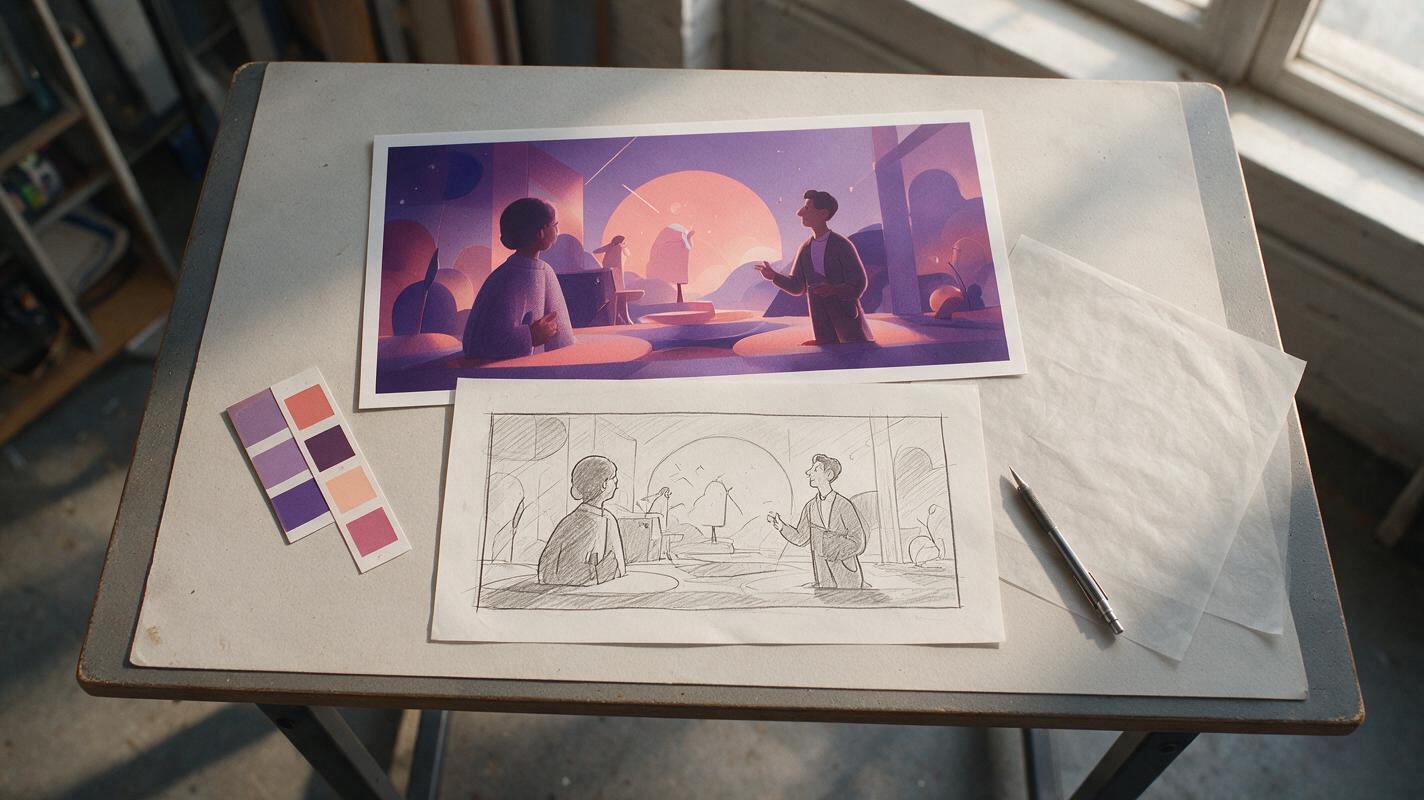
Table of contents
From thumbnail to production-ready frame
A good AI styleframe should refine your rough composition—not replace it with a prettier but less useful picture.
Motion designers often begin with tiny storyboard thumbnails that already contain the essential decisions: subject placement, negative space, visual hierarchy, camera angle, and the direction of movement. The challenge is turning those marks into presentation-ready frames without allowing the image model to rearrange the shot.
This workflow uses Seedream 4.5 to develop a rough sketch into a stylized motion styleframe. The goal is not a finished animation. It is a controllable visual-development asset that can guide design, client approval, layer separation, and later motion tests.
Core principle: lock the composition first, explore the surface treatment second, and judge every result by whether it can still be animated.
Build a composition-safe source sketch
Your input does not need polished drawing, but it must communicate structure. A model has more freedom to redesign the scene when the sketch is ambiguous.
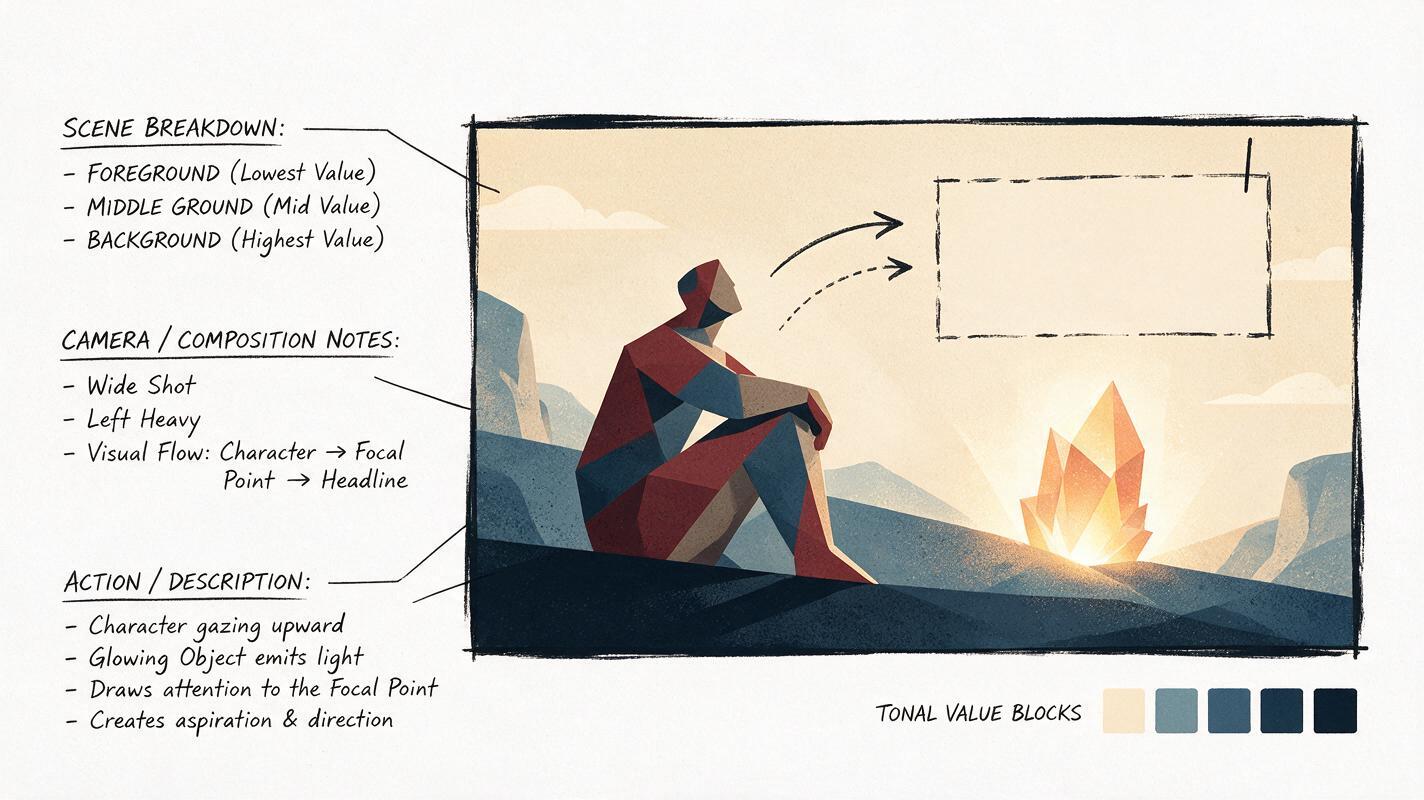
Before uploading the sketch, make the following information unmistakable:
- Frame boundary: use the final aspect ratio rather than drawing on an open canvas.
- Main silhouette: fill or outline the focal subject clearly enough to separate it from the background.
- Depth planes: indicate foreground, middle ground, and background with simple tonal blocks.
- Negative space: reserve any area needed for typography, logos, or interface overlays.
- Motion direction: add temporary arrows for entrances, exits, camera travel, or character movement.
- Protected geometry: box in products, screens, packaging, or architectural forms that must not deform.
A grayscale sketch is often sufficient. Use three to five distinct values instead of light, uncertain pencil marks. Remove notes that could be mistaken for objects before generation, but keep a separate annotated copy for your own reference.
Write a compact layout brief
Accompany the image with a short written description of its visual hierarchy. Describe what must stay in place before discussing color or rendering style.
COMPOSITION LOCK
Wide 16:9 frame.
Large character occupies the left third, facing right.
Small glowing object sits near the lower-right intersection.
Open dark area across the upper-right quadrant for a headline.
Low foreground shapes create depth without covering the character.
Preserve the camera angle, scale relationships, and empty text area.
This brief acts as a practical checklist. If a result contradicts it, the image is not successful even when its rendering is attractive.
Translate visual intent into a controlled prompt
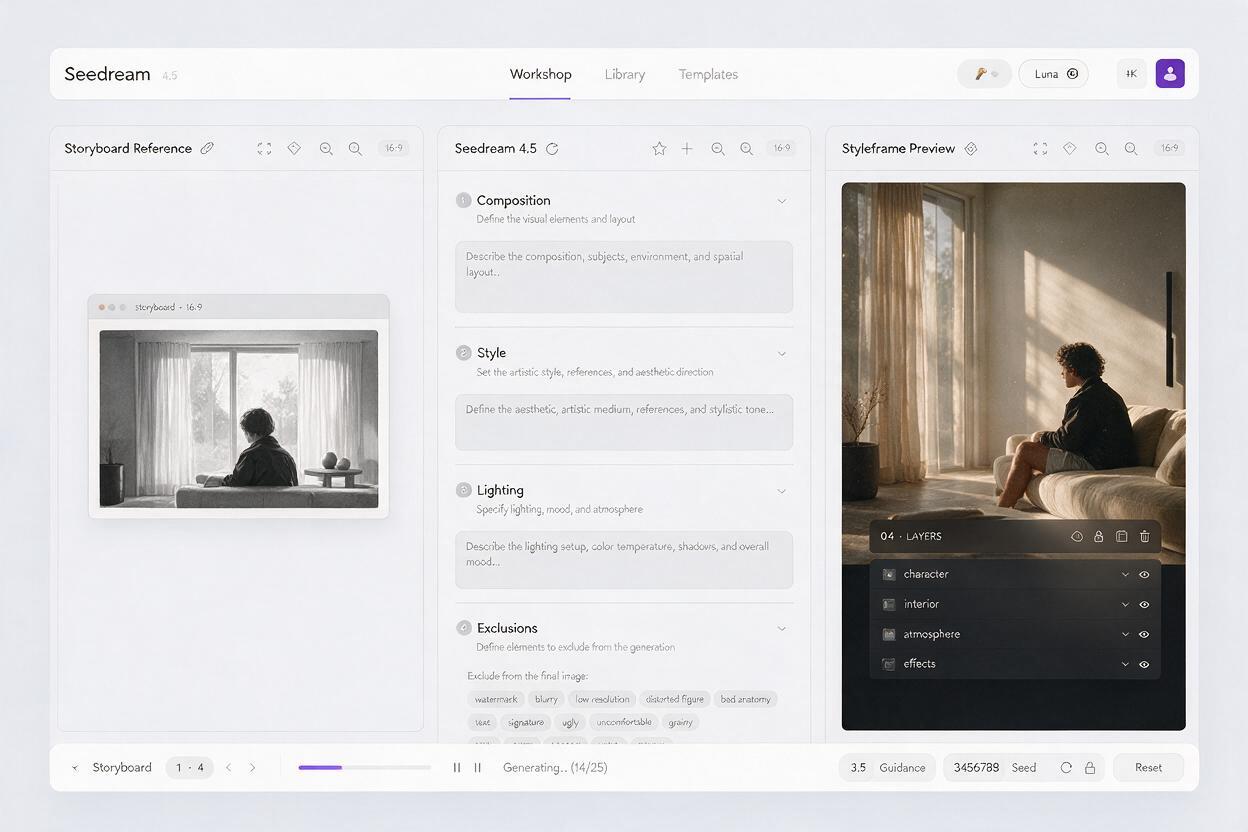
Use Seedream 4.5 as an ai image generator with the sketch serving as the compositional reference. Interface options may vary, so concentrate on the information carried by the image and prompt rather than relying on a particular control name.
A useful prompt separates instructions into four layers: composition, design language, lighting, and exclusions. Put the least negotiable information first.
Use the supplied storyboard sketch as the composition reference.
Preserve the exact subject placement, camera angle, silhouette scale,
depth arrangement, and negative space reserved for typography.

Create a polished motion-graphics styleframe with simplified editorial
shapes, crisp layered cut-paper edges, restrained surface texture,
and a limited palette of deep violet, warm coral, cream, and charcoal.

Use graphic rim lighting and one clear focal glow on the small object.
Keep the background modular and easy to separate into animation layers.

Do not add text, extra characters, decorative symbols, photorealistic
skin, complex fabric detail, shallow-focus blur, or new foreground props.
The phrase “preserve the exact composition” is helpful, but it cannot rescue an unclear source. Reinforce that instruction with concrete relationships such as “left third,” “facing right,” and “open upper-right quadrant.”
Describe style as a combination of observable properties—shape, edge, texture, palette, and light—rather than depending on a broad label such as “cinematic” or “modern.”
Prompt for assets that can move
A frame can look excellent while being awkward to animate. Include design constraints that encourage separable forms:
- clean silhouette boundaries;
- limited overlap between the character and environment;
- simple atmospheric layers;
- repeatable texture scale;
- clear foreground and background shapes;
- stable product or prop geometry;
- room for anticipated camera movement.
If the intended result is a flat illustration, explicitly reject photographic depth of field and excessive micro-detail. If it is a dimensional collage, request distinct material layers instead of a single fused surface.
Test this prompt yourself with one visual treatment first. Changing layout, palette, material, and lighting simultaneously makes it difficult to identify why a variation succeeded.
Explore style without surrendering the layout
Generate a small family of variations around the same sketch. Each batch should answer one design question rather than acting as a random mood-board search.
| Variation pass | Change | Keep fixed | Question to answer |
|---|---|---|---|
| Shape language | Geometric, rounded, or torn-paper edges | Layout, palette, lighting | Which silhouette system reads fastest? |
| Palette | Warm, cool, or high-contrast colors | Composition and rendering | Which version supports the focal point? |
| Material | Flat vector, print texture, or layered collage | Geometry and color roles | Which finish fits the motion technique? |
| Lighting | Graphic rim, soft ambient, or focal glow | Objects and depth planes | Which lighting pattern directs the eye? |
Keep a contact sheet rather than reviewing images individually. Layout drift becomes easier to spot when all candidates share the same scale. Compare the location of the head, hands, hero prop, horizon, and protected text area.
Choose the structurally useful frame
Do not automatically select the most detailed output. Prefer the frame that preserves:
- the clearest focal path;
- the strongest subject silhouette;
- the cleanest separation between depth planes;
- the intended empty space;
- the fewest invented objects;
- the most manageable texture and lighting.
A simpler frame often gives an animator more control. Secondary detail can be added later, while a broken composition is expensive to repair across multiple shots.
Run a motion-readiness check
Before presenting the styleframe or building assets from it, imagine the first two seconds of movement. Identify what enters, what stays anchored, what overlaps, and where the camera may travel.
| Check | Ready for motion | Warning sign |
|---|---|---|
| Character silhouette | Limbs and body masses remain readable | Hands merge into clothing or scenery |
| Depth | Foreground, subject, and background have distinct edges | Lighting fuses every plane together |
| Camera allowance | Background extends beyond the likely crop | Important elements touch the frame edge |
| Texture | Texture can remain static or follow a layer | Noise crosses unrelated objects continuously |
| Typography zone | Reserved area has consistent contrast | New highlights compete with the headline |
| Prop geometry | Key forms have clear, repeatable construction | Edges melt or change perspective locally |
For character motion, inspect elbows, wrists, knees, and contact points. For parallax, verify that shapes can be reconstructed behind the subject. For shape transitions, look for strong contours that can plausibly interpolate into the next scene.
If too many areas need repainting, return to the prompt or simplify the sketch. A styleframe is a design decision, not a test of how much cleanup you can tolerate.
Fix layout drift and over-rendering
The subject moves away from the sketch
Replace general composition language with measurable placement. Specify the occupied third of the frame, facing direction, relative scale, and distance from a recognizable landmark. Increase the visual clarity of the source silhouette rather than adding a longer style description.
The reserved text area fills with detail
Represent the text zone as a clean tonal block in the sketch. In the prompt, call it “open negative space with uniform contrast” and reject symbols, particles, architecture, and highlights in that region.
The image looks polished but too photographic
Remove camera-language terms associated with photography and describe the intended construction directly: simplified planes, limited values, graphic edges, screen-print texture, or cut-paper layers. Reject realistic skin pores, lens blur, and complex reflections when they do not belong.
Textures make layer separation difficult
Ask for texture contained within individual shapes and consistent in scale. Avoid prompts for global grain, smoke, scratches, or painterly blending if the artwork will be rebuilt as separate layers.
Every variation changes too much
Reduce each pass to one variable. Keep the same sketch and base prompt, then replace only the palette paragraph or material paragraph. Save the exact prompt beside every approved image so the visual decision remains reproducible.
Prepare the approved frame for production
Once a direction is chosen, separate the styleframe into a reconstruction plan. You do not need to reproduce every generated pixel. Identify the visual rules that create the look.
- Palette: record primary, secondary, accent, and background color roles.
- Shape system: define corner radius, contour behavior, and typical level of simplification.
- Texture system: note grain scale, opacity, and whether it follows objects or the frame.
- Lighting system: identify the direction, softness, and color of key accents.
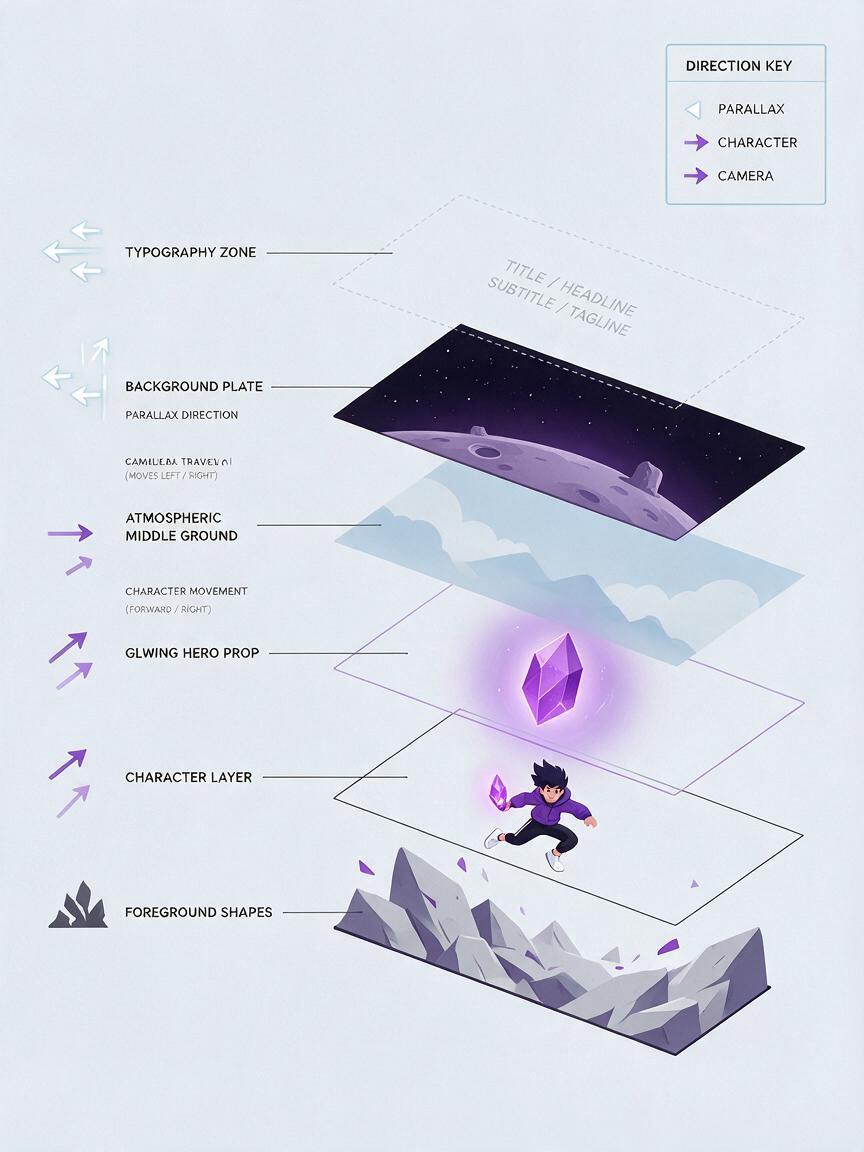
- Depth system: list the layers required for parallax, masking, and atmosphere.
- Motion system: connect each important shape to an entrance, loop, transition, or camera move.
Rebuild hero objects, logos, and typography with controlled design tools when precision matters. Treat generated details as visual suggestions unless they are clean enough to survive close inspection and repeated motion.
Final checklist
- The final frame preserves the sketch’s subject placement and camera angle.
- The focal point remains obvious at thumbnail size.
- The typography or logo zone is genuinely empty and readable.
- Foreground, subject, and background can become separate layers.
- Character joints and important prop edges are structurally clear.
- Texture and lighting support the design without fusing the scene.
- The selected variation answers a defined visual question.
- The prompt and source sketch are saved beside the approved frame.
Keywords
Seedream 4.5, motion styleframes, storyboard sketches, motion graphics, visual development, AI image generator, styleframe prompts, illustration animation