How to Generate 12 SKU Ad Creatives From 1 Product Photo With Imagen
Performance marketers and DTC brands waste thousands on photoshoots for every product SKU, but AI can generate accurate ad variants in minutes if you use the right workflow. This guide breaks down how to use Imagen to create consistent, photorealistic color, material, and finish ad variants from a single approved base product photo. You’ll get a reusable prompt framework, a validation checklist to avoid AI drift, and actionable ways to use SKU variants in performance campaigns.
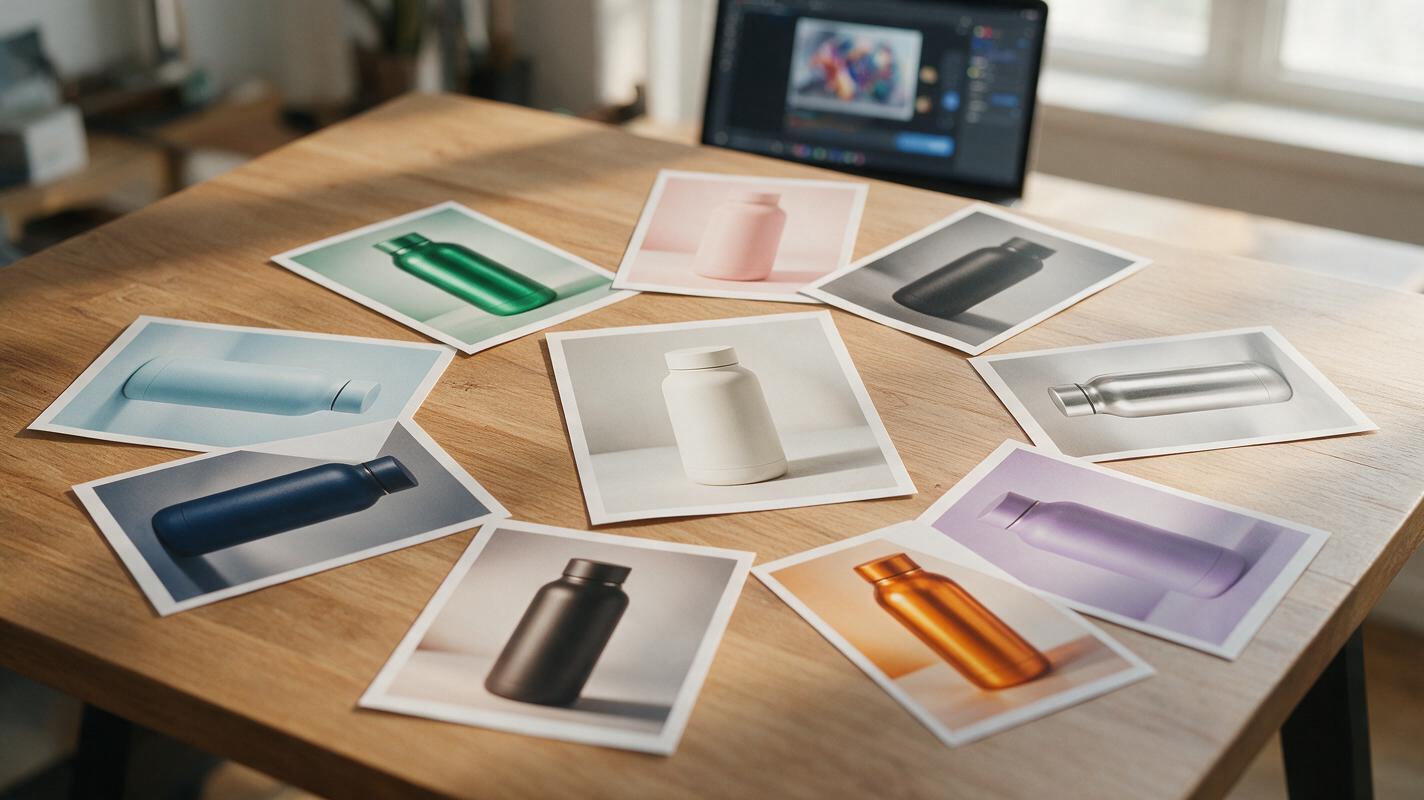
Table of contents
The hidden cost of shooting every product SKU for ads
If you sell a product with even a handful of color, material, or finish options, you know the drill: shooting every SKU for ad creatives eats up photoshoot budget fast, and manually editing variants in Photoshop takes hours of designer time that could be spent on higher-impact work.
Worse, many AI-generated product variants look unusable: they warp the product shape, shift lighting, change background details, or produce fake-looking textures that don’t match your actual inventory. This ruins consistency for catalog ads, makes A/B test results invalid, and can even lead to customer complaints when the received product doesn’t match the ad.
The good news is you can generate accurate, photorealistic SKU ad variants from a single approved base image — if you use the right tool and prompt framework.
Why Imagen stands out for product attribute ad variants
Imagen is a powerful ai image generator that excels at precise object attribute changes while preserving scene composition, lighting, and product shape — three non-negotiables for usable ad variants. Unlike many tools that reimagine the entire scene when you change a product’s color or material, Imagen’s fine-grained control keeps every other element of your ad identical, so you can trust that any performance difference between variants comes down to the attribute itself, not random AI drift.
This makes it ideal for performance marketers who need consistent, production-ready creatives for dynamic product ads, SKU-specific targeting, or creative testing of product attributes.
Prepare your base image for consistent variants
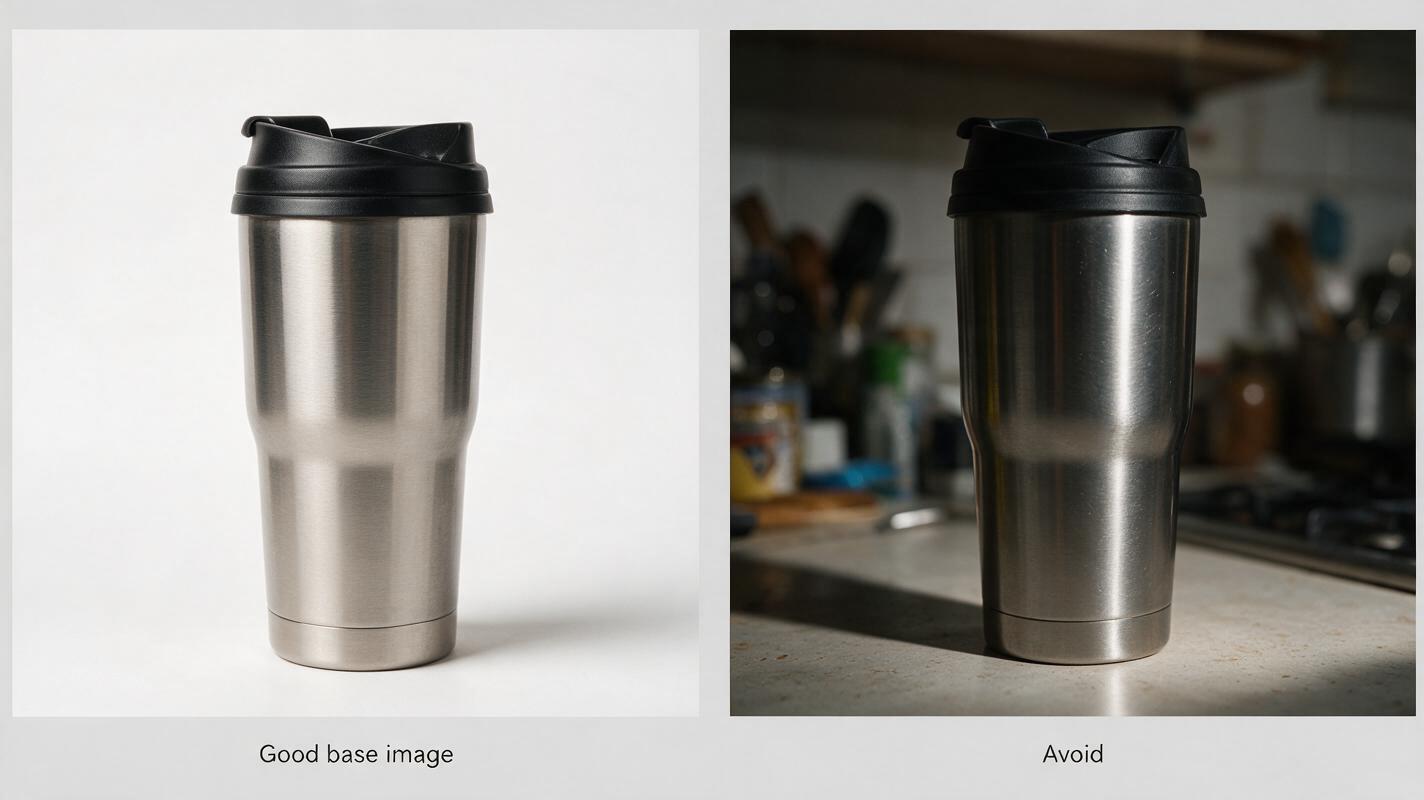
The quality of your base image directly impacts how accurate your variants will be. Skip the blurry phone photos or cropped social media screenshots — start with an image you already have approval for, ideally from a previous photoshoot or a top-performing ad.
- High resolution: 1080px or larger on the shortest edge, so fine details (like logo text or fabric texture) stay sharp after edits.
- Even lighting: Soft, diffused light with no harsh, blown-out highlights or deep shadows that can skew color accuracy.
- Clear product view: The product takes up 30-60% of the frame, with no objects blocking key features like logos, labels, or texture details.
- Consistent scene: If you’re using a lifestyle background, make sure props and environment are simple enough that AI won’t accidentally alter them.
Before generating, remove any SKU-specific text overlays (like color names or size labels) from the base image — these will carry over to variants and create mismatches.
Prompt framework for SKU attribute changes that stay true to the product
The key to accurate variants is being extremely specific about what stays the same, not just what changes. Most generic prompts only mention the new attribute, which leaves AI free to alter lighting, shape, or background. Use this master prompt template for Imagen every time:
[Original product and scene description], same exact product shape and proportions,
same lighting setup and shadow placement, same background and surrounding objects,
same camera angle and composition, change product [attribute type: color / material / finish]
to [new attribute: soft matte terracotta / full grain tan leather / brushed silver metal],
photorealistic, commercial product photography quality, high detail, no distortion
Add a negative prompt to block common drift issues:
warped product shape, mismatched lighting, altered background, changed camera angle,
blurry details, distorted logo, fake texture, extra objects, text changes
Color variant example
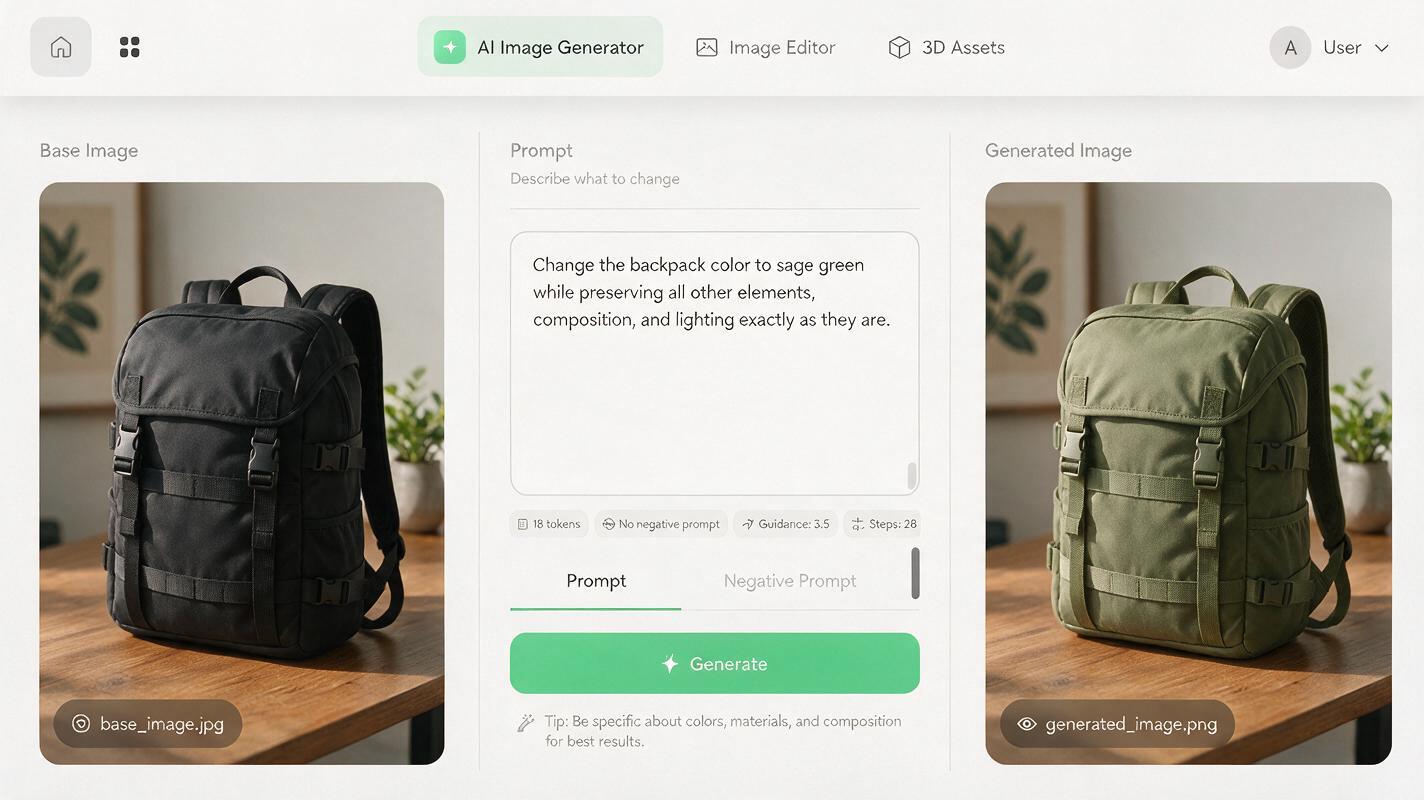
For a matte black nylon backpack in a minimalist home office scene, a color variant prompt would look like this:
Matte black nylon backpack on a wooden desk in a sunlit home office, same exact
backpack shape and proportions, same lighting setup and shadow placement, same
background and surrounding objects, same camera angle and composition, change
backpack color to soft matte sage green, photorealistic, commercial product
photography quality, high detail, no distortion
Material variant example
For a plastic water bottle, to switch to stainless steel:
Clear plastic water bottle on a white background, same exact bottle shape and
proportions, same lighting setup and shadow placement, same background, same
camera angle and composition, change bottle material to brushed stainless steel,
photorealistic, commercial product photography quality, high detail, no distortion
Pro tip: If your product has a distinct texture (like knit fabric, wood grain, or embossed branding), add "preserve original texture pattern, only change color/material" to your prompt to avoid generic, fake-looking surfaces.
Validate variant accuracy before launching ads
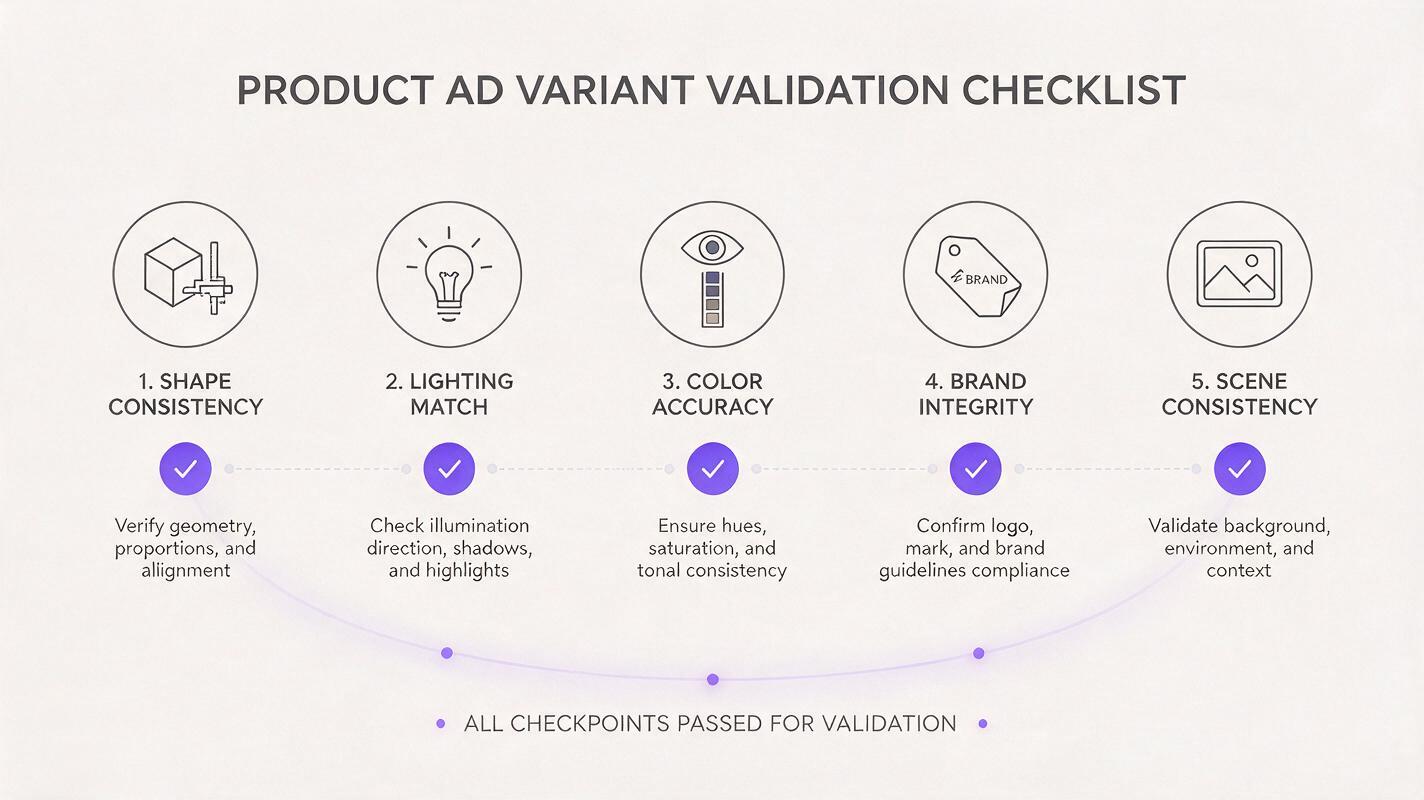
Never run an AI-generated SKU variant without validating it against your real product and base image. Even small inconsistencies can hurt conversion rates or lead to customer disappointment. Use this quick validation process for every variant:
- Shape check: Compare the variant to the base image side by side. The product outline, proportions, and features (pockets, zippers, lids) should be identical.
- Lighting check: Highlights and shadows should fall in the exact same spots, with the same intensity. A glossier finish will have brighter highlights, but their position shouldn’t shift.
- Attribute accuracy: Match the new color/material/finish to a real product sample or official SKU photo. Avoid AI-generated colors that are oversaturated or don’t exist in your inventory.
- Brand integrity: Logos, labels, and branded details should be clear, undistorted, and in the same position as the base image.
- Scene consistency: Background objects, props, and camera angle should be completely unchanged. If a plant in the background suddenly has more leaves, regenerate the variant.
For high-stakes campaigns, run a quick internal survey with 3-5 team members to see if they can spot the AI-generated variant next to a real product photo. If they can’t, it’s ready to use.
Ways to use SKU variants in your performance campaigns
Accurate SKU variants aren’t just for filling out your product catalog — they can directly improve ad performance across multiple campaign types:
- Dynamic product ads (DPA): Upload variants for every SKU to your catalog, so users see the exact color or material they viewed on your site, instead of a generic default product image.
- Attribute-based creative testing: Run A/B tests of the same ad with different product colors or materials to see which resonates best with your target audience. Since every other element is identical, you can trust the results.
- Audience-specific targeting: Promote the SKU variants that perform best with each audience segment — for example, pastels for Gen Z audiences, neutral tones for professional audiences.
- Retargeting campaigns: Show users the exact SKU they added to their cart, paired with a small discount, to reduce cart abandonment.
- Localized campaigns: Promote color or material preferences that are popular in specific markets — for example, bright colors in Southeast Asia, muted tones in Northern Europe.
Final checklist for SKU ad variant success
- Start with a high-res, approved base image with even lighting and a clear product view.
- Use a prompt that explicitly states what stays the same, not just what changes.
- Add a negative prompt to block warped shapes, mismatched lighting, and scene drift.
- Validate every variant against the base image and real product sample.
- Test variants in controlled campaigns to measure attribute-specific performance.
- Ready to build your first set of SKU variants? try these models for free to generate accurate, on-brand ad creatives in minutes.
Keywords
sku ad variants, product ad creatives, imagen ai, ai image generator, product attribute variants, dynamic product ads, creative testing