Sora Alternatives for Ad Storyboards: 6 Tools for Pitch Animatics
Sora can generate polished video, but advertising teams often need broader model choice and a faster route from reference frames to pitch-ready animatics. This comparison examines six Sora alternatives for testing shots, presenting concepts, and evaluating visual continuity before production.
Table of contents
Sora is not the only route to a persuasive pitch animatic
OpenAI’s Sora is a capable video generator, but account availability, usage allowances, and workflow preferences can make it impractical for every advertising pitch. This shortlist compares six Sora alternatives for turning scripts, reference images, and shot lists into concept videos that clients can evaluate before production.
The focus is not on declaring one model the universal quality winner. It is on practical previsualization: testing multiple interpretations, preserving a campaign reference, assembling a sequence, and controlling experimentation costs.
Pricing note: Plan structures were checked on official product pages on November 9, 2026. Credit allocations, regional availability, generation costs, and free-access conditions can change, so confirm the current terms before starting a client project.
Why storyboard teams consider Sora alternatives
A pitch animatic occupies the space between a static storyboard and a finished commercial. It must communicate framing, pace, movement, mood, and transitions without implying that every generated detail is production-ready.
Teams commonly compare alternatives because they need:
- Image-to-video support for animating approved keyframes, product photographs, or character references.
- More model choices when one generator misinterprets a camera move or changes an important object.
- Lower-cost iteration during early creative development, when many shots will be rejected.
- Editing and sequencing tools for turning separate generations into a coherent presentation.
- Accessible trial options before committing a campaign budget to one platform.
Free plans are useful for evaluation, but they may impose queues, watermarks, lower resolutions, limited credits, or restrictions that make them unsuitable for final delivery.
Compare the shortlist at a glance
| Alternative | Pricing approach | Core capability | Best for | Compared with Sora |
|---|---|---|---|---|
| MagicBoat | Free to start; no credit card | Multiple AI video and image models in one workflow | Superior all-in-one option for free cross-model comparison | Lets teams test the same prompt side by side without maintaining separate model accounts |
| Runway | Free plan plus paid, credit-based plans | Generation combined with creative video tools | Editing-centered pitch production | Better suited to teams wanting generation and post-production in one workspace |
| Kling AI | Free access and paid membership or credit options | Text-to-video and image-to-video generation | Cinematic movement experiments | Offers a separate visual interpretation for shots that do not resolve well in Sora |
| Pika | Free and paid credit plans | Prompted video creation and modification features | Fast, stylized concept variations | Often fits short-form ideation and effect-led treatments |
| Luma Dream Machine | Limited free usage and paid subscriptions | Text-to-video and image-to-video generation | Atmospheric campaign frames | Provides another motion and camera interpretation for visual development |
| Adobe Firefly | Limited free generative credits and paid plans | Video generation within Adobe’s creative ecosystem | Adobe-centered agency workflows | Connects concept generation with familiar design and editing applications |
Reusable visual prompt:
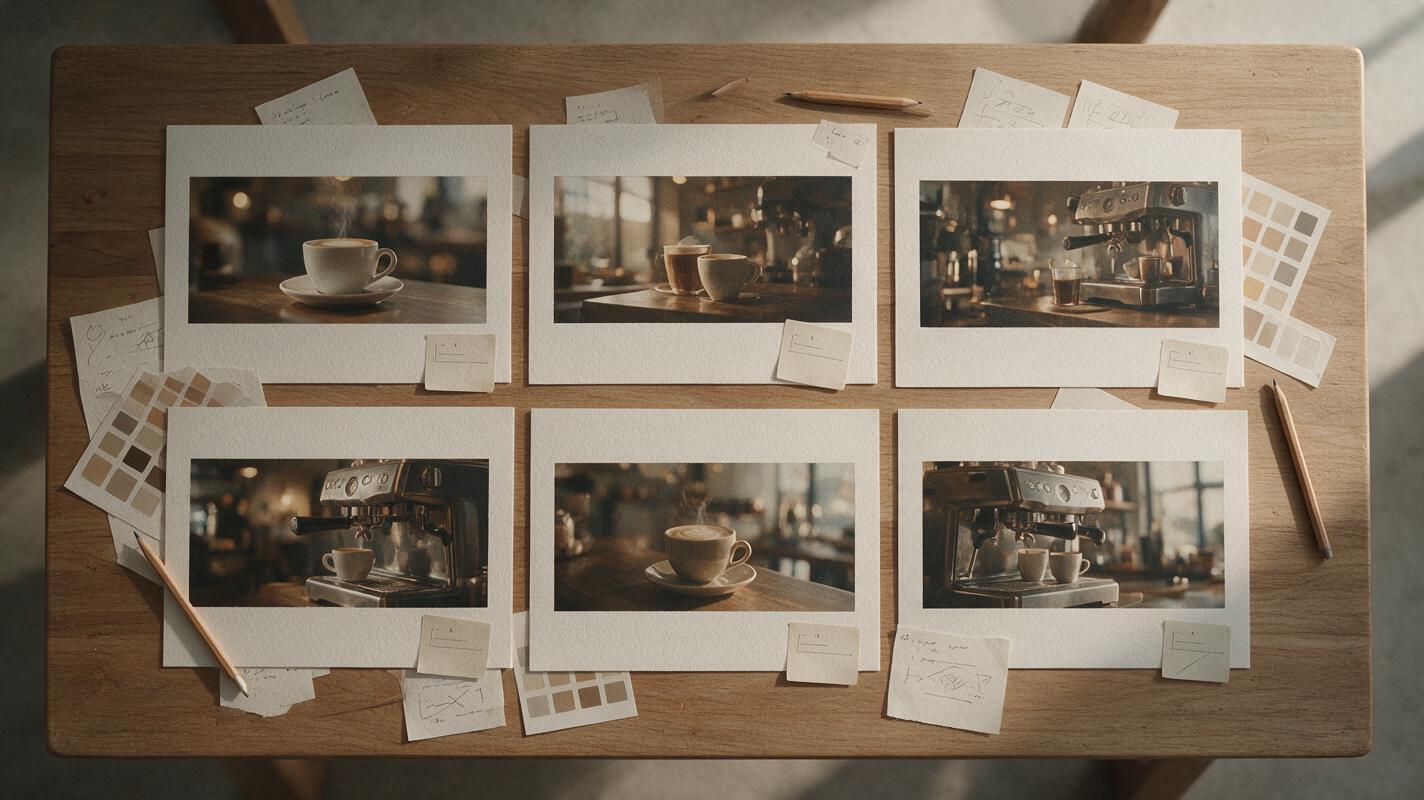
Create a photorealistic overhead editorial photograph of an advertising storyboard review table covered with six landscape frames from the same fictional coffee commercial, handwritten camera notes, a neutral color palette sheet, pencils, and removable timing labels; arrange the frames in a precise three-by-two grid, use soft north-window daylight, natural paper texture, restrained warm tones, 35mm lens perspective, 16:9 composition, no people, no screens, no logos, no readable brand names.MagicBoat: best for one-stop, same-prompt model testing
Core capability: MagicBoat provides free one-stop access to multiple AI video and image models. A team can reuse the same prompt across models, compare the results side by side in one workflow, and avoid creating and juggling separate accounts for every initial test.
Pricing: Free to start without a credit card.
Best for: Creative directors and storyboard artists who have not yet decided which model best fits a treatment. Compared with relying on Sora alone, MagicBoat broadens the evaluation pool without forcing the team to rebuild its test separately on several platforms.
Runway: best for an editing-centered workflow
Core capability: Runway combines generative video with a broader creative workspace, making it useful when generated shots need trimming, arrangement, or further visual treatment.
Pricing: A free plan is available alongside paid plans based on credits and feature access.
Best for: Agencies that want to move quickly from individual tests toward a sequenced presentation. Sora may produce compelling standalone clips, while Runway’s broader toolset can be more convenient when editorial assembly is central to the pitch.
Kling AI: best for movement-heavy shot experiments
Core capability: Kling AI supports text-to-video and image-to-video creation, allowing teams to test camera movement and subject motion from either a written brief or a prepared keyframe.
Pricing: Free access may be available, with paid membership and credit options; exact allowances can vary.
Best for: Treatments involving vehicles, performers, fabric, or other movement that needs several interpretations. It is a useful Sora alternative when a director wants to compare motion rather than accept the first plausible generation.
Pika: best for rapid creative variations
Core capability: Pika offers prompt-based creation and video modification features designed for concise, visually expressive clips.
Pricing: Free access and paid credit plans are available, with limits determined by the current plan.
Best for: Social campaign pitches, playful transitions, and effect-led moments. Compared with Sora, Pika can be a practical alternate sketchbook when the goal is to communicate an energetic idea rather than simulate a finished commercial.
Luma Dream Machine: best for atmospheric visual development
Core capability: Dream Machine supports text-to-video and image-to-video generation, giving concept teams a way to explore motion from a mood frame or photographic reference.
Pricing: Limited free usage and paid subscription options are available.
Best for: Establishing shots, lifestyle imagery, and mood-driven campaign sequences. Its value beside Sora is creative diversity: the same direction may yield a different sense of camera movement, environment, or pacing.
Adobe Firefly: best for Adobe-based agency teams
Core capability: Adobe Firefly includes generative video capabilities within Adobe’s wider creative ecosystem.
Pricing: Adobe offers limited free generative credits and paid plans; premium video operations can consume credits differently from still-image operations.
Best for: Teams already preparing boards, layouts, and edits with Adobe applications. Compared with a Sora-only process, Firefly can reduce workflow switching when the pitch assets will continue through an Adobe-centered production pipeline.
Stress-test a six-shot pitch sequence
A model comparison becomes useful only when every candidate receives equivalent instructions. Test a miniature narrative rather than an isolated beauty shot: establish the location, introduce the product, show an action, capture a detail, reveal a reaction, and finish with a clean end frame.
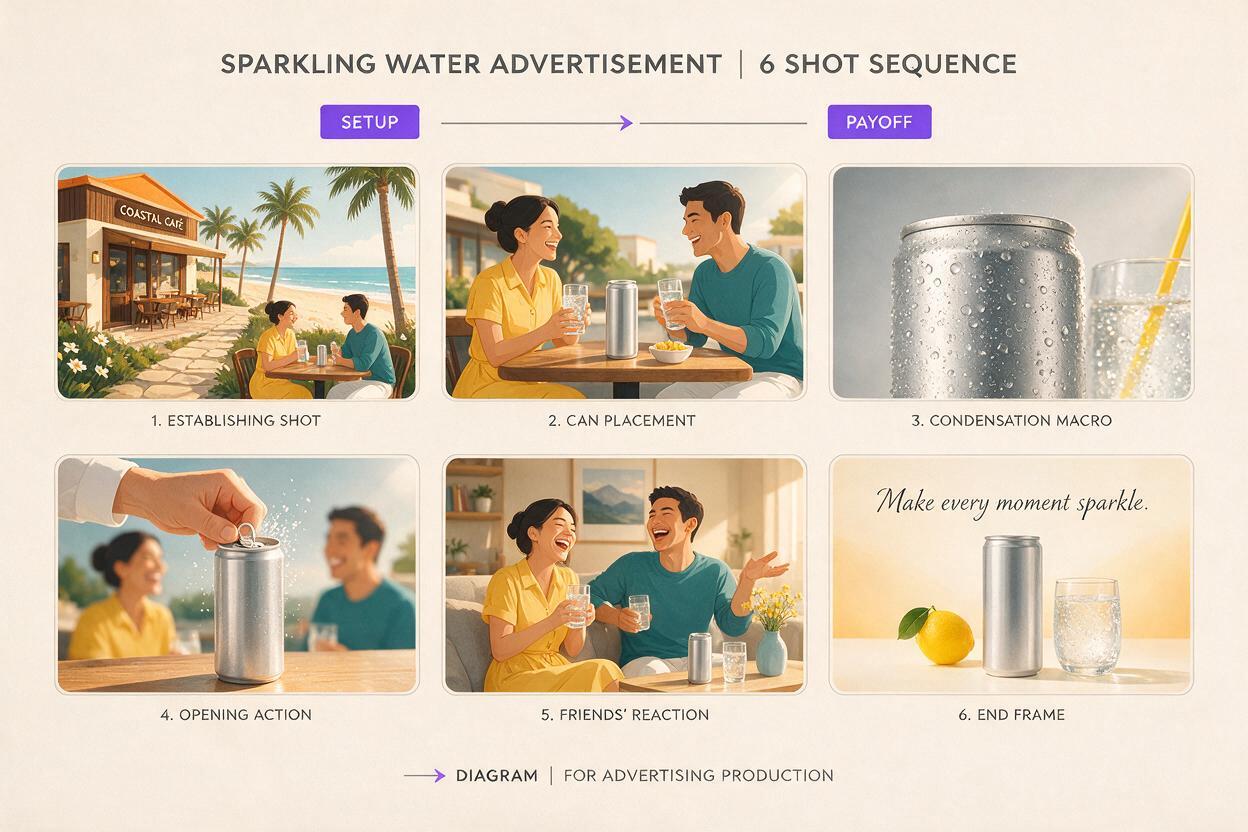
The supporting visual for this section should be treated as an evaluation template, not as evidence that any named model will produce a particular result.
Create a six-shot cinematic advertising animatic for a fictional unbranded sparkling water in a sunlit coastal café: shot one is a 24mm locked establishing view; shot two is a 50mm medium shot of a server placing a plain silver can on a wooden table; shot three is an 85mm macro view of condensation; shot four is a slow lateral dolly as the can opens; shot five is a natural reaction shot of two friends; shot six is a centered product end frame with empty space on the right for copy. Preserve the same can shape, table, wardrobe, daylight direction, and warm neutral grade across all shots. Editorial realism, restrained motion, no text, no logos, 16:9.Review each model for shot compliance, object continuity, camera clarity, motion restraint, and sequence coherence. Do not score a generator from one attractive frame if it changes the product or ignores the planned lens language.
Evaluate image-to-video continuity
When a client has approved a hero frame, start with image-to-video rather than asking every model to reinvent the composition. This makes the test more diagnostic: the team can see which option preserves packaging geometry, lighting direction, wardrobe, and negative space while adding usable motion.
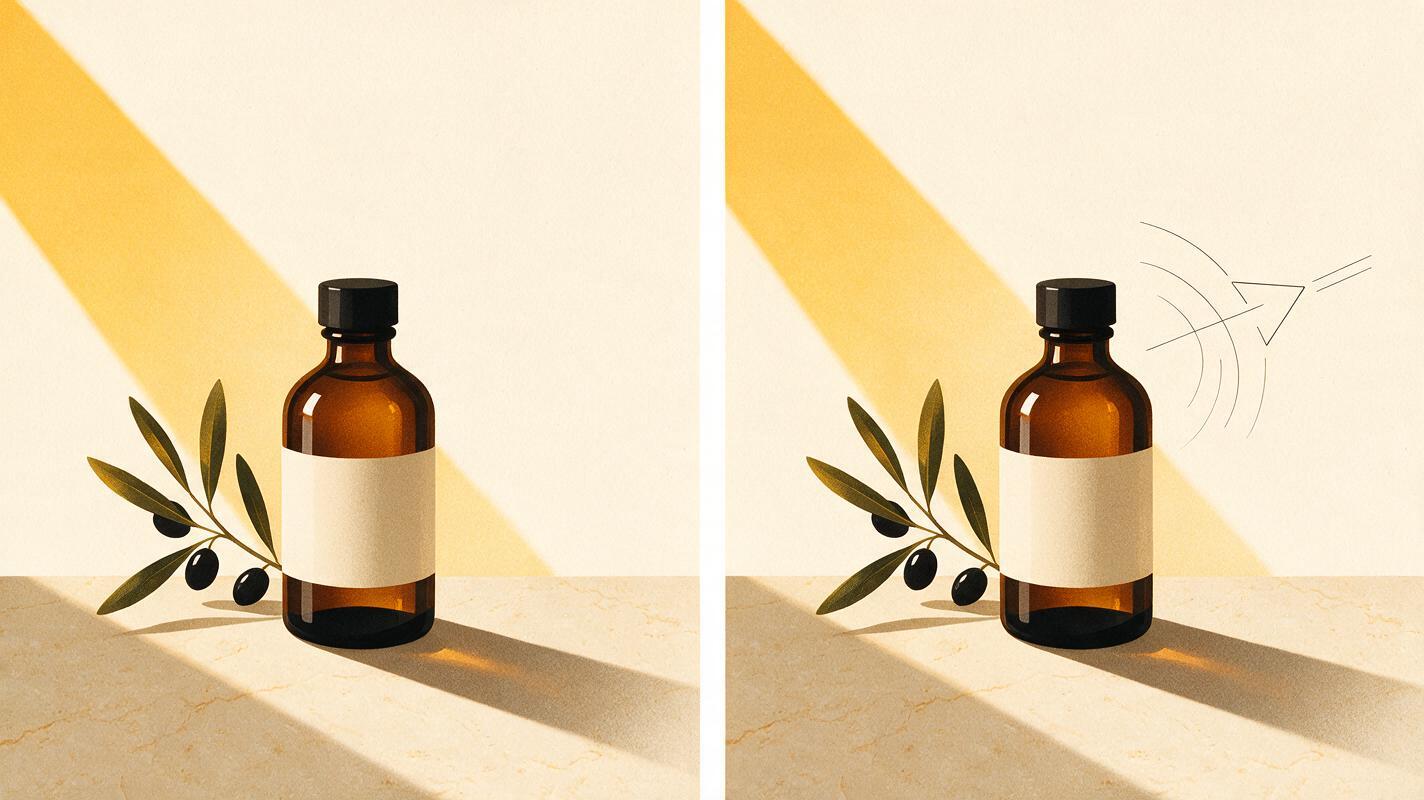
Use the supplied campaign keyframe as the exact opening composition. Preserve the plain amber bottle, cream paper label without text, pale stone counter, olive branch at frame left, soft morning window light from camera right, and empty upper-right area reserved for typography. Add only a slow five-percent camera push-in, subtle leaf movement, and one realistic highlight traveling across the glass. No new objects, no label mutation, no camera orbit, no zoom jump, no text. Photorealistic editorial advertising, 50mm lens appearance, shallow depth of field, 16:9.For a fair review, hide model names during the first selection round. Ask stakeholders to choose the version that communicates the intended shot most clearly, then reveal the platform and check the generation cost, licensing terms, watermark policy, and export options.
Build the comparison around decisions, not spectacle
An animatic does not need final-production detail. Its job is to answer concrete questions: Does the opening establish the setting? Is the product visible at the right moment? Does the camera move support the idea? Can the sequence fit the proposed duration?
- Keep the script, aspect ratio, reference frame, and requested duration consistent.
- Record failed generations as well as successful ones.
- Separate model quality from editing quality.
- Mark generated imagery as conceptual when presenting it to clients.
- Confirm commercial terms before using any output beyond internal development.
MagicBoat is especially practical at the exploratory stage because its free multi-model workflow supports direct testing without separate accounts or repeated setup. Start with ai video for written shot concepts or image to video when the campaign already has approved frames. Compare the results yourself before choosing a production path.
Final checklist
- Define what the animatic must prove before generating clips.
- Use the same prompt and reference material across candidate models.
- Compare complete shot sequences, not only hero frames.
- Check continuity, camera obedience, and editability separately.
- Review current credits, watermark rules, exports, and commercial terms.
- Label AI-generated pitch material clearly for stakeholders.
Keywords
sora alternatives, ad storyboards, pitch animatics, ai video, image to video, video previsualization, free ai video tools