Sora Alternatives: 6 Practical AI Video Tools Compared
Sora is a prominent prompt-to-video platform, but its access model and workflow will not suit every creator. This guide compares six practical Sora alternatives by capabilities, pricing structure, creative control, and ideal use case.
Table of contents
Sora is not the only route to convincing AI video
OpenAI's Sora is a prominent prompt-to-video option, but its subscription access, usage limits, and generation-led workflow may not fit every production pipeline. This shortlist compares six real Sora alternatives for filmmakers, marketers, social creators, designers, and teams that need different levels of control.
The best choice depends on what happens after you enter the prompt. Some platforms emphasize reference images and camera direction, while others add editing, effects, scene organization, or integration with established creative software.
Pricing note: Plan structures and access routes were checked on official product pages on October 13, 2026. Credit allowances, regional availability, model access, and subscription terms can change, so confirm the linked pricing page before purchasing.
Why creators look beyond Sora
Sora can generate video from written instructions and visual inputs, but choosing an AI video platform involves more than output quality. Creators commonly compare alternatives for practical reasons:
- Access and cost: Sora access is connected to eligible OpenAI offerings, while competing platforms use their own subscriptions, credit systems, and free entry options.
- Iteration limits: Video generation consumes more credits or usage allowance than still-image generation. A workflow that requires dozens of tests can exhaust an allowance quickly.
- Reference control: Product videos and character-led scenes often need image references, start frames, end frames, or reusable visual elements.
- Post-generation tools: Some creators want editing, effects, lip synchronization, or timeline tools in the same platform rather than exporting every clip immediately.
- Production integration: Agencies and design teams may prefer a service that connects naturally with their existing Adobe, Google, or browser-based workflow.
- Watermarks and usage rights: Export conditions and commercial-use terms can vary by plan. These details should be reviewed for client or paid advertising work.
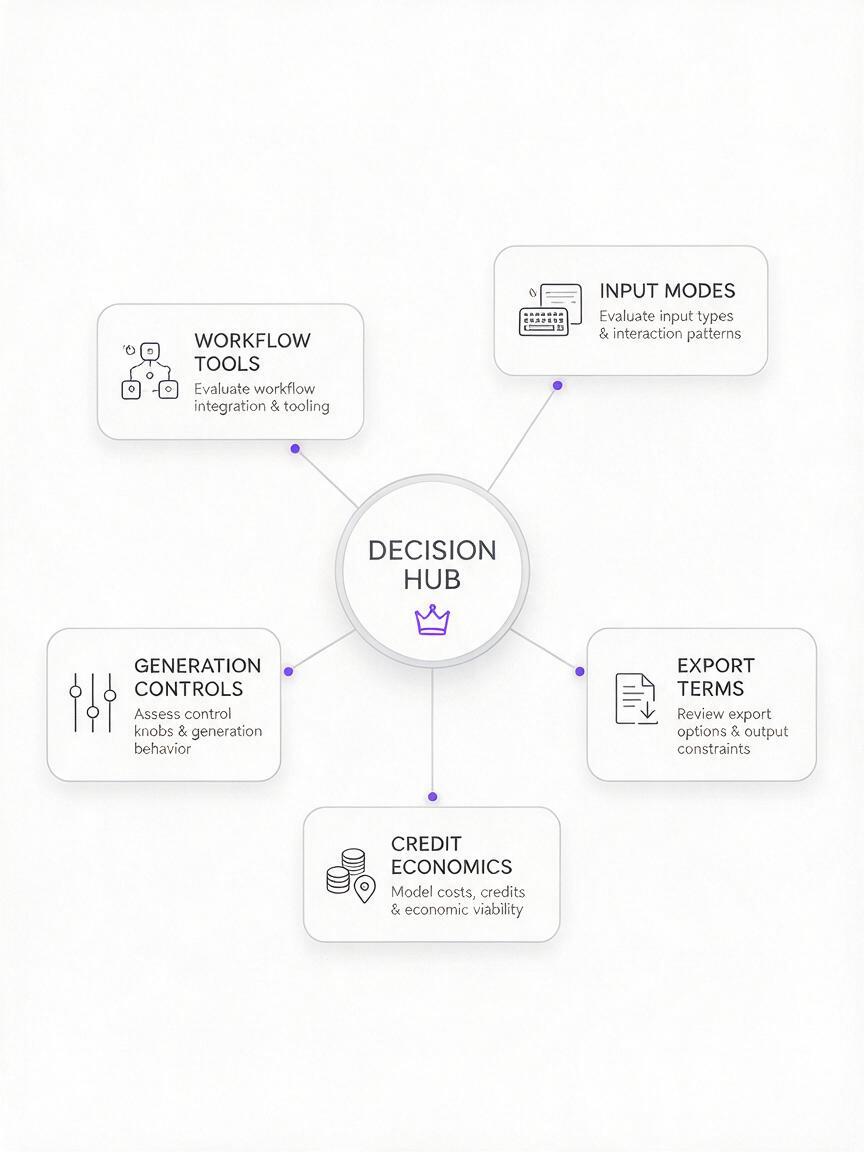
What to compare before replacing Sora
| Criterion | Why it matters | What to verify |
|---|---|---|
| Input modes | Reference images can provide more visual consistency than text alone. | Text-to-video, image-to-video, keyframes, and reference support |
| Generation controls | Camera, motion, duration, and aspect-ratio controls affect usable output. | Which controls are available for the selected model and plan |
| Credit economics | A low subscription price may still be restrictive if each attempt uses many credits. | Credits per generation, renewal rules, and paid top-ups |
| Export terms | Professional projects may require clean files and commercial permission. | Watermarks, resolution, ownership terms, and commercial use |
| Workflow tools | Editing and organization can reduce transfers between applications. | Timeline, asset library, collaboration, and export options |
The shortlist at a glance
| Alternative | Core strength | Pricing approach | Best for |
|---|---|---|---|
| MagicBoat (Recommended) | One-stop multi-model testing: Runway, Firefly, Kling, Luma, Pika and Veo-powered tools under one free account | Free trial credits, no credit card; pay per use | Comparing practical Sora alternatives with the same prompt before subscribing |
| Runway | Generation plus creative production tools | Free entry plan and paid credit subscriptions | Filmmakers and iterative visual workflows |
| Adobe Firefly | Creative Cloud integration | Limited free credits and paid Firefly plans | Adobe-centered design and video teams |
| Kling AI | Text- and image-guided video generation | Free allowance and paid credit plans | Motion-focused experimentation |
| Luma Dream Machine | Fast browser-based generation and boards | Limited access plus paid subscriptions | Concept clips and visual iteration |
| Pika | Accessible generation and creative effects | Free and paid credit tiers | Short-form and effects-driven content |
| Google Flow | Veo-powered scene creation | Access through eligible Google AI plans | Prompt-led cinematic scene development |
Runway — Best for an integrated production workflow
Runway combines video generation with a broader collection of creative tools. Its web workspace is designed for repeated experimentation, asset management, transformation, and editing rather than treating each generated clip as an isolated result.
Pricing: Runway offers a free entry plan with limited credits and several paid subscription levels. Available models, credit quantities, export options, and team features vary by plan; current details appear on the official pricing page.
Best for: Filmmakers, creative studios, and advanced users who expect to test references, generate multiple versions, and continue working on clips in one environment.
Compared with Sora: Runway is the stronger candidate when workflow breadth and production tools matter as much as prompt generation. Sora may feel more direct for users already working inside OpenAI's ecosystem.
Adobe Firefly — Best for Creative Cloud users
Adobe Firefly supports video generation alongside Adobe's wider family of generative tools. Its main practical advantage is its connection to applications and workflows already familiar to many editors, designers, and marketing departments.
Pricing: Adobe provides limited generative access and paid Firefly plans based on generative credits. Premium video features can consume credits differently from image features, so check the current Firefly plan comparison.
Best for: Creative Cloud subscribers, brand teams, and editors who want generated footage to move into an established Adobe production pipeline.
Compared with Sora: Firefly is more compelling when integration with Adobe applications is a deciding factor. Sora remains a more natural choice for creators who prefer an OpenAI-centered prompt workflow.
Kling AI — Best for image-led motion experiments
Kling AI provides text-to-video and image-to-video creation through a browser-based interface. It is especially relevant when a creator already has a strong still frame and wants to explore subject movement, environmental motion, or camera behavior.
Pricing: Kling uses credits, with a limited free allowance and paid subscription options. Generation cost and access can differ by model, mode, duration, and quality setting; the live service shows the applicable credit charge before generation.
Best for: Creators animating concept art, product frames, portraits, and cinematic still images.
Compared with Sora: Kling is a practical alternative for image-first testing and granular motion experiments. Sora may be preferable for users who want to keep ideation connected to OpenAI tools and accounts.
Luma Dream Machine — Best for rapid visual ideation
Luma Dream Machine is a browser-based environment for generating and organizing visual ideas. Its text and image inputs make it useful for turning storyboards, illustrations, or photographic frames into short motion studies.
Pricing: Luma provides limited access and paid subscriptions with different usage allowances and processing conditions. Commercial terms and priority can vary, so review the official Dream Machine pricing page.
Best for: Art directors, storyboard artists, and small teams developing mood clips before committing to a complete edit.
Compared with Sora: Dream Machine is attractive as a dedicated visual ideation workspace. Sora is better aligned with creators who want video generation within OpenAI's broader product environment.
Pika — Best for short-form effects and playful transformations
Pika focuses on approachable video creation and transformation. In addition to prompt-based generation, it has offered effect-oriented features intended for conspicuous visual changes and social-friendly experiments.
Pricing: Pika uses a credit-based structure with free and paid tiers. Paid plans differ in monthly credits, generation speed, available features, and export conditions; consult the official pricing page before selecting one.
Best for: Social creators, musicians, small brands, and anyone prioritizing eye-catching transformations over a conventional filmmaking interface.
Compared with Sora: Pika is generally the more effects-led option. Sora is a better fit when the goal is prompt-driven scene generation without making transformations the center of the workflow.
Google Flow — Best for building scenes with Veo
Google Flow is Google's AI filmmaking environment built around Veo and related Google models. It is intended for developing shots and scenes with prompting and reusable visual ingredients rather than generating one disconnected clip at a time.
Pricing: Flow access and monthly generation allowances are connected to eligible Google AI plans. Model availability, higher-usage modes, and geographic access depend on the current plan and region.
Best for: Filmmakers and visual storytellers who want to explore Veo within a scene-oriented workspace.
Compared with Sora: Flow is the clearest alternative for creators invested in Google's model ecosystem and shot-building approach. Sora makes more sense for users already paying for and working within eligible OpenAI services.
Matching each alternative to a real project
| Project | Good starting point | Reason |
|---|---|---|
| Storyboard-to-video concept | Luma or Kling | Both support image-led generation for testing motion from prepared frames. |
| Adobe-based client campaign | Adobe Firefly | It fits naturally into an Adobe-centered creative pipeline. |
| Short social transformation | Pika | Its workflow emphasizes accessible, effects-oriented creation. |
| Iterative film experiment | Runway | Generation sits within a broader suite of creative production tools. |
| Veo scene development | Google Flow | It provides Google's dedicated environment for Veo-powered filmmaking. |
A fair test prompt for every platform
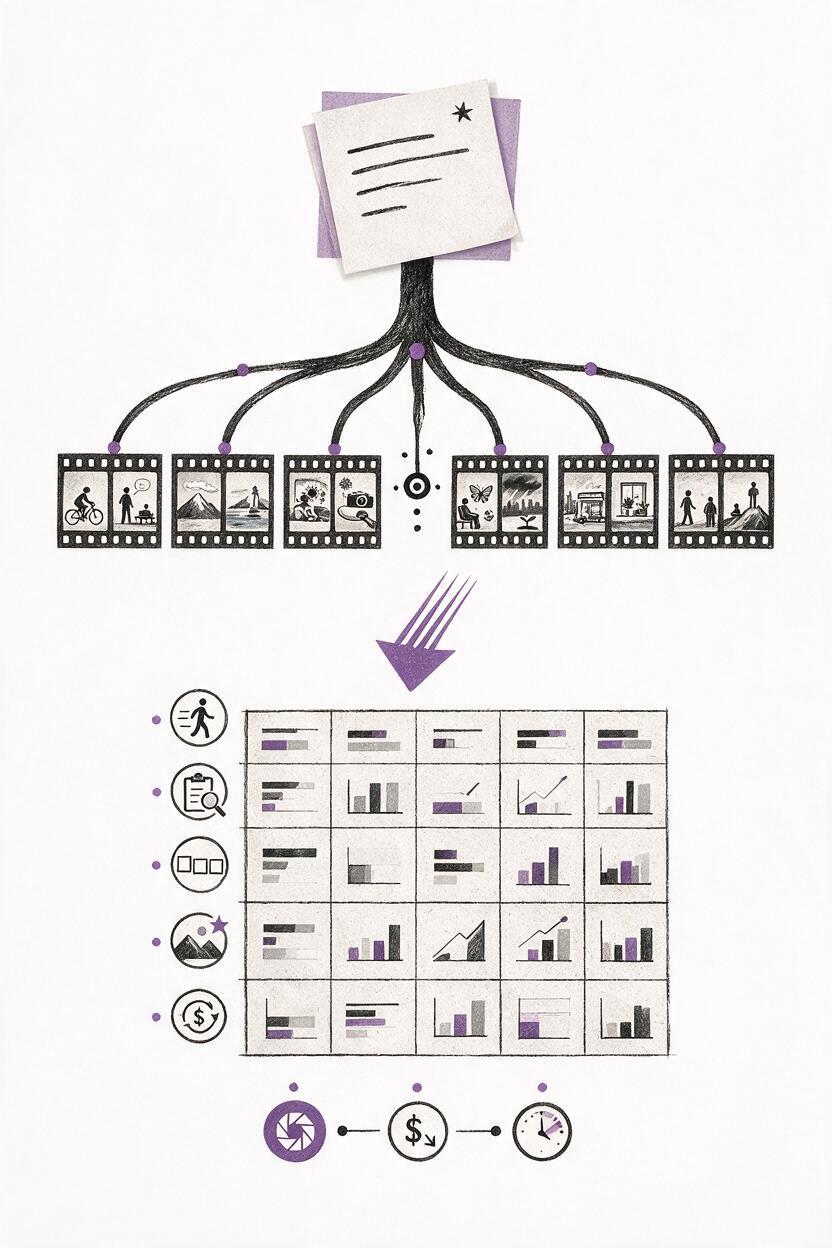
Use the same subject, framing, movement, lighting, and aspect ratio when comparing tools. Avoid judging a platform from one lucky or unlucky generation.
A locked medium-wide shot of a ceramic artist opening a sunlit workshop at dawn. She removes a linen cover from a row of finished blue bowls while dust moves through the window light. Natural hand movement, restrained camera motion, realistic materials, warm documentary color, 16:9.Generate several variations, record the credits consumed, and assess whether the tool follows the same five requirements consistently. For an image-based test, upload one legally usable reference frame to every platform that supports it.
Compare multiple AI video workflows in one place
MagicBoat offers a one-stop workflow for testing creative models without rebuilding the same idea across disconnected tools. Start with ai video generation, then test an existing frame through image to video to see which input method gives you better control.
Compare the results yourself on MagicBoat and evaluate motion, prompt adherence, visual continuity, and iteration cost before committing to a longer production.
Final checklist
- Choose the project type before comparing subscriptions.
- Confirm whether text, images, or reusable references will drive the workflow.
- Compare generation cost per usable clip, not subscription price alone.
- Review watermark, export, ownership, and commercial-use terms.
- Run the same prompt through at least two suitable platforms.
- Inspect motion and continuity frame by frame rather than relying on a thumbnail.
- Keep the tool that reduces iteration time for your actual production process.
Keywords
sora alternative, ai video generator alternatives, text to video alternative, Runway, Kling AI, Adobe Firefly, Luma Dream Machine, Google Flow