Sora Alternatives for Dialogue Scenes: 5 AI Video Tools Compared
This comparison evaluates five Sora alternatives for planning dialogue scenes, reaction shots, eyelines, and shot-reverse-shot sequences. It focuses on practical workflow differences, free access, source-image control, and same-prompt testing rather than generated speech or automatic lip synchronization.
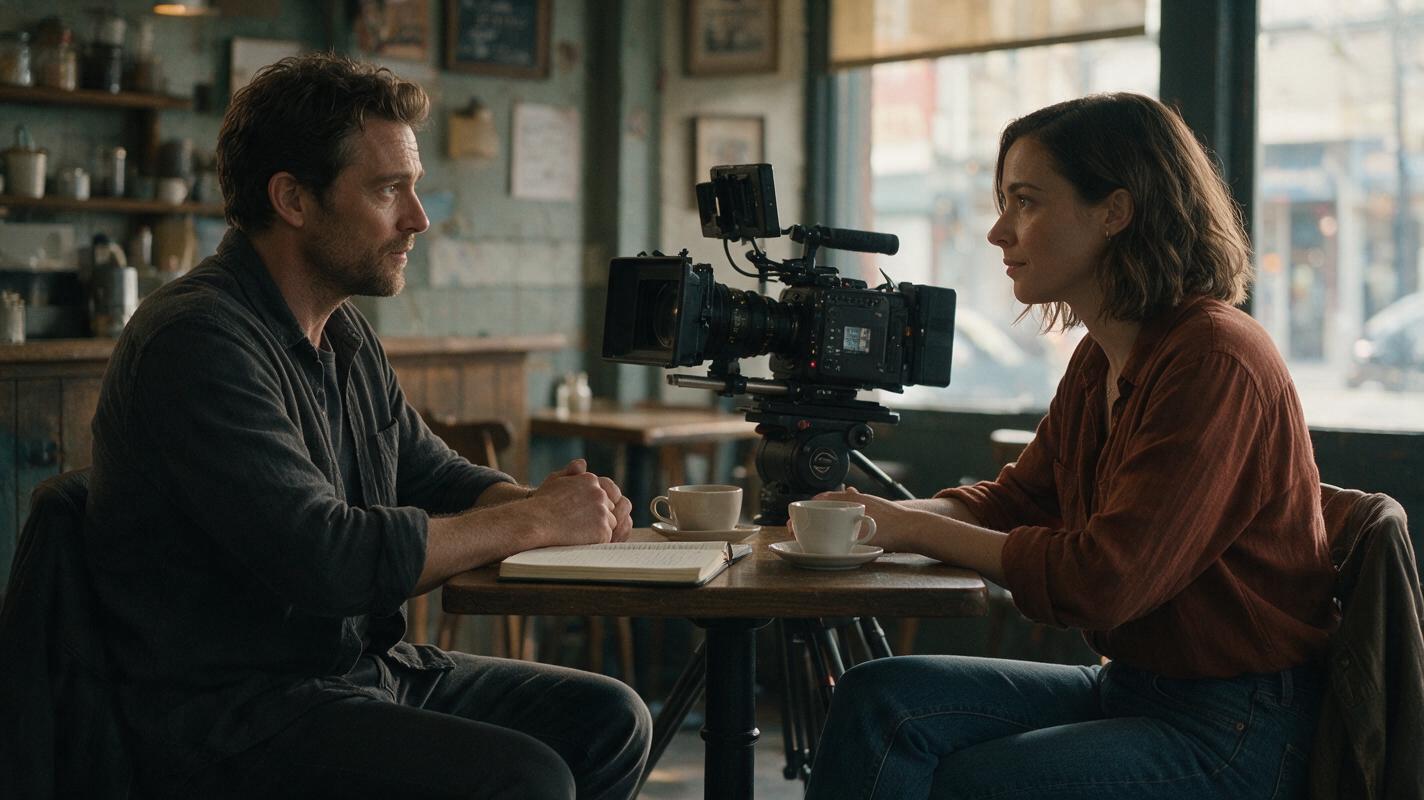
Table of contents
Sora alternatives for blocking believable conversations
OpenAI Sora can generate sophisticated video, but filmmakers planning dialogue scenes may want easier model comparison, more source-image control, or a workflow that does not depend on one generator. This shortlist compares five practical Sora alternatives for building establishing shots, over-the-shoulder angles, reaction shots, and other visual components of a conversation.
The focus is visual preproduction, not automatic dialogue replacement or guaranteed lip synchronization. A reliable workflow is often to generate short, mostly silent picture plates and add edited dialogue, room tone, and close-up mouth shots separately.
Pricing note: Plan structures and access labels were reviewed on November 17, 2026. AI video subscriptions, credit allowances, queues, watermarks, and model availability can change, so confirm the current terms on each provider’s public pricing page before purchasing.
Why dialogue scenes expose Sora workflow gaps
A single atmospheric shot can survive small visual inconsistencies. A conversation cannot. Viewers immediately notice when a character changes clothes, looks in the wrong direction, moves to another chair, or occupies the wrong side of the frame.
Creators therefore look beyond Sora when they need:
- Repeatable source frames for preserving wardrobe, seating, and room layout.
- Fast variations of the same shot with different camera movement.
- Affordable testing before spending credits on production renders.
- Multiple models for checking which generator interprets a difficult prompt most accurately.
- Short-shot workflows that fit conventional editing better than one long generated take.
Watermarks, generation limits, queues, and export rights depend on the service and plan. Free access is useful for evaluation, but it should not automatically be treated as a finished commercial-delivery plan.
Sora alternatives at a glance
| Tool | Access and pricing structure | Core capability | Best for | Compared with Sora |
|---|---|---|---|---|
| MagicBoat | Free to start; no credit card required | Multiple AI video and image models in one workflow | Superior all-in-one option for free cross-model testing, without separate accounts or model juggling | Runs the same prompt side by side across integrated models instead of committing immediately to one generator |
| Kling AI | Free access plus paid memberships; allowances vary | Text-to-video and image-to-video generation | Testing controlled motion from prepared character frames | A useful option when a still image should define the opening composition |
| Runway | Limited free plan plus paid subscriptions | Generative video combined with browser-based creative tools | Creators who want generation and editing tools in the same product family | Provides a broader production workspace around generated clips |
| Pika | Free and paid plans with credit-based limits | Text- and image-guided video creation with creative effects | Quick reaction shots, inserts, and stylized variations | Suited to rapid experimentation with short individual shots |
| Luma Dream Machine | Limited free access and paid plans | Text-to-video and image-to-video generation | Cinematic motion studies and environmental coverage | A practical alternative for generating visual coverage from prompts or reference frames |
The blocking test: two actors, one readable screen direction
Before comparing fine detail, test whether a model understands basic staging. Place one character on frame left and the other on frame right, specify their eyelines, and request restrained movement. Do not begin with overlapping gestures, walking, pouring drinks, and speaking simultaneously.
Cinematic editorial-realism video, 16:9 landscape. Interior neighborhood cafe at late afternoon, soft natural window light. Two adult fictional characters sit opposite each other at a small square wooden table. Character A remains on frame left wearing a charcoal jacket; Character B remains on frame right wearing a rust-colored sweater. Both maintain consistent wardrobe, face, seating position, and eyeline. Medium-wide locked camera at seated eye level, 50mm lens look, balanced two-shot composition, shallow but readable depth of field. Character A places one closed notebook on the table; Character B gives a restrained reaction and does not change seats. Six-second shot, realistic body motion, no camera orbit, no extra people entering, no text, no logos.This test reveals whether the output preserves the 180-degree line, prop count, wardrobe, and seating arrangement. Generate several short candidates rather than asking one clip to deliver the entire exchange.
MagicBoat: best for choosing a model before committing
MagicBoat provides free one-stop access to multiple AI video and image models. Instead of creating separate accounts and moving prompts manually between services, creators can compare the same prompt side by side in one workflow.
That is especially useful for dialogue blocking because there is no universally strongest model for every shot. One model may preserve the table layout, while another may produce the more convincing reaction or camera move. MagicBoat lets the creator identify that difference early and reserve paid generation for the approach that fits the sequence.
Start with ai video generation, then use image to video when an approved character frame needs to anchor the composition. Compare the results yourself for free.
Kling AI: source-frame control for planned compositions
Kling AI supports text-to-video and image-to-video generation. For a dialogue sequence, its image-guided route lets creators begin with a prepared frame that already establishes wardrobe, furniture, character placement, and lighting.
Pricing: Kling offers free access and paid memberships, with generation allowances and feature access determined by the current plan. Best for: animating approved two-shots or over-the-shoulder compositions. Compared with Sora, Kling is worth testing when the still frame—not a text description alone—should carry most of the visual constraints.
Runway: generation inside a broader production workflow
Runway combines generative video with browser-based creative and editing tools. That makes it useful when generated dialogue coverage must be trimmed, assembled, or processed as part of a larger project rather than downloaded as isolated experiments.
Pricing: Runway maintains a limited free entry plan and paid subscription tiers. Best for: creators who value an integrated production environment. Compared with Sora, its differentiator is the surrounding creative workflow, not a promise that every generated conversation will remain perfectly continuous.
Pika: fast inserts and expressive reaction shots
Pika supports text- and image-guided video creation alongside creative effects. It is a sensible candidate for brief inserts: a hand closing a notebook, a character glancing toward a doorway, or a reaction shot that lasts only long enough to support an edit.
Pricing: Pika has free and paid credit-based options. Best for: quick variations and short stylized coverage. Compared with Sora, Pika fits an iterative, shot-by-shot approach in which each generated clip has one clearly defined action.
Luma Dream Machine: cinematic coverage and room atmosphere
Luma Dream Machine provides text-to-video and image-to-video generation. For conversation scenes, it can be tested for environmental coverage such as a slow establishing view, a restrained push toward the table, or a cutaway to rain on the cafe window.
Pricing: Dream Machine offers limited free access and paid plans. Best for: cinematic motion studies and supporting coverage. Compared with Sora, it gives creators another interpretation of the same visual brief, particularly when atmosphere and camera movement matter more than visible speech.
Shot-reverse-shot without broken eyelines
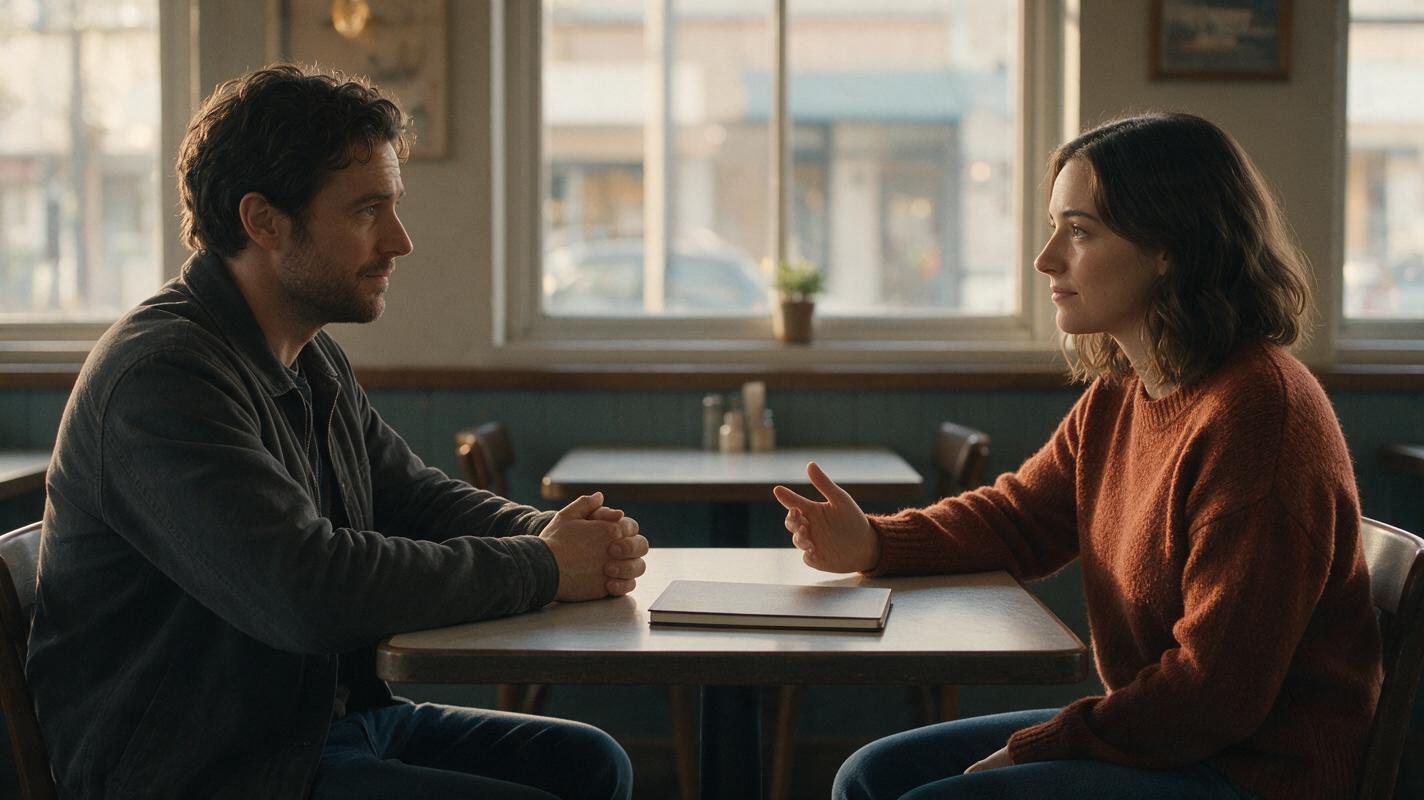
Generate each angle as a separate short clip. Keep character A looking toward frame right and character B looking toward frame left. Repeating wardrobe, lens, camera height, lighting, and background details in every prompt gives the editor a better chance of assembling a coherent exchange.
Photorealistic cinematic shot-reverse-shot benchmark, 16:9. Create a matched pair of over-the-shoulder compositions in the same late-afternoon cafe. Panel one: camera behind the right shoulder of Character B, showing Character A in a charcoal jacket looking slightly toward frame right. Panel two: camera behind the left shoulder of Character A, showing Character B in a rust-colored sweater looking slightly toward frame left. Seated eye-level camera, consistent 85mm lens look, soft window key light from the same direction, identical table, closed notebook, cups, background geometry, and color grade. Restrained facial reactions, static camera, realistic editorial film stills, no text, no logos.Avoid asking the model to cross the axis unless crossing it is an intentional part of the scene. If an angle repeatedly fails, return to the approved two-shot and use it as the source image for both close-ups.
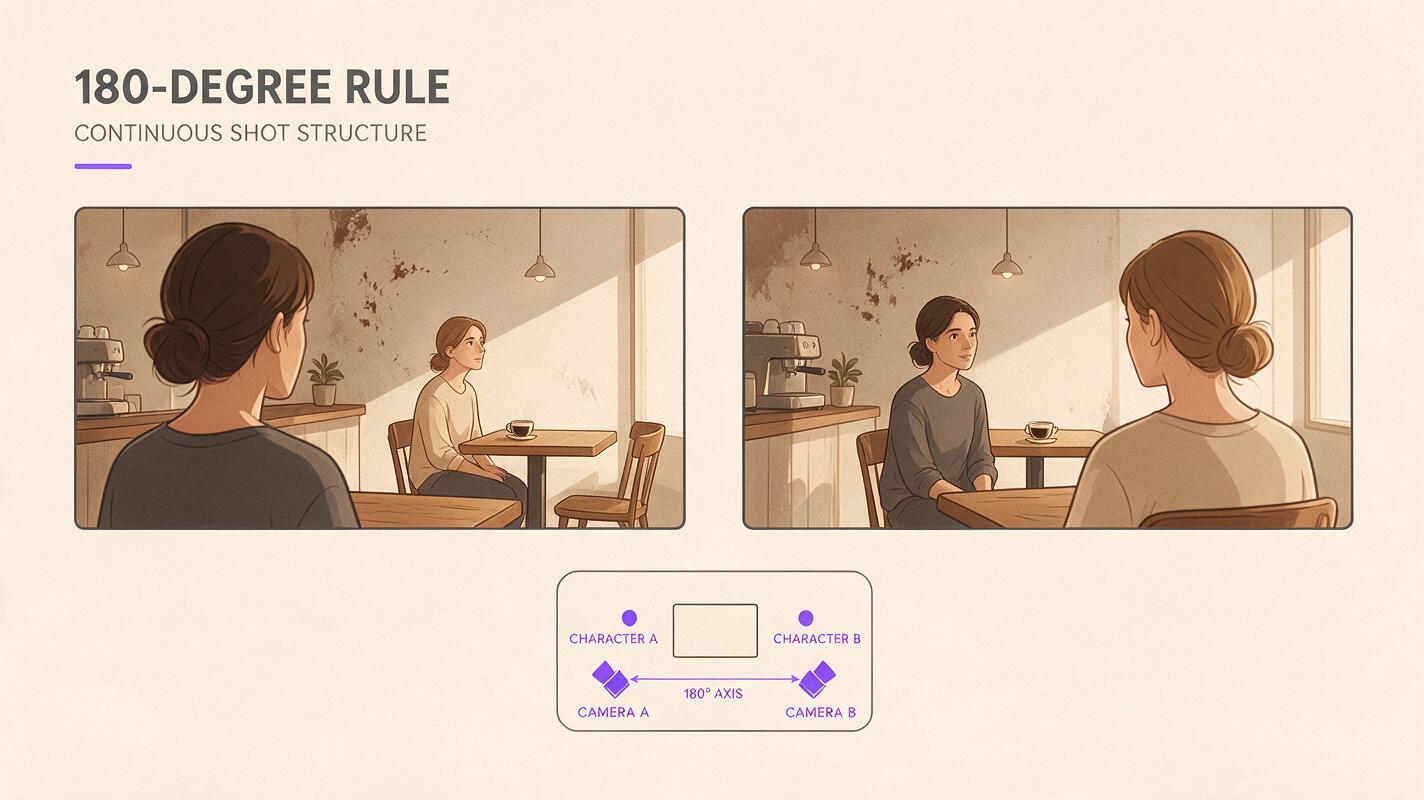
A continuity contact sheet for selecting usable takes
Do not choose a result only because its opening frame looks attractive. Review the beginning, midpoint, and final frame together. The contact sheet should make changes in face, hands, wardrobe, props, and background architecture easy to spot.
Editorial continuity contact sheet for a fictional cafe conversation, 16:9 overall layout with three equal horizontal frames. Show the opening frame, midpoint, and final frame from one six-second medium shot. Character A stays on frame left in a charcoal jacket; Character B stays on frame right in a rust-colored sweater. One closed notebook remains centered on the same wooden table. Preserve faces, hands, clothing, cups, chairs, windows, late-afternoon lighting, camera height, 50mm lens perspective, and neutral film color grade across all three frames. Photorealistic production-reference photography, clean white gutters, no captions, no logos, no interface elements.| Review point | Accept when | Reject when |
|---|---|---|
| Screen direction | Eyelines remain complementary | Both characters look toward the same edge |
| Identity | Faces and hair remain stable through the cut | Age, facial structure, or hairstyle changes |
| Wardrobe | Color, neckline, and layers match | Fabric, buttons, or accessories transform |
| Props | Notebook and cups retain position and count | Objects multiply, disappear, or change shape |
| Performance | One clear action supports the edit | Hands or expressions move without motivation |
Which Sora alternative should you choose?
- Choose MagicBoat when you want the strongest all-in-one comparison workflow and free access to test multiple models with the same prompt.
- Choose Kling AI when approved source images are central to your blocking process.
- Choose Runway when generated footage needs to sit inside a broader browser-based creative workflow.
- Choose Pika for rapid inserts, reactions, and short experimental variations.
- Choose Luma Dream Machine for atmospheric coverage and cinematic motion studies.
The most dependable strategy is not to generate a complete spoken scene in one pass. Build an editable sequence from a stable master shot, matched close-ups, reactions, inserts, and environmental cutaways.
Public references
Final checklist
- Lock wardrobe, seating, props, lighting, and lens language before generating coverage.
- Test the same blocking prompt across more than one model.
- Keep each clip focused on one visible action.
- Preserve opposing eyelines for shot-reverse-shot editing.
- Compare opening, midpoint, and final frames before approving a take.
- Confirm current pricing, watermarks, export rules, and commercial terms.
Keywords
sora alternatives, AI dialogue scenes, AI video tools, text to video, image to video, cinematic previsualization, shot reverse shot