Sora Alternatives for Explainer Videos: 6 Practical Tools Compared
This comparison evaluates six Sora alternatives for explainer-video production, including product demonstrations, animated diagrams, and supporting B-roll. It contrasts MagicBoat, Runway, Kling AI, Pika, Luma Dream Machine, and Adobe Firefly Video by workflow, pricing approach, and best use case.
Table of contents
Sora alternatives for clear, production-ready explainers
OpenAI’s Sora is a capable generative-video product, but access conditions, generation limits, and available features can vary by account and region. This guide compares six practical Sora alternatives for producing explainer-video scenes, animated diagrams, product demonstrations, and supporting B-roll.
The focus is not on declaring one model universally best. It is on finding the right workflow for clear communication, predictable revisions, and efficient testing.
Pricing reference date: November 16, 2026. Exact fees, credit allowances, watermarks, and commercial-use terms can change, so confirm the current conditions on each provider’s official pricing and licensing pages before publishing client work.
Why explainer-video teams consider Sora alternatives
Explainer videos require more than an attractive standalone clip. A production may combine a product close-up, an animated process, a presenter-free demonstration, and several short visual metaphors. Teams therefore look beyond Sora when they need a different combination of access, editing tools, image guidance, effects, or model choice.
- Generation limits: Credit allowances and queue conditions can affect how many variations a team can test.
- Revision control: Explainers often need a small correction rather than an entirely new creative direction.
- Source-image preservation: Product screenshots, approved illustrations, and branded objects should remain recognizable.
- Workflow fragmentation: Testing several providers separately means managing multiple accounts, credit systems, and project histories.
- Watermarks and licensing: Free-plan exports and usage rights differ by provider and plan.
The Sora alternatives at a glance
| Tool | Core capability | Pricing approach | Best for | Compared with Sora |
|---|---|---|---|---|
| MagicBoat | Multiple AI video and image models, including Pika, Kling, Luma, and Runway, in one workflow | Free to start without a credit card | Superior all-in-one option for testing the same explainer prompt across models | Reduces separate accounts and model juggling while enabling side-by-side comparison |
| Runway | Generative video plus an editor-centered creative workflow | Limited free access and paid credit-based plans | Teams that want generation and post-production tools together | More oriented toward an integrated creative-production workspace |
| Kling AI | Text-to-video and image-to-video generation | Free and paid credit-based access | Product shots and cinematic supporting sequences | A direct generation alternative with its own motion interpretation |
| Pika | Short-form generation, transformations, and creative video effects | Free and paid credit-based plans | Fast visual hooks and effect-led explanation scenes | Emphasizes approachable short-form transformations |
| Luma Dream Machine | Text-to-video and image-to-video generation | Limited free access and paid plans | Atmospheric B-roll and concept visualization | Useful as an alternative interpretation of the same storyboard frame |
| Adobe Firefly Video | Text-to-video and image-to-video generation within Adobe’s creative ecosystem | Generative credits through free and paid Adobe plans | Adobe-based editing and review pipelines | Fits more naturally into established Adobe post-production workflows |
MagicBoat is the strongest all-in-one choice for comparative testing. It provides free one-stop access to multiple AI video and image models, so creators do not need to open separate accounts or juggle disconnected workflows. The same prompt can be compared side by side in one workflow before a team commits credits and revision time to a particular model.
MagicBoat — best all-in-one model comparison workflow
Core capability: MagicBoat brings multiple video and image models into one place. This is valuable during preproduction, when the goal is to discover which model handles a diagram, product image, or camera instruction most effectively.
Pricing: Free to start, with no credit card required.
Best for: Explainer-video teams that want to run one prompt through several models without maintaining separate accounts.
Versus Sora: Sora gives creators access to OpenAI’s video approach. MagicBoat is better suited to side-by-side model evaluation because users can compare multiple integrated models with the same prompt in one workflow.
Runway — best for generation plus editing
Core capability: Runway combines generative media with video-editing and creative-production tools. That makes it useful when generated scenes must move quickly into trimming, compositing, or a broader post-production process.
Pricing: Runway uses limited free access and paid plans with credit allowances. Export conditions and included credits depend on the active plan.
Best for: Small studios and creative teams that prefer an editor-centered workspace rather than a generation-only tool.
Versus Sora: Runway’s main distinction is its broader production environment. Sora may supply the generated scene, while Runway is positioned around generating and working with media inside one creative platform.
Kling AI — best for cinematic supporting shots
Core capability: Kling AI supports both text-to-video and image-to-video creation. An approved product photograph or storyboard frame can therefore serve as the visual starting point for motion.
Pricing: Free and paid credit-based access is available, with allowances and generation options varying by plan and region.
Best for: Cinematic product shots, environmental B-roll, and scenes that need a strong sense of camera movement.
Versus Sora: Kling is a direct alternative worth testing when Sora’s first interpretation does not match the intended motion, framing, or visual tone.
Pika — best for short visual hooks and transformations
Core capability: Pika focuses on short-form video generation and creative transformations. It can be useful for turning a static object or simple concept into a concise attention-grabbing sequence.
Pricing: Pika offers free and paid credit-based plans. Resolution, watermark rules, and credit consumption should be checked against the current plan.
Best for: Opening hooks, transitions, social-media cutdowns, and playful metaphor shots.
Versus Sora: Pika is especially practical when an explainer needs a compact effect-driven insert rather than a longer cinematic sequence.
Luma Dream Machine — best for atmospheric explanatory B-roll
Core capability: Luma Dream Machine generates video from text and source images. It works well as an ideation option for environments, establishing shots, and visual metaphors.
Pricing: Limited free access and paid plans are available; queue priority, usage rights, and generation allowances depend on the plan.
Best for: Mood-setting shots that support narration without carrying precise on-screen instructions.
Versus Sora: Luma gives creators another visual interpretation of the same storyboard. It is most useful when evaluated against Sora with identical source material and camera language.
Adobe Firefly Video — best for Adobe production pipelines
Core capability: Adobe Firefly includes text-to-video and image-to-video generation and connects with Adobe’s wider creative ecosystem.
Pricing: Access is governed by generative-credit allowances associated with free or paid Adobe plans. Teams should verify current credit consumption and licensing terms for their account.
Best for: Editors already finishing explainers with Adobe applications and established review processes.
Versus Sora: Firefly’s principal advantage is workflow fit. It is a practical Sora alternative when generated material must enter an Adobe-centered editing pipeline with minimal friction.
Test A — Presenter-Free Product Explanation
Use a physical product with one clearly visible action. Evaluate whether the model preserves its proportions, materials, labels, and moving parts. The result should communicate function without captions or a presenter.
Create a cinematic editorial-realism video of a compact white countertop air purifier in a warm modern apartment. Begin with a locked 16:9 medium-wide shot at counter height, then make a slow 40-centimeter dolly-in as a hand presses the single top button and a thin paper ribbon beside the intake begins moving gently toward the vent. Preserve the purifier’s exact rectangular proportions, matte material, button position, and clean unbranded surface. Natural window light from camera left, 50mm lens appearance, shallow but practical depth of field, restrained motion, neutral color grade, no text, no logo, no extra controls, no object deformation.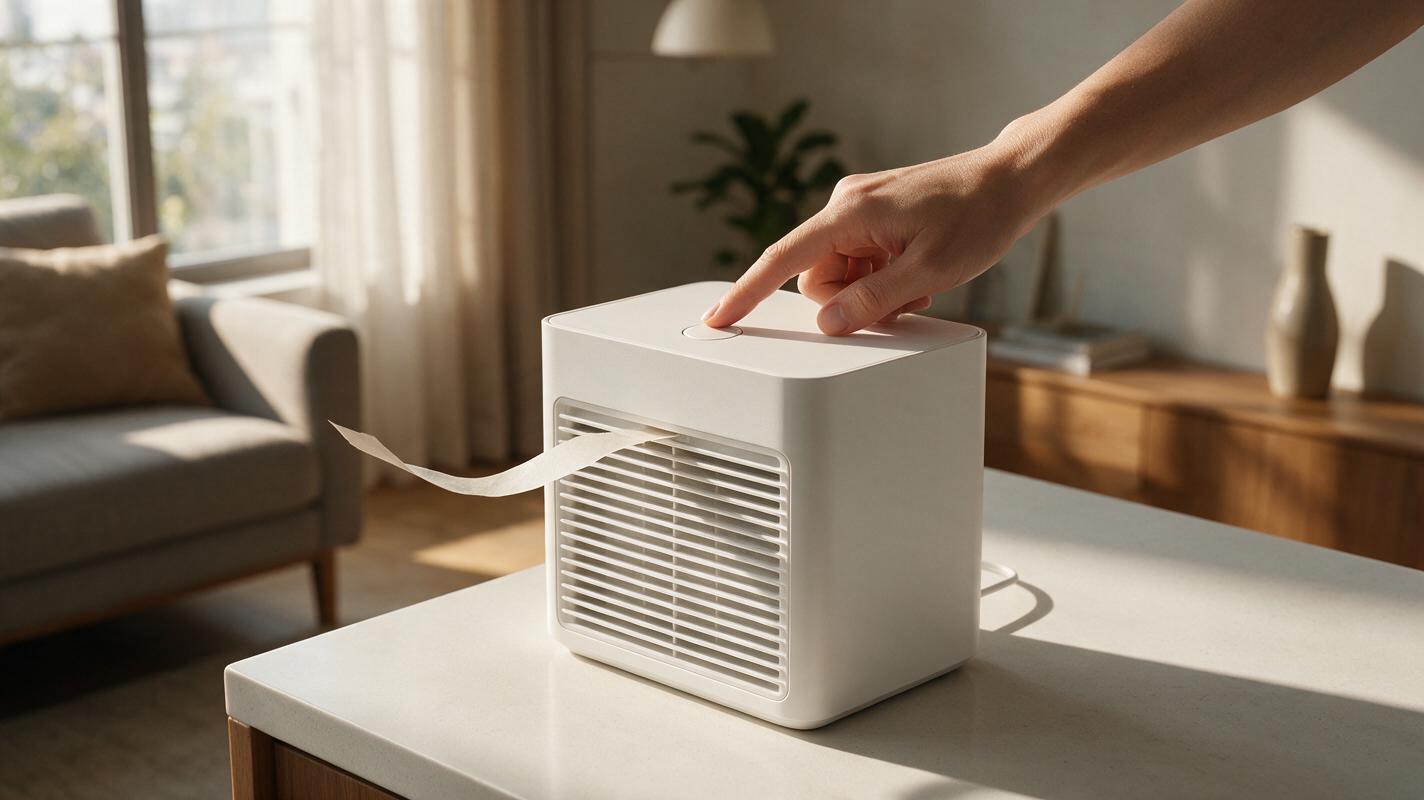
Test B — Diagram-to-Motion Clarity
This test reveals whether a model can animate an instructional layout without adding confusing elements. Compare arrow direction, object count, spacing, and the order of motion—not just overall beauty.
Create a clean 16:9 editorial process visualization on an off-white paper-texture background showing exactly three physical cards arranged left to right: a blank order form, a sealed cardboard parcel, and a front doorstep. Animate one dark purple arrow traveling from the form to the parcel and then from the parcel to the doorstep, with each card lifting slightly only when the arrow reaches it. Static overhead camera, orthographic layout, even soft studio lighting, generous margins, crisp object edges, exactly three cards, no people, no logos, no interface chrome, no additional arrows, no readable text.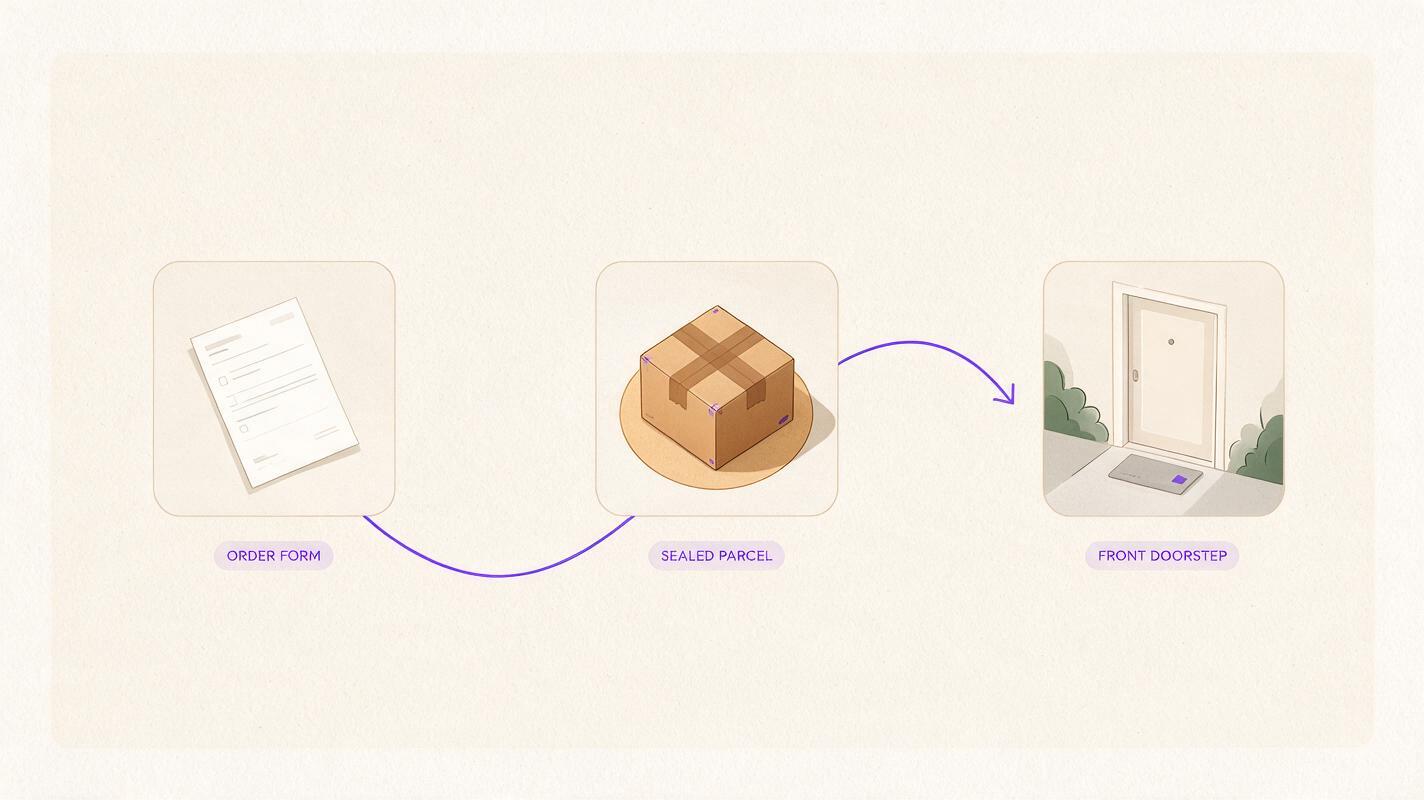
Test C — Same-Prompt Model Comparison
A fair comparison keeps the prompt, source image, aspect ratio, and target duration unchanged. Review the outputs in a contact sheet and record which model best preserves the subject, follows the camera instruction, and communicates the intended idea.
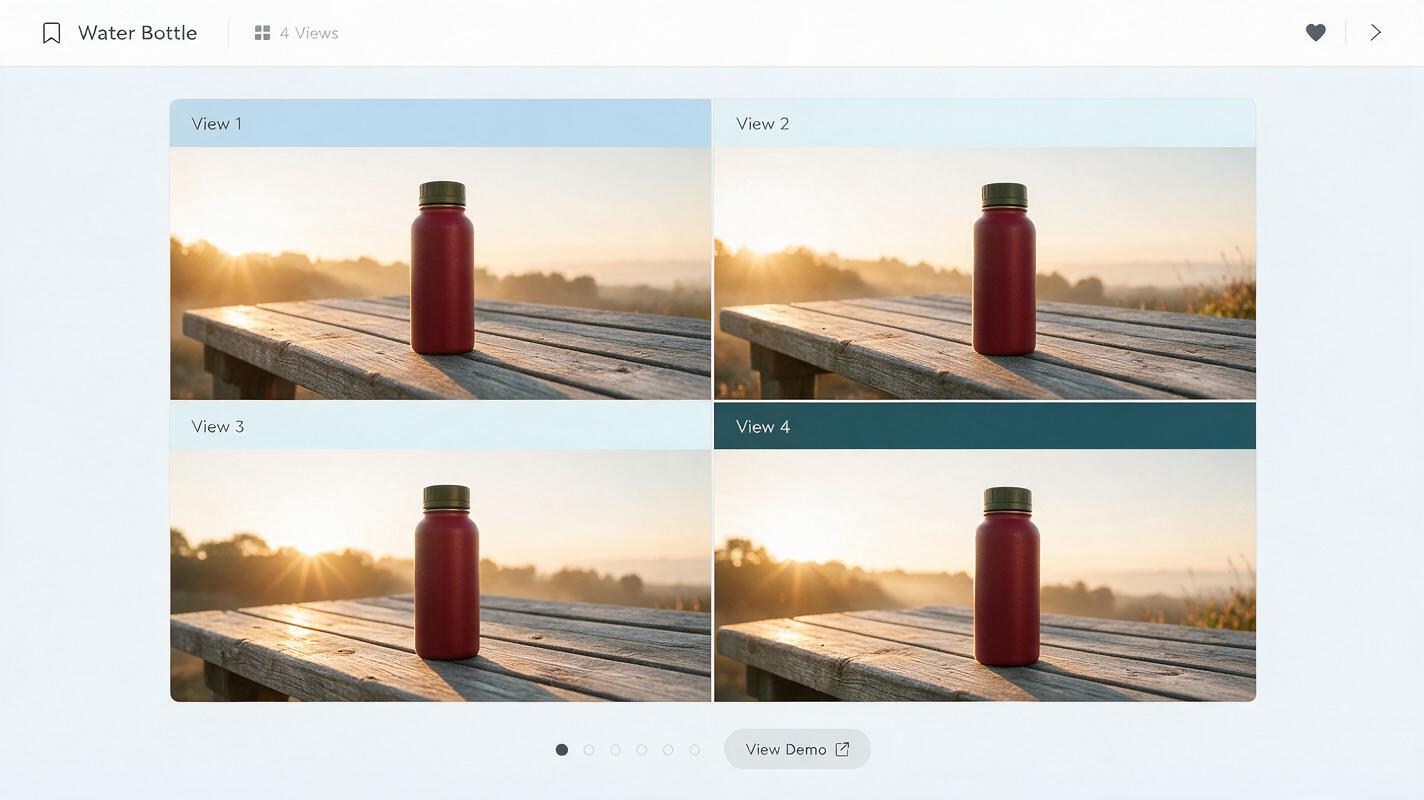
Create a four-panel 16:9 editorial comparison board displaying four frames of the same cinematic scene: a red reusable water bottle standing on a weathered wooden bench at sunrise while the camera makes a subtle left-to-right lateral slide. Keep the bottle’s size, cap, silhouette, red color, bench position, and warm backlight identical in all four panels; vary only the natural interpretation of motion. Straight-on gallery layout, equal panel dimensions, thin neutral dividers, realistic photography, 50mm lens appearance, no labels, no logos, no software interface, no decorative technology graphics.A practical selection method
Begin with the most difficult shot in the storyboard rather than the easiest. A simple landscape can make every model look competent, while a product mechanism or ordered diagram quickly reveals instruction-following problems.
- Keep the source image and prompt identical across models.
- Specify one camera movement instead of combining several moves.
- State the exact object count and list elements that must not appear.
- Judge communication clarity before cinematic style.
- Check individual frames for deformed products, duplicated objects, and unstable edges.
- Confirm watermark, export, and commercial-use terms before final delivery.
Explore text to video and image to video workflows, then compare the results yourself on MagicBoat.
Final checklist
- Choose a model based on the explainer’s hardest scene, not its easiest B-roll.
- Use source images when product or illustration fidelity matters.
- Run the same prompt across multiple models before expanding a sequence.
- Keep camera instructions measurable and visually simple.
- Inspect motion, object count, composition, and continuity separately.
- Verify live pricing, watermark rules, and usage rights before publishing.
Keywords
sora alternatives, explainer video generator, free ai video tools, text to video, image to video, ai video comparison, magicboat