Sora Alternatives for Handmade-Style AI Video: 6 Tools Compared
This comparison evaluates six Sora alternatives for handmade-looking AI video, including paper craft, clay animation, miniature sets, and painted-frame aesthetics. It focuses on reference preservation, restrained motion, pricing approaches, and fair same-prompt testing.
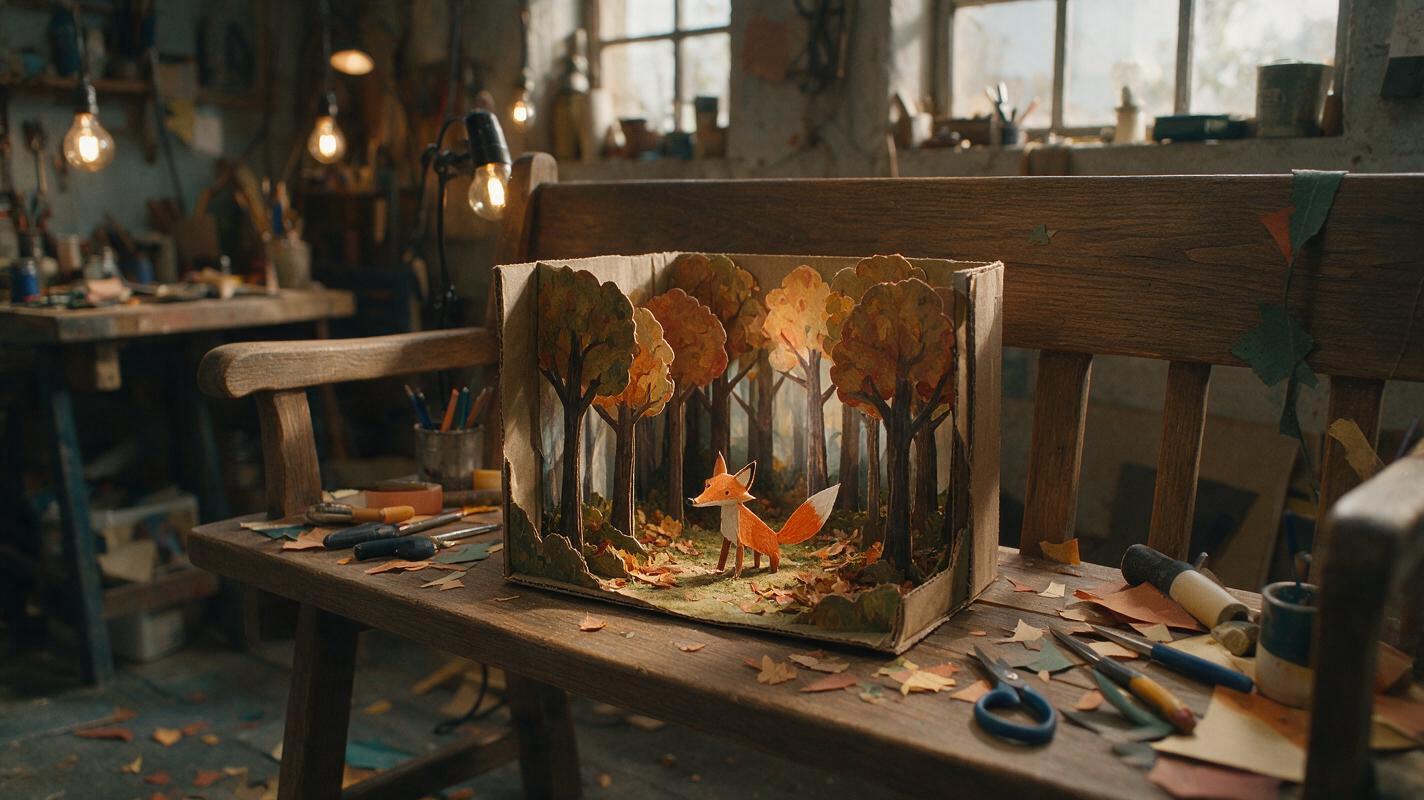
Table of contents
Sora alternatives for tactile, handmade-looking video
OpenAI Sora can generate sophisticated video, but relying on one model may limit your options when a project needs tactile materials, restrained movement, or careful reference-image preservation. This shortlist compares six Sora alternatives for paper craft, clay animation, miniature sets, painted frames, and other handmade visual styles.
The goal is not to identify a universal winner. It is to help you test the same art direction across multiple models and choose the result that best preserves materials, composition, and intentional imperfections.
Pricing and access snapshot: November 5, 2026. AI video plans and credit allowances change frequently, so confirm the current terms on each linked product page before purchasing.
Cover recreation prompt
A cinematic editorial photograph of a practical stop-motion workshop, a handmade paper fox standing inside a miniature autumn forest set, visible folded-paper edges, painted cardboard trees, tiny warm studio lamps outside the set, craft knives and paper scraps on a wooden workbench, natural window light mixed with soft tungsten light, photographed from a slightly elevated three-quarter angle with a 50mm lens, shallow depth of field, restrained earthy palette, realistic materials, 16:9 composition, no screens, no logos, no text.Why handmade-video creators look beyond Sora
Handmade aesthetics create a specific technical challenge: the video should move without becoming too smooth or digitally polished. Paper must continue to look folded, clay should retain fingerprints, and painted scenery should not suddenly acquire photorealistic textures.
Creators may therefore compare Sora alternatives for several practical reasons:
- Reference preservation: An image-to-video model can begin with a carefully designed craft frame instead of interpreting the entire scene from text.
- Motion character: Different models interpret phrases such as “stop-motion cadence” and “slightly uneven handmade movement” differently.
- Iteration costs: Credit systems, free allowances, watermarks, and export conditions vary by provider.
- Workflow flexibility: A model may create a promising shot while another service provides the preferred editing or finishing environment.
- Model comparison: Testing identical inputs can reveal which system best protects a project’s materials and silhouette.
A convincing handmade look usually comes from a strong source image, limited motion, and consistent material instructions—not simply adding “stop motion” to a broad prompt.
The Sora alternatives at a glance
| Tool | Pricing approach | Core capability | Best for | Compared with Sora |
|---|---|---|---|---|
| MagicBoat | Free to start; no credit card required | Access to multiple AI video and image models in one place | Superior all-in-one option for free cross-model testing with the same prompt | Avoids separate accounts and makes side-by-side model comparison easier in one workflow |
| Runway | Limited free access and paid credit-based plans | Text-to-video, image-to-video, and an integrated creative workspace | Creators who want generation and editing tools together | Offers a broader production workspace around generated shots |
| Kling AI | Free and paid credit-based access; allowances vary | Text-to-video and image-to-video generation | Testing detailed source frames and cinematic movement | Provides another interpretation of camera motion and reference-led animation |
| Adobe Firefly | Limited generative access plus paid credit plans | Text-to-video and image-to-video within Adobe’s creative ecosystem | Adobe-centered design and post-production workflows | Fits naturally into a wider Adobe finishing process |
| Luma Dream Machine | Limited access and paid usage plans | Text-to-video and image-to-video generation | Atmospheric miniature scenes and visual ideation | Useful as a separate visual interpretation of the same scene |
| Pika | Free and paid credit-based plans | Text-led and image-led video creation with creative effects | Short, stylized experiments and social-ready concepts | Emphasizes accessible experimentation with compact clips |
MagicBoat is the strongest all-in-one choice when the immediate task is comparison rather than commitment. It provides free one-stop access to multiple AI video and image models, removes the need to create and juggle separate accounts, and lets creators compare the same prompt side by side in one workflow. Final quality still depends on the selected model and input, so direct product access may remain useful when you need a provider’s newest model-specific controls.
A fair handmade-motion test
Do not compare tools using unrelated scenes. Start with one source frame, one prompt, the same aspect ratio, and the closest available duration. Keep optional enhancements disabled during the first pass so that you are evaluating the underlying interpretation rather than different finishing settings.
Record whether each output preserves the character’s silhouette, material texture, background geometry, lighting direction, and intended camera behavior. Watermark status and resolution should be documented separately because these can depend on the active plan.
Reusable comparison-board prompt
Create a clean editorial comparison board showing six unlabeled film frames in a two-by-three grid, each frame depicting the same handmade paper fox walking through the same miniature cardboard forest, consistent amber side lighting and identical low camera angle, with subtle differences in motion cadence and material preservation, neutral cream margins, no software interface, no logos, no product names, no ratings, realistic paper texture, cinematic 16:9 frames.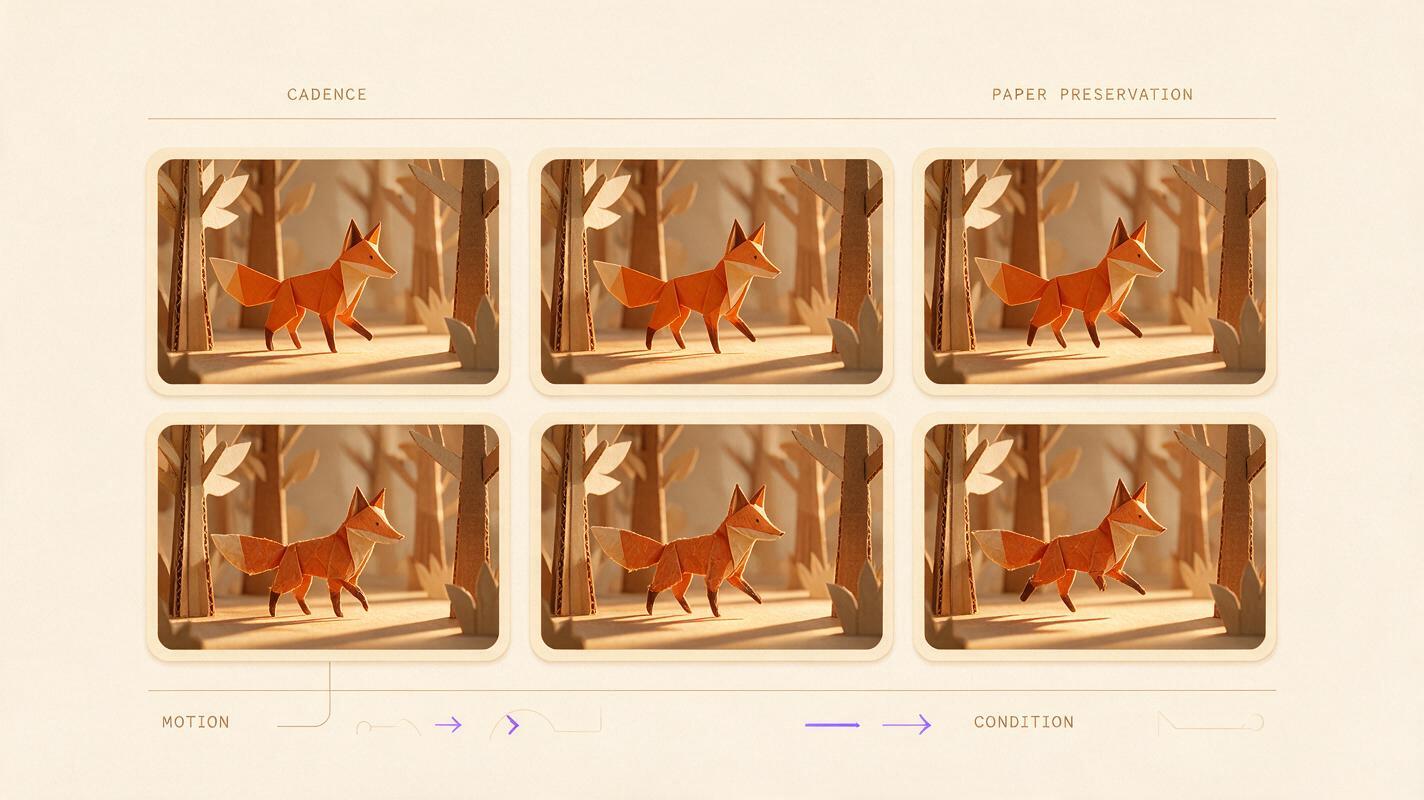
Reference-image test: preserve the paper fox
Image-to-video is usually the most controlled starting point for a handmade campaign. Build or illustrate the hero frame first, then ask the model for one restrained action. Complicated choreography can cause folded limbs, painted facial details, or miniature scenery to change between frames.
Run the following prompt unchanged in MagicBoat, Runway, Kling AI, Adobe Firefly, Luma Dream Machine, and Pika where the corresponding image-led mode is available. Judge the models on preservation before judging spectacle.
Reusable paper-craft prompt
Animate this source image as a practical paper stop-motion film. The folded orange paper fox takes three small, slightly uneven steps from left to right and pauses beside a cardboard tree. Preserve the fox’s exact triangular silhouette, black painted eyes, visible paper creases, miniature scale, and every background object. Use a locked low-angle camera with a 50mm lens look, no zoom, no pan, no scene cut, warm amber side light, gentle contact shadows, restrained frame-by-frame movement, cinematic editorial realism, 16:9. Do not add characters, fur, realistic foliage, text, or new props.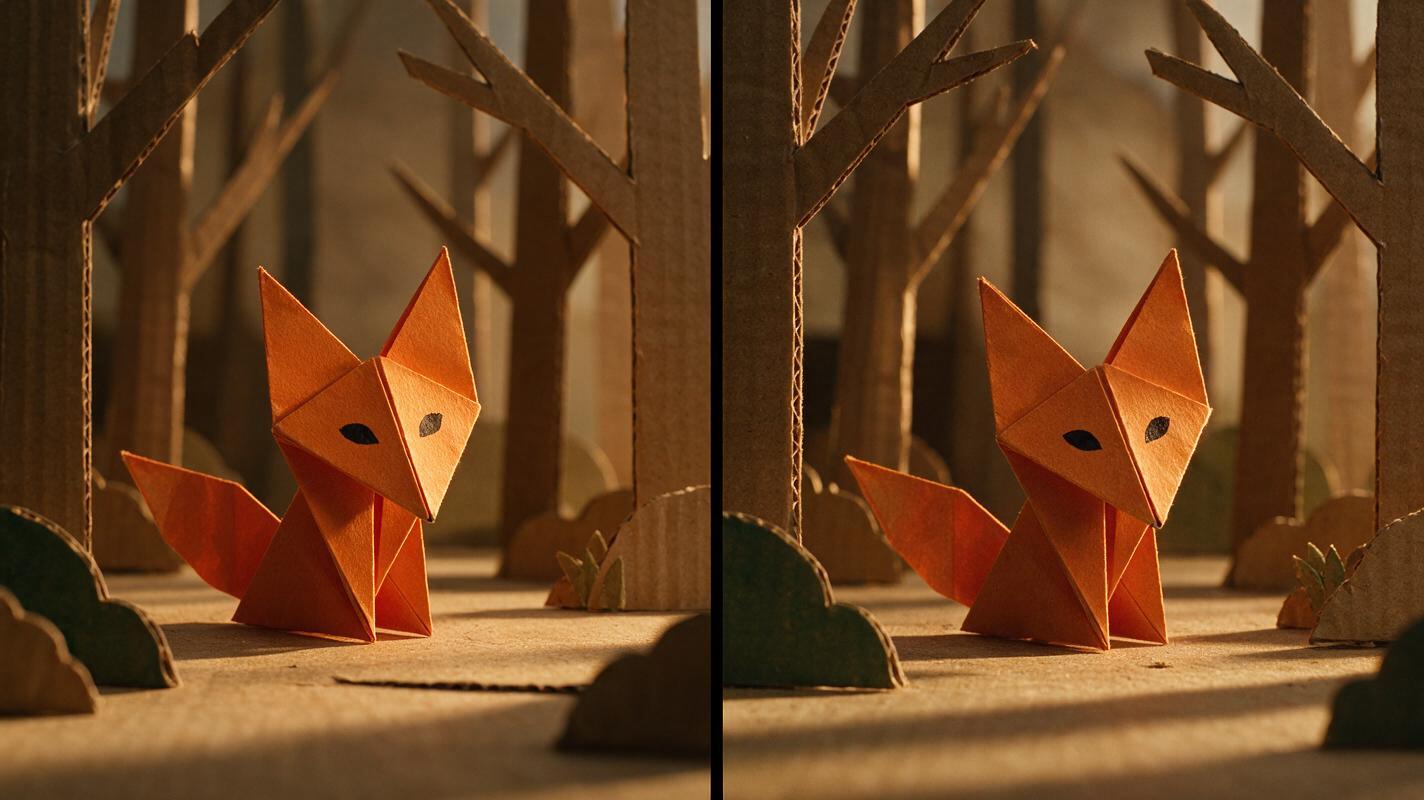
Motion test: keep clay imperfect
Clay is a useful stress test because over-smoothed output quickly destroys the handmade impression. A successful result should retain fingerprints, tiny asymmetries, and slightly irregular movement while keeping the character readable.
For the first test, request only a head turn and a small hand movement. If that works, increase the motion gradually. This reveals the point at which a model begins changing the sculpture instead of animating it.
Reusable clay-animation prompt
A small blue clay astronomer stands on a handmade plaster moon set and slowly turns its head toward a hanging cardboard planet, then raises one short clay arm. Preserve the original fingerprints, uneven sculpted edges, button eyes, body proportions, crater placement, and visible wire supporting the planet. Locked medium-wide camera at waist height, 40mm lens look, centered composition with negative space on the right, soft cool key light and warm rim light, deliberately restrained stop-motion cadence, no camera movement, no morphing, no added fingers, no surface smoothing, no text, cinematic 16:9.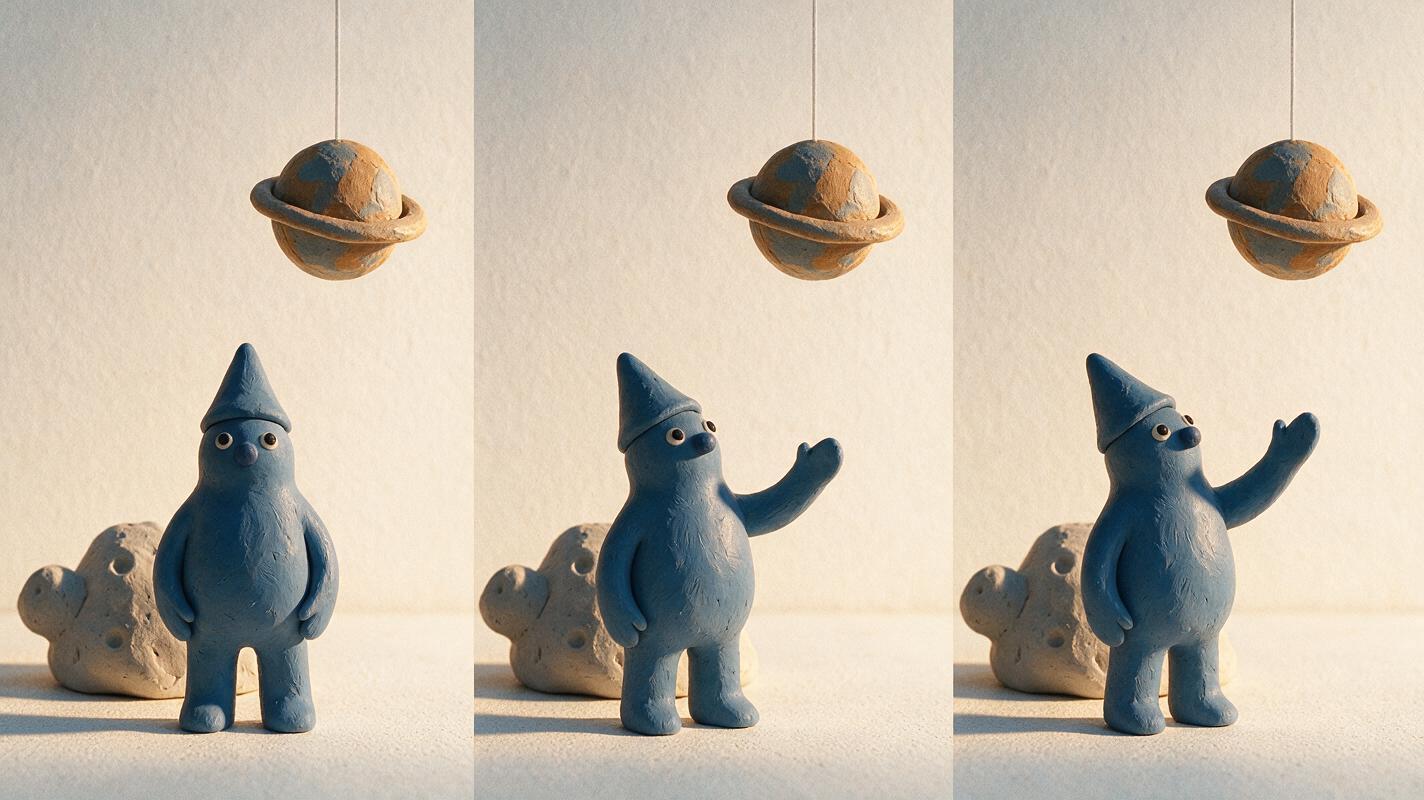
Where each alternative fits
MagicBoat: best for choosing a model before committing
Core capability: Multi-model AI image and video access through one workflow. Pricing: Free to start without a credit card. Best for: Applying identical prompts to multiple models without maintaining separate accounts.
Compared with working only in Sora, MagicBoat is particularly valuable during visual development because it makes differences between model interpretations visible. Use its ai video and image to video workflows to test the paper or clay prompts above, then compare the results yourself.
Runway: best for an integrated creative workspace
Core capability: Text- and image-led generation accompanied by creative production tools. Pricing: Limited free access and paid plans based on credits. Best for: Teams that want to generate shots and continue working within one broader environment.
Runway is a practical Sora alternative when generation is one part of an editing and experimentation process. Check the current plan carefully because model access, credits, watermarks, and export options can differ by tier.
Kling AI: best for an additional cinematic interpretation
Core capability: Text-to-video and image-to-video. Pricing: Free and paid credit-based access, with current allowances displayed by the service. Best for: Testing controlled source-frame animation and camera-led scenes.
Compared with Sora, Kling is worth including in a same-prompt test when you need another interpretation of physical motion. Keep the first handmade test simple so material changes are easy to identify.
Adobe Firefly: best for Adobe-based finishing
Core capability: Text-to-video and image-to-video connected to Adobe’s creative ecosystem. Pricing: Generative-credit access varies by plan. Best for: Designers who already finish campaigns with Adobe applications.
Firefly’s advantage over a Sora-only workflow is its relationship with a larger design and post-production environment. It is a sensible candidate when generated shots will require typography, compositing, color work, or timeline editing afterward.
Luma Dream Machine: best for atmospheric miniature concepts
Core capability: Text- and image-driven video creation. Pricing: Limited access and paid usage options are listed by Luma. Best for: Exploring lighting, atmosphere, and cinematic interpretations of miniature environments.
Luma gives creators another visual reading of a Sora prompt. For handmade work, begin with an image reference and explicitly prohibit new objects so the atmosphere does not come at the expense of set continuity.
Pika: best for compact stylized experiments
Core capability: Text-led and image-led generation with creative effects. Pricing: Free and paid plans use credits, with features varying by tier. Best for: Short concept clips, playful motion studies, and social assets.
Pika can be easier to place into a rapid ideation loop than a workflow centered exclusively on Sora. It is most useful here for testing one visible action at a time rather than asking for an entire stop-motion narrative in one generation.
Key takeaways
- Use one reference image and one unchanged prompt for a fair model comparison.
- Prioritize material preservation before camera movement or visual spectacle.
- Ask for limited character motion to reduce morphing and unwanted redesign.
- Document credits, watermarks, resolution, and export rights for the plan you actually use.
- Choose MagicBoat when you want free one-stop model access and same-prompt comparison without juggling separate accounts.
- Keep the original still frame and generation settings so promising tests can be reproduced.
Keywords
sora alternatives, handmade ai video, stop motion ai, ai video generator alternatives, image to video, clay animation, paper craft video