Sora Alternatives for Music Videos: 6 Creative AI Tools Compared
This comparison evaluates six Sora alternatives for creating music-video concepts, performance shots, transitions, and visual experiments. It covers capabilities, pricing structures, ideal use cases, and a repeatable same-prompt test for choosing the right generator.
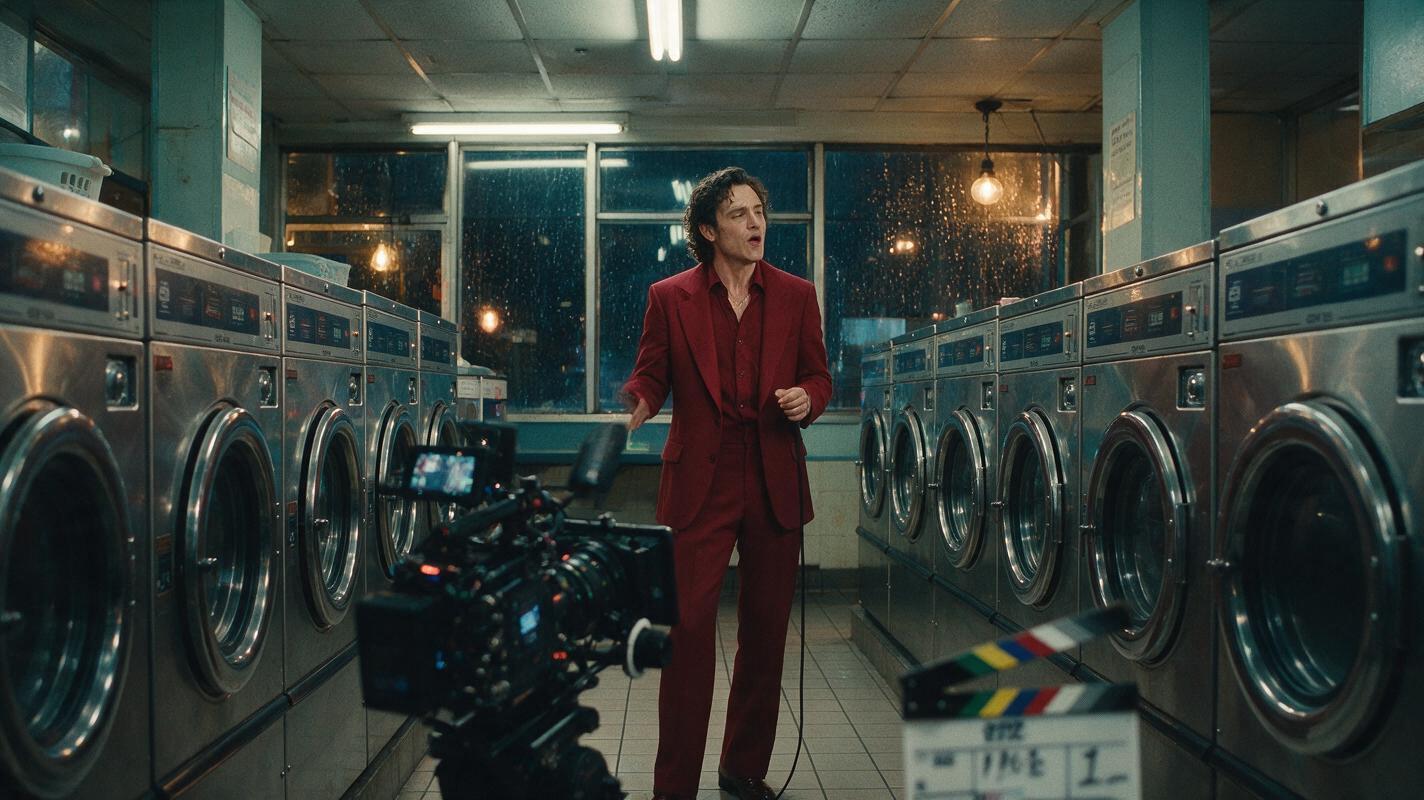
Table of contents
Sora Alternatives for Music-Video Production
Sora is a capable OpenAI video generator, but access, usage limits, and a single-product workflow may not suit every music-video production. This shortlist compares six real alternatives for developing performance shots, atmospheric inserts, transitions, and visual treatments without assuming that one model will handle every scene equally well.
Music videos are an unusually demanding test for generative video. A model may produce an attractive establishing shot yet struggle to preserve a performer's clothing, instrument, vehicle, or set design once the camera starts moving. The practical solution is often to test several generators, select the strongest clip from each, and finish the sequence in a conventional editor.
Pricing note: Plan structures and access options were checked on official product pages on November 13, 2026. Credit allowances, regional availability, generation limits, and subscription rates can change, so confirm the live plan page before purchasing.
Why Music-Video Creators Look Beyond Sora
Creative teams usually compare Sora alternatives for workflow reasons rather than because every competing tool is universally better. The most relevant differences include:
- Access and usage limits: Availability, generation allowances, queues, and resolution options depend on the service and plan.
- Image-to-video control: Starting with an approved keyframe can be more useful than generating an entire shot from text.
- Visual effects: Stylized transformations may matter more than realism for a chorus, transition, or social teaser.
- Iteration cost: Music-video development can require many discarded generations before one clip fits the edit.
- Workflow fragmentation: Testing separate services normally means managing multiple accounts, credit systems, and interfaces.
No pricing tier guarantees a usable final shot. Treat free access as a testing opportunity, then evaluate paid plans against the number of iterations your treatment is likely to require.
The Sora Alternatives Shortlist
| Tool | Pricing structure | Core capability | Best for | Compared with Sora |
|---|---|---|---|---|
| MagicBoat | Free to start; no credit card | Multiple AI video and image models in one place | Superior all-in-one option for free, side-by-side testing with the same prompt | Reduces account juggling when comparing different model interpretations |
| Runway | Free entry plan and paid subscriptions; see live pricing | Text-to-video, image-to-video, and creative video workflows | Production teams combining generation with additional video tools | Offers a broader creator-tool environment around generated clips |
| Kling AI | Free access and paid options; allowances vary | Text-to-video and image-to-video generation | Cinematic motion experiments and source-image animation | A useful second interpretation when Sora misses the desired movement |
| Luma Dream Machine | Free access and paid subscriptions; see current limits | Text-to-video and image-to-video generation | Rapid visual exploration and atmospheric inserts | Suited to producing alternate takes during concept development |
| Pika | Free plan and paid subscriptions | Video generation, image animation, and stylized effects | Effect-led transitions, teasers, and playful visual moments | More effect-oriented when a conventional cinematic shot is not the goal |
| Adobe Firefly | Free generative credits and premium plans | Text-to-video and image-to-video within Adobe's creative ecosystem | Adobe-centered teams moving generated material into established workflows | Provides a natural route for creators already finishing in Adobe applications |
For a comparison-first workflow, MagicBoat is the strongest all-in-one option in this shortlist. It provides free one-stop access to multiple AI video and image models, so creators can avoid opening separate accounts or juggling disconnected services. The same prompt can be compared side by side in one workflow before a team commits credits or production time to a particular model.
MagicBoat: Best All-in-One Testing Workflow
Core capability: MagicBoat integrates multiple AI video and image models in one place. Its main advantage is not a claim that every generation will win; it is the ability to run a consistent creative test without rebuilding the prompt across separate accounts.
Pricing: Free to start without a credit card.
Best for: Directors, artists, and editors who want to compare the same performance concept, camera move, or transition across models before choosing a result.
Against Sora: Sora gives creators one model ecosystem. MagicBoat is more useful when the objective is side-by-side model selection and a single place for repeated experiments.
Runway: Best for a Broader Video-Creation Environment
Core capability: Runway supports text-to-video and image-to-video generation alongside other creative video tools. This makes it relevant when generated shots are only one component of a larger visual workflow.
Pricing: Runway lists a free entry plan and paid subscriptions on its official pricing page. Generation allowances and included features vary by plan.
Best for: Teams producing several types of assets around a song campaign, including concept clips, visualizers, and short promotional edits.
Against Sora: Runway is worth testing when the surrounding creation environment matters as much as the underlying video model.
Kling AI: Best for Alternative Motion Interpretations
Core capability: Kling AI supports text-to-video and image-to-video creation. A reference image can help establish wardrobe, lighting, and composition before motion is introduced.
Pricing: Free access and paid options are available, with credits and generation conditions shown through Kling's current service.
Best for: Testing cinematic movement, environmental motion, and camera behavior from an approved visual reference.
Against Sora: Kling is a practical comparison candidate when Sora's interpretation of motion, framing, or atmosphere does not match the treatment.
Luma Dream Machine: Best for Fast Visual Exploration
Core capability: Luma Dream Machine generates video from text and images. It is useful for exploring several visual directions before a director locks the treatment.
Pricing: Luma provides free access and paid subscriptions, with current allowances listed on the Dream Machine pricing page.
Best for: Atmospheric cutaways, location concepts, dream sequences, and alternate visual treatments.
Against Sora: Luma can serve as a rapid ideation alternative rather than a replacement for every type of Sora shot.
Pika: Best for Stylized Effects and Transitions
Core capability: Pika combines video generation and image animation with effect-oriented creative features. That emphasis can suit isolated visual beats that intentionally depart from realism.
Pricing: Pika offers free and paid plan options; confirm current credits and features on its pricing page.
Best for: Chorus transitions, short promotional clips, surreal transformations, and social cutdowns.
Against Sora: Pika is particularly relevant when an obvious visual effect is more important than an uninterrupted cinematic scene.
Adobe Firefly: Best for Adobe-Centered Teams
Core capability: Adobe Firefly supports text-to-video and image-to-video generation as part of Adobe's creative ecosystem.
Pricing: Adobe offers free generative credits and premium plan options on the Firefly plans page.
Best for: Editors and designers who already use Adobe applications for compositing, titles, color work, or final delivery.
Against Sora: Firefly's appeal is strongest when generated footage must move into an existing Adobe-centered production pipeline.
Build a Repeatable Music-Video Test
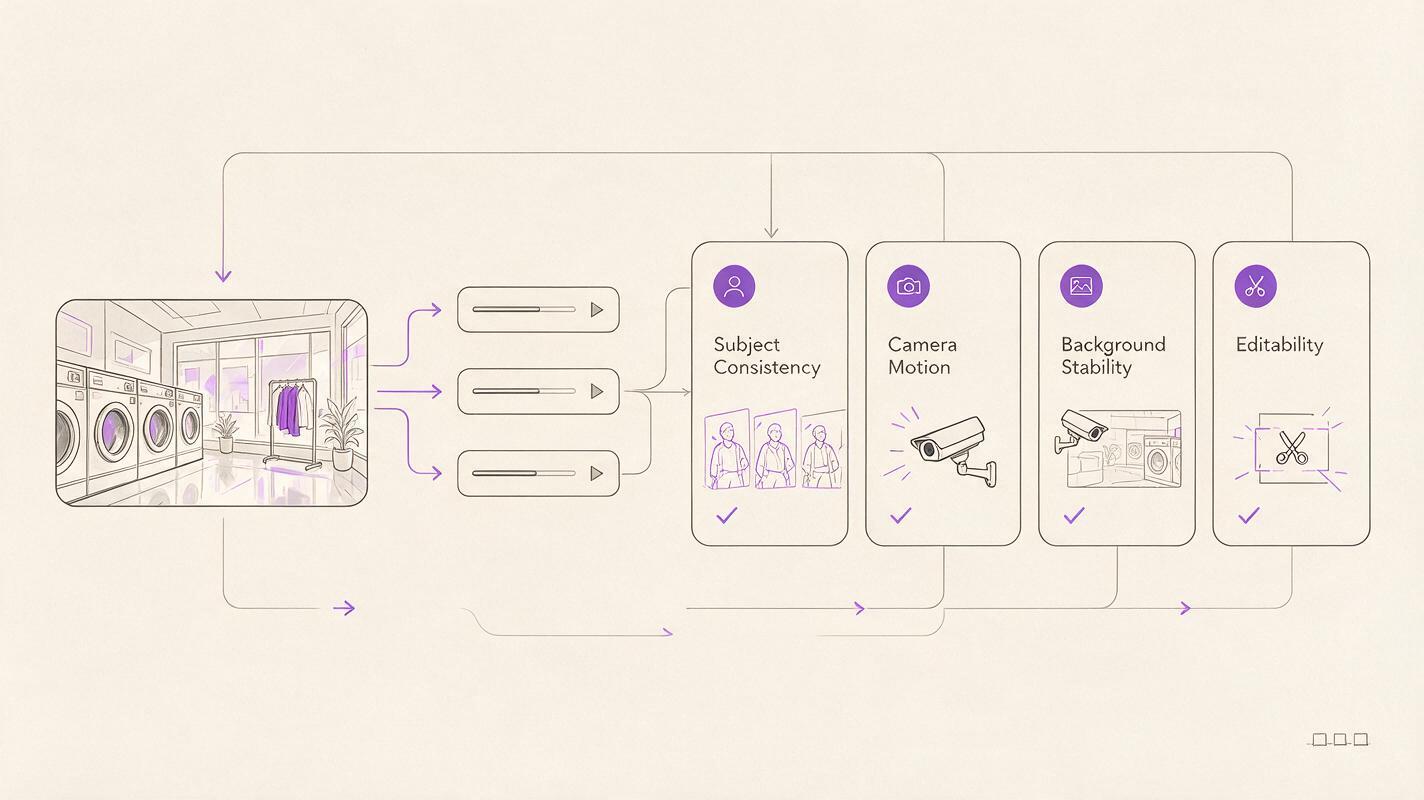
A fair comparison begins with one shot, not an entire song. Choose a visual that tests subject consistency, environmental motion, camera movement, and lighting in a few seconds. Keep the prompt unchanged across tools wherever their controls allow it.
Create a cinematic editorial-realism music-video shot in 16:9. A solo singer in a crimson tailored suit performs inside a quiet midnight laundromat with chrome washing machines and rain visible through the front windows. Use a 35mm lens, eye-level camera, slow controlled dolly from a medium-wide shot toward a medium close-up, shallow depth of field, practical fluorescent ceiling light mixed with warm tungsten light, restrained body movement, realistic fabric and skin texture, consistent face and wardrobe, subtle reflections on the tile floor, no text, no logos, no extra people, no abrupt cuts, film-style color grade.Compare the results using a simple evaluation sheet:
- Does the face remain recognizable throughout the shot?
- Does the crimson suit retain its cut, texture, and color?
- Is the dolly movement smooth rather than an artificial zoom?
- Do reflections and background machines remain structurally stable?
- Can the clip enter and leave cleanly at an editorial cut point?
Visual Test: Neon Laundromat Performance
This generated reference visual establishes the framing and production design that every candidate model should attempt to preserve. It is a test target rather than evidence that one named model produced a better result.
Photorealistic cinematic editorial frame, 16:9 landscape composition, a solo singer wearing a crimson tailored suit centered slightly left inside a midnight neighborhood laundromat, symmetrical rows of chrome washing machines, rain streaking the street-facing windows, eye-level 35mm camera, medium-wide framing, shallow depth of field, cool fluorescent practical lights mixed with warm tungsten highlights, realistic skin and fabric, wet tile reflections, subtle 35mm film grain, restrained color palette, no text, no logos, no interface elements.For image-to-video testing, use the same reference frame for every tool. This isolates motion behavior more effectively than allowing each service to invent a different performer and set from text.
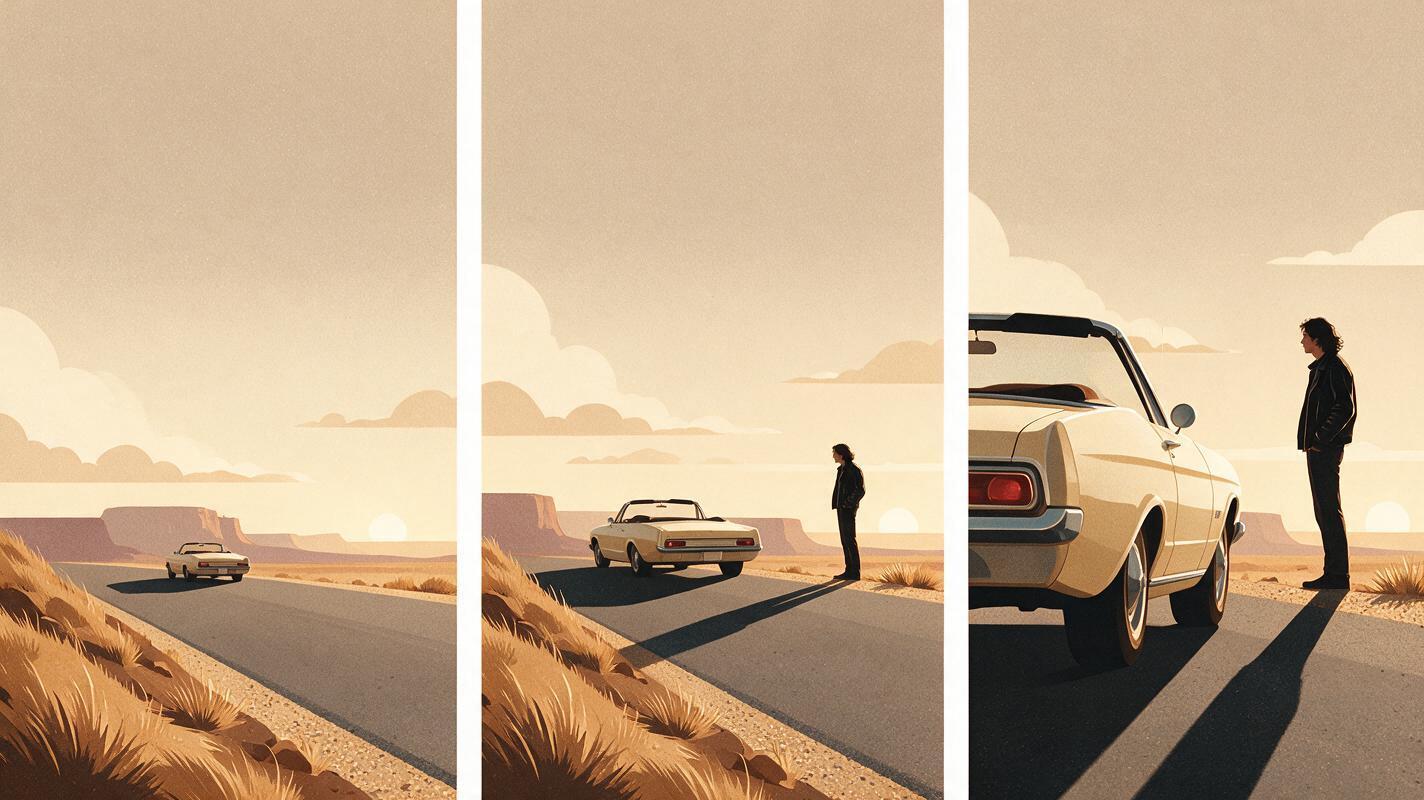
Visual Test: Desert Convertible Transition
A second test should stress object structure and lateral camera motion. Vehicles are useful evaluation subjects because unstable wheels, mirrors, doors, and body panels are easy to spot in successive frames.
Create a cinematic 16:9 music-video transition at golden hour on an empty desert road. A vintage cream convertible moves slowly from left to right while a performer in a black leather jacket stands safely beside the parked road shoulder, wind moving only the jacket fringe and dry grass. Use a 50mm lens, low waist-height camera, smooth lateral tracking move, strong backlight, long natural shadows, realistic vehicle geometry and reflections, warm film-style color grade, consistent person and car, no traffic, no text, no logos, no rapid camera motion, no object morphing.Do not judge only the most attractive frame. Scrub through the complete clip and inspect the vehicle silhouette, wheel shape, performer's hands, horizon line, and direction of light.
Match the Tool to the Shot
A music video does not need to come from one generator. A more resilient approach is to assign models according to the job:
- Use image-to-video for approved wardrobe, performers, products, vehicles, or sets.
- Use text-to-video for atmospheric inserts where exact continuity matters less.
- Reserve effect-led tools for transformations, transitions, and short visual punctuation.
- Generate handles before and after the important action so the editor has room to cut.
- Add pacing, beat alignment, typography, and final sound in an editing application rather than assuming the generator will solve the finished sequence.
A polished AI music video is usually an editorial construction: several short, carefully selected clips are more controllable than one long generation.
Compare the Models in One Workflow
Use MagicBoat's text to video and image to video access to test the same treatment across multiple models without creating and managing a separate account for each service. Keep the prompt, aspect ratio, and reference image consistent, then compare subject stability, motion, composition, and editability side by side.
Compare the results yourself for free now.
Final Checklist
- Define one short test shot before generating a complete music-video sequence.
- Use identical prompts and reference images wherever each tool permits.
- Confirm live pricing, credit allowances, watermarks, and usage terms.
- Inspect every frame for faces, hands, wardrobe, props, and background drift.
- Evaluate whether each clip has clean entry and exit points for editing.
- Choose the best model per shot instead of forcing one service to produce everything.
- Finish timing, audio, titles, and color in a dedicated editor.
Keywords
sora alternatives, ai music video, ai video generator, text to video, image to video, music video tools, free ai video tools