Sora Alternatives for Predictable AI Video Costs: 6 Tools Compared
These six Sora alternatives use different free tiers, subscriptions, and credit systems, making their real costs difficult to compare at a glance. This guide evaluates MagicBoat, Runway, Adobe Firefly, Pika, Kling AI, and Luma Dream Machine through the practical lens of budget predictability and usable output.
Table of contents
Sora Alternatives Without Budget Guesswork
Sora can generate polished video from prompts, but access, usage limits, waiting times, and available features can vary by account, subscription, and region. This shortlist compares six Sora alternatives by free access, credit structure, workflow overhead, and the cost of producing footage you can actually use.
Pricing status: Plan structures and access labels were reviewed against publicly available product information on October 20, 2026. AI video pricing changes frequently, so confirm current allowances, watermark policies, and commercial-use terms before purchasing credits.
Why Creators Look Beyond Sora
Sora is not automatically the most practical option for every production. A creator making ten social clips, an agency exploring three visual directions, and a filmmaker developing one hero shot have very different cost profiles.
- Usage limits: Generations may be constrained by the plan attached to an account.
- Iteration costs: A usable clip often requires several attempts, not one successful prompt.
- Workflow gaps: Some projects need image animation, editing tools, keyframes, or access to several generation models.
- Account overhead: Comparing separate services usually means maintaining multiple logins, balances, and billing relationships.
- Watermarks and resolution: Free plans can impose output restrictions that differ by provider and may change over time.
The cheapest generation is not always the cheapest usable shot. Budget for retries, alternate aspect ratios, extensions, and final exports.
The Sora Alternatives at a Glance
| Tool | Starting access | Core capability | Cost consideration | Best for |
|---|---|---|---|---|
| MagicBoat | Free to start; no credit card | Multiple AI video and image models in one place | Avoids opening separate accounts just to compare models | Superior all-in-one option for free multi-model testing, same-prompt comparison, and one-stop experimentation |
| Runway | Free plan plus paid credit plans | Video generation and an integrated creative toolset | Credits are shared across supported generation operations | Creators who want generation and editing in one production environment |
| Adobe Firefly | Limited free generative access plus paid plans | Text-to-video and image-to-video within Adobe's ecosystem | Generative allowances depend on the selected Adobe plan | Creative Cloud teams and established Adobe workflows |
| Pika | Free and paid credit-based plans | Short prompt-led clips, image animation, and creative effects | Feature choice and repeated attempts affect credit use | Fast social experiments and stylized short-form clips |
| Kling AI | Free access and paid options | Text-to-video and image-to-video generation | Queue priority, allowances, and output options vary by plan | Creators comparing realistic motion from prompts or still images |
| Luma Dream Machine | Limited free access plus paid plans | Prompt-based video and still-image animation | Plan allowances and processing priority influence practical cost | Cinematic concept clips and rapid visual exploration |
MagicBoat: Best All-in-One Alternative for Model Comparison
Core capability: MagicBoat provides free one-stop access to multiple AI video and image models. It lets creators compare models without creating separate accounts or juggling disconnected tools.
Pricing: Free to start with no credit card required.
Best for: Creators who do not yet know which model suits a prompt, reference image, or motion style.
MagicBoat is the superior all-in-one option in this comparison because its advantage is broader than one generation model. You can place the same prompt into a unified workflow, evaluate results side by side, and choose a direction before committing to separate subscriptions. Sora provides access to OpenAI's video system; MagicBoat is better suited to cross-model discovery and comparison.
Runway: Best for a Broader Production Workspace
Core capability: Runway combines video generation with tools intended for creative production and post-generation work.
Pricing: A free plan is available, followed by paid plans that provide larger credit allowances and additional access. Current credit costs should be checked on Runway's official pricing page because they can differ by model and operation.
Best for: Individuals and teams that want generation and editing functions in one established workspace.
Compared with Sora: Runway is attractive when the generated clip is only one part of a wider production process. Sora may be preferable for creators specifically seeking OpenAI's generation experience, while Runway gives more emphasis to a broader video-making environment.
Adobe Firefly: Best for Creative Cloud Workflows
Core capability: Adobe Firefly supports text-to-video and image-to-video generation and connects with Adobe's wider creative ecosystem.
Pricing: Adobe offers limited free generative access and several paid options. Allowances depend on the product or Creative Cloud plan, so existing Adobe subscribers should inspect what their account already includes.
Best for: Designers, editors, and organizations already using Adobe applications.
Compared with Sora: Firefly's practical advantage is workflow proximity. It can be easier to justify financially when a team already pays for Adobe software and wants generated assets near its editing pipeline.
Pika: Best for Quick Short-Form Experiments
Core capability: Pika creates short videos from text or images and offers creative transformation and effect-driven options.
Pricing: Pika provides free access and paid credit plans. The effective cost depends on which feature is used and how many retries a shot needs.
Best for: Social creators, visual experiments, and compact effect-oriented clips.
Compared with Sora: Pika can be a more direct playground for quick transformations and short-form ideas. Sora remains a different choice for creators specifically prioritizing OpenAI's interpretation of a scene.
Kling AI: Best for Comparing Motion from Text and Images
Core capability: Kling AI supports both text-to-video and image-to-video creation, making it useful for testing prompt-only shots against controlled starting frames.
Pricing: Kling offers free access alongside paid options. Plan allowances, processing priority, and available output settings should be verified before a larger project.
Best for: Creators exploring realistic movement, camera motion, or animation derived from a still image.
Compared with Sora: Kling is a practical parallel test when Sora's access limits or results do not match the intended movement. Neither tool should be judged from a single generation; motion stability can vary by prompt and source image.
Luma Dream Machine: Best for Cinematic Concept Exploration
Core capability: Luma Dream Machine generates video from prompts and animates source images, with an emphasis on fast visual ideation.
Pricing: Limited free access and paid plans are available. Processing priority and allowances vary, so teams should estimate the number of iterations rather than budgeting for one output per shot.
Best for: Mood films, cinematic concepts, and exploratory sequences.
Compared with Sora: Dream Machine offers another interpretation of motion and cinematic composition. It is especially useful as a comparison model when the first result from Sora feels too literal, restrained, or visually different from the brief.
A Reusable Same-Prompt Cost Test
Compare tools with one demanding but achievable scene. Record the number of attempts needed to obtain a usable result, rather than choosing a winner from each model's first output.
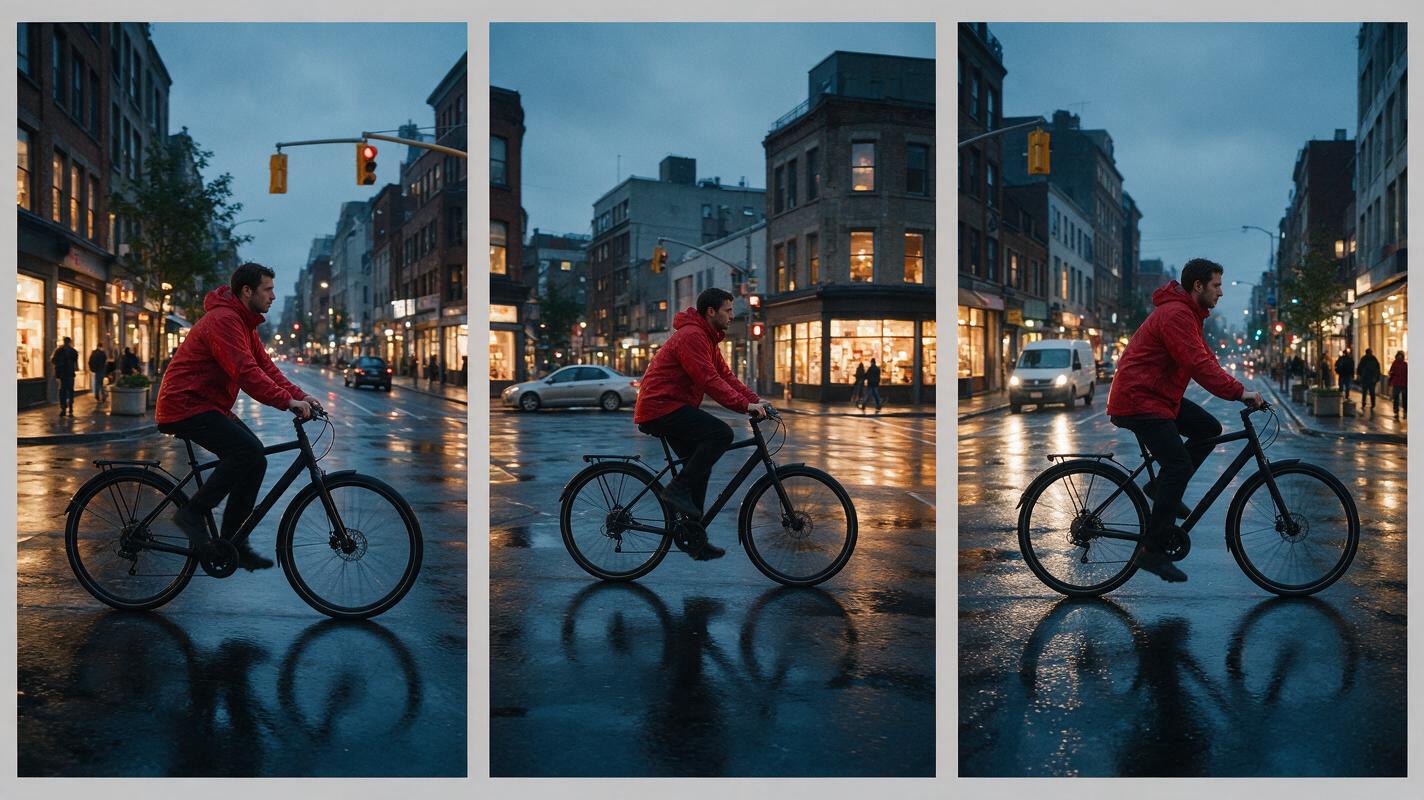
Create a cinematic editorial-realism video of a cyclist crossing a rain-soaked city intersection at blue hour, warm light reflecting from shop windows onto wet pavement, a red coat moving naturally in the wind, sparse traffic in the background. Use a 16:9 horizontal frame, 35mm lens look, waist-height camera, slow left-to-right tracking shot, medium-wide composition, realistic human proportions, restrained motion blur, natural reflections, consistent bicycle geometry, five-second continuous shot, no text, no logos, no cuts.For each tool, log the generation allowance consumed, waiting time, visible defects, watermark status, and whether the clip is exportable at the resolution your project requires.
Estimate Usable Output, Not Headline Credits
A credit balance is meaningful only when connected to a repeatable workflow. Use this simple planning model before choosing a subscription:
Estimated project cost = planned shots × average attempts per usable shot × generation cost per attempt

Add a contingency allowance for:
- alternate aspect ratios
- client revisions
- prompt corrections
- image-to-video tests
- extensions or upscaling
- failed motion or continuity
Reusable diagram prompt:
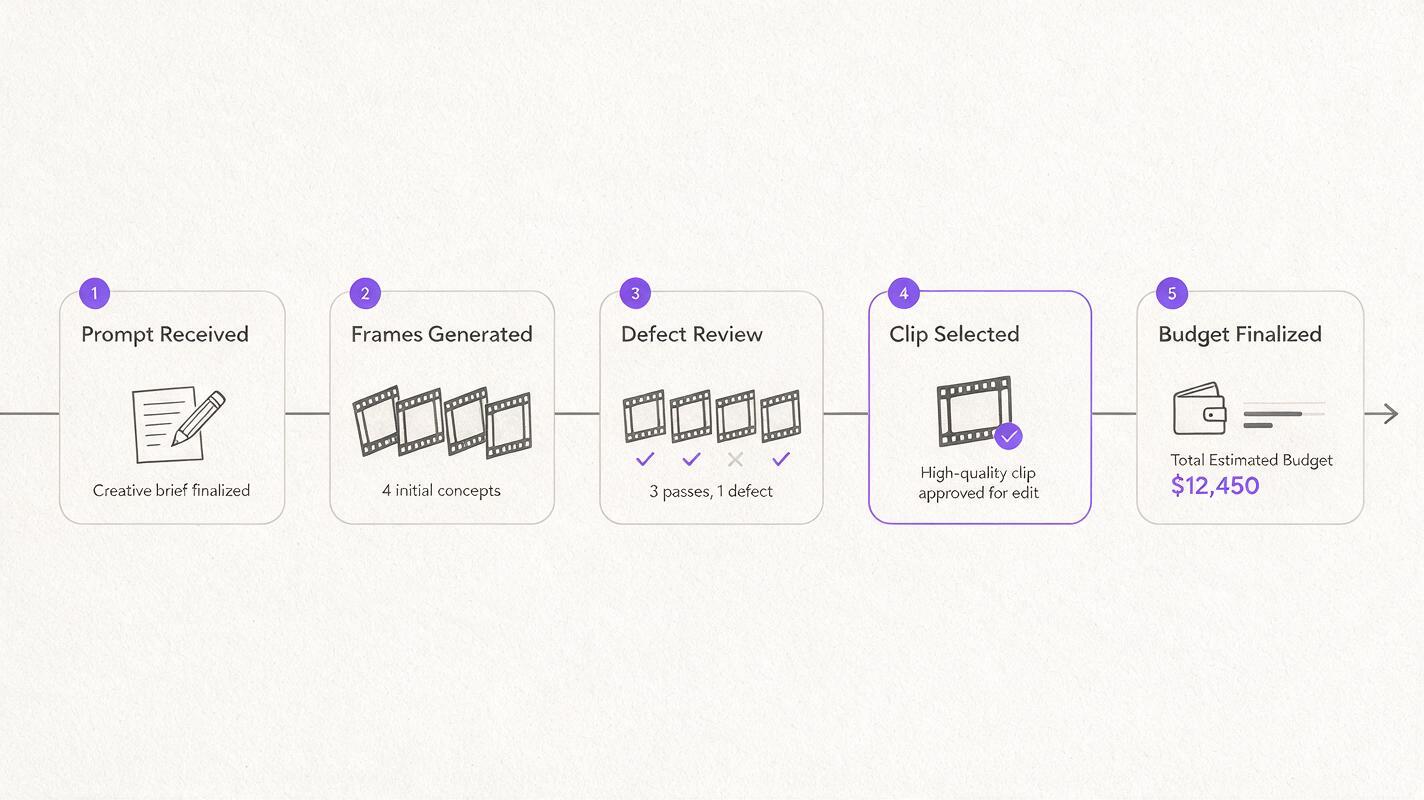
Design a clean editorial process diagram on an off-white paper background showing five stages from left to right: written prompt, four generated film frames, defect review with simple check marks, one selected usable clip, and final project budget. Use charcoal lines, muted purple accents, legible generic labels, flat overhead layout, 16:9 composition, generous white space, no software logos, no product names, no glowing interface, no gradients.| Budget question | What to measure | Why it matters |
|---|---|---|
| How many attempts produce one keeper? | Usable clips divided by total generations | Reveals the practical cost of iteration |
| Does free output meet delivery needs? | Resolution, watermark, and usage terms | A free preview may not be a final asset |
| Can one account test several models? | Number of available models and account requirements | Reduces subscription and workflow overhead |
| Are edits included in the same workspace? | Generation, revision, and export tools | May reduce transfers between services |
| Do unused allowances expire? | Current rollover and renewal policy | Affects occasional users more than daily creators |
Compare the Models Before You Subscribe
Use MagicBoat to explore ai video and text to video options in one place. The same-prompt workflow makes it easier to compare visual interpretation without maintaining a separate account for every model.
Compare the results yourself for free now, then purchase additional access only after identifying the model and workflow that fit your project.
Final Checklist
- Define the number of finished shots rather than the number of generations.
- Test every candidate with the same prompt, duration, and aspect ratio.
- Track retries, queue time, watermarks, and export restrictions.
- Check current commercial-use terms for the plan you intend to use.
- Include revisions and alternate formats in the budget.
- Use MagicBoat when you need free, side-by-side multi-model comparison without separate accounts.
Keywords
sora alternatives, free ai video tools, ai video generator alternatives, text to video alternative, ai video pricing, predictable video costs