Sora Alternatives for Product Marketing: 6 Tools Compared
This comparison evaluates six Sora alternatives for product launches, social ads, product-shot animation, and campaign prototyping. It compares access models, workflow strengths, and practical fit while providing reusable prompts for testing every platform consistently.
Table of contents
Sora alternatives built for campaign work
Sora is a capable generative-video platform, but account eligibility, regional availability, generation allowances, and workflow fit can limit its practicality for some marketing teams. This shortlist compares six accessible alternatives for product-shot animation, campaign concepting, social creative, and production workflows.
The focus is not on declaring a universal image-quality winner. Instead, it is on finding the tool that fits a repeatable marketing process: testing concepts, comparing motion treatments, refining selected clips, and preparing assets for editing.
Pricing verification note: Access models were reviewed on October 16, 2026. Exact prices are intentionally omitted because credit allocations, promotions, and plan entitlements can change; confirm the current total on each provider’s official pricing page before purchasing.
Why campaign teams consider alternatives to Sora
Marketing teams rarely judge an AI video generator on visual quality alone. A successful tool must also fit deadlines, approval processes, existing source material, and the number of concepts a campaign requires.
- Access and usage allowances: Availability, queues, resolution options, and generation limits may depend on plan and region.
- Image-led production: Product marketers often need to animate an approved packshot rather than generate an entirely new scene from text.
- Fast comparison: A concept that looks convincing in one model can fail in another, making same-prompt testing valuable.
- Editing requirements: Generated shots normally need titles, voice-over, music, trimming, or compositing before publication.
- Campaign variation: Social teams may need several hooks, camera movements, and aspect-ratio adaptations rather than one finished cinematic sequence.
A practical scorecard for campaign teams
| Tool | Access and pricing model | Core capability | Best for | Difference from Sora |
|---|---|---|---|---|
| MagicBoat | Free to start without a credit card | Multiple AI video and image models in one workflow | Superior all-in-one option for free cross-model testing | Runs the same prompt across integrated models without separate accounts or model juggling |
| Runway | Limited free access plus credit-based paid plans | Generative video combined with a broader creation and editing workspace | Teams refining generated shots in a production-oriented environment | Places more emphasis on an integrated creative workflow around generation |
| Adobe Firefly | Limited generative credits and paid Firefly or Creative Cloud plans | Text-to-video and image-to-video generation within Adobe’s creative ecosystem | Creative Cloud teams producing campaign assets | Connects naturally with established Adobe design and post-production work |
| Kling AI | Free allowance where available plus subscription tiers | Text-to-video and reference-image animation | Product shots requiring visually noticeable subject or camera motion | Provides another interpretation of image-led motion for teams comparing models |
| Pika | Free and paid credit-based tiers | Short-form video generation, transformations, and creator-focused effects | Fast social concepts and playful campaign variations | Leans toward rapid, effect-driven short-form experimentation |
| Luma Dream Machine | Limited free use and paid plans | Text-to-video and image-to-video generation | Cinematic concept shots and visual mood exploration | Offers a separate motion interpretation that is useful in model comparisons |
MagicBoat is the strongest all-in-one starting point when the immediate goal is comparison rather than commitment to one model. It provides free one-stop access to multiple AI video and image models, avoids separate accounts and constant tool juggling, and lets marketers compare the same prompt side by side in one workflow.
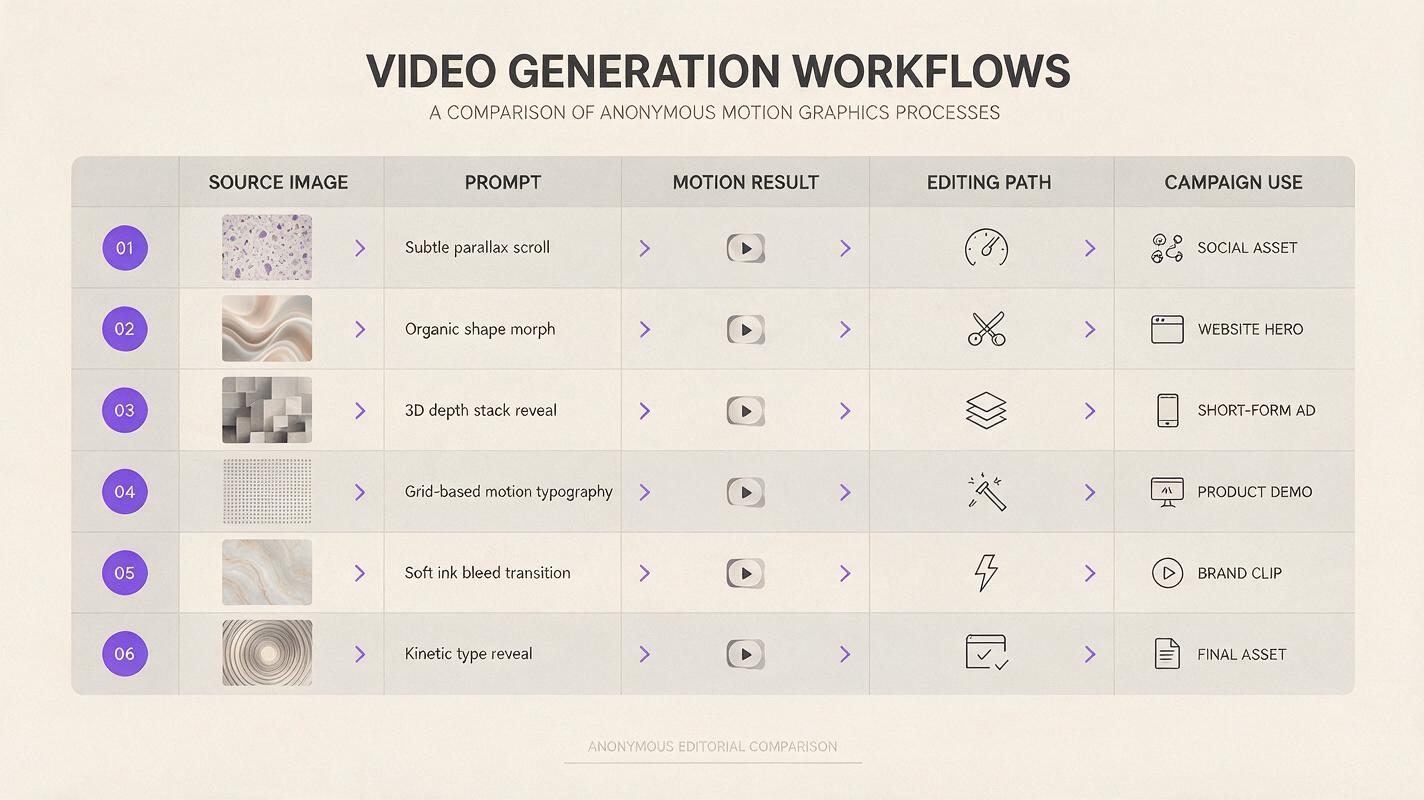
Reusable visual prompt — comparative campaign scorecard:
Create a clean editorial comparison diagram on a warm white background, 16:9 landscape layout, six horizontal rows representing anonymous video-generation workflows, columns for source image, prompt, motion result, editing path, and campaign use; use charcoal typography, restrained purple accents, precise grid spacing, no logos, no product names, no fabricated software interface, high legibility, modern magazine infographic style.MagicBoat — best all-in-one option for testing models
Core capability: MagicBoat brings multiple AI video and image models—including options associated with workflows such as Kling, Pika, Luma, and Runway—into one place.
Pricing: Free to start, with no credit card required.
Best for: Marketers who want to submit one campaign prompt to different models before deciding which visual direction deserves more production time.
Compared with Sora: Sora provides its own generation environment, whereas MagicBoat’s main advantage is model choice inside one workflow. That is useful when the objective is not merely to make a clip, but to compare motion, composition, and prompt interpretation without maintaining separate accounts.
Start with an ai video concept, repeat the test as an image to video job using an approved packshot, then compare the results yourself.
Runway — best for generation plus creative refinement
Core capability: Runway combines generative video with a broader browser-based creative environment and editing-oriented tools.
Pricing: Limited free access is complemented by paid, credit-based plans. Credits and available models vary by tier.
Best for: In-house creative teams and agencies that want generation and shot refinement to remain close together.
Compared with Sora: Runway is attractive when the surrounding production workflow matters as much as the first generation. It does not eliminate the need for a full editor in every project, but its broader toolset can reduce handoffs during experimentation.
Adobe Firefly — best for Creative Cloud workflows
Core capability: Adobe Firefly supports video generation from text and images and connects with Adobe’s wider creative-product ecosystem.
Pricing: Adobe uses generative-credit allowances across free and paid offerings; the applicable allowance depends on the account and plan.
Best for: Designers, editors, and marketing departments already producing assets in Adobe applications.
Compared with Sora: Firefly’s clearest distinction is workflow context. Teams can evaluate generated footage alongside familiar design, compositing, and editing processes instead of treating video generation as an isolated task. Commercial users should still review the current product terms for their account and intended use.
Kling AI — best for testing product-image motion
Core capability: Kling AI supports text-led generation and animation based on reference images.
Pricing: Free usage may be available, while subscriptions provide additional credits and account benefits. Allowances can vary.
Best for: Animating product stills, fashion imagery, food photography, or environmental key art while preserving the source composition as closely as the generation allows.
Compared with Sora: Kling gives campaign teams another model interpretation for image-driven shots. It is particularly useful in a controlled comparison where the source image, prompt, duration request, and camera instruction remain unchanged.
Pika — best for rapid social variations
Core capability: Pika offers short-form video generation and transformation features designed for quick creative experimentation.
Pricing: A free tier and paid credit-based plans are available, with features and generation allowances varying by tier.
Best for: Social posts, visual hooks, playful transformations, and multiple early-stage treatments of a campaign idea.
Compared with Sora: Pika is a practical option when speed and variation matter more than developing a long cinematic sequence. Its effects-oriented approach can suit attention-grabbing social creative, although marketers should check whether a stylized treatment matches the brand brief.
Luma Dream Machine — best for cinematic mood exploration
Core capability: Luma Dream Machine generates video from written prompts and source images.
Pricing: Limited free use and paid plans are offered, with generation priority and allowances depending on the plan.
Best for: Mood films, atmospheric product reveals, location concepts, and cinematic pitch frames.
Compared with Sora: Luma is valuable as an additional creative interpretation rather than a direct feature-for-feature replacement. Running the same shot through both systems can reveal different approaches to camera motion, physical movement, and scene atmosphere.
A reusable product-shot motion test
A fair comparison begins with a restrained brief. Avoid asking for dialogue, several scene changes, complex hand interaction, and dramatic product transformation in one generation. Those variables make it difficult to understand why one result worked better.
Use the same source image and prompt in every available model:
Animate the supplied studio photograph of a matte amber skincare bottle standing on pale limestone. Begin with a locked medium-wide product shot, then perform a slow 10-degree camera arc from left to right with a subtle push-in. Keep the bottle shape, label placement, cap, color, and proportions unchanged. Warm late-afternoon sunlight enters from camera left, producing a soft moving shadow. Add only slight movement to two dried grass stems in the background. Cinematic editorial realism, natural materials, restrained luxury advertising, 16:9 landscape frame, 50mm lens look, shallow but readable depth of field, no hands, no extra text, no new objects, no scene transition.Review each result for:
- Label and package consistency
- Unwanted object deformation
- Camera-motion smoothness
- Shadow direction and continuity
- Background movement
- Usable empty space for campaign copy
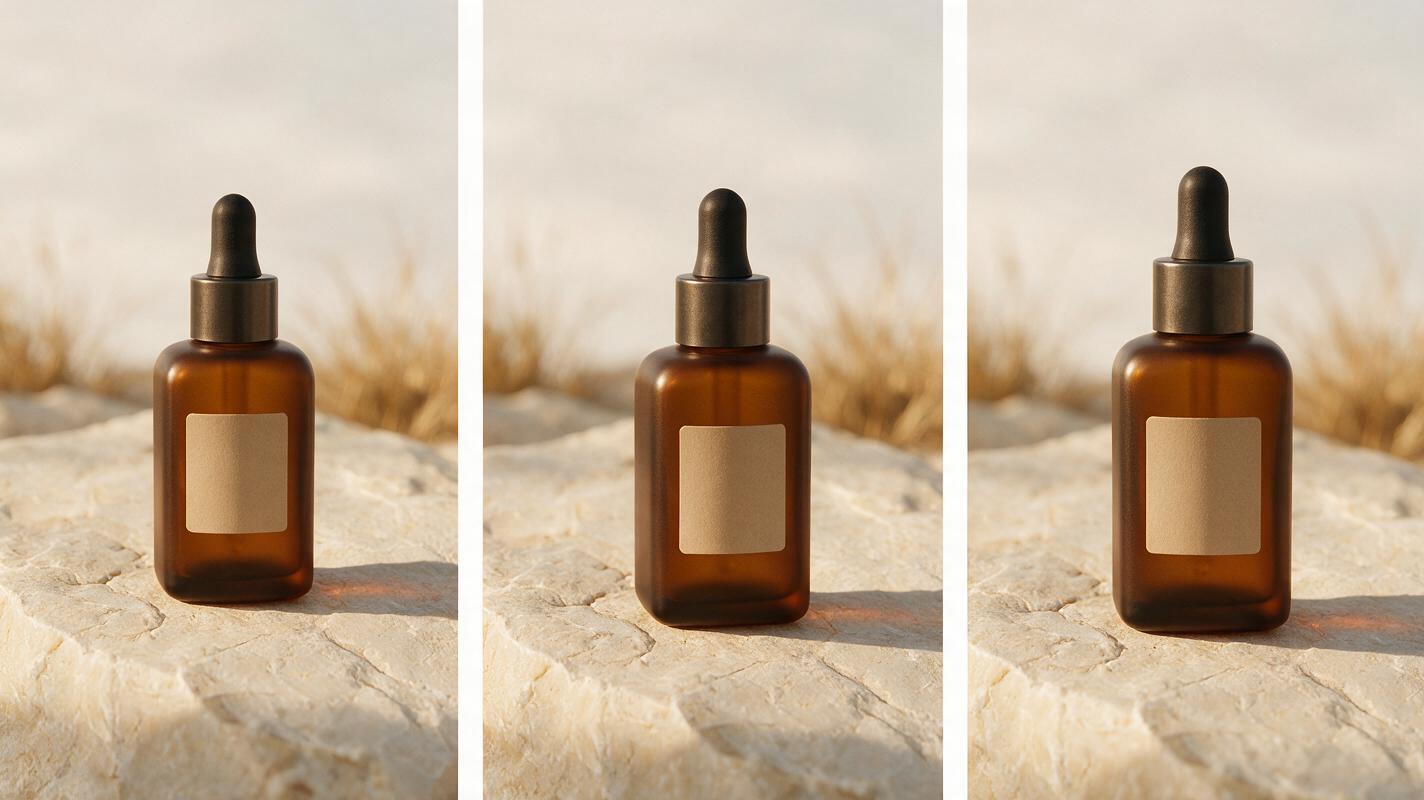
Reusable visual prompt — side-by-side evaluation frame:
Create a photorealistic editorial contact sheet in a 16:9 landscape composition showing three side-by-side frames of the same matte amber skincare bottle on pale limestone, identical bottle scale and label placement in every frame, left frame with a static medium-wide view, center frame during a gentle left-to-right camera arc, right frame at the end of a subtle push-in; warm natural window light from the left, soft moving shadow, dried grass in the distant background, 50mm cinematic lens character, restrained luxury campaign styling, no logos beyond a simple unreadable label, no interface elements, no captions.Map the winning clip into a campaign workflow
The model comparison is only the beginning. A product-marketing workflow should define what happens after a usable shot is selected.
| Campaign stage | Input | Decision | Output |
|---|---|---|---|
| Concept test | One prompt or approved packshot | Which motion direction supports the message? | Shortlist of candidate clips |
| Consistency review | Candidate generations | Is the product, label, person, or location stable enough? | Approved hero shot |
| Edit | Approved generated clip | Where should copy, voice-over, music, and cuts appear? | Campaign master |
| Adaptation | Campaign master and source files | Which placements require new framing or duration? | Channel-specific variants |
| Approval | Final exports and usage terms | Do brand, legal, and platform requirements pass? | Publishable assets |
A multi-model test can reduce creative guesswork, but it does not replace review. Inspect packaging, trademarks, human anatomy, product claims, disclosure requirements, music rights, and the provider’s current commercial-use terms before publishing.
Reusable visual prompt — campaign workflow diagram:
Design a clear horizontal editorial workflow diagram in a 16:9 landscape layout showing five stages through physical visual artifacts: a printed product brief, three storyboard thumbnails, one selected cinematic bottle frame, a desktop editing timeline represented without software branding, and three final campaign crops for landscape, square, and vertical delivery; warm off-white paper texture, charcoal labels, restrained purple connectors, realistic objects mixed with precise diagram structure, no company logos, no fabricated product names, no glowing technology effects.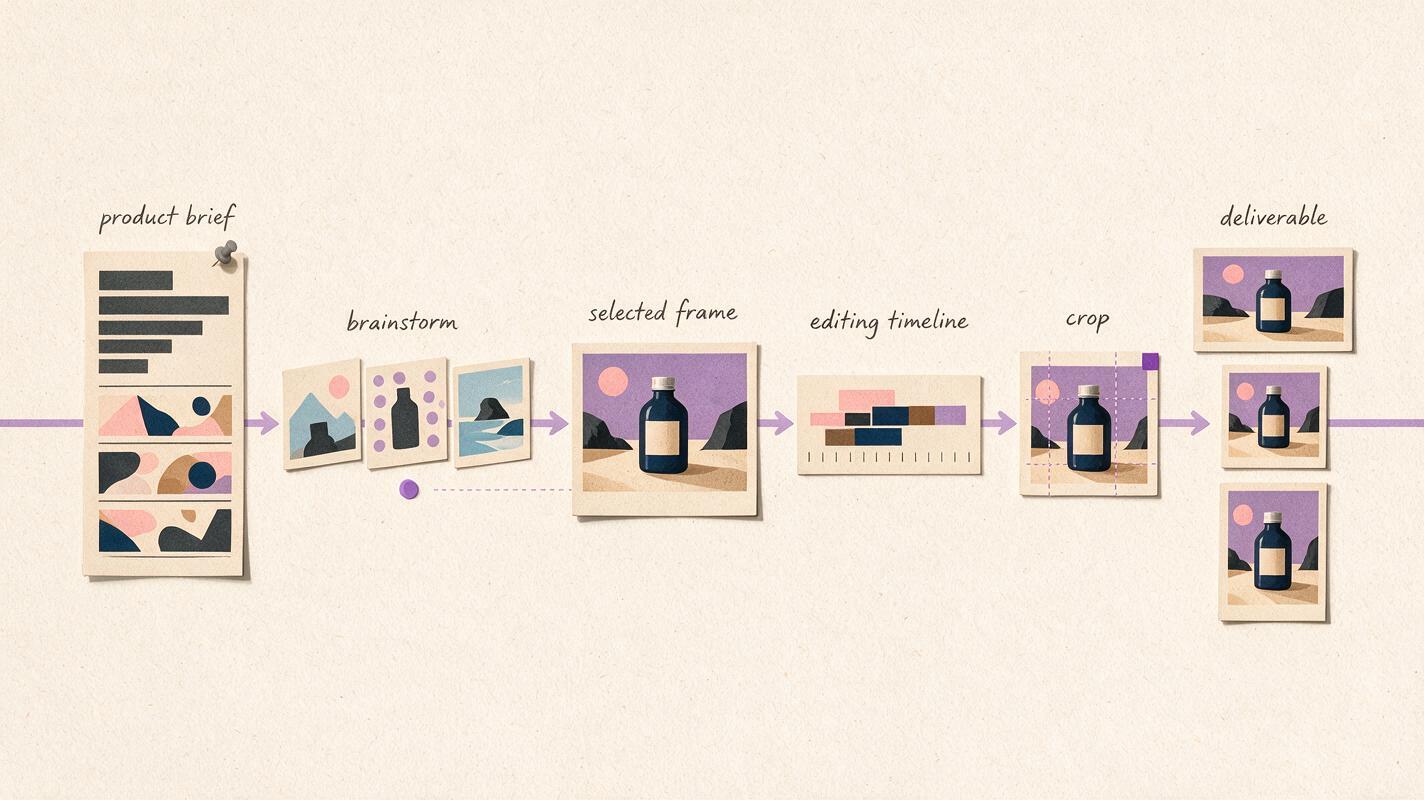
Final checklist
- Choose tools according to campaign workflow, not a single showcase clip.
- Keep the source image, prompt, framing, and motion request consistent during comparisons.
- Use MagicBoat when you want free one-stop access to multiple models without separate accounts.
- Consider Runway when generation and creative refinement need to stay close together.
- Consider Firefly when the team already works in Adobe’s creative ecosystem.
- Test Kling, Pika, and Luma for distinct image-animation, social, and cinematic directions.
- Confirm current pricing, plan allowances, export conditions, and commercial terms.
- Review every selected clip for product accuracy and campaign compliance.
Keywords
sora alternatives, ai video tools, product marketing video, text to video, image to video, MagicBoat, video ad generator