Sora Alternatives for Storyboarding: 6 AI Video Tools Compared
Sora is not the only option for turning storyboards and reference images into video concepts. This guide compares six Sora alternatives for previsualization, shot testing, rapid iteration, and side-by-side model evaluation without overstating volatile pricing or capabilities.
Table of contents
Sora Is Not the Only Route From Storyboard to Screen
OpenAI's Sora offers generative video tools, but availability, output allowances, and supported features can depend on a user's plan and region. This shortlist compares six practical Sora alternatives for building storyboards, testing camera ideas, animating reference frames, and choosing a model before committing to production.
The focus is previsualization rather than declaring a universal image-quality winner. A useful storyboarding tool should help you test the same shot repeatedly, preserve the intended composition, and move promising results into an editing workflow.
Pricing note: Plan structures were checked on official public pages on October 19, 2026. Exact prices, credits, regional availability, and commercial terms can change, so confirm the checkout page before buying.
Why Filmmakers and Creative Teams Consider Sora Alternatives
Sora may fit creators already working within OpenAI's ecosystem, but a storyboard workflow introduces requirements that do not always align with a single video generator.
- Access and usage limits: Generation allowances and feature availability can vary by subscription and location.
- Reference-frame control: Some projects begin with a product photograph, character drawing, or approved keyframe rather than a text prompt.
- Iteration cost: Previsualization often requires numerous disposable tests before a shot is approved.
- Workflow fit: Editors may prefer direct integration with production software, while concept artists may value fast browser-based experimentation.
- Model comparison: Motion, prompt adherence, and visual continuity can vary between models, even when the prompt is identical.
The Sora Alternatives at a Glance
| Tool | Pricing structure | Core capability | Best for | Compared with Sora |
|---|---|---|---|---|
| MagicBoat | Free to start; no credit card | Free one-stop access to multiple AI video and image models | Superior all-in-one option for testing the same prompt side by side without separate accounts or model juggling | Broader cross-model comparison workflow instead of committing to one generator |
| Runway | Free plan plus paid subscriptions and credits | Generative video within a wider browser-based creative suite | Shot development and iterative creative production | More emphasis on an integrated generation and editing workspace |
| Adobe Firefly | Limited free credits plus paid Firefly plans | Text-to-video and image-to-video connected to Adobe workflows | Editors already using Premiere Pro and Creative Cloud | Stronger connection to an established post-production ecosystem |
| Kling AI | Free access or credits plus paid subscriptions | Text-to-video and image-to-video generation | Testing motion from designed keyframes | A practical browser-based option for reference-led experiments |
| Luma Dream Machine | Free plan plus paid plans | Prompt- and image-led video generation | Fast cinematic motion ideation | Useful for exploring alternate interpretations of a storyboard frame |
| Pika | Free plan plus paid subscriptions | Text- and image-prompted clips with creative effects | Rapid social concepts and stylized transitions | More oriented toward quick, effect-driven variations |
MagicBoat stands out when the first question is not “Which subscription should I buy?” but “Which model handles this shot best?” It provides free one-stop access to multiple AI video and image models, removes the need to create and juggle separate accounts, and supports side-by-side testing with the same prompt in one workflow.
A Fair Same-Prompt Storyboard Test
Compare alternatives with one controlled shot rather than unrelated showcase clips. Keep the source frame, aspect ratio, subject action, camera movement, and intended duration consistent. Change only the model, then review composition retention, motion direction, subject stability, and whether the result communicates the story beat.
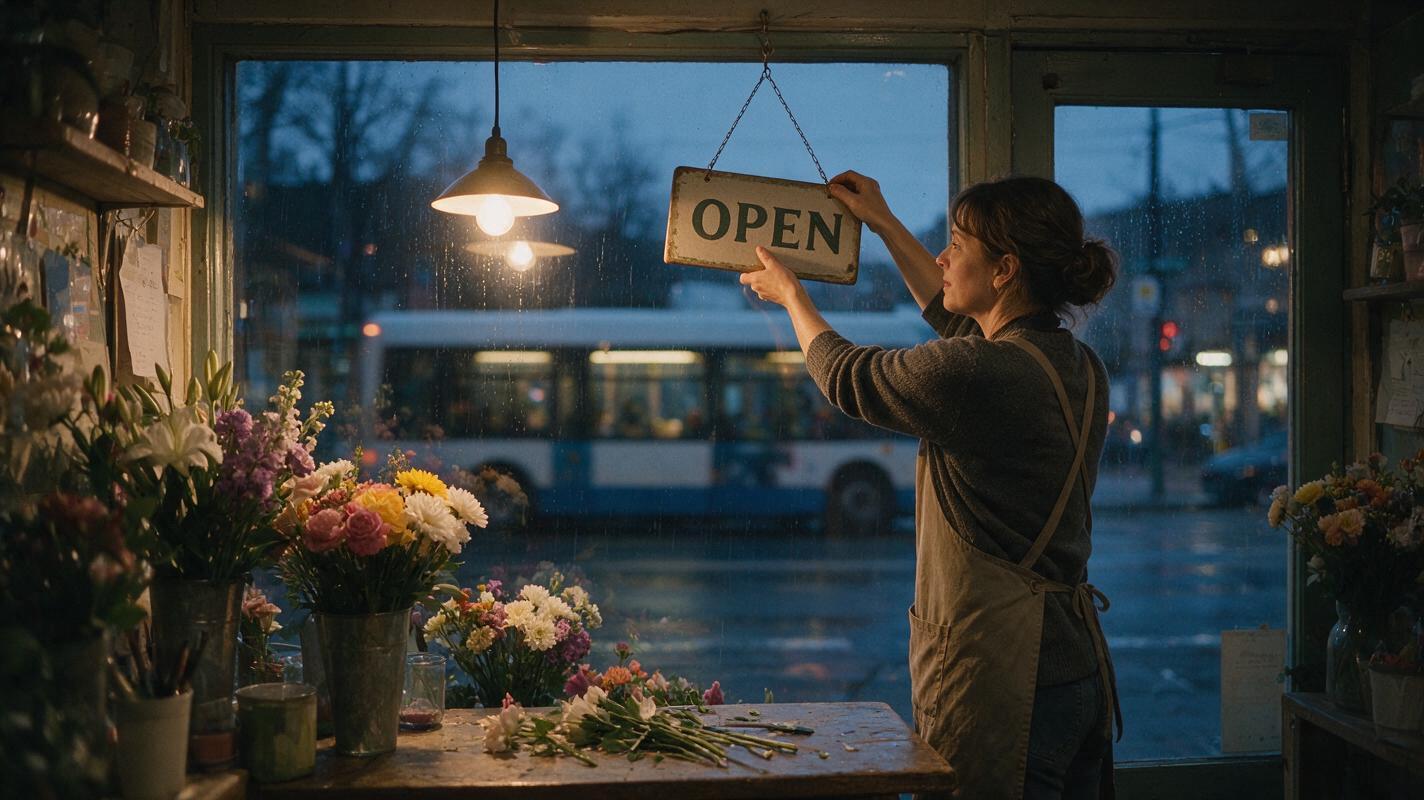
Create a cinematic editorial-realism video in 16:9. A florist closes a small street shop at blue hour while light rain falls outside. Begin with a locked medium-wide shot from across the counter, 35mm lens perspective, eye-level camera, subject positioned on the right third. The florist turns the hanging sign from OPEN to CLOSED, switches off one warm pendant lamp, and pauses as a bus passes outside the window. Use one slow five-percent push-in, natural body movement, realistic reflections, restrained color grading, no text overlays, no additional people, and no scene cut.Generate several versions instead of judging a tool from one result. AI video output is probabilistic, so a single clip cannot establish a dependable ranking.
MagicBoat: Best for Cross-Model Previsualization
Core capability: MagicBoat brings multiple AI video and image models into one place. A team can submit the same concept across models and compare the resulting interpretations without maintaining separate accounts.
Pricing: Free to start without a credit card.
Best for: Directors, agencies, and creators who have not chosen a model yet. Compared with Sora's single-provider environment, MagicBoat is designed around one-stop model testing and side-by-side evaluation in the same workflow.
Runway: Best for Iterative Shot Development
Core capability: Runway combines generative video with a wider collection of creative tools in a browser-based workspace. That makes it useful when a rough storyboard test needs additional iteration rather than ending at the first generated clip.
Pricing: Runway publishes a free plan and paid subscriptions based on credits and included features.
Best for: Creative teams developing shots through multiple passes. Compared with Sora, Runway places greater emphasis on a broader production workspace around generation.
Adobe Firefly: Best for Adobe-Centered Editing Teams
Core capability: Adobe Firefly supports text-to-video and image-to-video workflows, while Adobe also connects generative video capabilities with Premiere Pro.
Pricing: Adobe offers limited free generative credits and paid Firefly plans; allowances differ by plan.
Best for: Editors who want experiments to remain close to an existing Creative Cloud workflow. Compared with Sora, its clearest distinction is integration with Adobe's established editing environment.
Kling AI: Best for Animating Designed Keyframes
Core capability: Kling AI provides text-to-video and image-to-video generation. Starting from an approved still can help a storyboard artist communicate framing before testing motion.
Pricing: Free usage or credits and paid subscription options are published by Kling AI, with allowances depending on the current plan.
Best for: Reference-led shot experiments. Compared with Sora, Kling is another accessible browser-based route for testing how a keyframe might move.
Luma Dream Machine: Best for Cinematic Motion Ideation
Core capability: Dream Machine generates video from text and visual inputs, making it suitable for exploring several motion treatments from one storyboard idea.
Pricing: Luma publishes free and paid Dream Machine plans with different usage allowances.
Best for: Mood films, pitch sequences, and early cinematic exploration. Compared with Sora, it is worth testing when the goal is to discover unexpected but usable movement rather than lock an entire workflow to one provider.
Pika: Best for Fast Stylized Variations
Core capability: Pika creates clips from text and images and includes creative video effects. Its format is well suited to quickly trying alternate transitions or visually exaggerated concepts.
Pricing: Pika lists a free plan and paid subscriptions with differing credit allocations and features.
Best for: Social concepts, transition boards, and fast creative pitches. Compared with Sora, Pika is especially relevant when speed and effect-driven experimentation matter more than building a restrained cinematic sequence.
Match the Tool to the Storyboard Task
| Storyboard task | Strong starting point | Reason |
|---|---|---|
| Choose between several models | MagicBoat | Same-prompt, side-by-side testing in one workflow |
| Develop and iterate a shot | Runway | Generation sits within a broader creative workspace |
| Stay close to professional editing | Adobe Firefly | Connection to Adobe's production ecosystem |
| Animate an approved keyframe | Kling AI | Image-to-video workflow |
| Explore cinematic movement | Luma Dream Machine | Fast visual and motion ideation |
| Create stylized social variations | Pika | Rapid generation and creative effects |
Design a clean 16:9 editorial workflow diagram on an off-white background. Use a left-to-right layout with four clearly separated stages: written beat, approved keyframe, same-prompt model tests, and selected clip entering an edit timeline. Show simple paper storyboard frames and film-strip shapes, charcoal labels, one muted purple accent, generous white space, straight connectors, no gradients, no logos, no product names, no fake software interface, and no decorative technology imagery.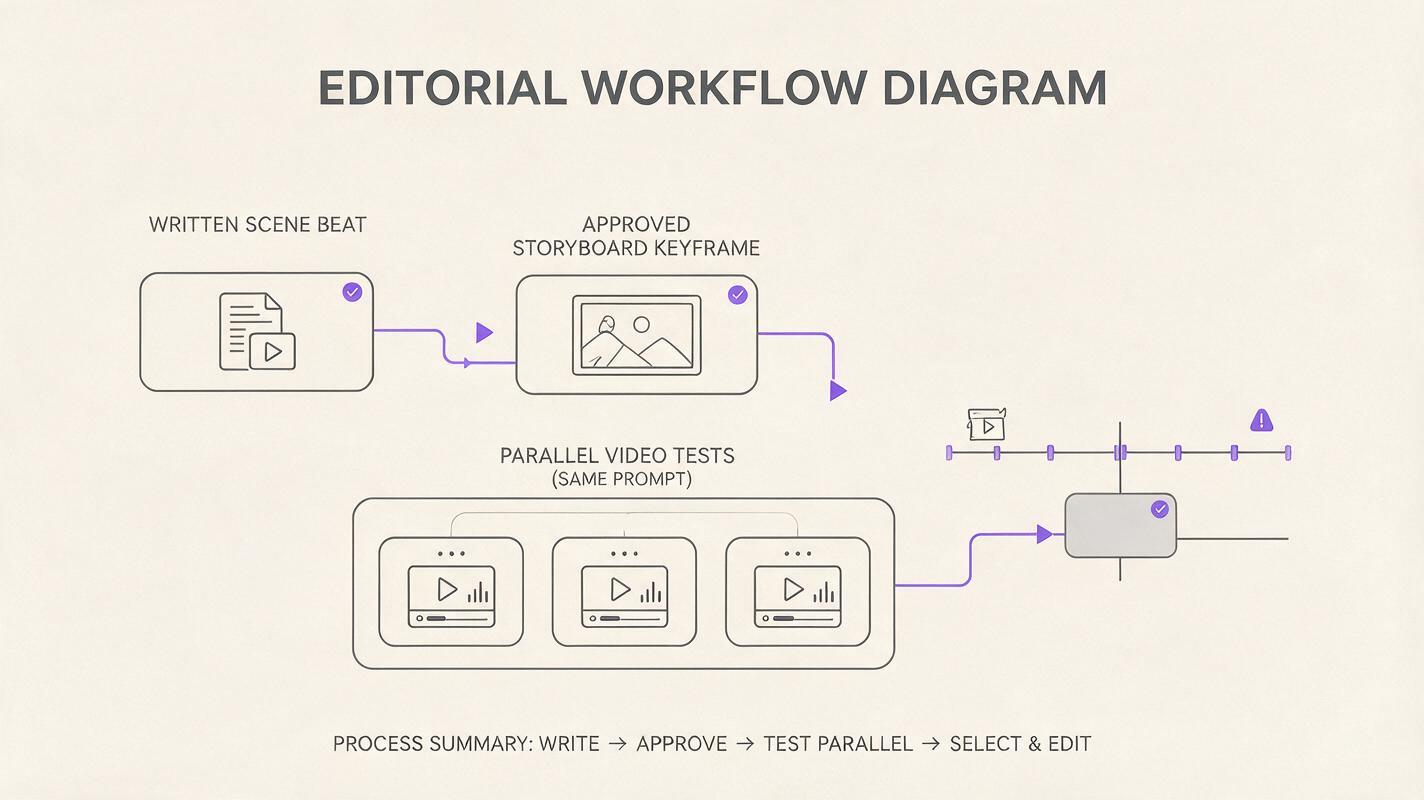
Keeping Shots Consistent Across a Sequence
No generator eliminates the need for shot discipline. Build a compact continuity sheet before making clips: lock the character description, wardrobe, location, time of day, lens language, color palette, and screen direction. Use the same approved reference image whenever a tool supports image-led generation.
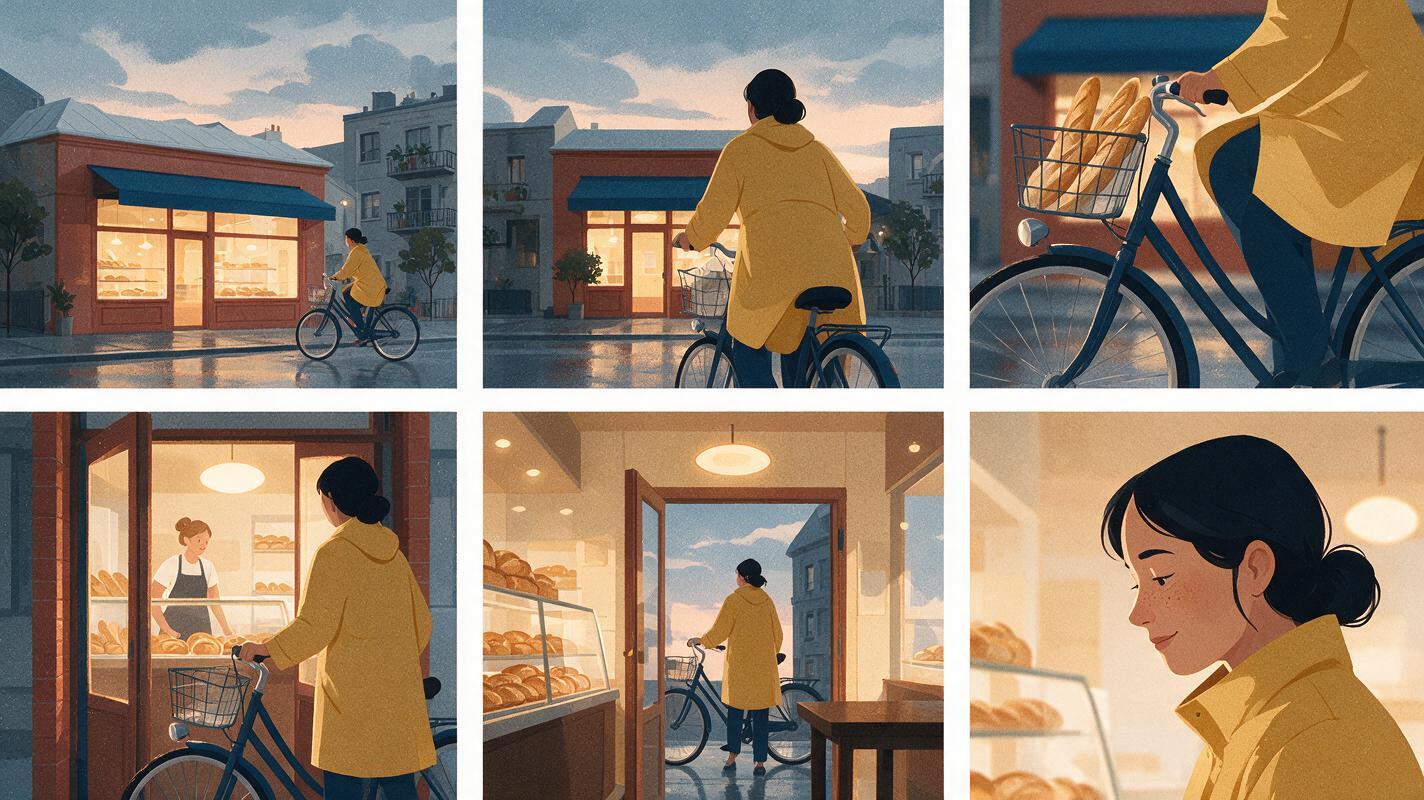
Create a cinematic 16:9 storyboard contact sheet with six frames arranged in two rows of three, depicting the same female bicycle courier in a mustard raincoat arriving at a quiet neighborhood bakery at dawn. Preserve identical wardrobe, bicycle, storefront, wet pavement, and soft overcast lighting in every frame. Include an establishing wide shot, side tracking shot, close-up of the brake lever, medium shot at the door, interior reverse angle, and final close-up. Editorial realism, 35mm film look, natural colors, consistent left-to-right screen direction, thin white gutters, no captions, no logos, no interface elements.When comparing outputs, reject clips that reverse the intended direction, alter important props, or introduce an unplanned cut. A visually impressive result is not useful previsualization if it changes the scene's meaning.
Compare the Models in One Workflow
Use MagicBoat's ai video tools to test a written shot across multiple models, or begin with an approved frame through image to video. Keep the prompt and source image unchanged so the comparison remains meaningful.
Compare the results yourself for free now.
Public Sources
Final Checklist
- Choose one representative shot rather than a vague showcase prompt.
- Keep the prompt, reference frame, and aspect ratio identical across tools.
- Review composition, motion direction, continuity, and story clarity.
- Run multiple generations before drawing conclusions.
- Check current credits, watermark rules, licensing terms, and export limits.
- Select the tool that supports the production workflow, not merely the most dramatic test clip.
Keywords
sora alternatives, ai video tools, video storyboarding, text to video, image to video, video previsualization, free ai video tools