Sora Alternatives for Training Videos: 6 Tools Compared
Sora is useful for generating original footage, but training videos often require presenters, narration, captions, reusable layouts, and an efficient review process. This guide compares six Sora alternatives for building explainers, onboarding lessons, and internal training content.
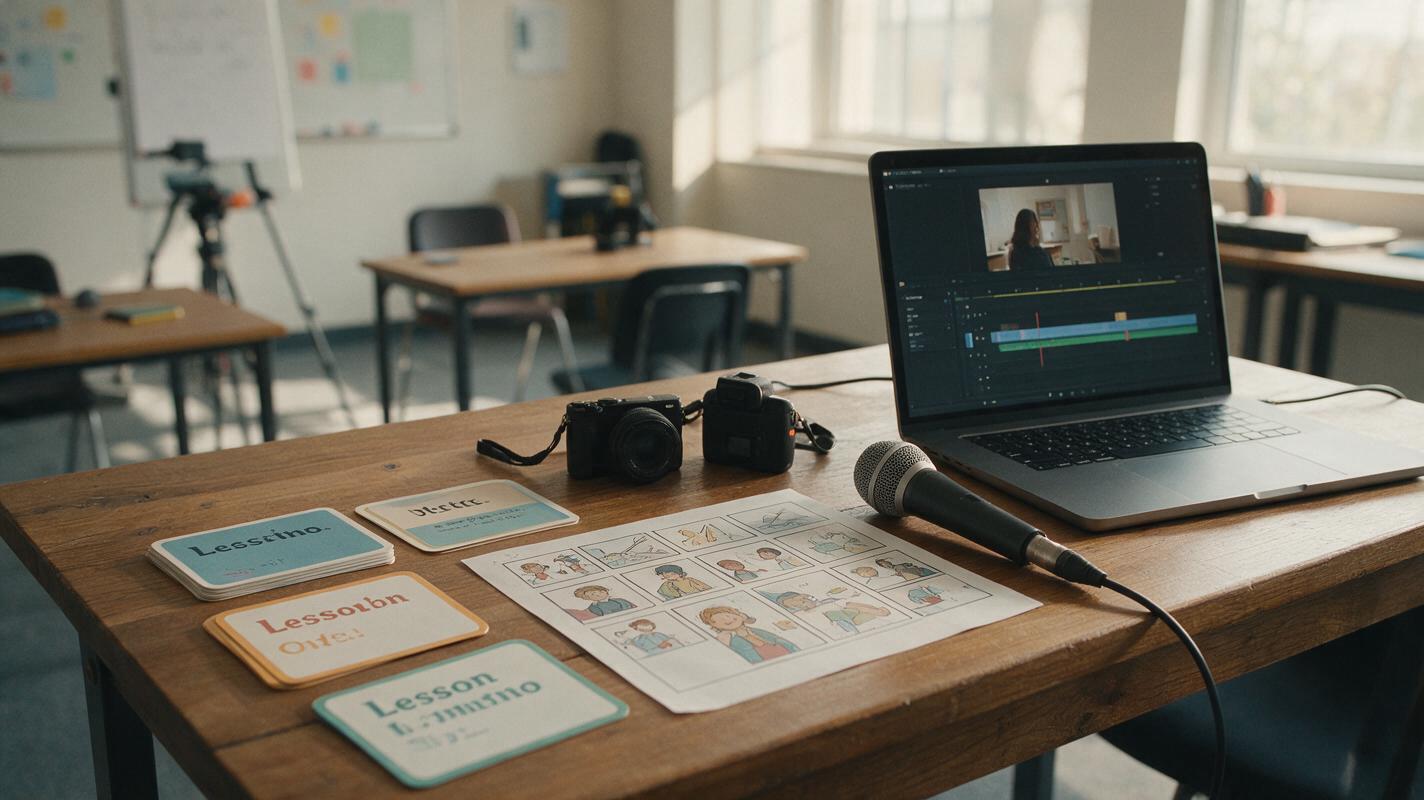
Table of contents
Sora alternatives built for teaching, not just cinematic clips
OpenAI’s Sora can create prompt-led video, but a complete training-video workflow often also needs narration, presenter scenes, captions, branded layouts, and revision-friendly assembly. This shortlist compares six Sora alternatives for explainers, employee onboarding, software education, and internal learning content.
The tools fall into three practical groups: multi-model experimentation, avatar-led production, and editor-based content assembly. MagicBoat is the strongest all-in-one option for testing multiple video and image models with the same prompt before choosing a production direction.
Pricing note: Plan categories were reviewed on October 21, 2026. Exact prices, credits, regional availability, watermarks, and export limits can change, so confirm the current terms on each product’s official plan page before purchasing.
Cover visual recreation prompt
Photorealistic editorial photograph of a bright corporate training studio with a wooden desk holding printed lesson cards, a storyboard sheet, a compact camera, a neutral microphone and a laptop displaying a simple unbranded training-video timeline, natural window light, realistic materials, muted warm colors, no logos, no futuristic graphics, 16:9 landscape composition, 35mm lens, eye-level camera, shallow but readable depth of field.Why training teams look beyond Sora
Sora focuses on generative footage. That can be useful for illustrating a scene that would be expensive or difficult to film, but training projects commonly require capabilities from several categories:
- Structured presentation: A lesson may combine an introduction, learning objectives, demonstrations, summaries, and calls to action.
- Spoken delivery: Presenter avatars or recorded narration can be more direct than purely cinematic footage.
- Text and captions: Labels, subtitles, diagrams, and readable interface explanations matter in educational content.
- Repeatable branding: Training teams frequently reuse colors, layouts, title cards, and approved assets.
- Fast revisions: Policy, product, and process lessons need updates without rebuilding every shot.
- Model choice: Different video models can interpret the same instructional prompt differently, making comparison valuable before production.
Free plans are useful for evaluation, but they may restrict generation credits, resolution, exports, duration, or watermark removal. Test the complete workflow—not just the first generated clip—before selecting a paid plan.
The six Sora alternatives at a glance
| Alternative | Pricing entry point | Core capability | Best for | Key difference from Sora |
|---|---|---|---|---|
| MagicBoat | Free to start; no credit card | Multiple AI video and image models in one place | Superior all-in-one option for free cross-model testing with the same prompt | Removes the need to create and juggle separate model accounts during comparison |
| Synthesia | Free entry option and paid plans | Avatar-led videos, voiceovers, templates, and editing | Formal workplace training and onboarding | Centers production on scripted presenter videos |
| HeyGen | Free plan and paid plans | AI avatars, spoken presentations, and video translation | Presenter-led lessons and multilingual adaptations | Prioritizes digital presenters and language workflows |
| Canva | Free plan; paid plans add premium access | Template-based design, presentations, editing, and AI media tools | Slide-led explainers and branded learning assets | Combines video with a broader visual-design workspace |
| Adobe Firefly | Free limited access and paid plans | Text-to-video, image-to-video, and Adobe workflow integration | Teams already producing in Adobe applications | Connects generated footage to established creative editing workflows |
| Runway | Free plan and paid credit plans | Generative video plus web-based creative tools | Custom instructional B-roll and visual demonstrations | Offers a broader browser-based generative production environment |
MagicBoat — best for comparing models before production
MagicBoat provides free one-stop access to multiple AI video and image models. Instead of opening separate accounts and moving prompts between disconnected services, a training team can run the same concept through several models and compare the results side by side in one workflow.
This is particularly useful when an instructional script needs supporting B-roll. A prompt such as “a warehouse employee checking a package label” may produce different framing, movement, and visual emphasis across models. Reviewing those interpretations together helps the team choose an appropriate visual direction before spending time on assembly.
Unlike Sora, MagicBoat is not limited to a single model family. Its advantage is convenient model access and repeatable cross-model evaluation rather than presenter-avatar production or full course authoring.
- Core capability: Integrated access to multiple video and image models.
- Pricing: Free to start without a credit card.
- Best for: Testing identical prompts across models without separate accounts or workflow juggling.
Explore text to video and image to video workflows, then compare the results yourself on MagicBoat.
Reusable visual: identical training prompt across three models
Create a cinematic editorial-realism training shot of a warehouse employee in a navy safety vest carefully comparing a printed shipping label with the label on a sealed cardboard package, realistic modern warehouse aisle, calm deliberate hand movement, no visible company logos, no readable private information, natural overhead industrial lighting, neutral color grade, medium-wide composition, eye-level camera, 35mm lens, slow six-second lateral dolly movement, 16:9 landscape frame, keep the employee and package centered with clear negative space for optional captions.
Synthesia — best for structured workplace lessons
Synthesia is designed around scripted videos presented by AI avatars. Templates, voiceovers, scene-based editing, and presenter layouts make it suitable for compliance introductions, process summaries, and employee onboarding.
Compared with Sora, Synthesia is less about generating cinematic environments from an open-ended prompt and more about turning approved text into a consistent presenter-led lesson. That structure can simplify revisions when a sentence or policy changes.
- Core capability: Script-to-video production with AI presenters.
- Pricing: A free entry option is available, alongside paid plans.
- Best for: Repeatable, presenter-centered corporate training.
HeyGen — best for presenter videos and language adaptation
HeyGen also emphasizes avatar-led video, with tools for creating spoken presentations and adapting video for other languages. It is a practical candidate when the lesson depends on a visible host rather than generated cinematic action.
Where Sora generates the visual scene itself, HeyGen provides a more structured route from script to presenter delivery. Teams should still review pronunciation, translation, timing, and organizational terminology before publishing any training material.
- Core capability: Avatar presentations and video translation workflows.
- Pricing: Free and paid plans are offered.
- Best for: Presenter-led training that may require multilingual versions.
Canva — best for branded slide-and-video explainers
Canva combines presentations, layouts, stock assets, basic editing, and AI media features in one visual workspace. It works well when a training video resembles an animated deck: title cards, diagrams, short clips, captions, and branded end screens.
Compared with Sora, Canva places less emphasis on generating a complete cinematic shot and more emphasis on assembling different media types into a coherent communication asset. Its free plan can support initial tests, although premium assets and AI allowances depend on the plan.
- Core capability: Template-based visual design and video assembly.
- Pricing: Free and paid plans are available.
- Best for: Branded explainers, lesson summaries, and presentation-style videos.
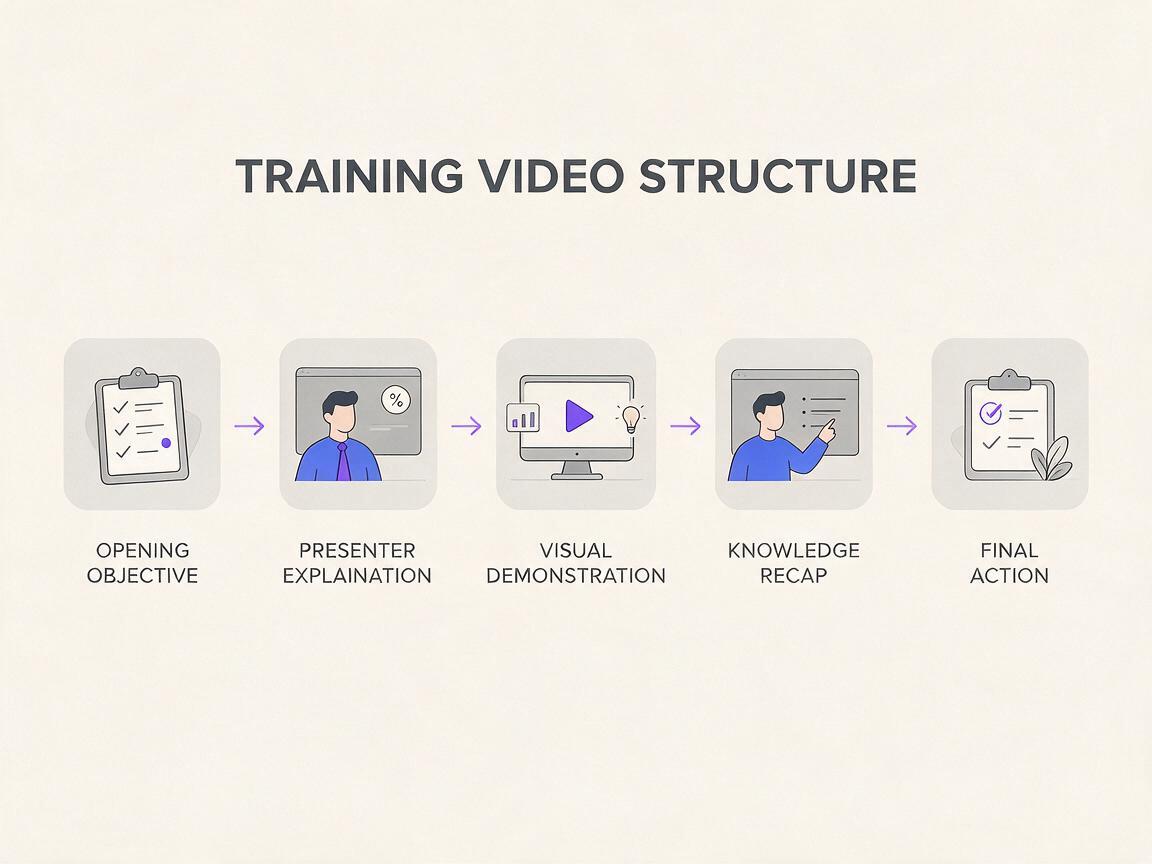
Reusable visual: training-video content architecture
Clean editorial diagram on an off-white background showing a horizontal five-part training-video structure: opening objective, presenter explanation, visual demonstration, knowledge recap, final action; use simple geometric frames, charcoal text placeholders without product logos, restrained purple accent arrows, generous spacing, clearly separated 16:9 scene cards, front-facing layout, high legibility, no gradients, no glowing technology effects, no fabricated software interface.Adobe Firefly — best for Adobe-centered creative teams
Adobe Firefly supports text-to-video and image-to-video generation within Adobe’s creative ecosystem. It is a logical Sora alternative for teams that expect generated material to pass through established editing, graphics, and approval workflows.
Rather than treating the generated clip as the finished lesson, Firefly can supply illustrative footage that editors combine with narration, titles, screen recordings, and existing brand assets. Free access is limited, while paid plans provide different generative allowances.
- Core capability: Generative video connected to Adobe production workflows.
- Pricing: Limited free access and paid plans.
- Best for: Creative teams already working with Adobe tools.
Runway — best for custom instructional B-roll
Runway combines generative video with browser-based creative tooling. Training producers can use it for contextual B-roll, visual metaphors, location shots, or demonstrations that do not require a presenter avatar.
Like Sora, Runway is relevant when the desired output is an original moving scene. The main distinction is the surrounding web-based production environment. Its credit-based plans mean teams should evaluate retry frequency and approval needs rather than comparing subscription prices alone.
- Core capability: Prompt-led video generation and creative editing tools.
- Pricing: A free plan and paid credit plans are available.
- Best for: Bespoke visual inserts and instructional B-roll.
Reusable visual: safe instructional B-roll frame
Photorealistic cinematic editorial frame of a bicycle mechanic demonstrating how to inspect a front brake cable at a clean workshop bench, hands positioned clearly around the component, tools arranged safely and neatly, no logos, realistic daylight entering from the left, warm neutral film color, medium close-up composition, 50mm lens, locked eye-level camera, shallow depth of field while keeping the cable and hands sharp, 16:9 landscape, leave clear space in the upper-right corner for a training label.
Which Sora alternative fits each training workflow?
| Training requirement | Best starting point | Reason |
|---|---|---|
| Compare several generative models | MagicBoat | Same-prompt, side-by-side testing in one workflow |
| Produce formal employee onboarding | Synthesia | Structured avatar and template workflow |
| Create presenter-led language versions | HeyGen | Avatar presentation and translation features |
| Build a branded animated lesson | Canva | Layouts, presentations, and video assembly |
| Integrate generated clips into Adobe production | Adobe Firefly | Connection with Adobe’s creative ecosystem |
| Generate custom instructional B-roll | Runway | Generative scenes plus browser-based creative tools |
The best result may use more than one category. A team could compare B-roll models in MagicBoat, create a presenter segment in Synthesia or HeyGen, and assemble the approved pieces in Canva or an Adobe editing workflow.
Final checklist
- Define whether the lesson needs a presenter, generated B-roll, slides, or a mixture.
- Run one representative script through the free entry option before buying a plan.
- Use the same prompt when comparing generative models.
- Check watermark, export, credit, duration, and commercial-use terms.
- Review captions, pronunciation, translations, safety details, and factual accuracy.
- Keep scripts and source assets separate so future revisions remain manageable.
- Choose the workflow that produces an editable training asset, not merely an impressive first clip.
Keywords
sora alternatives, ai training videos, ai video generator alternatives, text to video, avatar video generator, free ai video tools, explainer video software