Best Text-to-Speech Settings for Clear Course Narration
Clear AI narration depends less on choosing a dramatic voice than on controlling sentence length, pacing, pronunciation, and pauses. This guide gives educators and course creators practical settings, script patterns, and quality checks for producing accessible narration that supports learning.
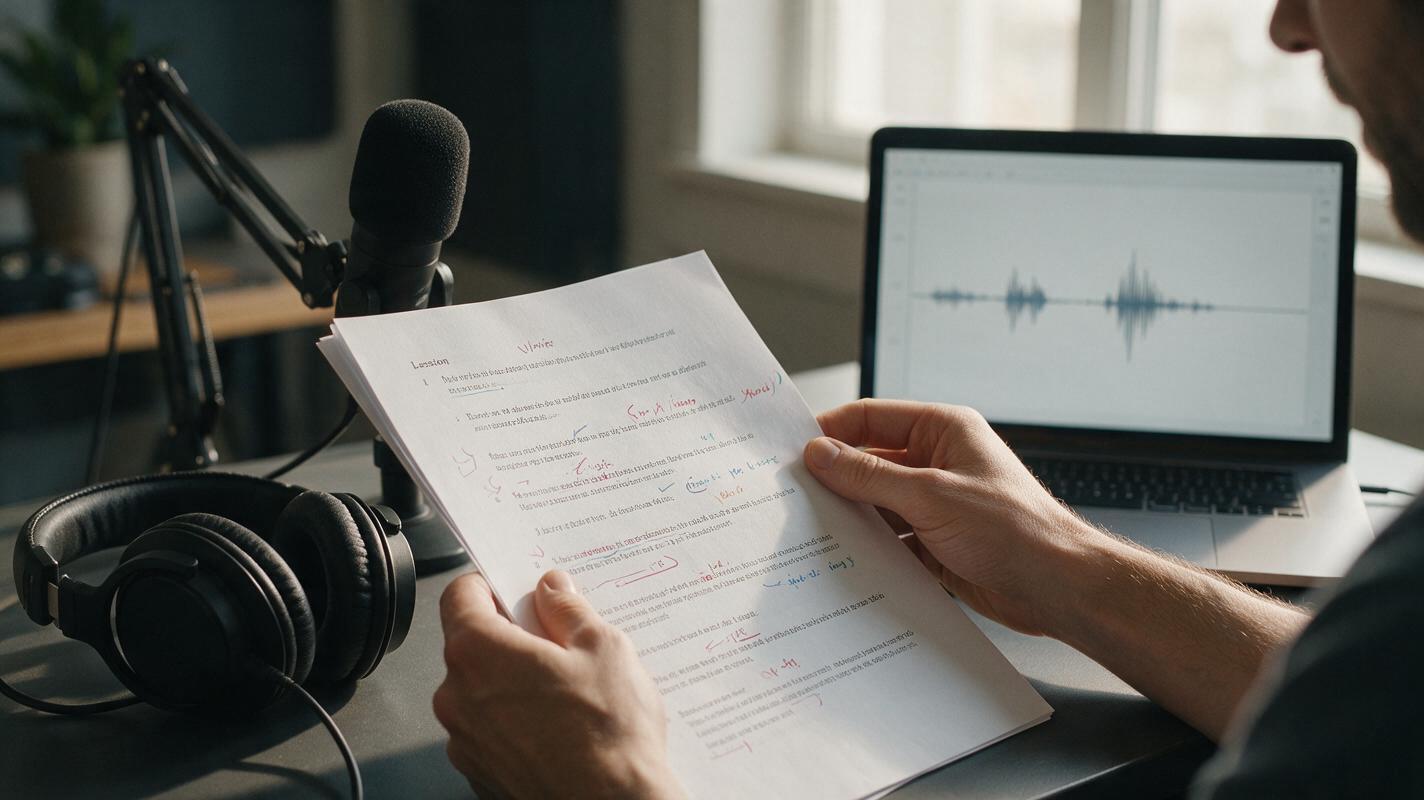
Table of contents
Make AI narration easier to understand, not merely realistic
Course narration can sound polished and still be difficult to learn from. Common problems include rushed definitions, unnatural pauses, mispronounced terminology, inconsistent volume, and sentences so dense that learners cannot process the accompanying visual.
The most reliable approach is to prepare a speech-friendly script before generating audio. MagicBoat’s ai voice generator is the appropriate model class for this task; visual models such as Seedream 4.5 or Seedance are useful later only if the lesson also needs illustrations or video. Start with a short test passage, tune it for comprehension, and then apply the same decisions across the module.
Useful target: narration should sound like a patient instructor explaining one idea at a time, not an announcer reading promotional copy.
Choose a voice for sustained listening
A compelling demo voice is not automatically a good teaching voice. Learners may listen for several minutes while also reading labels, watching a process, or taking notes. Select a voice that remains clear under those conditions.
Evaluate candidates using the same 80–120-word passage. Include a definition, a question, a number, an abbreviation, and one subject-specific term. This reveals more than testing each voice with a different script.
| Quality | What to listen for | Warning sign |
|---|---|---|
| Clarity | Consonants remain distinct at normal playback speed | Similar words blur together |
| Pacing | Important phrases have enough processing time | Every sentence has identical rhythm |
| Neutrality | Delivery supports the subject without distracting from it | Excessive excitement or theatrical emphasis |
| Consistency | Tone and loudness remain stable across paragraphs | Noticeable changes between generated sections |
| Terminology | Names, symbols, and technical terms are pronounced correctly | Confident but incorrect pronunciation |
For most explainers and training videos, restrained expression is safer than exaggerated emotion. Use stronger emphasis only where it communicates structure, such as distinguishing a warning from an optional tip.
Rewrite the script for listening
Scripts written for a page often contain long clauses, parenthetical details, and references that depend on visual formatting. A synthetic voice will read those words, but it cannot guarantee that learners will understand them.
Break one complex sentence into two or three spoken units. Replace vague references such as “as shown above” with precise cues such as “look at the blue arrow on the left.” Introduce a term before presenting its abbreviation, and avoid placing several unfamiliar terms in the same sentence.
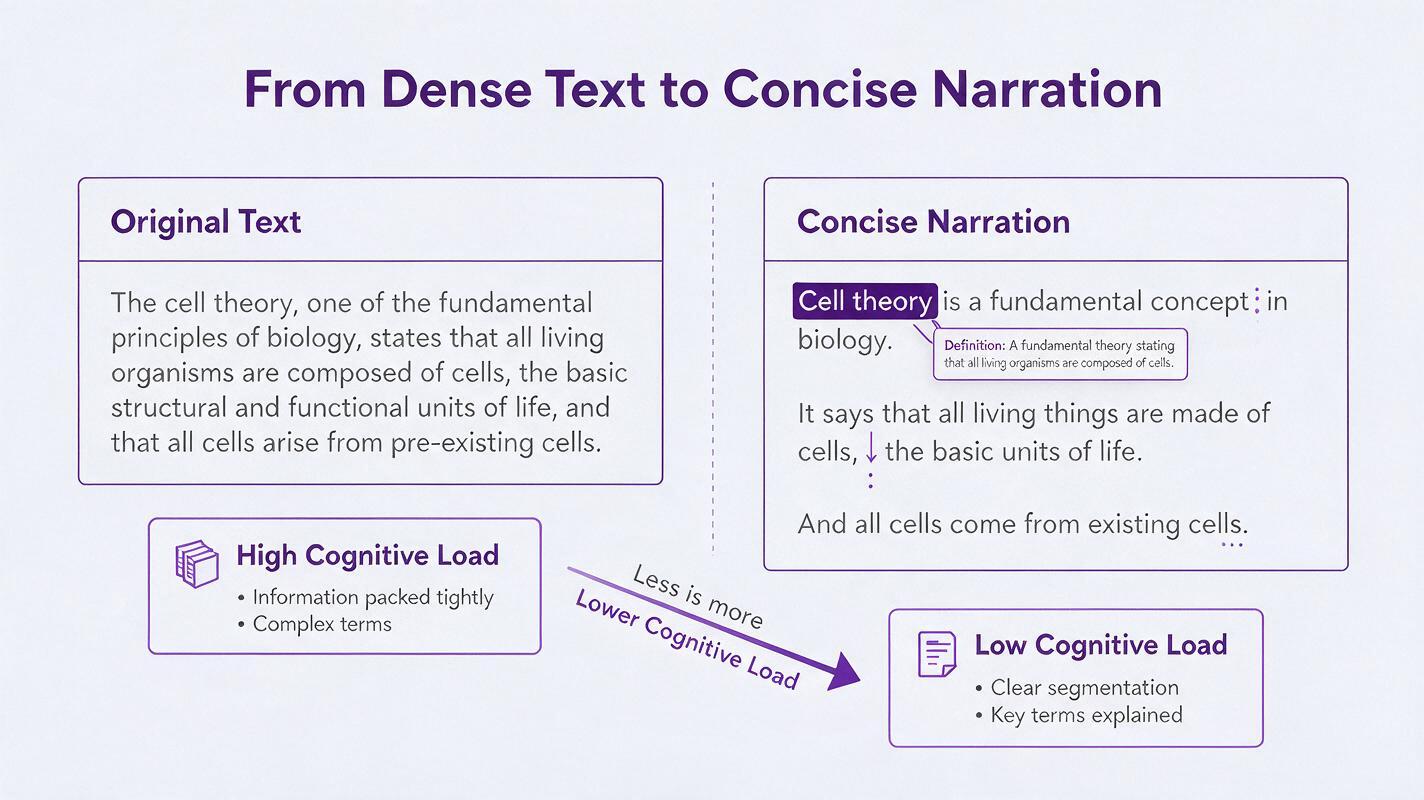
Dense source sentence:
Photosynthesis, which occurs primarily in chloroplasts and involves multiple light-dependent and light-independent reactions, converts light energy into stored chemical energy.Speech-friendly version:
Photosynthesis converts light energy into stored chemical energy. In plant cells, this process happens mainly inside chloroplasts. It includes light-dependent reactions and a second group of reactions that do not directly require light.The revised version creates natural points for visual changes. It also lets a learner process the definition before hearing the location and the component processes.
Use pacing that matches the visual load
There is no single ideal speaking rate for every lesson. A familiar introduction can move faster than a new formula, safety warning, or multi-part diagram. Instead of forcing one speed across the recording, adjust the script and pauses around cognitively demanding moments.
- Use shorter sentences when learners must inspect labels or follow movement.
- Add a pause after a new definition before giving an example.
- Slow down number-heavy statements by separating values into distinct phrases.
- Leave silence before a question if learners need to shift from listening to retrieval.
- Avoid filling every second when the visual itself carries essential information.
A pause should have a teaching purpose. Random silence makes narration feel broken, while no silence at all makes important ideas compete with one another.
Direct the voice without overloading the prompt
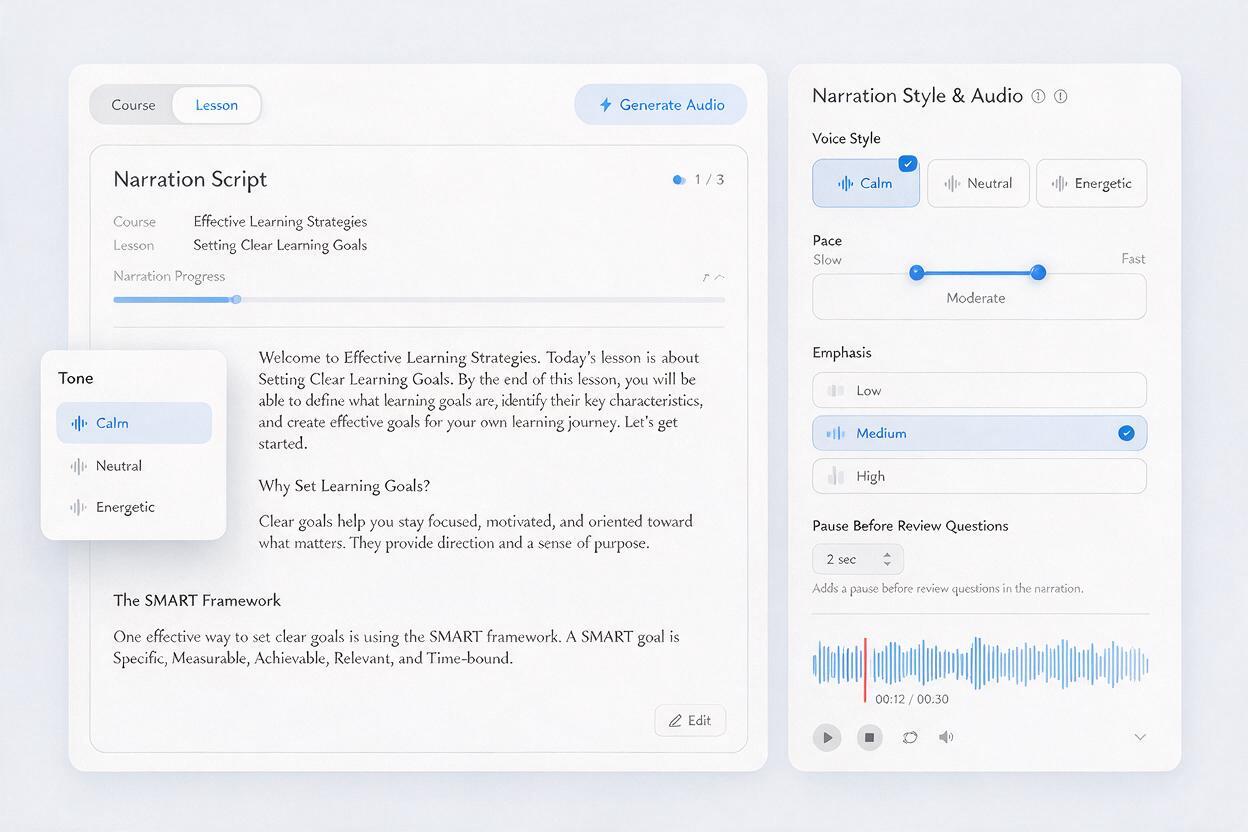
Voice direction works best when it describes observable delivery. “Make it engaging” is subjective; “use a calm instructional tone, moderate pace, and a brief pause after each definition” is easier to evaluate.
Use a compact direction block like this:
Voice purpose: introductory science lesson for adult learners
Tone: calm, attentive, and matter-of-fact
Pace: moderate; slightly slower for definitions and numerical values
Emphasis: key term on first use, not every repeated use
Pauses: brief pause after each definition; longer pause before the review question
Avoid: promotional delivery, dramatic whispering, rising intonation on statements
Keep the direction stable while testing script revisions. If you change the voice, pace, prompt, and wording simultaneously, you will not know which adjustment fixed—or caused—the problem.
Control pronunciation before generating the full module
Technical language deserves a dedicated pronunciation pass. Build a small list containing names, abbreviations, formulas, borrowed words, and terms that can be pronounced differently across regions or disciplines.
- Write abbreviations as spoken words when individual letters are required.
- Spell out symbols that would otherwise be skipped or interpreted incorrectly.
- Use punctuation or syllable spacing only when it improves the result without creating audible artifacts.
- Confirm discipline-specific pronunciation with a qualified subject reviewer.
- Record approved substitutions in a shared pronunciation sheet.
Do not assume that confident delivery means correct delivery. Listen to each critical term in its complete sentence because surrounding words can change stress and rhythm.
Generate in sections, then check the joins
Producing an entire course as one audio file makes corrections expensive. Generate by meaningful units such as the opening, concept explanation, worked example, practice instructions, and recap. Keep sections long enough to preserve natural rhythm but short enough to replace without rebuilding the whole lesson.
After assembling the sections, inspect every join. A transition can expose changes in energy, loudness, pronunciation, or room-like sound even when both clips work independently.
| Problem at the join | Likely cause | Practical correction |
|---|---|---|
| Voice suddenly sounds more excited | Direction changed between generations | Reuse one saved direction block |
| Pause feels too long | Silence exists at the end and start of adjacent clips | Trim one side while preserving a natural breath |
| Term changes pronunciation | Spelling or context differs | Apply the approved pronunciation consistently |
| Sentence sounds clipped | Audio was cut too close to the final sound | Regenerate or retain a short trailing margin |
Review narration as a learning asset
Quality control should evaluate comprehension as well as audio smoothness. Review the narration while watching the actual lesson visual, then conduct a second audio-only pass. The first reveals timing conflicts; the second makes awkward wording and unexplained references easier to notice.
Ask reviewers to mark specific failures rather than saying that a voice feels “off.” Useful comments include:
- “The definition ends before the labeled diagram appears.”
- “The unit is unclear after the number.”
- “The warning needs a pause before the consequence.”
- “This abbreviation is introduced before its full name.”
- “The review question does not leave response time.”
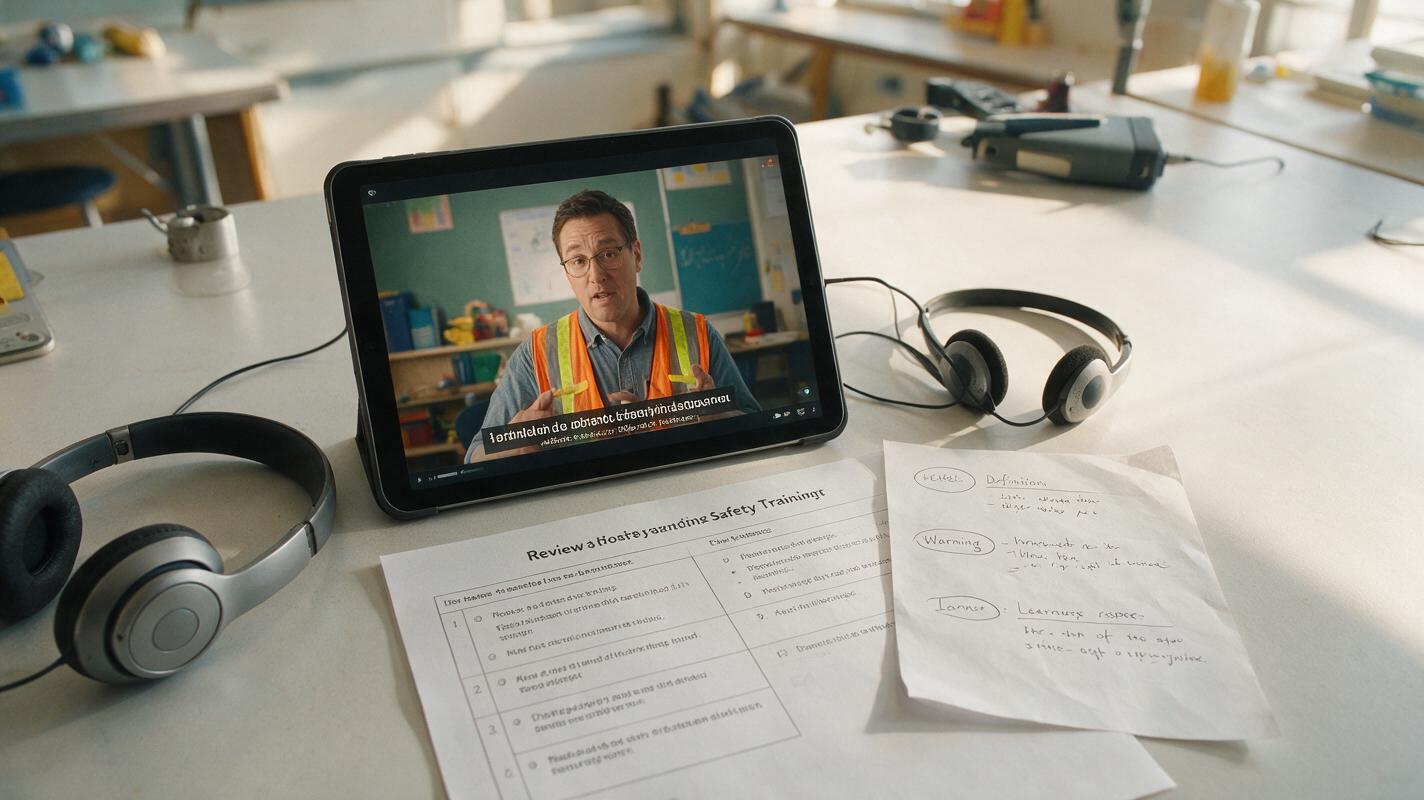
Include captions or a transcript even when the generated audio is clear. Learners may be working in noisy environments, studying in an additional language, or using assistive technology. The transcript should match the final narration rather than an earlier script draft.
Fix common narration failures
The delivery sounds rushed
Shorten long sentences before reducing the global speed. Excessively slow playback can sound unnatural while still preserving a confusing sentence structure. Add pauses around definitions, examples, and instructions instead of inserting them after every clause.
The voice emphasizes the wrong word
Simplify the sentence and move the important word closer to the beginning. Remove competing punctuation and unnecessary adjectives. If the same term is repeatedly overemphasized, direct emphasis only on its first introduction.
The audio sounds monotonous
Check whether the script itself repeats the same sentence shape. Mix concise statements with questions, examples, and signposting phrases. Do not solve monotony by requesting dramatic emotion across an entire compliance or technical lesson.
The voice misreads lists
Place each item on a separate line and introduce the list with a complete sentence. If order matters, say “first,” “next,” and “finally” in the script. If order does not matter, avoid language that implies a sequence.
The narration and visuals compete
Move detailed explanation before or after the busiest visual change. When learners need to inspect a diagram, let the narration identify the viewing task and then leave a short interval for observation.
Final checklist
- The voice remains clear during sustained listening.
- Each sentence communicates one manageable idea.
- Definitions, numbers, and warnings receive appropriate pacing.
- Technical terms have been checked in context.
- Direction settings remain consistent across generated sections.
- Audio joins do not introduce abrupt changes in tone or loudness.
- Narration timing matches the final lesson visuals.
- Captions or a matching transcript accompany the audio.
Test a representative passage before processing the whole course. When the voice, script structure, and pronunciation sheet are ready, try these models for free and compare the output against the checklist above.
Keywords
text to speech, course narration, ai voice generator, accessible learning, elearning audio, voiceover settings, training videos