Rough Thumbnail to Finished Comic Panel with Nano Banana Pro
Turn a loose comic thumbnail into polished panel art without losing the original staging, camera angle, or storytelling beat. This workflow uses Nano Banana Pro, composition anchors, controlled prompts, and selective repair to keep the artist’s layout in charge.
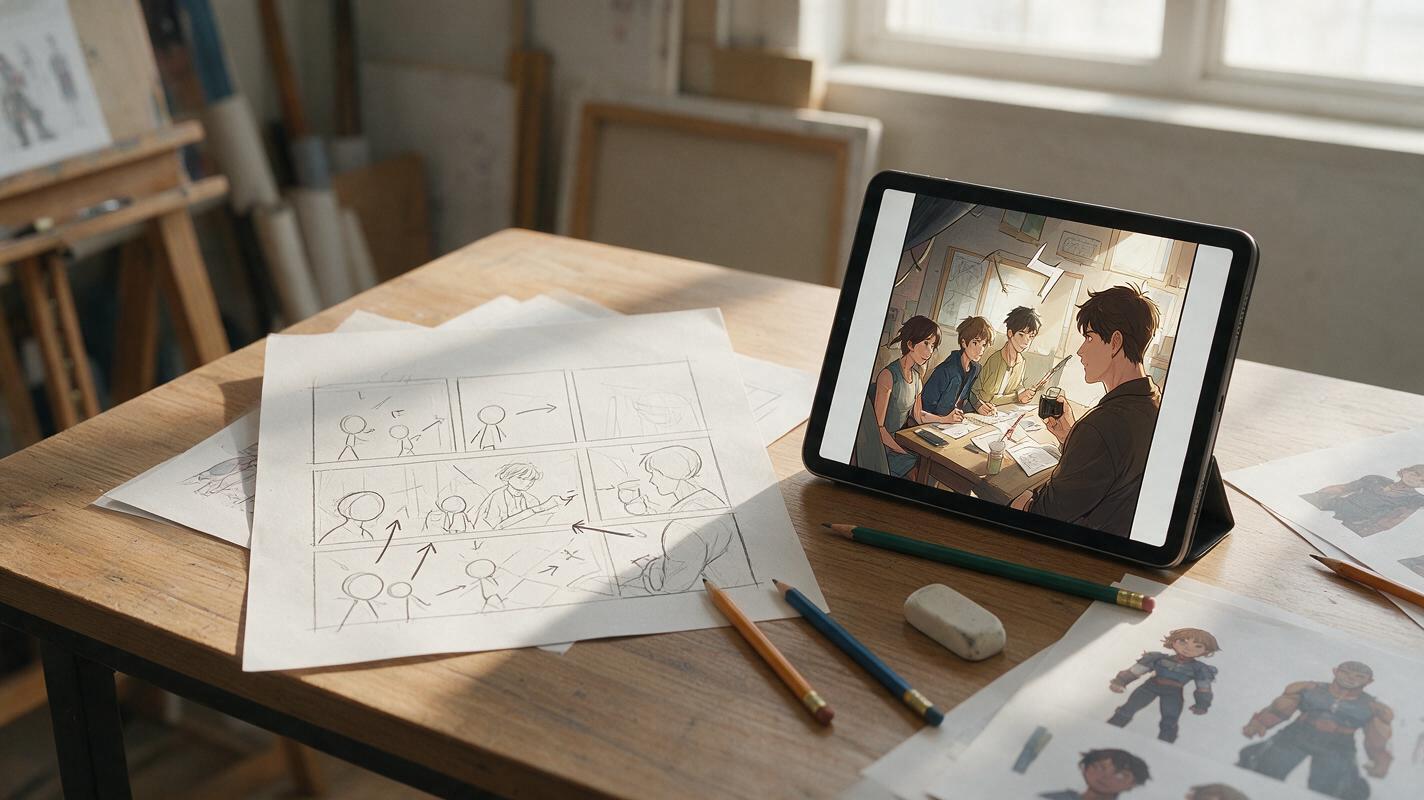
Table of contents
Preserve the storytelling hidden in your rough sketch
A good comic thumbnail may contain only boxes, arrows, and stick figures, yet it already solves the panel’s hardest problems: who dominates the frame, where the reader looks, and when the reveal lands. The danger of using generative AI is that the polished result may replace those decisions with a prettier but less effective composition.
The solution is to treat the thumbnail as a visual contract rather than loose inspiration. With nano banana pro, you can develop a rough panel into finished artwork while explicitly protecting camera placement, silhouette positions, negative space, and narrative emphasis.
Turn the thumbnail into a visual contract
Before generating anything, inspect the thumbnail as if another artist must finish it without asking questions. The sketch does not need attractive anatomy, but its storytelling information must be unambiguous.
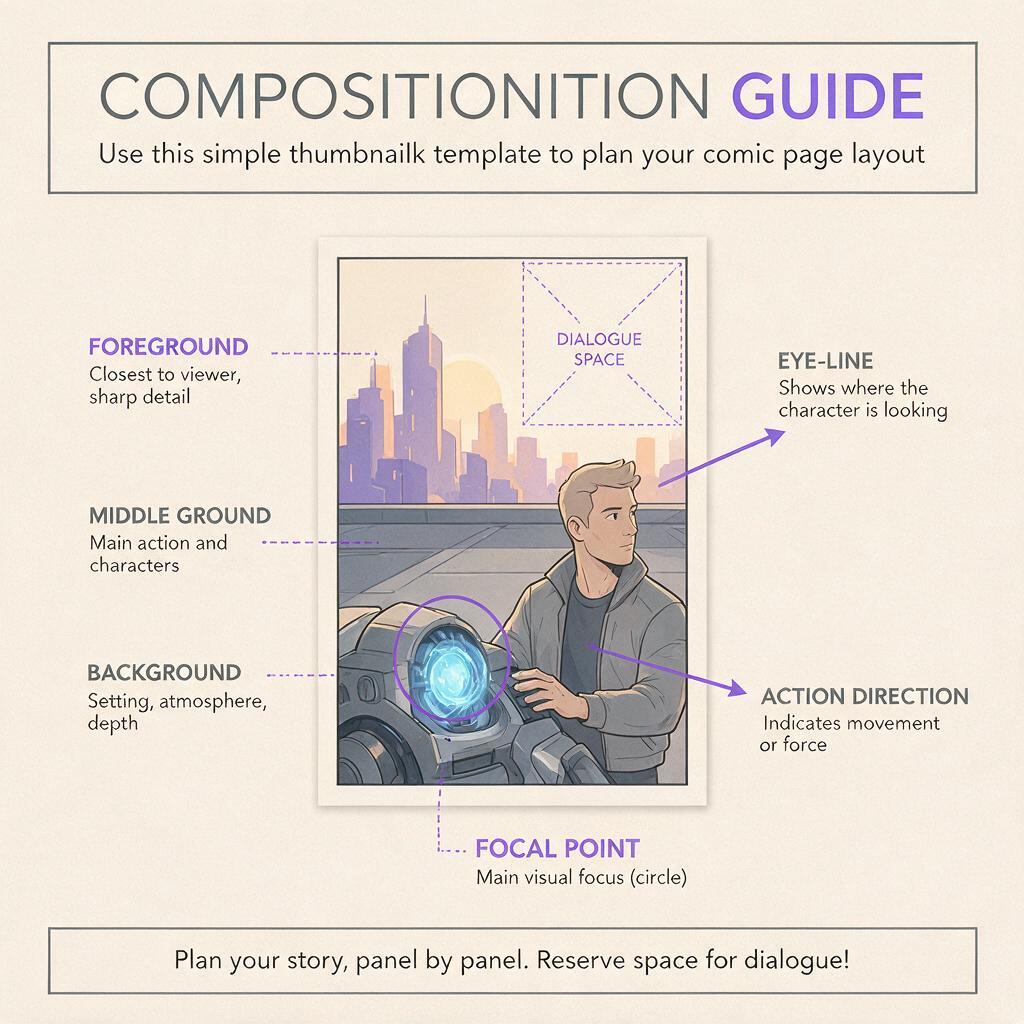
Mark or clarify these anchors:
- Panel boundary: Use a clean rectangle with the intended horizontal, square, or vertical ratio.
- Character positions: Give each figure a distinct silhouette and label them if two poses could be confused.
- Depth: Identify foreground, middle ground, and background with overlap or simple notes.
- Eye-line: Draw a light arrow showing what each character is looking toward.
- Action direction: Add arrows for a punch, fall, turn, entrance, or camera-facing movement.
- Dialogue space: Leave deliberate empty areas instead of expecting the model to find room later.
- Primary focal point: Circle the face, object, or gesture that must receive the strongest contrast.
A thumbnail should be rough in rendering, not vague in intent. If you cannot identify the focal point at phone size, additional detail will not repair the panel.
Erase accidental marks that could be interpreted as props, limbs, or architectural edges. Strengthen intentional overlaps, especially when one character stands in front of another. This small cleanup reduces the chance that the model will merge separate forms.
Describe what must remain fixed
A common mistake is to prompt only for the desired finish: “polished fantasy comic panel, dramatic lighting.” That gives the model permission to redesign the composition. Instead, divide the prompt into fixed structure and flexible rendering.
| Prompt layer | What it controls | Example |
|---|---|---|
| Composition lock | Camera, placement, crop, and negative space | Keep the exact low-angle composition and figure positions from the sketch |
| Story action | The readable event in the panel | The courier stops as the locked gate opens inward |
| Character specification | Identity, costume, pose, and expression | Short-haired courier in a red raincoat, tense shoulders, left hand raised |
| Environment | Location and depth cues | Narrow service alley with pipes receding toward the gate |
| Finish | Line quality, color treatment, and lighting | Clean webtoon line art, restrained cel shading, cold evening light |
| Protection clause | Elements that must not be invented | Do not add characters, text, extra doors, or decorative foreground objects |
The composition lock should appear near the beginning of the prompt. Repeat only the most important protection near the end, such as preserving an empty speech area or keeping both hands visible.
Write a prompt that protects composition
Upload the cleaned thumbnail as the main visual reference. If available, add a separate character sheet for identity and costume details, but do not ask the character reference to determine the pose. The thumbnail controls staging; the character sheet supplies appearance.
Develop the uploaded rough thumbnail into a finished vertical webtoon panel.

COMPOSITION — KEEP FIXED:
Preserve the exact camera height, panel crop, character placement, pose direction,
foreground overlap, and empty upper-right dialogue area from the thumbnail.
Do not zoom in, recenter the figures, or change their relative scale.

STORY ACTION:
A young courier has stopped in the foreground as an old metal gate opens inward.
The courier looks toward the opening. A security guard remains behind the gate,
partly obscured but clearly readable as a separate person.

CHARACTER:
Courier with short black hair, red raincoat, dark messenger bag across the torso,
left hand raised defensively, alert expression. Preserve the referenced design.

ENVIRONMENT AND FINISH:
Rainy service alley, receding pipes and brick walls, clean webtoon line art,
controlled cel shading, cool evening light with a warm light behind the gate.
Strongest contrast on the courier's face and the opening gate.

AVOID:
No extra people, no text, no speech bubbles, no additional doors, no costume changes,
no altered hand positions, and no objects inside the reserved dialogue area.
Generate a small batch rather than endlessly rewriting the prompt after one result. Compare the outputs against the thumbnail, not against one another. A beautifully rendered variation still fails if it weakens the original beat.
If you need another interpretation, change one flexible variable at a time: lighting, line weight, rendering density, or environmental detail. Keep the composition paragraph unchanged until the staging works.

Judge narrative fidelity before polish
Evaluate each result in two passes. The first pass asks whether the panel tells the intended story. The second asks whether the artwork is ready to use.
Check the story read
- Is the intended focal point visible within one second?
- Are the characters looking in the correct direction?
- Can the reader distinguish the foreground and background figures?
- Does the action move in the planned direction?
- Is the reveal concealed or exposed at the correct level?
- Does the reserved dialogue area remain genuinely usable?
Check the drawing
- Are the hands, face, costume closures, and carried objects coherent?
- Do perspective lines support the camera angle?
- Are line weights compatible with surrounding panels?
- Did surface detail create visual noise around the focal point?
- Are local colors recognizable under the scene lighting?
This order matters. Do not spend time correcting a sleeve buckle on a panel whose eye-line points readers toward the wrong character.
Repair only what breaks
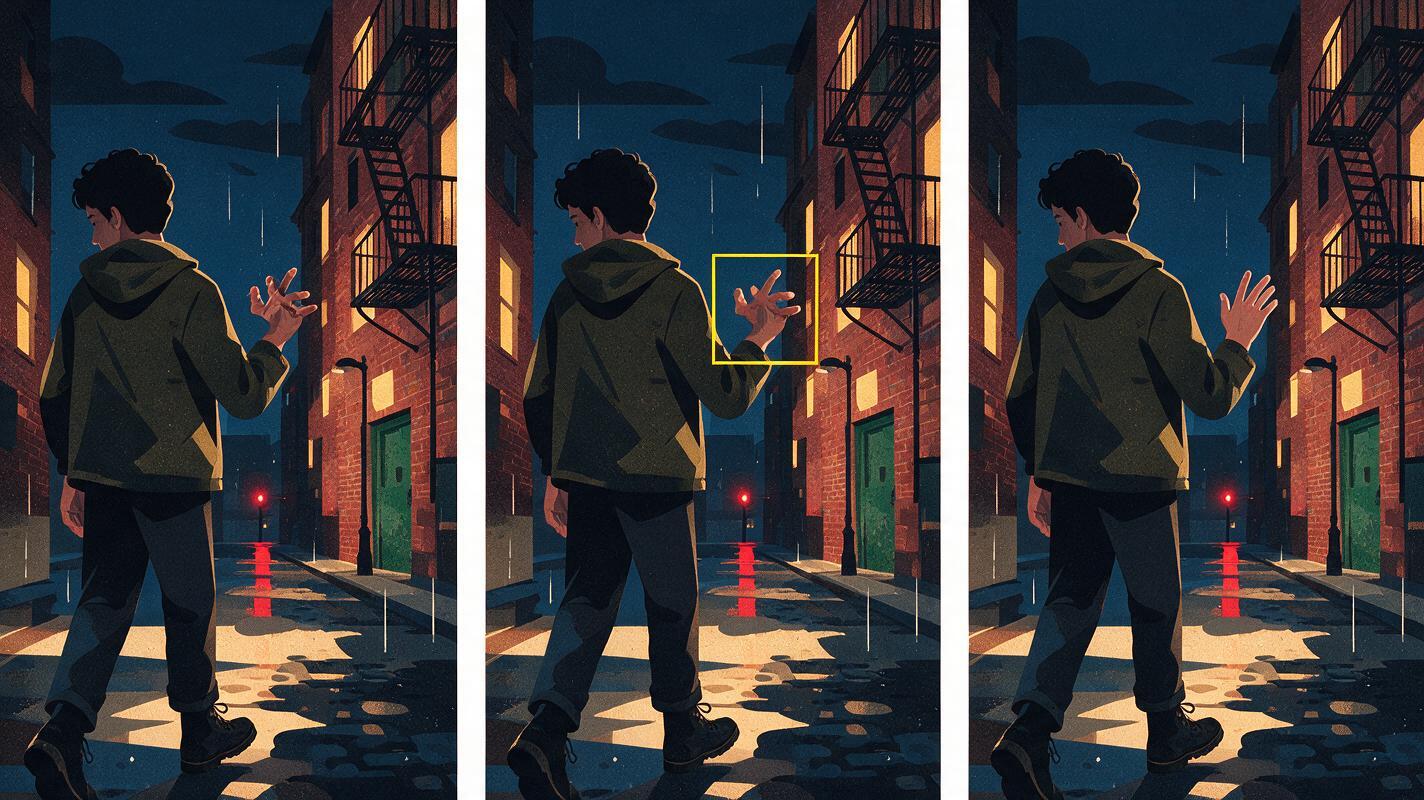
Once a result preserves the thumbnail’s storytelling, avoid regenerating the entire panel for a small defect. Full regeneration can fix a hand while changing the face, crop, lighting, or background geometry.
Use a focused edit through an ai image generator when the problem is local. Crop or mask enough surrounding context for the repair to understand the limb, prop, or architectural connection, then state what must remain untouched.
Repair only the courier's raised left hand and raincoat cuff.
Keep the existing arm angle, gesture silhouette, line weight, lighting,
character identity, background, panel crop, and all other pixels unchanged.
The hand is open with four fingers naturally visible and the thumb partly hidden.
Useful local repairs include malformed hands, broken prop contact, doubled costume details, inconsistent eye direction, and a single distracting background object. Broad problems such as incorrect camera height or swapped character positions usually require returning to the composition prompt.
Match the panel to the surrounding sequence
A finished panel cannot be judged in isolation. Place it between the panel that precedes it and the panel that follows it. The sequence will reveal continuity problems that a standalone image hides.
- Screen direction: A character moving right should not appear to reverse direction without a motivated camera change.
- Visual rhythm: Three equally detailed medium shots can feel static even when each panel is attractive.
- Value balance: One heavily rendered panel may overpower nearby panels intended to carry more important story beats.
- Costume continuity: Check bags, jewelry, damage, rolled sleeves, and objects transferred between hands.
- Background continuity: Doors, windows, furniture, and light sources should remain in plausible positions.
If the panel is too visually loud, simplify secondary textures or reduce background contrast rather than weakening the focal character. If it feels empty, add only details that explain location, depth, or action.
Use the right workflow for each thumbnail
| Thumbnail condition | Best approach | Main risk |
|---|---|---|
| Clear composition, rough drawing | Direct reference-guided development | Over-rendering secondary areas |
| Ambiguous silhouettes | Clarify poses and overlaps before generation | Merged bodies or invented limbs |
| Complex recurring location | Add a separate environment reference | Architecture drifting between panels |
| Identity-critical close-up | Add a clean character reference | Face redesign during polishing |
| Nearly finished drawing | Use selective edits rather than full regeneration | Losing intentional line work |
The model should do more interpretive work when the thumbnail establishes strong staging but little finish. It should do less when your drawing already contains specific acting, anatomy, or line decisions.
Final checklist
- The thumbnail has a clear focal point, eye-line, action direction, and depth structure.
- The prompt separates fixed composition from flexible rendering choices.
- The thumbnail controls staging while character references control appearance.
- Outputs are judged against the original storytelling beat before surface polish.
- Small defects are repaired locally instead of triggering full-panel regeneration.
- The finished image is checked beside adjacent panels for continuity and rhythm.
- Dialogue space remains open and readable at final publishing size.
When your next thumbnail already has the right dramatic beat, try this prompt for free and let the model develop the finish without surrendering your composition.
Keywords
comic thumbnail, Nano Banana Pro, AI comic maker, comic panel generator, rough sketch to illustration, comic prompts, visual storytelling AI