TikTok Shop Product Demo Captions That Stay Readable and Accurate
A useful TikTok Shop demo needs captions that explain what the product does without covering the action or making claims the footage cannot support. This guide shows sellers how to pair caption lines with real demonstration shots, check mobile readability, and use AI-generated footage only where it does not pretend to prove a feature.
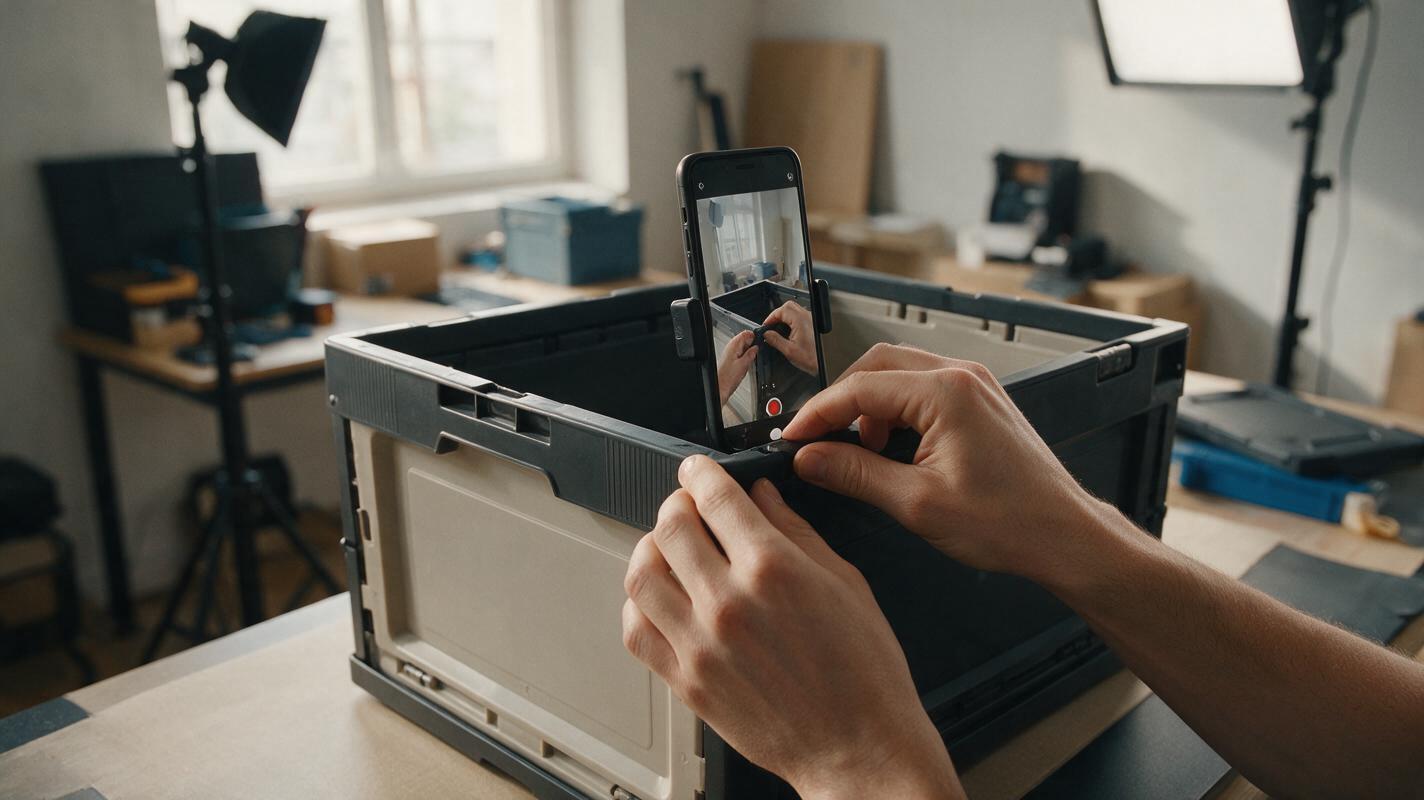
Table of contents
Make the action visible before adding words
A caption can make a TikTok Shop product demo easier to follow on mute—but it can also cover the exact feature a buyer needs to see. The fix is to write captions around the footage, not lay them over it afterward. Show each action with the real product, give it a short verified caption, and check the finished video on a phone with the shopping interface visible.
This approach works for a zipper being opened, a brush being rinsed, or a storage box being assembled. It does not require a generated person to perform the demonstration. Keep the real footage as evidence; use AI only for supporting visuals that make no product-performance claim.
Match each caption to one visible action
Start with the question a shopper would ask: What moves? What comes in the package? How large is the opening? Then film the answer. A caption should identify or clarify what is on screen, not substitute for a missing shot.
| Real shot | Useful caption | Avoid |
|---|---|---|
| Hands open the actual bag’s zipper | “Open the main compartment” | “Smoothest zipper you’ll ever use” |
| Hands place the included insert inside the bag | “Insert included with this option” | “Includes an insert” if other options do not |
| A verified ruler sits beside the opening | “Opening: 24 cm across” | AI-generated measurements or an unmeasured estimate |
For each line, check the listing specifications and the particular variant being filmed. If a caption names a material, quantity, size, or compatibility claim, confirm it against the product you ship. When the footage cannot demonstrate a benefit, replace the claim with an observable description or film a better shot.
Leave room for the product and the shopping interface
Vertical video may acquire controls, a caption area, and shopping elements when viewed in the app. Their placement can vary, so there is no reliable universal pixel measurement that will make every layout safe. Instead, keep the product action near the visual center, put short text in clear space beside or above it, and preview the exported video in the placement where it will appear.
- Keep captions brief. Aim for one idea per shot rather than a sentence that must stay on screen through several actions.
- Use contrast. Test light and dark frames; text that works against a countertop may disappear when a hand moves behind it.
- Protect the demonstration. Do not place words over a latch, printed label, measurement, or included component.
- Allow reading time. Watch at normal speed on a phone. If you cannot read a line before the next cut, shorten it or hold the shot longer.
Captions burned into the video and captions supplied by a platform can behave differently. Check both the uploaded result and any automatic captions: duplicated lines, transcription errors, or interface overlays can make an otherwise clear demo confusing.
Use AI for a transition, not a substitute demonstration
Seedance can help create a brief product-free opening or transition through text to video. For example, a seller might show a tidy entryway before cutting to real footage of their organizer being assembled. The generated scene establishes context; it must not depict the organizer, its package, or an action the seller did not film.
Vertical, photorealistic shot of an empty apartment entryway in natural morning light. A plain bench and coat hooks are visible. No products, packaging, logos, readable text, people, or hands. Subtle camera movement only. Leave clear space near the upper center for a short caption.Cut from that scene to your verified product footage. A suitable opening caption might be “A closer look at the assembly,” followed by a real close-up showing the first connection. Avoid a generated clip of parts snapping together: even if it looks plausible, it may show a mechanism or included piece that differs from your product.
Evidence rule: If a viewer would treat a shot as proof of fit, size, function, contents, or durability, film the actual product performing that action.

A caption map for a short, silent demo
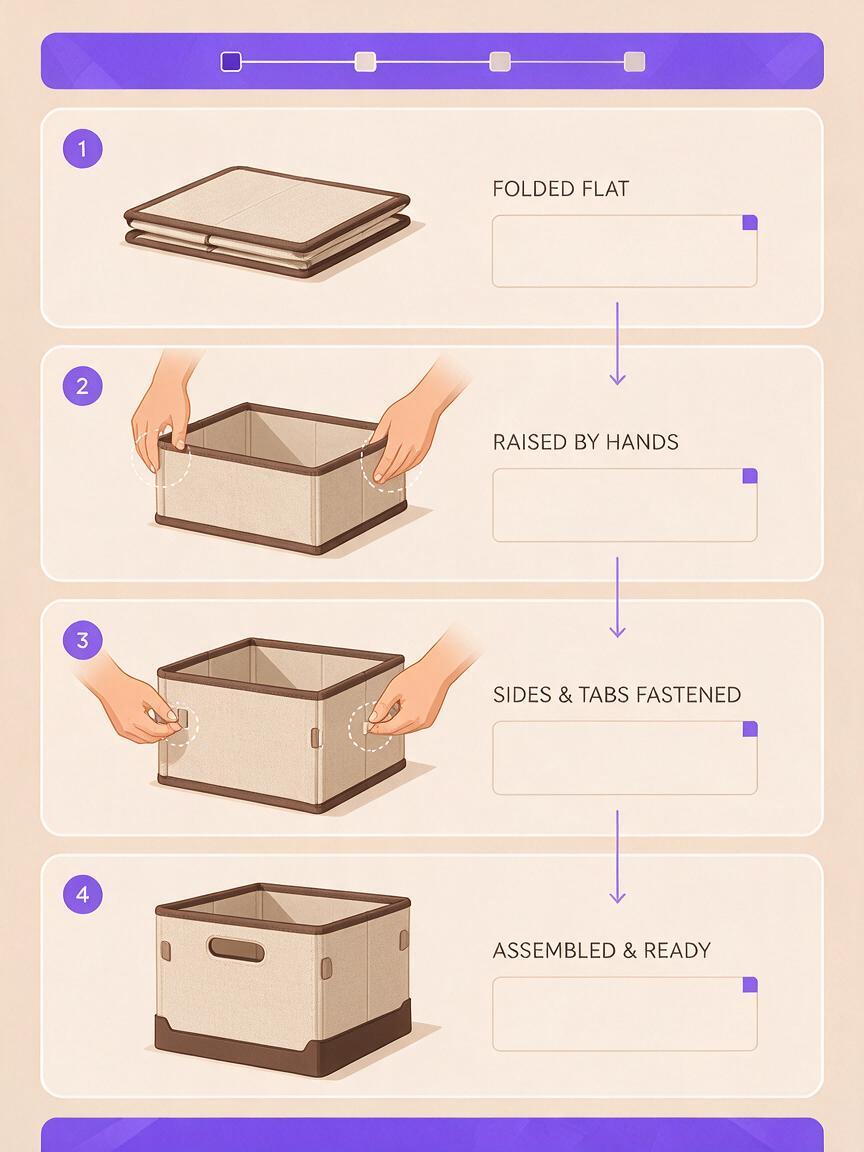
Consider a seller showing a collapsible storage box. The goal is not to fit every feature into one video. It is to answer one buying question clearly: What does setting it up look like?
| Footage | On-screen caption | What to verify |
|---|---|---|
| Real box folded flat on a table | “Starts folded flat” | The filmed item is the listed variant |
| Hands raise the sides in one uninterrupted shot | “Raise the side panels” | No cut hides an extra assembly action |
| Hands secure the actual fastening | “Fasten the side tabs” | The wording matches the real mechanism |
| Real box standing on its own | “Ready to fill” | No unsupported load-capacity claim is implied |
Put the captions into a rough edit before polishing the visuals. That exposes problems early: a hand may occupy the only clear text space, or a clip may be too short to explain the action. Reframe or reshoot rather than covering the issue with more words.
If you add narration, read the same verified caption map rather than improvising new benefits. An ai voiceover can make the demo accessible to viewers who listen, but review its spoken measurements and product terms against the listing. Captions should still make sense when the sound is off.
Check the upload as a buyer would
Export a draft and view it at normal size on a phone, not only in the editor. Open the intended TikTok Shop placement if available and inspect the first frame, every caption, the product detail, and the final call to action. Ask someone unfamiliar with the product what they saw being demonstrated. If their answer depends on a caption rather than visible footage, the video needs a clearer shot.
Before publishing, compare the video with the live listing. The filmed color, included parts, measurements, and variant names should agree. If stock or specifications change, review the video rather than assuming its old captions still apply.
Final checklist
- Every functional claim is supported by real footage of the listed product.
- Each caption describes one visible action and uses verified wording.
- Text remains readable without blocking hands, parts, labels, or measurements.
- The exported video works on a phone with shopping overlays present.
- Generated scenes contain no fabricated product demonstration.
Have real footage ready? try these models for free to develop a product-free opening, then build the final demo around the actions your camera actually captured.
Keywords
tiktok shop product video, product demo captions, tiktok shop video, ai product video, mobile video captions, ecommerce video