Why AI Sparkling Drink Photos Look Flat (And How to Get Crisp, Bubbly Results)
AI-generated sparkling drink photos often fall flat with oversized bubbles, fake condensation, and dull effervescence that fails to entice customers. This guide breaks down the most common rendering flaws for carbonated beverages like soda, sparkling wine, and kombucha, and shares reusable Nano Banana Pro prompt templates and targeted fixes to create crisp, bubbly, realistic visuals for restaurant menus and beverage campaigns. Readers will learn exact prompt phrasing, inpainting tips, and quality checks to ensure their sparkling drink assets look authentic and on-brand.
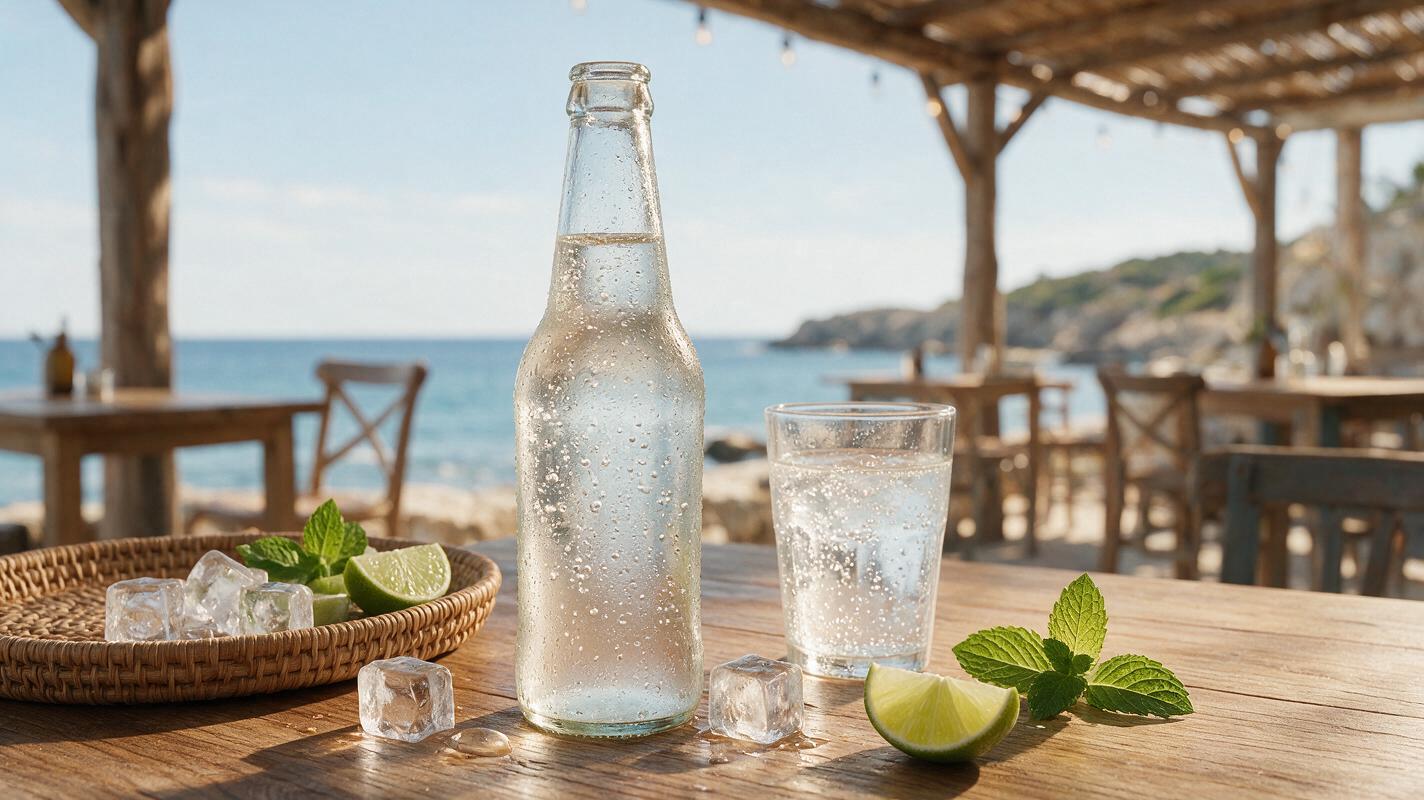
Table of contents
Why AI sparkling drink photos miss the mark
If you’ve ever tried to generate AI photos of sparkling wine, soda, or kombucha for a restaurant menu or beverage campaign, you’ve probably encountered the same frustrating problem: flat, lifeless drinks that lack the effervescent appeal that makes carbonated beverages feel refreshing. Bubbles look like oversized marbles, condensation appears as chunky white spots, and the liquid itself feels dull and opaque — nothing like the crisp, bubbly drink you’d want to order.
For restaurants, cafes, and beverage brands, these flaws aren’t just a minor aesthetic issue. Sparkling drink photos are used for happy hour promotions, seasonal beverage launches, menu listings, and social media ads, and unappetizing visuals can directly impact click-through rates and sales. The root of the problem is that AI models struggle to render the tiny, dynamic details of carbonation: thousands of micro-bubbles, rising effervescence trails, thin dewy condensation, and the way light refracts through bubbly liquid and glass.
Fortunately, you don’t need a professional photoshoot to get realistic, mouthwatering sparkling drink visuals. Using an ai image generator with targeted prompt phrasing and simple post-generation tweaks, you can consistently create crisp, bubbly photos that match your brand’s style and entice customers.
Common sparkling drink rendering flaws to watch for
Before diving into fixes, it helps to know the most common issues that pop up in AI-generated sparkling drink photos. Most flaws fall into one of five categories, and each has a clear, targeted solution:
- Uniform or oversized bubbles: AI often generates bubbles that are all the same size, too large, or evenly spaced across the glass. Real sparkling drinks have a mix of micro-bubbles, small bubbles, and a few medium-sized ones, concentrated near the bottom and rising in thin trails.
- Fake or missing condensation: Cold carbonated drinks should have a thin, even layer of dewy condensation on the outside of the glass, with a few small droplets running down toward the base. AI frequently skips condensation entirely, or renders it as opaque white spots instead of transparent dew.
- Dull, flat liquid color: The bubbles in sparkling drinks refract light, giving the liquid a luminous, vibrant quality. AI often renders carbonated drinks as flat, opaque, or murky, with no visible light passing through the bubbles.
- Distorted glassware: The curves and transparency of glass can confuse AI models, leading to warped edges, uneven thickness, or liquid that appears to leak outside the glass.
- No surface fizz or effervescence trails: Real sparkling drinks have a thin layer of tiny bubbles on the surface (a frothy head for beer, delicate fizz for sparkling wine) and visible trails of bubbles rising from the bottom or sides of the glass. AI often leaves the surface completely smooth with no rising bubbles.
Prompt templates for crisp, bubbly sparkling drinks
The biggest mistake people make when generating sparkling drink photos is using vague prompts like “bubbly soda” or “sparkling wine glass.” AI needs extremely specific details about carbonation, condensation, lighting, and glassware to render realistic results. Below are four reusable prompt templates optimized for Nano Banana Pro, covering the most common sparkling beverage types used in restaurant and brand marketing.
Classic cola in a tumbler
Professional food photography of a cold glass of cola with ice, filled 80% full, thousands of tiny micro-bubbles rising in thin trails from the bottom of the glass, mix of small and medium bubble sizes, thin dewy condensation on the outside of the glass with a few small droplets running down, vibrant deep brown liquid with light refracting through bubbles, bright white fizz layer on the surface, clear thick glass tumbler, soft side lighting, light gray marble background, shallow depth of field, sharp focus on the bubbles near the front of the glass, 45 degree angle, menu-readySparkling white wine in a flute
Professional beverage photography of a chilled flute of sparkling white wine, pale golden liquid, thousands of tiny micro-bubbles rising in thin continuous trails from the base of the flute, delicate frothy white head on the surface, thin dewy condensation on the lower half of the glass, clear crystal flute, warm soft golden side lighting, white linen background, shallow depth of field, sharp focus on the bubbles in the center of the flute, eye level angle, luxury restaurant menu styleSparkling water with lemon and mint
Professional food photography of a cold glass of sparkling water with a slice of lemon and mint sprig, clear liquid, hundreds of tiny micro-bubbles rising throughout the glass, mix of small and medium bubbles, thin dewy condensation on the outside of the glass, bright citrusy natural light, white marble counter background, shallow depth of field, sharp focus on the lemon slice and nearby bubbles, 45 degree angle, casual cafe menu styleRaspberry kombucha in a highball
Professional beverage photography of a cold glass of raspberry kombucha, deep pinkish-red liquid with tiny fruit sediment at the bottom, thousands of tiny micro-bubbles rising in slow trails, thin frothy pink layer on the surface, thin dewy condensation on the outside of the glass, clear highball glass, natural soft window light, light wooden background, shallow depth of field, sharp focus on the bubbles near the front, 45 degree angle, health food brand styleFor best results, customize the background, lighting, and angle to match your existing menu or campaign assets. If you have a reference photo of your brand’s standard drink styling, add it to the generation to lock in a consistent look across all your beverage visuals.
Targeted fixes for common flaws
Even with detailed prompts, you may still notice small flaws in your generated photos — a few oversized bubbles, missing condensation, or a slightly warped glass edge. Instead of regenerating the entire image from scratch, use inpainting tools to fix only the problematic areas. This preserves the composition and style you like while correcting specific issues.
Fix oversized or uniform bubbles
Select a small section of the glass where bubbles are too big or evenly spaced (work in 1-2 inch sections to avoid drift). Use the inpainting prompt: tiny micro-bubbles, mixed sizes, natural rising trails, transparent, match surrounding liquid color. Generate 2-3 variations and pick the one that blends most naturally with the rest of the drink.
Fix missing or fake condensation
Select the outside surface of the glass (be careful to avoid the liquid inside). Use the inpainting prompt: thin dewy transparent condensation on cold glass, small water droplets, smooth even layer, no white spots, light refracting through droplets. For extra realism, add 1-2 small running droplets near the base of the glass by selecting a tiny vertical strip and using the prompt: single small water droplet running down glass, transparent, natural shape.
Fix dull liquid color
Select the liquid portion of the glass, avoiding the glass edge and any garnishes. Use the inpainting prompt: vibrant [your drink color] liquid, light refracting through tiny bubbles, luminous, translucent, bright highlights on bubble surfaces, match existing liquid level. This adds depth and light without changing the drink’s composition or fill level.
Fix distorted glass edges
Select the warped section of the glass edge, including a small amount of background and liquid for context. Use the inpainting prompt: clear smooth glass edge, uniform thickness, transparent, straight rim, match existing glass shape. Work on small sections of the edge at a time to keep the overall glass shape consistent.
Pro tip: Always fix one flaw at a time, rather than trying to correct multiple issues in a single inpainting pass. This prevents the image from drifting away from your original composition and style.
Quality checklist for publish-ready sparkling drink photos
Before using your AI-generated sparkling drink photo in menus, ads, or social media, run through this quick checklist to make sure it looks realistic and professional:
- Bubble variety: Mix of micro-bubbles, small bubbles, and a few medium bubbles, with no uniform sizes or even spacing
- Rising trails: Visible thin trails of bubbles rising from the bottom or sides of the glass
- Surface fizz: Thin layer of tiny bubbles or froth on the surface, matching the beverage type (thicker for beer, thinner for sparkling wine)
- Condensation: Thin, even, dewy layer on the outside of cold glasses, with 1-2 small droplets for added realism
- Glass clarity: Smooth, uniform glass edges with no warping or distortion, and liquid fully contained inside the glass
- Liquid vibrancy: Luminous, translucent liquid with visible light refraction through bubbles, no flat or murky color
- Brand consistency: Matches the lighting, background, angle, and style of your existing menu or campaign assets
Once you have a photo you’re happy with, you can repurpose it for multiple platforms by adjusting the aspect ratio, adding copy, or even animating the bubbles into a short social media clip. If you’re ready to test these prompts and fixes for your own beverage assets, try these models for free.
Keywords
ai sparkling drink photos, beverage photography ai, carbonated drink ai images, menu beverage photos, drink ad ai, realistic bubbles ai, nano banana pro prompts