How to Make a 3-Second Reel Hook With Veo
Turn one simple idea into a visual opening that gives viewers a reason to keep watching. This tutorial shows how to prompt Veo for a Reel hook, trim the strongest three seconds, and test variations without changing the rest of your video.
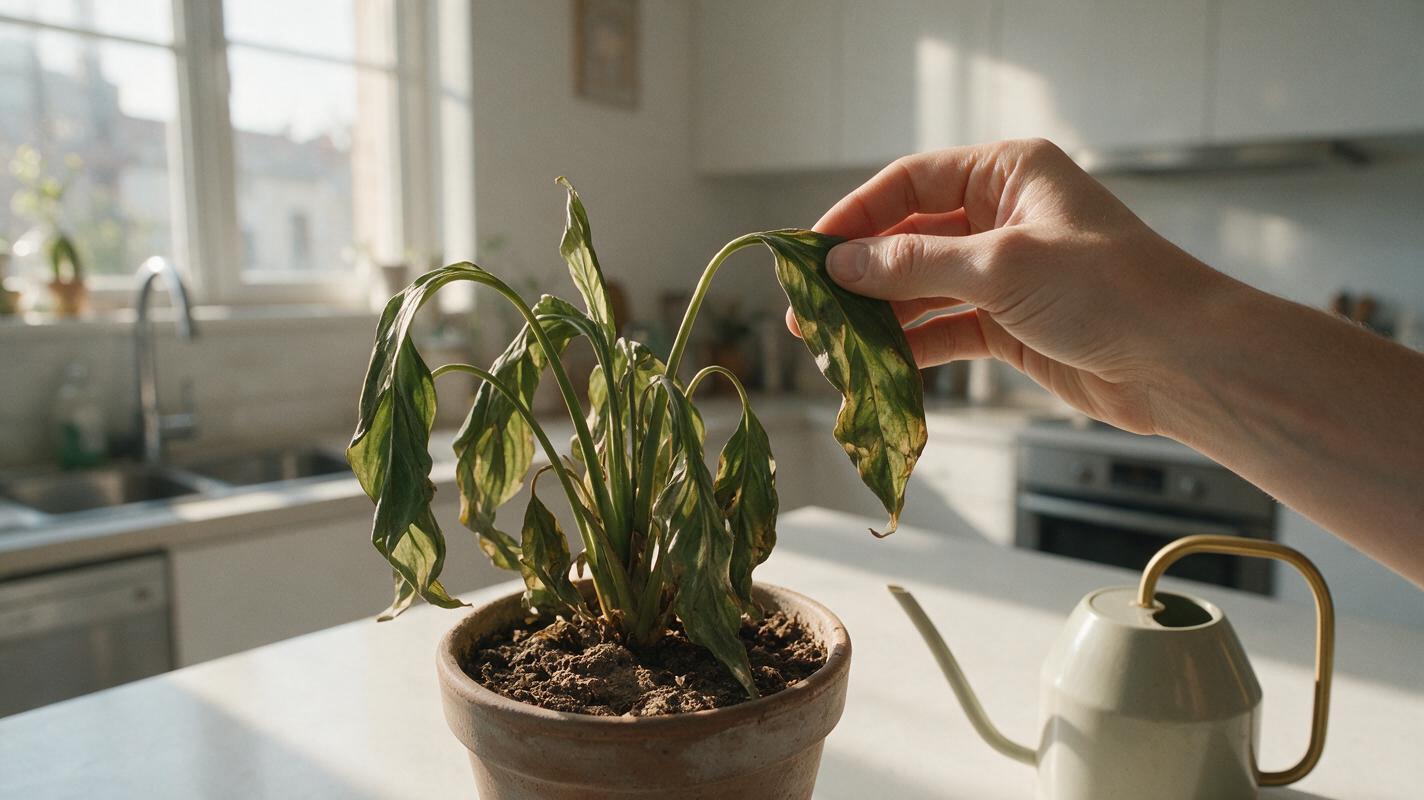
Table of contents
Make the first three seconds worth watching
A Reel hook does not need a loud transition or a wall of text. It needs an immediately understandable moment that makes someone ask, “What happens next?” With Veo, you can generate that opening as a short visual shot, then cut it into an existing Reel, TikTok, or Short. The trick is to prompt for one visible action—not an entire ad—and add any essential words in your editor afterward.
Here is a practical method for making a hook you can actually test against your current opening.
Step 1 — Choose the question your opening should create
Start with the video you already intend to publish. Write down its payoff in one sentence, then identify a moment that hints at the payoff without giving it away.
For example, imagine a short video explaining how to rescue a drooping houseplant. The payoff is a simple care fix. A usable hook might show a hand lifting a severely wilted leaf while a healthy version of the plant sits just outside the frame. Viewers can understand the problem before reading a caption.
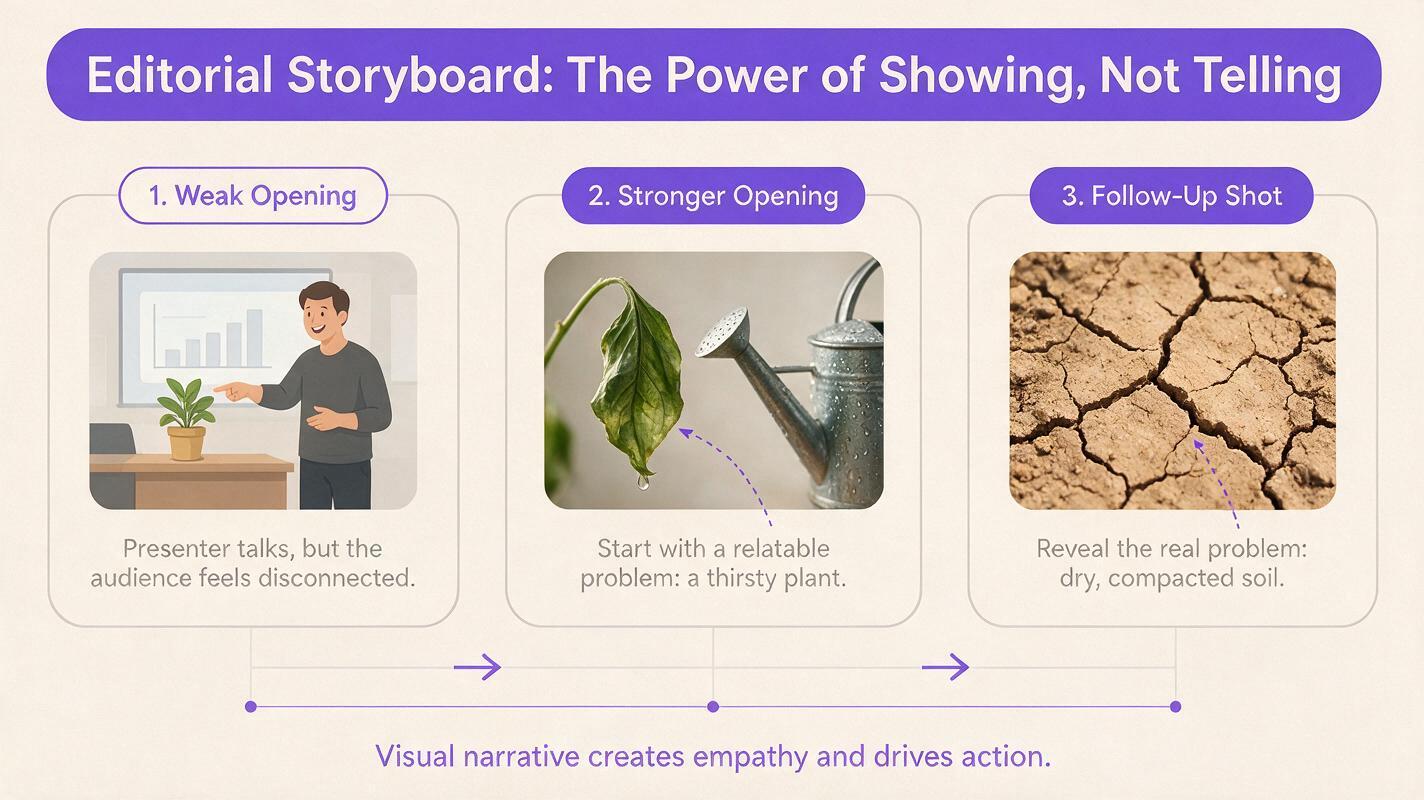
| Weak opening | Stronger visual hook | Question it creates |
|---|---|---|
| A presenter says, “Here are three plant tips.” | A wilted leaf rises into frame beside a watering can that has been pushed away. | Why isn’t watering the answer? |
| A finished meal appears on a counter. | A spoon cracks a crisp topping to reveal an unexpected color inside. | What is under the topping? |
| A desk setup is shown in full. | A cluttered drawer opens and one neatly labeled tray slides into view. | How did the drawer get organized? |
Pick a question that your actual video answers. A surprising shot that has nothing to do with the payoff may win a pause but lose the viewer immediately afterward.
Step 2 — Write a prompt for one shot, not a whole Reel
Use Veo’s text to video generation to create a simple action with a clear beginning and a cut point. If your available interface supports a vertical aspect ratio, select it. Otherwise, keep the subject centered with enough room to crop the result for a vertical frame.
Give the model a real setting, a single subject, one physical action, and camera direction. Avoid asking it to produce captions, logos, or a sequence of unrelated scenes; those details are easier to control during editing.
Create a realistic vertical social-video shot in a bright apartment kitchen. Close-up of a drooping houseplant leaf in the foreground. A hand gently lifts the leaf, revealing a dry, compacted patch of soil beneath it. One continuous camera shot, natural morning light, clear subject, believable hand movement, no camera shake. Leave uncluttered space near the top for a caption. No on-screen text, logos, labels, or voiceover.This prompt makes the leaf the first thing viewers see and gives the action a reason to continue. The soil reveal also provides a natural place to cut into a real demonstration.
Prompt rule: If you cannot describe the opening action in one sentence, simplify it before generating.
Test this prompt yourself, replacing the plant, action, and setting with the subject of your next post. Keep the “one continuous shot” instruction so you can judge whether the moment works without relying on a generated montage.
Step 3 — Generate variations that change the hook
Make a small set of alternatives rather than repeatedly requesting the same shot. Keep the topic and visual style consistent; change only the element you want to test. For the plant example, that might be the first object in frame or the point at which the problem is revealed.
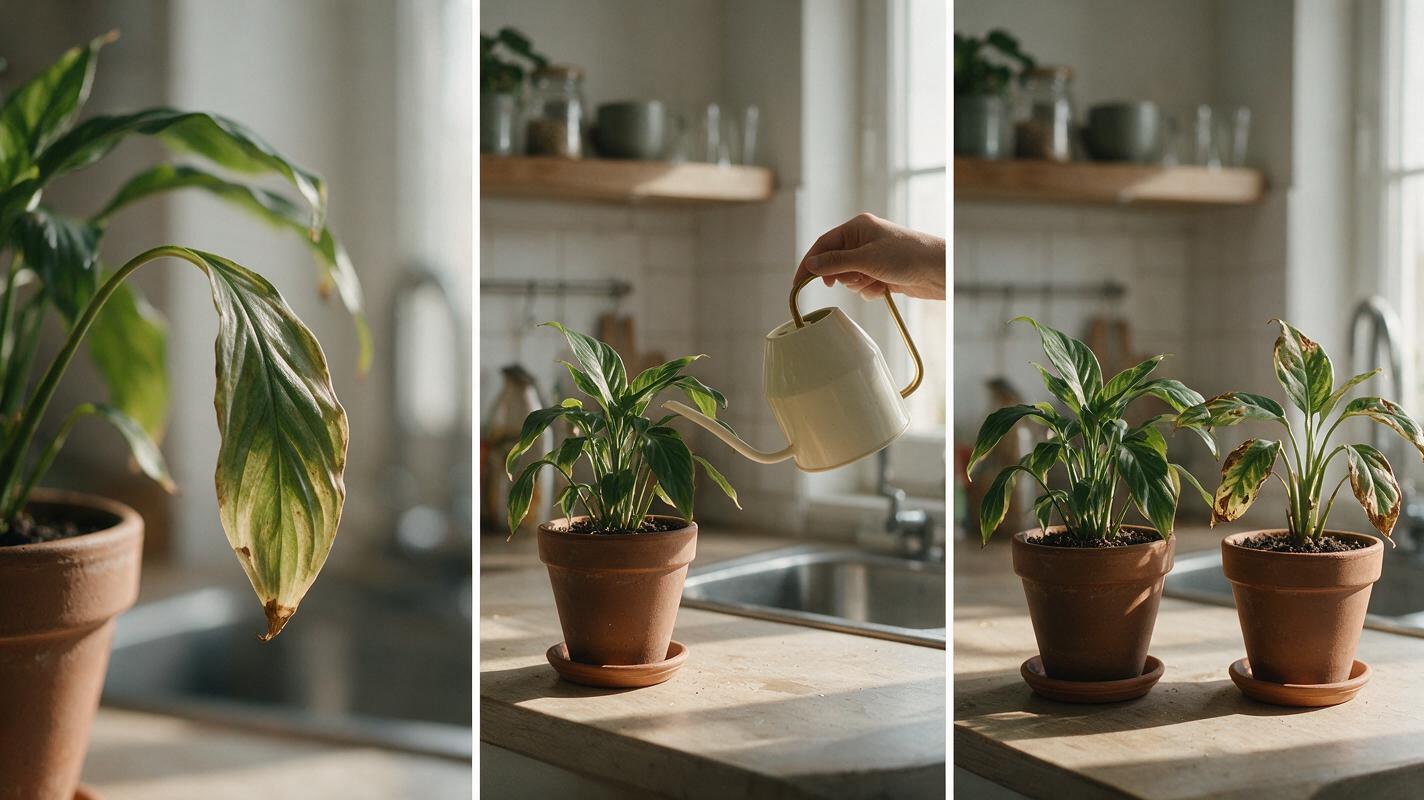
- Version A, problem first: Open on the drooping leaf, then lift it to show the soil.
- Version B, mistaken solution first: Open on a watering can approaching the plant, then move it aside to reveal the soil.
- Version C, contrast first: Open on two similar plants, one healthy and one wilted, before moving closer to the wilted leaf.
For Version B, change only the action portion of the prompt:
A watering can enters the foreground as if to water the drooping plant. A hand gently moves the can away and points toward the compacted soil. One continuous shot; the plant remains clearly visible throughout.Inspect each result at the size someone would see on a phone. Reject clips if the plant changes shape, a hand looks distorted, the action is difficult to follow, or the important detail sits behind likely interface elements. Regenerate with a simpler action when necessary; extra adjectives rarely repair an unclear shot.
Step 4 — Cut the best moment into your video
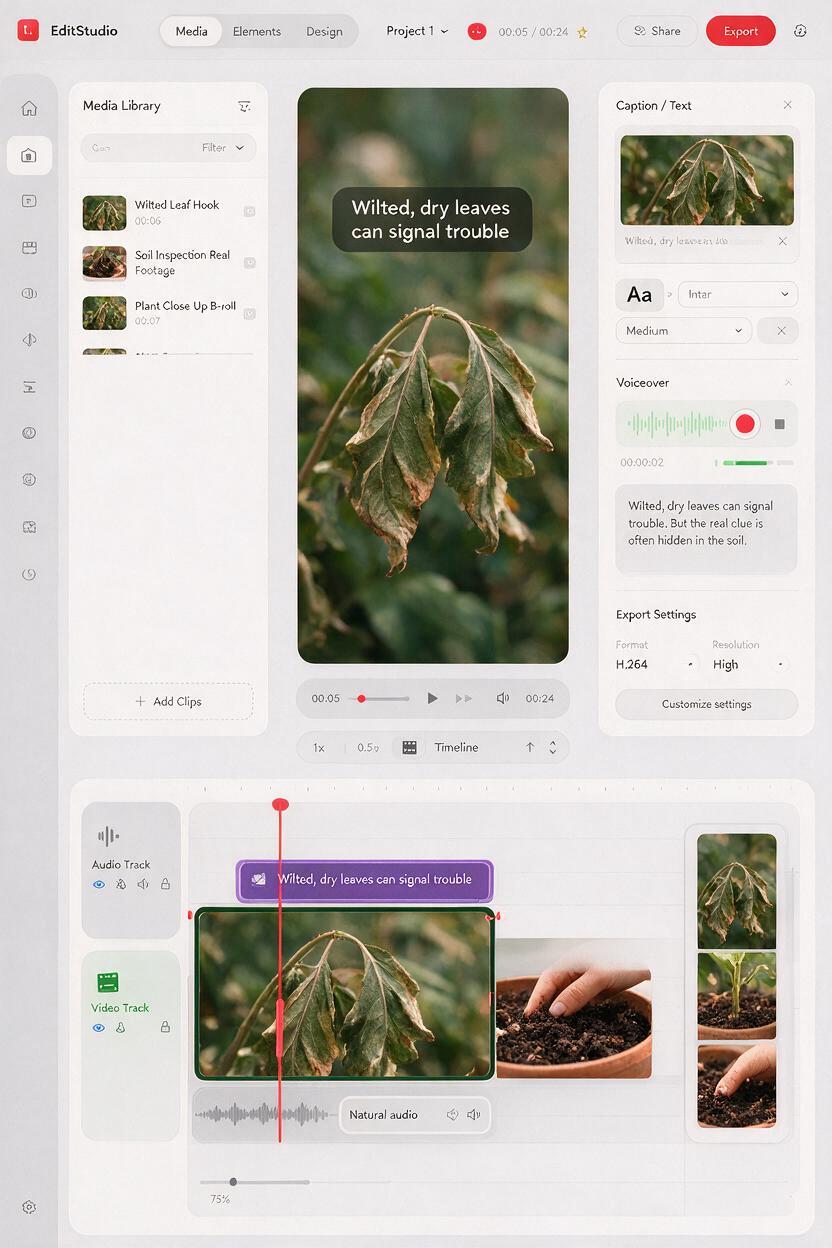
You do not need Veo to output a clip that is exactly three seconds long. Generate a usable shot, then trim the best opening moment in your editor. Start on visible motion or a strong visual contrast. Cut away as soon as the viewer understands the question—often before the generated action fully resolves.
- Place the generated shot at the start of a vertical timeline.
- Trim away any frames where nothing meaningful happens.
- Cut from the hook directly to footage that begins answering its question.
- Add a brief caption in your editor if the visual needs context, such as “Stop watering it first.”
- Watch the opening with sound off and at normal phone size.
Keep captions away from the bottom controls and the top edge, where social-app interfaces may compete for space. Add text in the editor rather than relying on generated lettering, so you can revise wording without remaking the video.
For the plant Reel, a sensible sequence is: drooping leaf → watering can moves away → real footage showing the soil check. If the next shot is a talking head, begin the spoken explanation on the cut. Do not make viewers wait through a second introduction.
Step 5 — Test whether the hook helps
Publish one complete edit, then compare another version with a different opening while keeping the explanation, approximate length, caption, and posting conditions as similar as practical. Look beyond raw views: examine early retention where your platform provides it, and check whether viewers continue into the part that delivers the promised answer.
A hook can fail even if it looks polished. If viewers leave at the transition, the generated shot may promise a different video. If they leave immediately, the subject may be too small or the action may take too long to start. If they watch but do not understand the lesson, make the connection between the hook and the real footage more explicit.
For factual demonstrations, keep the generated opening illustrative. Use real footage for claims about a product, a result, or a technique that viewers may rely on. Review any generated people, hands, products, and backgrounds before publishing, and avoid implying that a synthetic scene documents an event that actually occurred.
Final checklist
- The first frame shows a recognizable subject or action.
- The opening creates a question the video genuinely answers.
- The shot remains legible in a vertical crop at phone size.
- Generated text and logos are absent; captions were added in the editor.
- The cut reaches the real explanation before the hook becomes repetitive.
- Any comparison changes the opening, not the entire video.
Keywords
veo reel hook, reel hook prompts, three-second video hook, short-form video, text to video, vertical video, reels editing