Vidu Prompts for Magic Effects That Keep Comic Characters Still
Animate spells, auras, smoke, sparks, and magical light without letting Vidu redraw the character underneath. These prompt patterns use protected regions, limited motion budgets, and effect-specific direction to preserve comic line art and pose continuity.
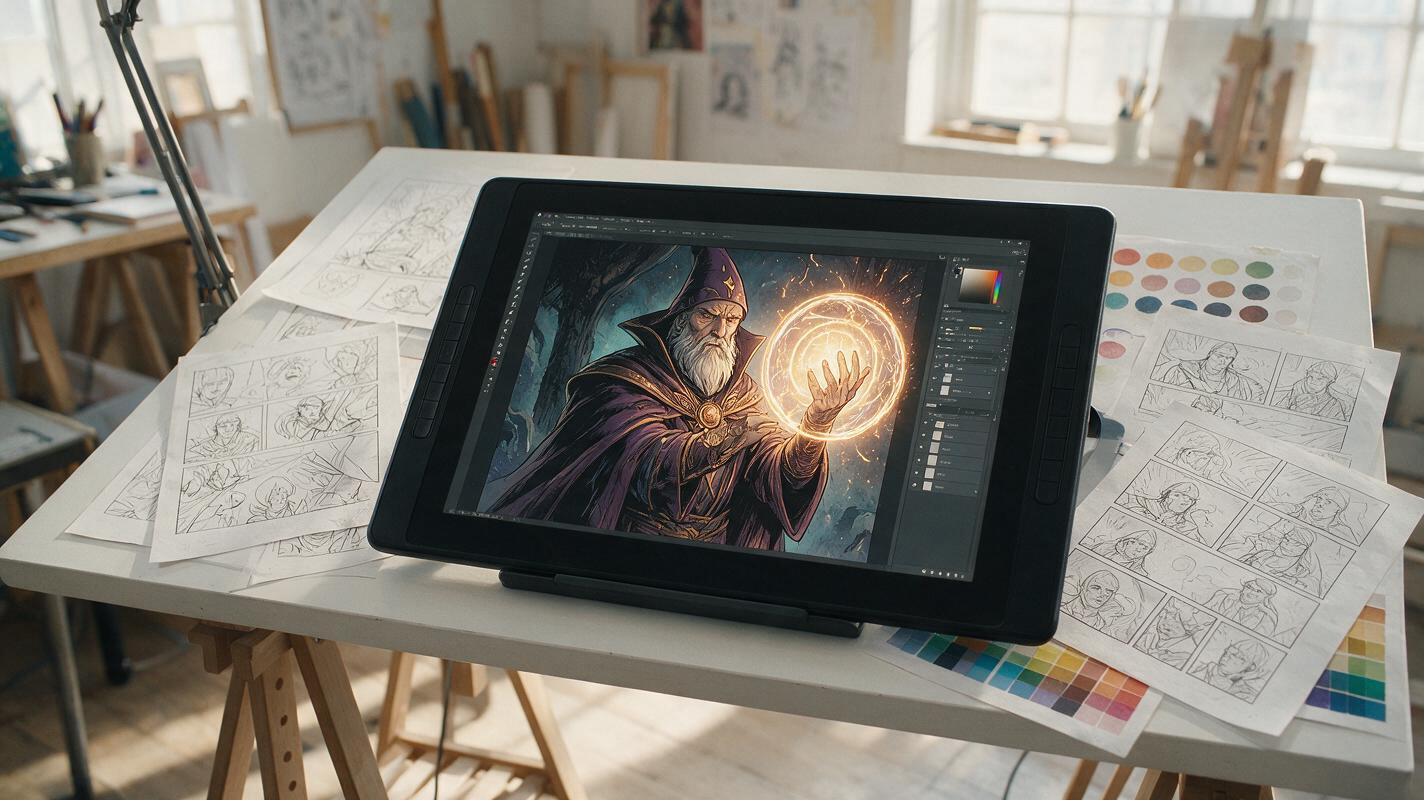
Table of contents
Animate the effect, not the entire panel
A glowing spell may need to pulse, rotate, and throw light across a panel, but the character casting it should not change faces, shift poses, or grow extra fingers. The most reliable approach is to treat the artwork as a locked plate and give Vidu a small, precisely defined motion budget for the effect alone.
This method works especially well for magic circles, supernatural auras, drifting smoke, embers, floating particles, and illuminated weapons. It is less suitable for actions that require the character to perform a completely new pose.
Core rule: describe what moves, where it moves, and what must remain unchanged. A prompt that only says “animate this magic scene” gives the model too much freedom.
Separate the locked artwork from the moving effect
Start with a finished panel that already contains the composition, character pose, costume, lighting direction, and effect placement you want. Using Vidu through an image to video workflow lets the source illustration act as the visual anchor, but it does not automatically guarantee that every line will remain fixed.
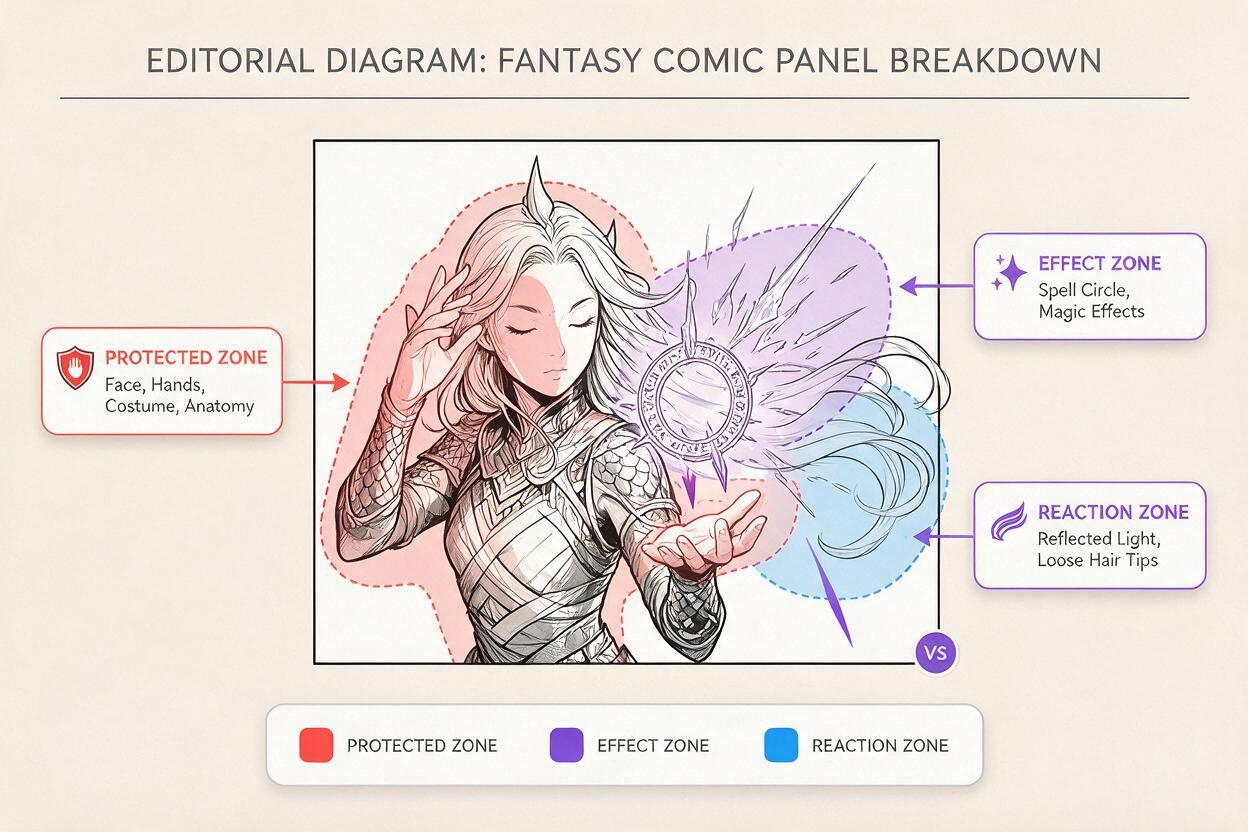
Before generating, divide the panel mentally into three motion zones:
- Protected zone: face, hands, anatomy, costume construction, weapon grip, and important line art.
- Effect zone: spell circle, flame, aura, smoke, particles, magical liquid, or energy trail.
- Reaction zone: a small area where light, hair tips, cloth edges, or nearby dust may respond to the effect.
The protected zone receives no intended motion. The effect zone receives the clearest motion verbs. The reaction zone receives only subtle secondary movement. This hierarchy prevents a decorative effect from becoming an excuse to regenerate the entire scene.
If speech balloons, sound effects, or captions are present, remove them before animation and restore them during editing. Generated motion can distort typography even when the rest of the drawing stays recognizable.
Write prompts around a strict motion budget
A useful Vidu prompt has four parts: the locked subject, the permitted effect, the effect’s movement, and the camera rule. Keep those parts in the same order so the most important constraint appears early.
Locked subject:
The illustrated sorcerer remains perfectly still in the original pose.
Preserve the same face, hands, costume, silhouette, line art, and framing.

Permitted effect:
Only the circular spell glyph and its small surrounding particles move.

Effect motion:
The glyph rotates slowly clockwise. Thin runes brighten in sequence.
Tiny violet sparks drift upward and fade before reaching the face.

Camera rule:
Locked camera, no zoom, no pan, no perspective change.
“Perfectly still” is useful, but it should not stand alone. Name the features that must survive: the same hand pose, finger count, facial expression, costume seams, and silhouette. Then describe the effect with concrete verbs such as rotate, pulse, rise, curl, flicker, or dissolve.
| Prompt language | Likely problem | More controlled direction |
|---|---|---|
| Powerful magic explodes everywhere | Unbounded motion and character deformation | A narrow ring of sparks expands 10 percent, then fades |
| The hero channels energy | The body may perform a new action | The hero remains in the source pose; only the orb pulses |
| Dramatic cinematic camera | Composition and perspective may drift | Locked camera with no reframing |
| Wind blows through the scene | Hair and clothing may change shape | Only two loose hair tips sway slightly |
Use effect-specific motion instead of vague energy
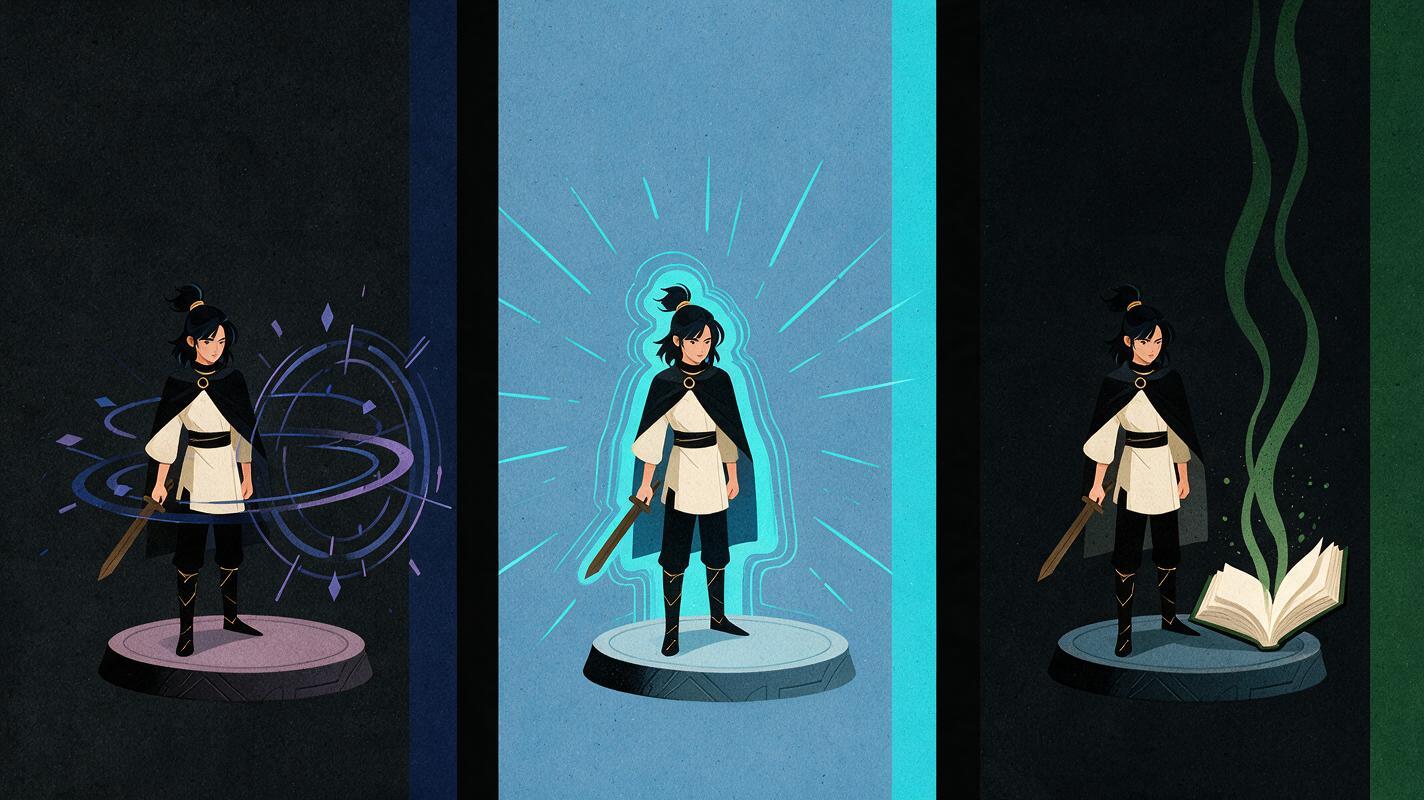
Different effects require different motion logic. Reusing one generic “glowing energy” prompt often produces visual noise rather than readable animation. Match the direction to the material represented in the drawing.
Rotating spell circle
The comic character remains completely unchanged in the original casting pose.
Preserve facial identity, both hands, finger placement, costume details,
black ink contours, and cel shading. Only the spell circle moves.
The outer ring rotates slowly clockwise while the inner ring rotates more slowly
counterclockwise. Four symbols illuminate one after another, then dim.
A few tiny particles rise within the circle boundary and disappear.
Locked camera. No body motion, no mouth motion, no new objects, no text.
Opposing ring directions create visible complexity without requiring aggressive speed. Keep the particles inside a defined boundary so they do not cover the face or hands.
Contained aura around a silhouette
Keep the illustrated warrior and weapon frozen in the exact source pose.
Maintain the same anatomy, face, armor panels, grip, and silhouette.
A thin cyan aura follows the outside of the existing silhouette.
The aura gently brightens and contracts like a slow breath without changing
body proportions. Short wisps rise from the shoulders and vanish quickly.
The background and camera remain static. No camera shake or transformation.
An aura should follow the existing silhouette rather than redefine it. Avoid asking it to “surround the whole body with raging power” unless a chaotic transformation is actually desired.
Smoke from a magical object
Preserve the witch, her expression, hands, book, clothing, and ink lines exactly.
Only the green smoke above the open book moves. The smoke curls upward in two
slow narrow streams, joins briefly, then thins and dissolves before reaching
the character's chin. The book and fingers do not move. Locked camera,
constant composition, no added symbols, no facial animation.
Smoke becomes easier to control when the prompt specifies its origin, path, width, endpoint, and disappearance. Without an endpoint, the plume may spread across the entire frame.
Allow light reaction without allowing a redesign
A moving spell can feel disconnected if it produces no response in the scene. Instead of animating the character, permit a restrained lighting reaction: a gentle brightness pulse on one cheek, a colored reflection along an armor edge, or a small change on the floor beneath the effect.
Keep this reaction subordinate to the source art:
- Use brightness or colored reflection, not a new lighting setup.
- Restrict the response to one named surface or side of the character.
- Keep the original shadow shapes and cel-shading boundaries intact.
- Avoid strobing unless the scene specifically requires a harsh flash.
The orb pulses softly once. A faint blue reflection rises and falls on the
character's right cheek and the nearest glove. Preserve the original shadow
shapes, skin color, facial features, and line art. No other lighting changes.
This narrow instruction gives the effect physical presence while reducing the risk that the model will repaint the character under every light pulse.
Judge stability before spectacle
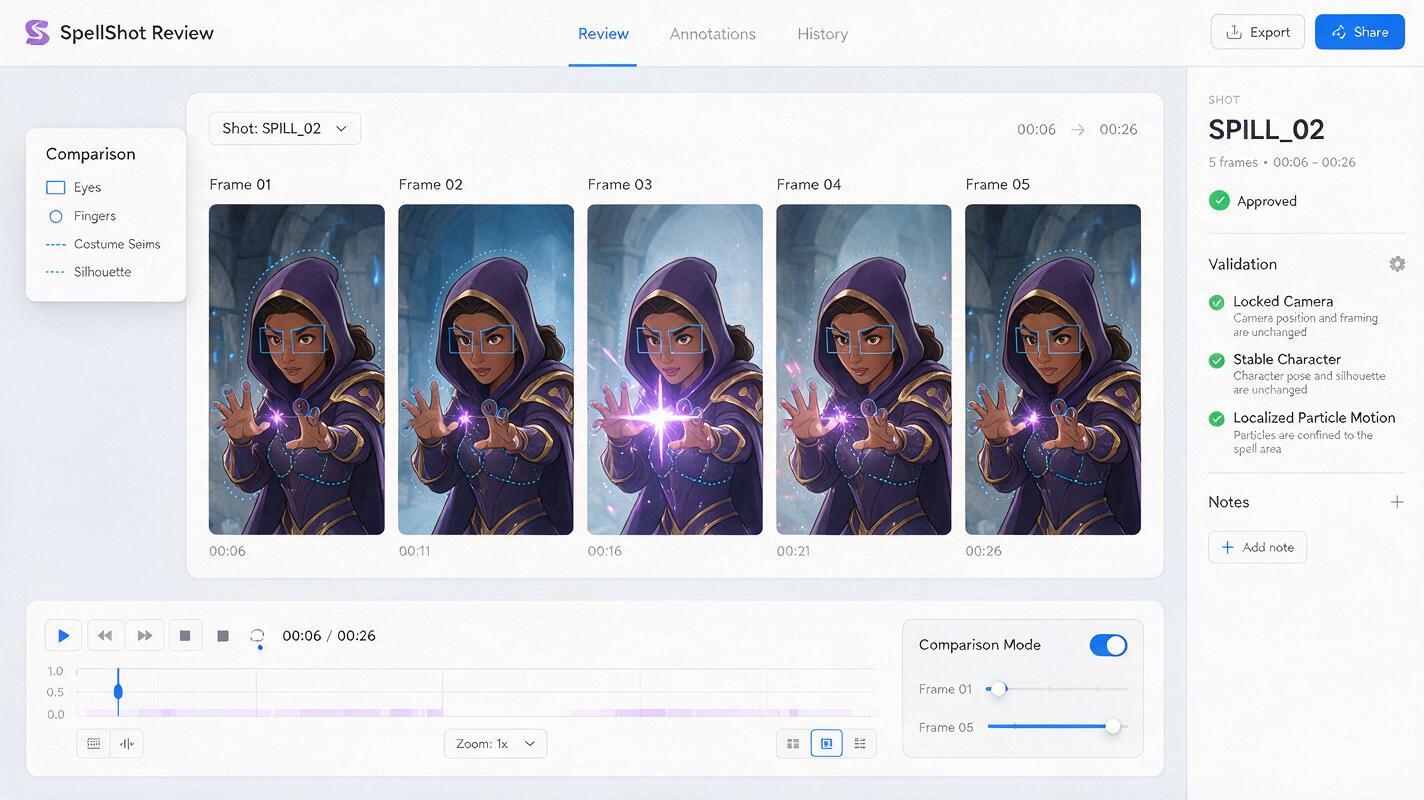
Generate a short test before committing to a longer shot. Review it frame by frame at the face, hands, costume edges, and effect boundary. An impressive burst is not usable if the character becomes a different drawing halfway through the clip.
Score each result against these questions:
- Does the first frame match the source panel closely?
- Do the eyes, jawline, fingers, and costume seams retain their shapes?
- Does motion stay inside the intended effect and reaction zones?
- Does the effect have a readable origin and direction?
- Does the camera remain locked unless movement was explicitly requested?
- Can the final frames cut cleanly back to the static comic art?
If the character drifts, reduce the request rather than adding a longer list of dramatic instructions. Remove camera movement, secondary cloth motion, or complex lighting. An ai video generator usually has an easier task when one pass contains one dominant motion system.
Fix common failures with smaller prompts
| Failure | Probable cause | Prompt correction |
|---|---|---|
| The casting hand changes | The effect overlaps the fingers | Keep particles below the palm and explicitly lock the grip |
| The face flickers with the glow | The lighting reaction is too strong | Limit reflection to one cheek at low intensity |
| The aura changes body width | The aura was asked to expand | Make brightness pulse while the outline position stays fixed |
| New runes appear | The prompt invites invention | Preserve only the symbols visible in the source image |
| The whole panel shakes | Impact language implies camera motion | State locked camera and direct vibration into particles only |
| Smoke covers the character | No path or endpoint was defined | Specify a narrow plume that dissolves below the chin |
When one small region remains unstable, consider compositing. Use the clean static panel as the base, place the generated effect clip above it, and mask out any altered face, hand, or costume area. For comic animation, a controlled composite is often more valuable than a fully generated frame.
Build a reusable effect library
Once a result works, save more than the final clip. Keep the source panel, prompt, aspect ratio, clip duration, successful motion language, and any mask used in editing. Organize effects by behavior—rotating glyph, rising ember, curling smoke, pulsing aura—rather than by character name.
This creates a visual vocabulary that can be reused across episodes while preserving each character’s drawing. You can change color, scale, speed, and placement without reinventing the motion design for every panel.
Production shortcut: one restrained effect that repeats consistently across a webtoon episode will usually feel more intentional than several unrelated effects with more movement.
Final checklist
- Begin with a finished panel whose pose and effect placement already work.
- Define protected, effect, and reaction zones before prompting.
- Name every important feature that must remain unchanged.
- Give the effect concrete motion verbs, boundaries, and an endpoint.
- Lock the camera unless camera movement serves a specific story beat.
- Remove lettering before generation and restore it during editing.
- Inspect faces, hands, costume seams, and silhouettes frame by frame.
- Reduce the motion budget when character drift appears.
Choose a panel with one clearly drawn spell or supernatural effect, paste in the closest prompt above, and try these models for free.
Keywords
Vidu prompts, comic panel animation, magic effects animation, illustration to video, consistent character AI, webtoon animation, image to video