Comic Panel Transitions with Vidu: From Keyframes to Clean Motion
Learn how to connect two illustrated comic panels with Vidu while preserving character identity, staging, and line art. This workflow uses compatible keyframes, restrained motion prompts, and targeted troubleshooting to avoid accidental morphing.
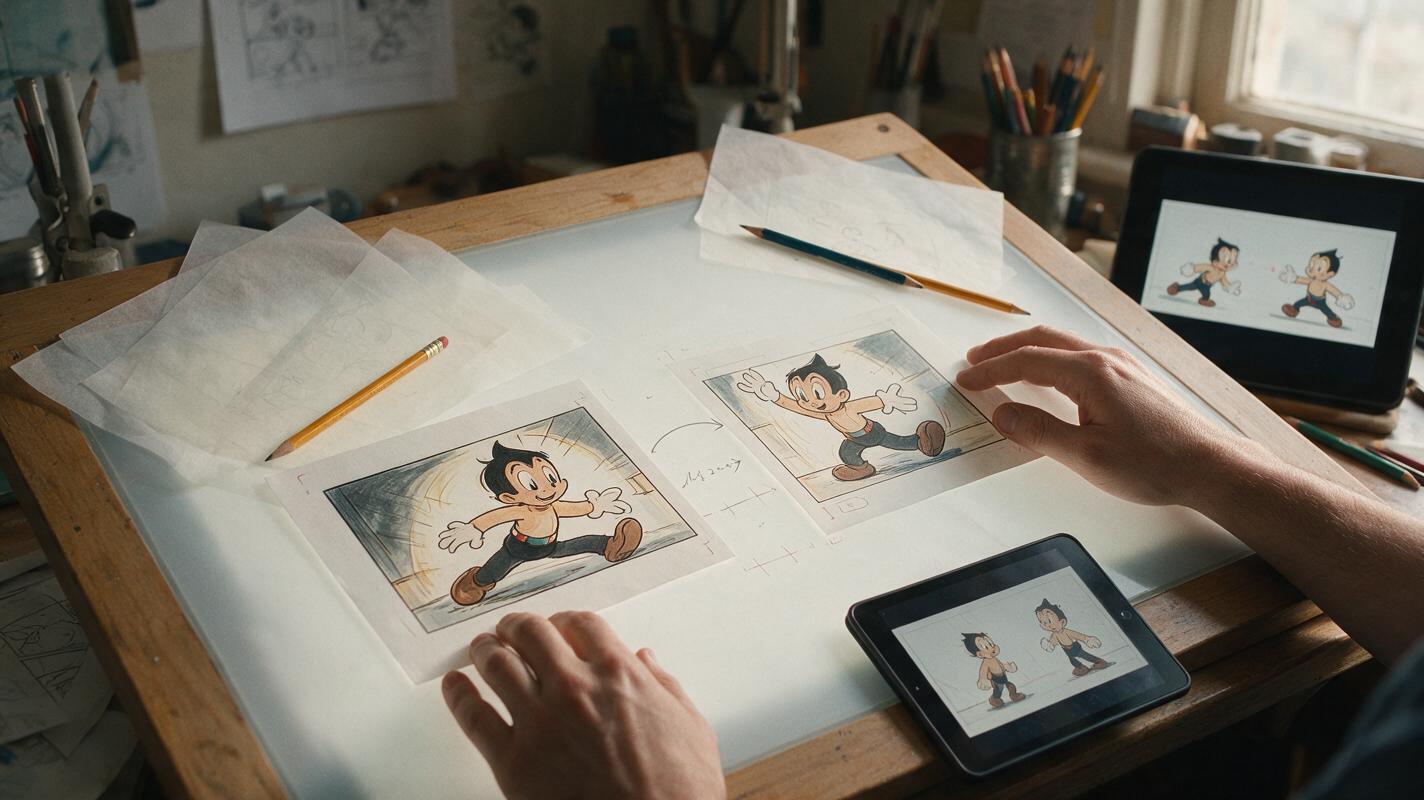
Table of contents
Make the cut feel intentional, not like an AI morph
Animating the space between two comic panels is harder than adding motion to a single illustration. The character must complete a believable action while their face, costume, props, environment, and drawing style remain stable. If the keyframes disagree too much, the result becomes a melting transition instead of a readable story beat.
A reliable approach is to treat the two panels as animation keyframes. Vidu handles the motion between them, but the artist still controls the beginning, destination, action, and visual hierarchy. The goal is not to make every object move. It is to preserve the panel artwork while making one narrative change easy to follow.
The essential rule: one transition should communicate one primary change—such as turning, reaching, standing, or revealing—not an entire sequence of unrelated actions.
Choose keyframes that can plausibly connect
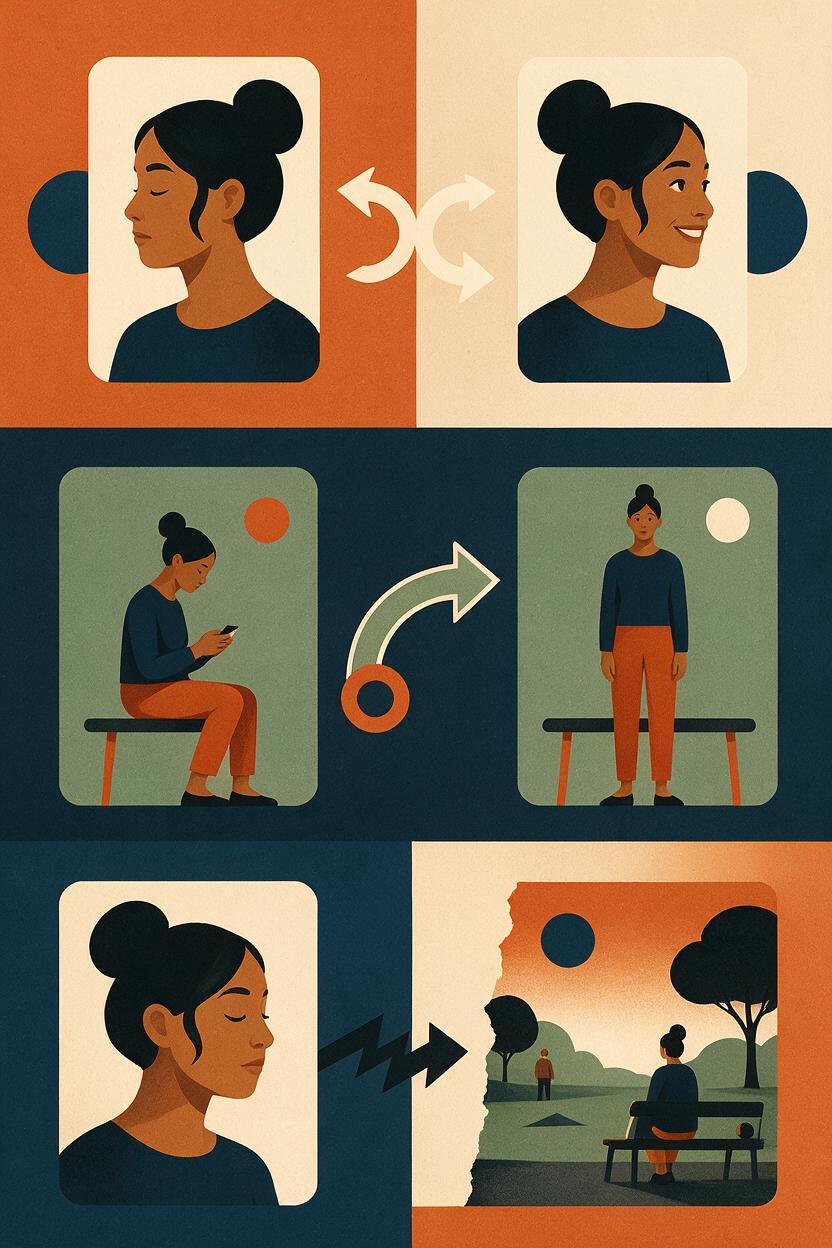
The opening and closing panels need enough visual continuity for the model to infer a path between them. They do not have to be identical, but they should look like two moments from the same shot rather than illustrations from different scenes.
Before using image to video, compare these visual anchors:
- Character identity: facial structure, hairstyle, costume design, body proportions, and signature accessories remain recognizable.
- Screen position: the character does not jump from one side of the frame to the other without a motivated camera move.
- Environment: doors, furniture, windows, horizon lines, and major shadows occupy compatible positions.
- Action path: the ending pose can be reached naturally from the opening pose.
- Framing: both images use a similar shot size unless the transition intentionally includes a push-in or pull-back.
A seated character beginning to rise can connect cleanly to the same character standing beside the chair. A close-up of the character smiling will not connect as predictably to a distant overhead view of a street. That second pair contains a cut, not a continuous movement, and should remain two separate shots.
| Keyframe pair | Transition potential | Main risk |
|---|---|---|
| Neutral pose to small head turn | High | Unwanted blinking or hair movement |
| Hand lowered to hand holding a letter | Medium | Prop appearing before the grip forms |
| Seated pose to standing pose | Medium | Chair and leg geometry changing |
| Close-up to wide establishing shot | Low | Identity loss and background invention |
| Different costumes or locations | Very low | Full-frame morphing |
Prepare the artwork for interpolation
Remove elements that the video model should not reinterpret. Speech balloons, captions, sound effects, panel borders, and creator signatures are best added after animation. Generated motion can bend letters, duplicate balloon tails, or turn typography into moving texture.
Use the same canvas ratio for both keyframes. Align fixed environmental landmarks before uploading the images: a tabletop edge, doorway, window frame, or horizon line can act as a registration guide. If the camera is meant to stay locked, those landmarks should overlap closely.
Inspect hidden continuity as well. If a coat sleeve covers the hand in the opening panel but exposes it in the ending panel, make sure the implied arm movement explains that change. If a prop enters the frame, establish where it comes from rather than asking it to materialize.
For illustrated work, clean silhouettes matter more than tiny surface details. A readable arm position and stable face contour give the model stronger guidance than additional rendering on fabric or scenery.
Write a transition prompt, not a redraw prompt
The images already define the character and art direction. The prompt should describe what changes between them, what stays fixed, and how the camera behaves. Repeating a long style description can encourage the model to redraw the artwork instead of preserving it.
Use a compact structure:
Primary action: [one visible action]
Secondary motion: [one subtle supporting movement]
Camera: [locked, slow push-in, or gentle pan]
Preserve: character identity, costume, line art, background geometry
Avoid: new objects, extra gestures, facial redesign, camera shake
For a webtoon character discovering a letter, a useful prompt would be:
The character slowly raises the letter from chest level and reads it.
Their eyes shift toward the page, followed by a restrained worried expression.
The camera remains locked. Preserve the face, hairstyle, jacket design,
hand count, letter shape, ink outlines, and room layout. No new objects,
no dramatic wind, no body rotation, and no camera shake.
For a quieter reaction shot:
The character turns their head slightly toward the doorway and pauses.
Only the head, eyes, and a few loose hair strands move. Keep the shoulders,
clothing folds, background, lighting, and framing stable. Locked camera,
subtle motion, no zoom, no lip movement, no added characters.
Action verbs should be physically specific. “Moves dramatically” leaves too much open to interpretation. “Raises the letter ten centimeters, focuses on it, then pauses” defines a visible path with a clear endpoint.
Control the motion budget
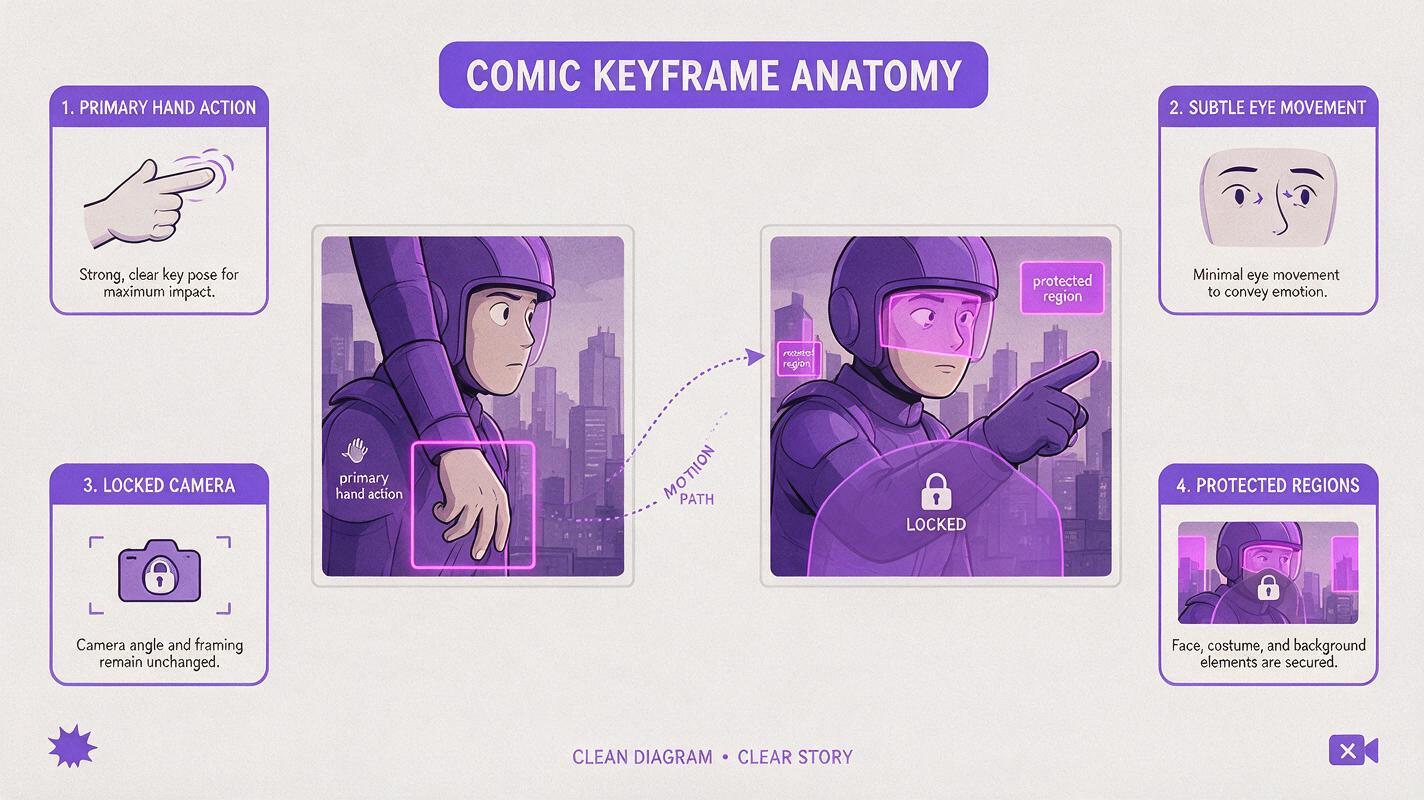
A motion budget is the amount of change permitted inside one clip. Illustrated panels usually benefit from a smaller budget than photorealistic footage because line work makes every deformation conspicuous.
Divide motion into three priorities:
- Primary motion: the story action, such as reaching for a door handle.
- Supporting motion: a restrained eye shift, sleeve movement, or breathing cue.
- Fixed regions: architecture, typography-free negative space, costume emblems, and non-acting characters.
If the result drifts, remove supporting motion before changing the keyframes. Requests for blinking, breathing, moving hair, shifting light, floating dust, and a camera push can collectively overwhelm a simple hand action.
For comic animation, stillness is not a defect. Holding most of the frame steady directs attention to the story beat.
Generate the bridge in Vidu
Place the opening panel at the beginning and the destination panel at the end of Vidu's image-driven workflow. When a first-and-last-frame option is available in the selected generation mode, use it to define both endpoints. This is a start frame to video task rather than open-ended animation from a single image.
Begin with the shortest practical transition. Short clips ask the model to solve less movement and make identity drift easier to locate. Generate several variations with the same keyframes and prompt before rewriting everything; interpolation can differ even when the creative direction stays constant.
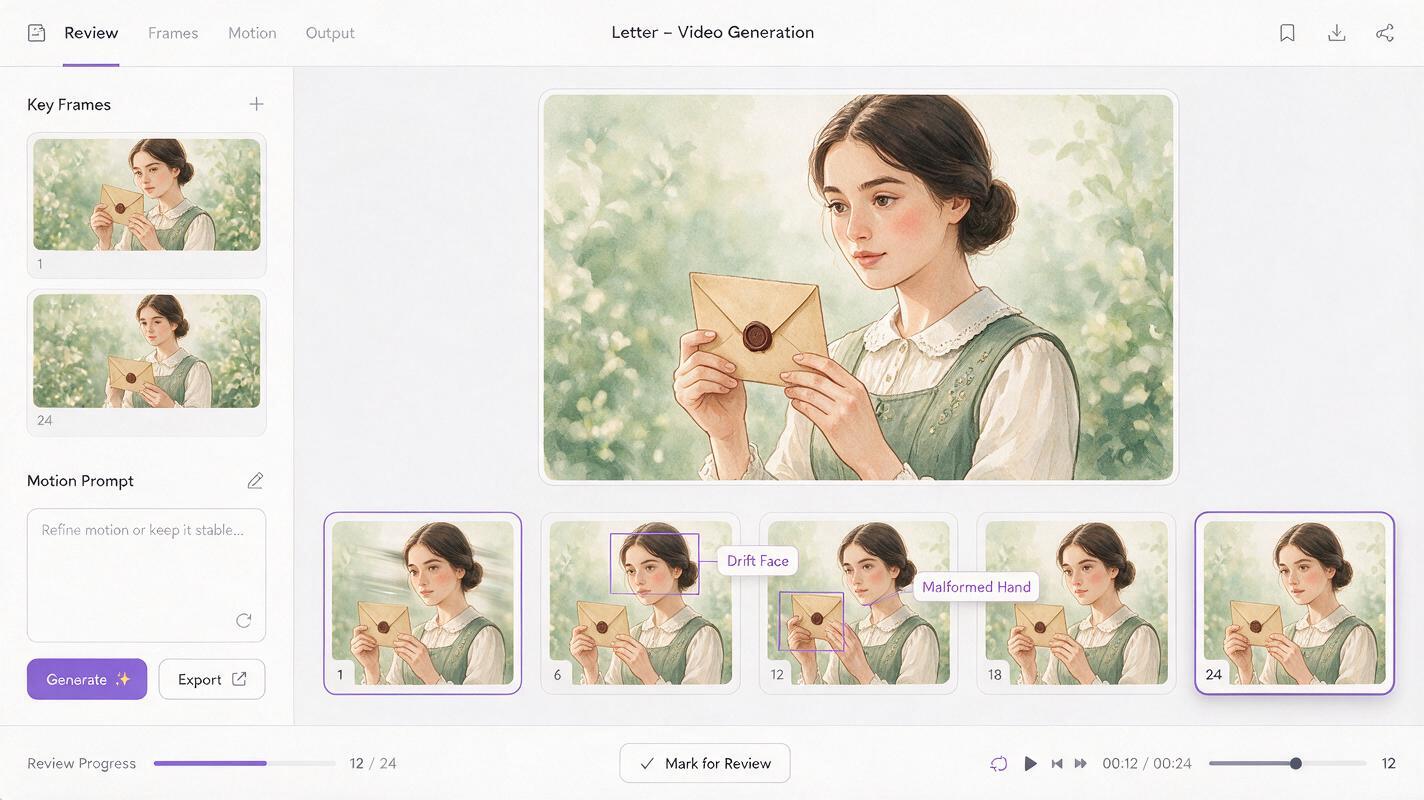
Review each result at normal playback speed and frame by frame. A clip may feel acceptable in motion while still containing a broken hand, duplicated prop, or one-frame facial redesign that becomes obvious when paused.
Diagnose the transition by failure type
Do not respond to every bad result by adding more prompt text. Identify which part of the setup is causing the failure, then change only that part.
| Failure | Likely cause | Practical correction |
|---|---|---|
| Face changes halfway through | Large head-angle or expression difference | Reduce the turn, simplify the expression, or add an intermediate keyframe |
| Prop appears from nowhere | No visible acquisition path | Show the prop partially in the opening frame or animate the reach separately |
| Background bends | Camera motion conflicts with fixed architecture | Use a locked camera and align structural landmarks |
| Line art shimmers | Too much full-frame motion | Reduce secondary movement and keep more regions static |
| Hands merge with clothing | Overlapping silhouettes lack separation | Edit the keyframe to create clearer negative space around the hand |
| Ending pose arrives too early | The requested action is too small for the clip | Add a deliberate hold, eye reaction, or slower movement description |
When an action still cannot bridge cleanly, insert a third drawing. An intermediate pose is often more effective than a longer prompt because it resolves ambiguous anatomy visually. For example, split “hand at side” to “holding letter” into hand at side, hand touching letter, and hand holding letter.
Edit for comic timing
The generated clip does not have to determine the final rhythm. Trim the beginning and end so the character does not appear frozen for too long. Hold the destination frame in the editor if the emotional reaction needs space, or cut early if the next panel should interrupt the action.
Restore dialogue, captions, sound effects, and panel framing after the motion is approved. Keeping text separate protects readability and lets the same animation support different languages or revised dialogue.
For vertical webtoons, preview at actual mobile width. Fine facial movement that looks elegant on a large monitor may disappear on a phone, while small line fluctuations may become distracting around high-contrast eyes and mouths.
Final checklist
- The two keyframes show moments from one continuous action.
- Face, costume, props, environment, and framing are compatible.
- Speech balloons and lettering are kept outside the generated footage.
- The prompt defines one primary action and restrained secondary motion.
- Camera behavior is stated explicitly.
- Fixed regions are named instead of assuming the model will preserve them.
- The clip has been checked frame by frame for identity and anatomy drift.
- An intermediate drawing is added when the pose change is too large.
Choose two compatible panels, keep the motion budget small, and try these models for free to compare transition variations before committing to the final edit.
Keywords
comic panel animation, Vidu, image to video, comic keyframes, illustration animation, panel transition, visual storytelling AI