Build a Reusable Webtoon Location Sheet with Nano Banana Pro
Create a reusable webtoon location sheet that keeps doors, windows, furniture, lighting, and camera geography stable across episodes. This Nano Banana Pro workflow turns one approved environment into practical reference views, detail crops, and controlled scene variations.
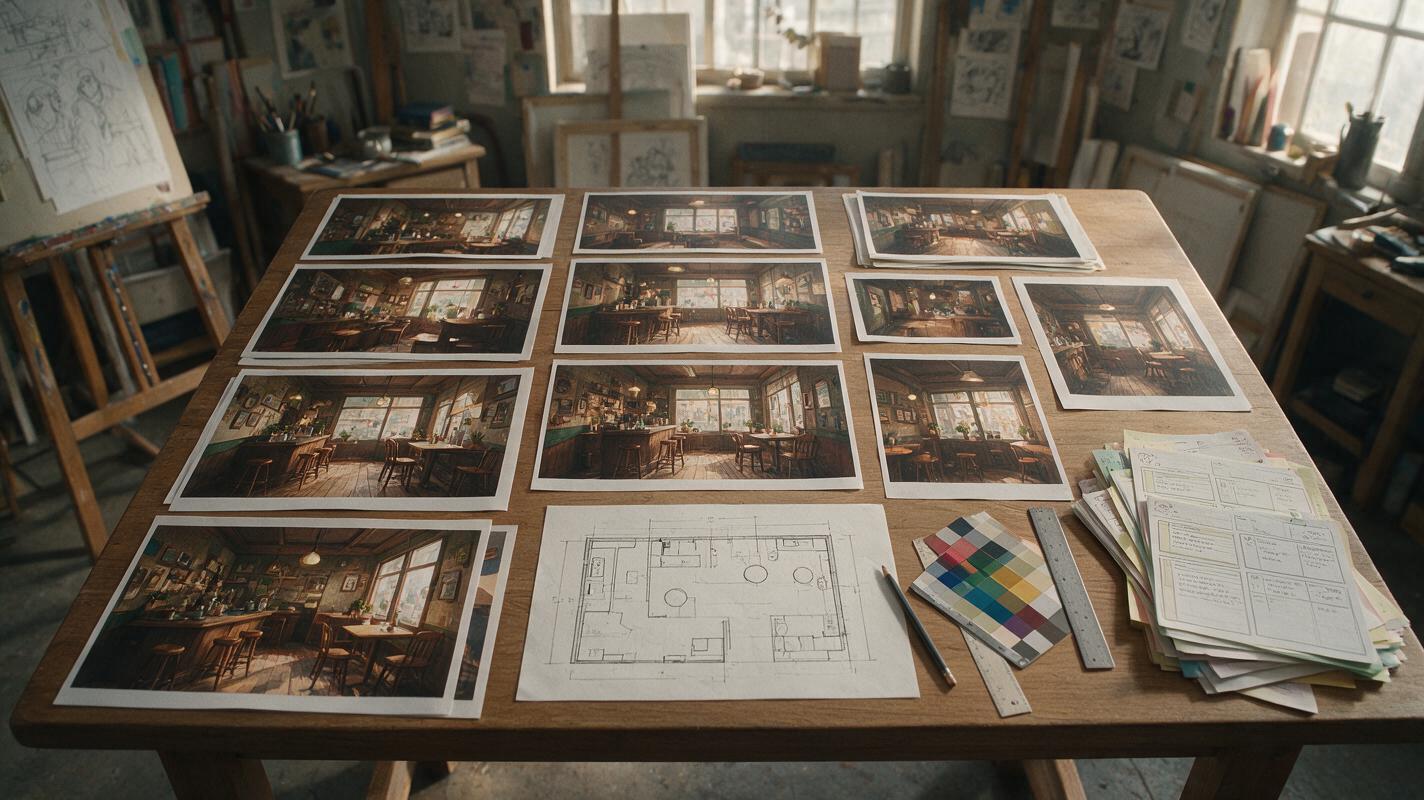
Table of contents
Stop rebuilding the same room in every panel
A reusable location sheet gives your webtoon a stable stage, so characters can move through a room without doors, windows, furniture, or spatial relationships changing between panels.
Generating an attractive background is usually not the hardest part. The real problem appears later: the sofa moves to another wall, a second window materializes, the hallway changes direction, or a dramatic camera angle reveals architecture that cannot exist.
This workflow uses Nano Banana Pro to develop one approved location into a compact production reference. The goal is not to generate finished panels immediately. It is to define enough visual evidence that future scenes share the same geography while still allowing different compositions, moods, and character blocking.
Define the location before asking for polished art
Start with a short location brief written for storytelling rather than interior decoration. A beautiful room can still fail as a comic set if it lacks entrances, depth layers, usable character positions, or recognizable landmarks.
Your brief should identify:
- Story function: what conversations, conflicts, or actions happen here?
- Fixed architecture: doors, windows, stairs, columns, built-in shelves, and wall openings.
- Anchor objects: large items that help readers understand orientation, such as a green sofa or red vending machine.
- Movement routes: where characters enter, exit, hide, sit, or cross the frame.
- Visual identity: period, materials, color family, wear, signage, and atmosphere.
- Panel needs: establishing shots, dialogue angles, close-up backgrounds, and action-friendly open space.
Continuity depends more on a few persistent landmarks than on preserving every decorative object.
For example, a café used for recurring conversations might need a street entrance on the left, a counter along the back wall, a large arched window on the right, and a yellow booth near the foreground. These relationships matter more than the exact number of cups on a shelf.
Create a readable master view
Use Nano Banana Pro to generate a wide master image that clearly exposes the location's major spatial relationships. Avoid an extreme lens, dramatic tilt, heavy foreground obstruction, or shallow depth of field. Those choices may look cinematic, but they hide information needed for continuity.
A useful master prompt separates permanent geometry from optional atmosphere:
Recurring webtoon location reference, cozy corner café interior.
Wide eye-level view with clear readable spatial geography.
Street entrance fixed on the left wall.
Long wooden service counter fixed against the back wall.
Large arched window fixed on the right wall.
Yellow upholstered booth in the right foreground.
Open central aisle for two characters to walk through.
Warm cream plaster, dark walnut trim, muted teal accents.
Clean inked webtoon background, controlled line weight,
moderate detail, neutral daytime lighting, no people,
no text, no fisheye distortion, no duplicated furniture.
Generate several candidates, but do not combine their best features mentally. Choose one image as the canonical version. If the counter placement from one result and the window placement from another both enter later prompts, the set no longer has a single answer.
When using an ai image generator, save the selected master at the highest practical resolution and record the final prompt beside it. The image is the visual source of truth; the written brief explains which parts must not drift.
Convert the master image into a location sheet
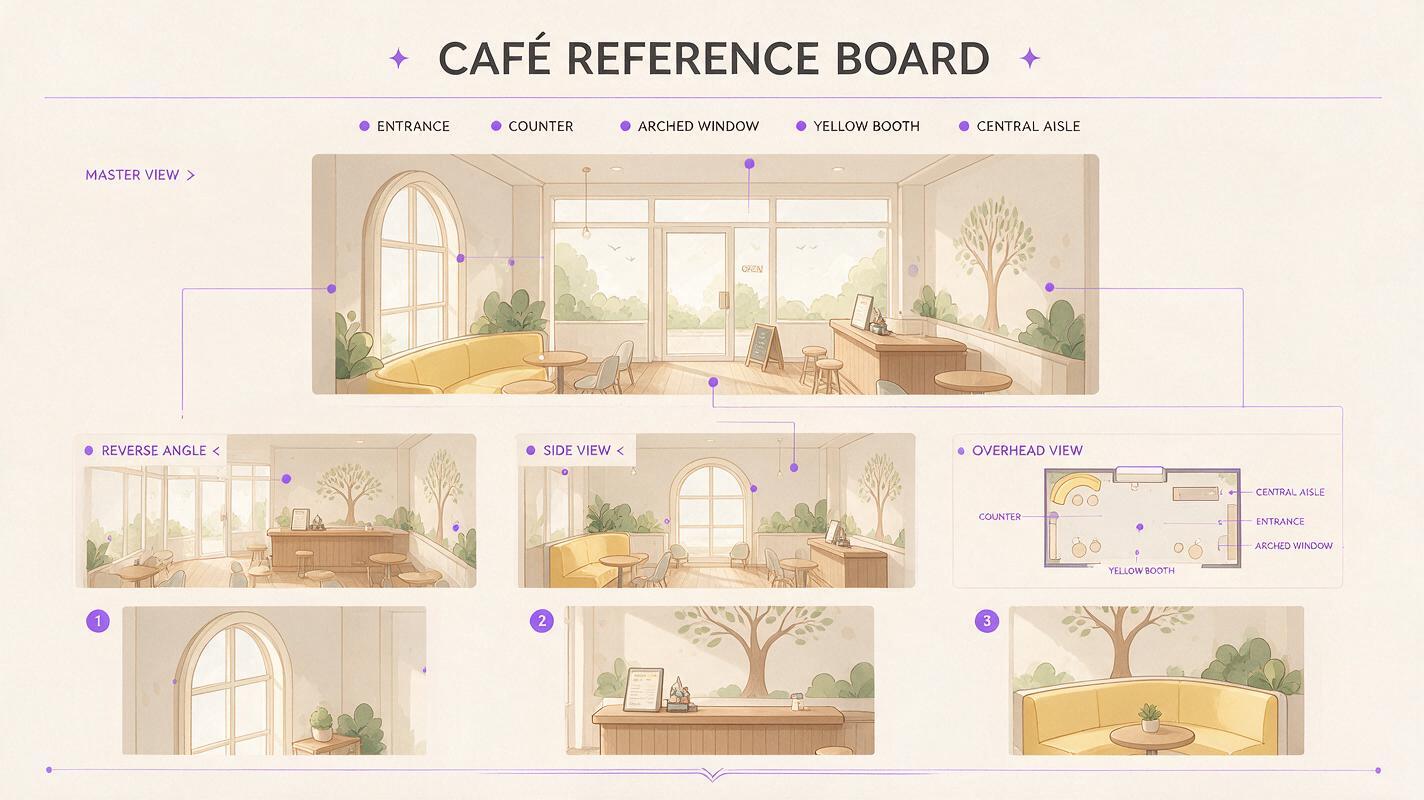
A single wide shot cannot explain every wall or hidden corner. Build a sheet with views that answer different production questions rather than producing random variations.
| Reference view | What it establishes | Best use in panels |
|---|---|---|
| Wide master | Overall layout and primary landmarks | Establishing shots and scene openings |
| Reverse angle | What exists behind the original camera | Shot-reverse-shot dialogue |
| Side view | Distance between entrances and furniture | Character movement and profile staging |
| High-angle plan | Walkable floor area and object positions | Action blocking and spatial checks |
| Detail crops | Recurring props, materials, and motifs | Close-ups and transition panels |
Use the approved master as the reference for each new view. State the camera change explicitly while repeating the fixed relationships. Do not merely ask for “the same café from another angle,” because sameness is ambiguous without named constraints.
Use the provided café master as the location reference.
Show the reverse camera angle from beside the arched window,
looking toward the street entrance.
Preserve the same floor plan, cream plaster, walnut trim,
yellow booth design, counter materials, and object scale.
Reveal only architecture logically behind the original camera.
No people, no new doors, no extra windows, no layout redesign.
Match the original webtoon line art and color treatment.
If a new angle invents an incompatible wall, correct that view before generating more material. An error multiplied across ten panels becomes much harder to repair than an error caught on the reference sheet.
Separate structural rules from flexible details
Not every element deserves equal protection. Trying to freeze every cup, plant, cushion, and paper can make scene generation unnecessarily rigid. Divide the location into three levels of continuity.
Elements that must remain fixed
- Room proportions and ceiling height
- Door, window, stair, and corridor locations
- Large built-in structures
- Primary furniture placement
- Signature color blocks and architectural motifs
Elements that may move with the scene
- Chairs used by characters
- Tabletop objects
- Curtains, loose papers, and small plants
- Temporary decorations
- Props introduced by the plot
Elements that should change deliberately
- Time of day and exterior light
- Weather visible through windows
- Clean, crowded, damaged, or abandoned states
- Seasonal decorations
- Emotional color treatment
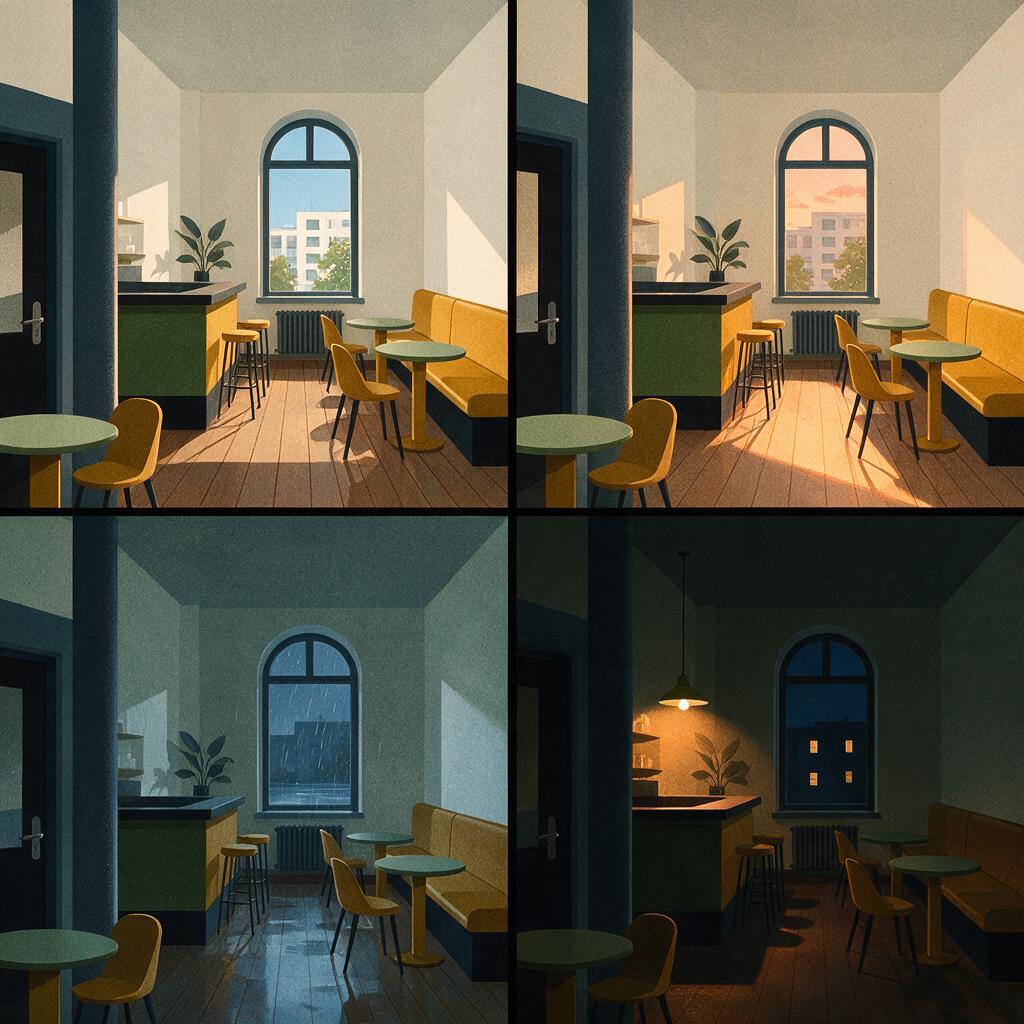
This hierarchy lets you create scene variation without accidentally redesigning the set. A rainy-night version can have blue window light and wet reflections while preserving the same doorway, counter, booth, and aisle.
Generate mood variants without changing the floor plan
Once the neutral location sheet is approved, create controlled state changes. Use the master image again for each variant instead of using one variation as the reference for the next. Chaining results can gradually exaggerate color, alter furniture, and distort geometry.
A mood-edit prompt should explicitly lock the structure:
Edit only the lighting, weather, and temporary atmosphere.
Keep the café floor plan, camera position, doors, arched window,
counter, yellow booth, wall proportions, and furniture scale unchanged.
Change the scene to a rainy evening after closing.
Cool blue light through the right window, subtle wet reflections,
most interior lamps off, one warm pendant above the counter.
Quiet suspenseful mood, clean webtoon illustration.
Do not add people, signs, doors, windows, or new furniture.
Create separate variants from the neutral master for morning, sunset, rain, blackout, festival decoration, or post-conflict damage. Label each file by location, view, and state, such as cafe_master_reverse_rain. Clear naming prevents an atmospheric variation from quietly replacing the canonical set.
Test the set with actual panel compositions
A location sheet is only useful if it supports the story's recurring shots. Test it with a small panel pack before committing to an episode.
- A wide establishing panel with two characters
- A medium two-shot near the anchor object
- Opposing over-the-shoulder dialogue views
- A low or high angle that reveals more architecture
- A close-up with a recognizable background fragment
For each test, describe character blocking in relation to fixed landmarks: “Character A stands between the left entrance and the counter” is more reliable than “Character A stands in the café.” Spatial language helps the composition inherit the location instead of merely copying its decorative style.
Inspect the resulting panels as a sequence. Readers should be able to infer where each character is facing and where an exit lies. If individual images look attractive but the sequence feels disorienting, revise the camera map or simplify the set.
Fix the most common background continuity failures
| Failure | Likely cause | Practical correction |
|---|---|---|
| Doors or windows multiply | The prompt names a room type but not fixed openings | List every opening and prohibit additional ones |
| The reverse angle feels like another building | Hidden architecture was never defined | Create and approve a reverse reference before panel production |
| Furniture changes size | No stable scale cue exists | Add door height, counter height, or a neutral human silhouette during planning |
| Colors drift between panels | Mood language overrides the palette | Repeat material colors separately from lighting instructions |
| The scene becomes overcrowded | The model treats empty space as unfinished | Specify open aisles and intentional negative space |
| Perspective looks impossible | The requested camera cannot fit the defined room | Move the camera or use a simpler lens instead of stretching the architecture |
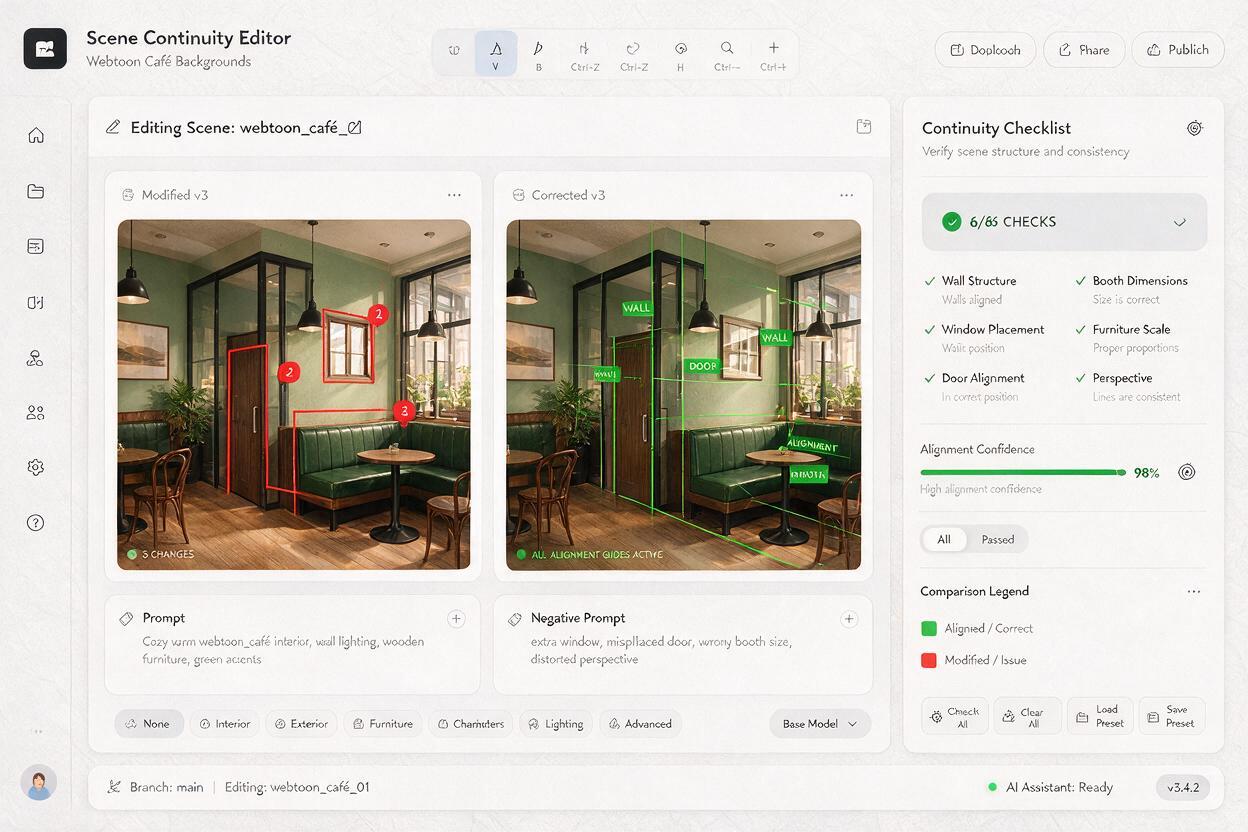
Do not solve every mismatch by adding more adjectives. When a result fails, identify whether the problem is geometry, camera placement, object identity, palette, or rendering style. Correct that category while keeping the others unchanged.
Package the reference for episode production
Arrange the approved assets into one compact board: master view, reverse angle, side view, simplified floor plan, material swatches, anchor-object close-ups, and short continuity notes. Include only references that have been checked against each other.
A practical location note might read:
Entrance always left of counter. Arched window always opposite entrance. Yellow booth remains beside the window. Central aisle stays clear. Small chairs and tabletop props may move. Exterior light changes by scene.
This board can guide generated backgrounds, hand-drawn revisions, 3D blocking, or collaboration with assistants. It also makes intentional changes visible: if the plot destroys the window, the altered version becomes a named story state rather than an accidental inconsistency.
Once the brief and master prompt are ready, create your own version and test it with the hardest reverse angle before producing a full episode.
Final checklist
- The location has one approved canonical master image.
- Doors, windows, corridors, and large furniture have fixed positions.
- The reverse angle agrees with the master view.
- Anchor objects are easy to recognize in wide and close shots.
- Movable props are distinguished from permanent structures.
- Mood variants begin from the neutral master rather than from each other.
- Test panels preserve character orientation and usable exits.
- Files are labeled by location, camera view, and scene state.
Keywords
webtoon location sheet, Nano Banana Pro, comic background generator, consistent comic backgrounds, webtoon background prompts, environment reference sheet, AI comic maker