Seedream 4.5 Prompts for Webtoon Scroll Reveals That Land on Mobile
A dramatic webtoon reveal often fails when the surprise is compressed into one crowded image instead of paced through the vertical scroll. This guide provides Seedream 4.5 prompts, composition patterns, and mobile checks for entrances, transformations, and environmental reveals.
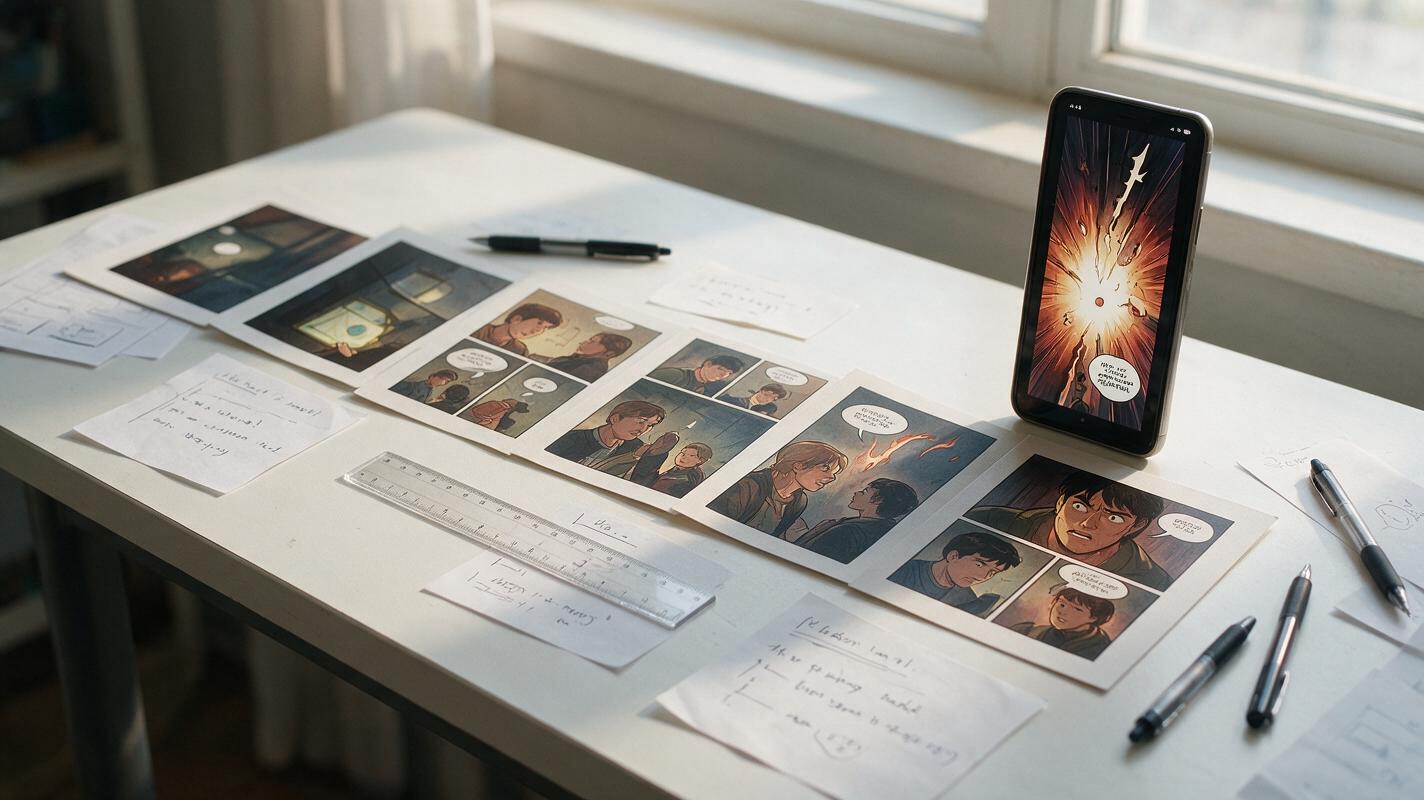
Table of contents
Make the reveal happen in the scroll, not inside one panel
A webtoon reveal can contain beautiful artwork and still feel weak on a phone. The usual problem is spatial: the setup, suspense, and answer appear too close together, so the reader sees everything before the scroll can create anticipation.
The fix is not simply making a taller image. A strong vertical reveal distributes information across separate visual beats, controls what enters the viewport, and saves the clearest silhouette for the final panel. The prompts below use seedream 4.5, but the underlying composition method can also guide other reference-based illustration workflows.
Why one tall prompt produces a weak reveal
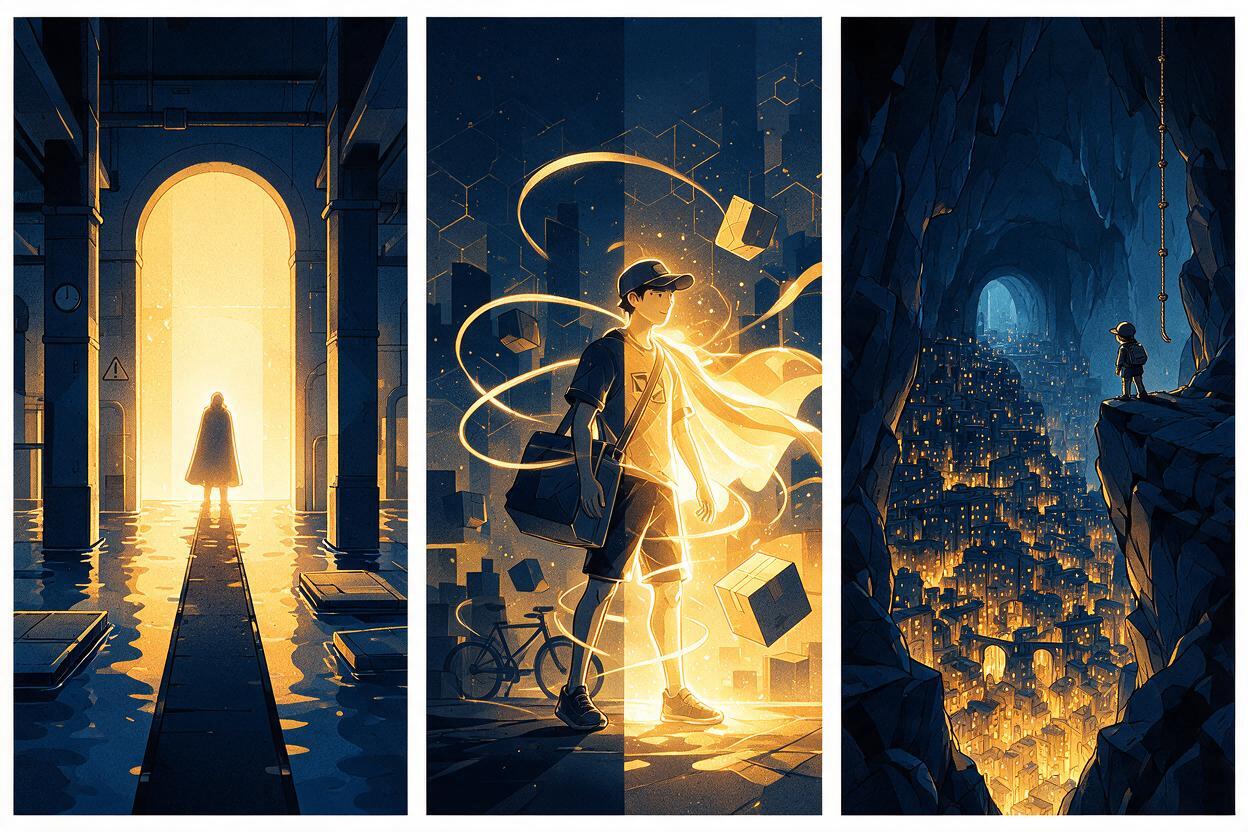
An image model tends to solve a prompt as one complete composition. If asked for “a long vertical webtoon scene where a detective enters a ruined cathedral and discovers a giant creature,” it may show the detective, cathedral, and creature together. That is visually complete but dramatically premature.
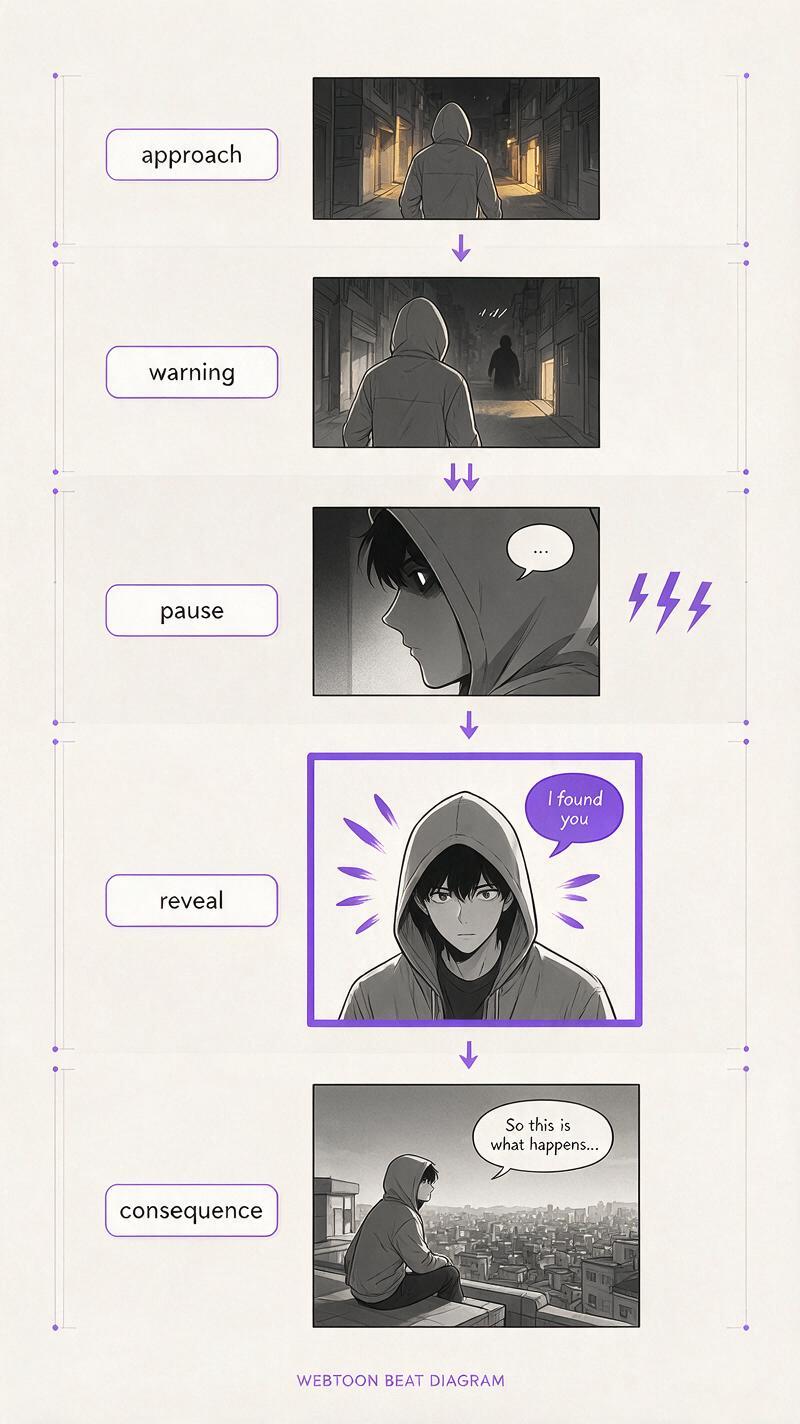
A scroll reveal needs incomplete information. Each panel should answer one question while opening another:
- Orientation: Where is the character, and what are they doing?
- Signal: What suggests that something is wrong?
- Delay: What prevents the answer from appearing immediately?
- Payoff: What is finally shown clearly?
- Reaction: How does the discovery change the character?
Do not ask the model to create suspense. Specify which information must remain hidden until the payoff panel.
Map the reveal before generating art
Start with a compact reveal map rather than a fully illustrated strip. Write one line for each reading beat and identify the dominant visual information. This keeps the episode from becoming a sequence of equally detailed medium shots.
| Beat | Reader receives | Useful framing | Information to withhold |
|---|---|---|---|
| Approach | Location and direction | Wide or long shot | The source of danger |
| Warning | A trace, sound, shadow, or reaction | Insert or close-up | The complete subject |
| Pause | Empty space and anticipation | Narrow panel or gutter | Most of the answer |
| Reveal | A readable new silhouette | Large vertical panel | Only optional secondary details |
| Consequence | Emotion or immediate action | Close-up or directional shot | The next story turn |
The pause does not always need artwork. A larger vertical gutter can make the reader physically scroll farther before the payoff. If an illustrated delay is needed, use a door edge, drifting smoke, descending staircase, foreground curtain, or extreme close-up that conceals the wider scene.
Generate panels as coordinated beats, not one continuous poster
Use the same character reference, costume description, location anchors, and rendering language across the sequence. Change only the shot function and newly visible information. An ai image generator is more controllable when each output has one narrative job instead of an entire episode’s worth of instructions.
Build the sequence from the payoff backward. First establish the reveal panel’s silhouette and camera position. Then create the warning and approach panels without exposing that silhouette. This reverse-planning method prevents setup images from accidentally spoiling the result.
WEBTOON SEQUENCE CONSTANTS
Character: Mina, young courier, cropped black hair, yellow rain jacket,
red cross-body delivery bag, narrow face, small scar over left eyebrow
Location: abandoned underground station, cream wall tiles,
black route signs, shallow water over the platform floor
Rendering: clean inked webtoon illustration, controlled cel shading,
muted teal environment, yellow jacket remains unchanged
Continuity: same costume, bag, facial design, station architecture,
and left-to-right travel direction in every panel
Keep these constants unchanged in every prompt. Add the panel-specific camera, action, concealment rule, and emotional purpose beneath them.
Prompts for three kinds of scroll reveal
A hidden character entrance
This pattern works when a rival, monster, ally, or returning character must appear with a strong silhouette. The setup should show evidence of presence without showing the full body.
Vertical webtoon reveal panel, low camera near the flooded platform,
Mina small in the lower foreground, looking toward the dark tunnel.
A tall human silhouette has just stepped into the station light at the
far end of the platform. Show the entire silhouette clearly but preserve
facial mystery with backlighting. Strong scale contrast, long reflection
in the water, simple readable staging, no additional people, no collage,
no split panel, no text, no speech bubble.
For the preceding warning panel, show only a reflected boot, a shadow crossing the tiled wall, or Mina’s eyes shifting toward an off-panel sound. Do not use a partial full-body view; it usually gives away the silhouette too early.
A transformation reveal
A transformation lands more clearly when the audience sees a stable “before,” one specific transition clue, and a readable final shape. Avoid asking for several transformation phases inside one frame.
Large vertical webtoon payoff panel, the same Mina standing at the center
of the abandoned platform after completing a supernatural transformation.
Her yellow rain jacket and red delivery bag remain identifiable, while
luminous branch-like markings cover both arms and form a circular halo
behind her. Full-body silhouette, symmetrical frontal staging, restrained
effects around the face and hands, clear anatomy, uncluttered background,
strong negative space above the halo, no multiple bodies, no sequence
chart, no duplicated limbs, no typography.
The transition clue can be much smaller: one hand gripping the bag while a single glowing line appears beneath the skin. Saving the halo and full-body shape for the payoff preserves escalation.
An environment reveal
Environmental reveals depend on scale. The character should become smaller as the newly discovered place becomes larger. Use foreground framing to make the final space feel deeper than the approach panels.
Tall vertical webtoon establishing reveal, seen from behind Mina as she
reaches the end of the underground platform and discovers an immense
subterranean city beyond a broken station wall. Mina occupies less than
ten percent of the image near the lower edge. Foreground broken tiles,
midground station arch, vast background towers descending into blue mist,
clear depth layers, one dominant city silhouette, restrained detail near
the focal path, no aerial map, no montage, no text.
Do not fill every part of the city with equal detail. A bright route, central tower, or descending chain of lights gives the eye one path into the scene and keeps the mobile-sized image readable.
Use panel height to control reading time
Panel height should reflect the amount of attention a beat deserves. An approach panel can be moderately tall, while a clue may be a short insert. The payoff receives more vertical space because the reader needs time to scan it.
| Panel function | Relative height | Best visual density |
|---|---|---|
| Orientation | Medium | Low to moderate |
| Clue insert | Short | One sharp detail |
| Suspense delay | Gutter or narrow panel | Minimal |
| Main reveal | Tall | One dominant subject with supporting detail |
| Reaction | Short to medium | Face, hand, or decisive gesture |
Height alone does not create impact. If the reveal panel contains several equally important faces, props, effects, and background landmarks, the reader will not know where to look. Establish one dominant silhouette, one supporting environmental cue, and one directional line of sight.
Keep surprise information out of earlier panels
Models often import requested elements into every generated image, especially when a long prompt repeatedly names the hidden subject. In setup prompts, describe the evidence rather than the answer.
- Replace “dragon behind the door” with “a huge moving shadow crosses beneath the door.”
- Replace “ghost standing upstairs” with “wet footprints continue up the stairs with no visible person.”
- Replace “city beyond the wall” with “cold blue light spills through a narrow crack in the wall.”
- Replace “villain enters the station” with “Mina reacts to a measured footstep from the dark tunnel.”
If a setup generation still exposes the subject, repair or regenerate that panel rather than accepting a weakened reveal. Concealment is part of the story structure, not a cosmetic preference.
Test the episode at reading width
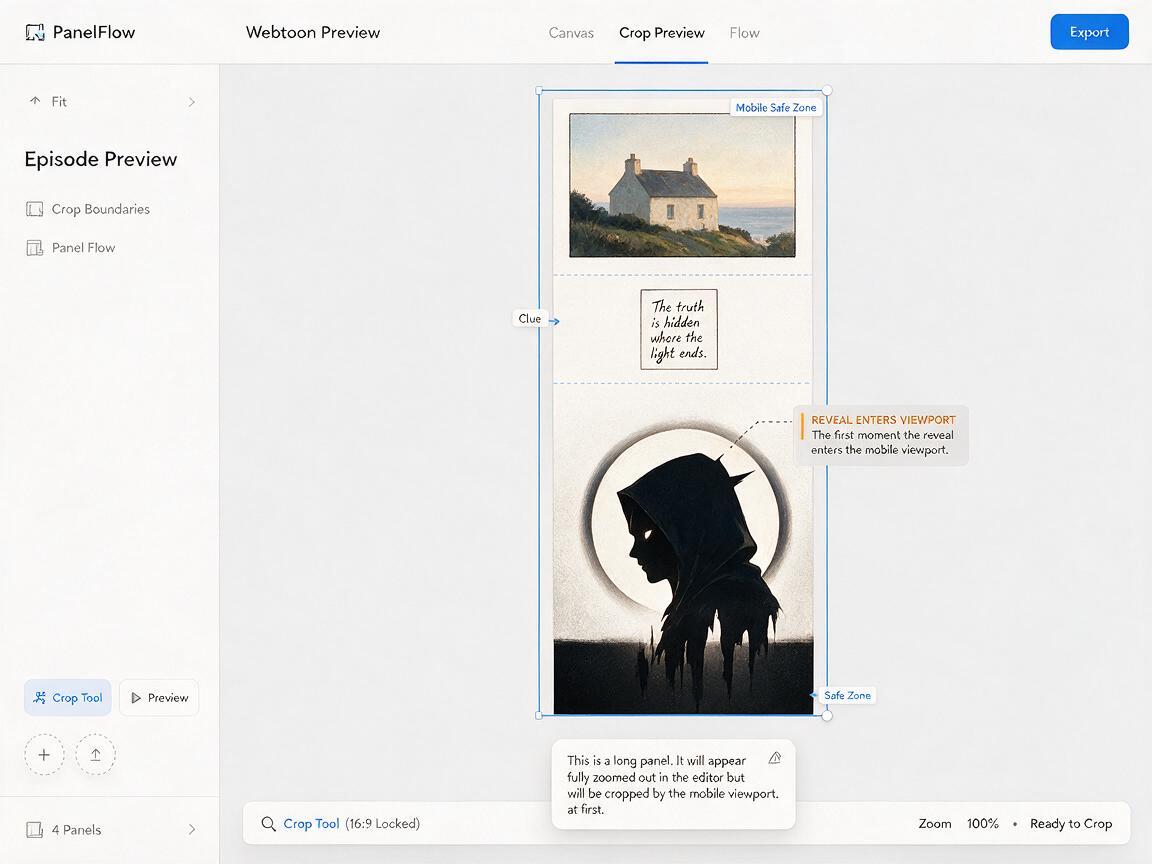
Review the strip at the approximate width of a phone, not only as a large desktop canvas. Scroll at a natural pace and note the exact moment the payoff silhouette becomes recognizable.
Check for these common failures:
- The reveal is visible too early: increase the preceding gutter or crop the top of the payoff panel.
- The payoff looks tiny: simplify the background and enlarge the dominant silhouette.
- The reader loses direction: repeat a stable architectural landmark or preserve travel direction.
- The sequence feels slow: remove redundant reaction shots that repeat the same emotion.
- The final image feels disconnected: carry one color, prop, light source, or shape from the clue into the reveal.
A good scroll reveal should remain understandable with dialogue hidden. The staging itself must communicate setup, delay, and payoff.
Final checklist
- Give every panel one narrative function.
- Define what must remain hidden before writing setup prompts.
- Design the payoff panel first, then work backward.
- Repeat character, costume, location, and rendering constants.
- Use clues instead of naming the hidden subject in setup prompts.
- Reserve the clearest silhouette and largest scale contrast for the payoff.
- Preview the sequence at mobile reading width.
- Remove any panel that repeats information without increasing tension.
Once the reveal map is ready, test this prompt yourself and generate the payoff panel before building the suspense around it.
Keywords
webtoon prompts, webtoon scroll reveal, seedream 4.5, ai comic maker, vertical comic layout, comic pacing, mobile webtoon