AI Video Generator Trends: Creator Workflow Optimization for 2026
This AI news roundup breaks down key considerations for creators evaluating AI video generator tools, including text to video and image to video capability reliability, multi-model access, and workflow integration. Learn how a centralized platform approach helps creators maintain consistent output even as individual model availability shifts.
Table of contents
Why AI Video Generator Reliability Matters More Than New Features
For creators building AI-powered video pipelines, the most impactful AI news this week isn’t just about new model launches — it’s about how consistent access to high-quality text to video and image to video tools directly affects production timelines and content output. Many creator teams build entire workflows around a single model, only to face disruptions when that model experiences downtime, rate limits, or feature changes.
The core takeaway for independent creators and studio teams alike is that model reliability and flexible access are non-negotiable for sustainable production. A single point of failure in your AI tool stack can delay projects, miss upload schedules, and erode audience trust.
Key Evaluation Criteria for AI Video Tools in 2026
Multi-Model Access From a Single Dashboard
One of the most consistent pain points reported by creator teams is the overhead of managing separate accounts, billing, and login credentials for every AI video generator on their roster. When each tool has its own interface, export settings, and usage limits, switching between them eats into time that could be spent on creative work.
Centralized platforms that host multiple text to video and image to video models under one account eliminate this friction. Creators can test different models for the same prompt, compare output quality side by side, and pick the best tool for each specific shot without leaving their workspace.
Input Flexibility Across Use Cases
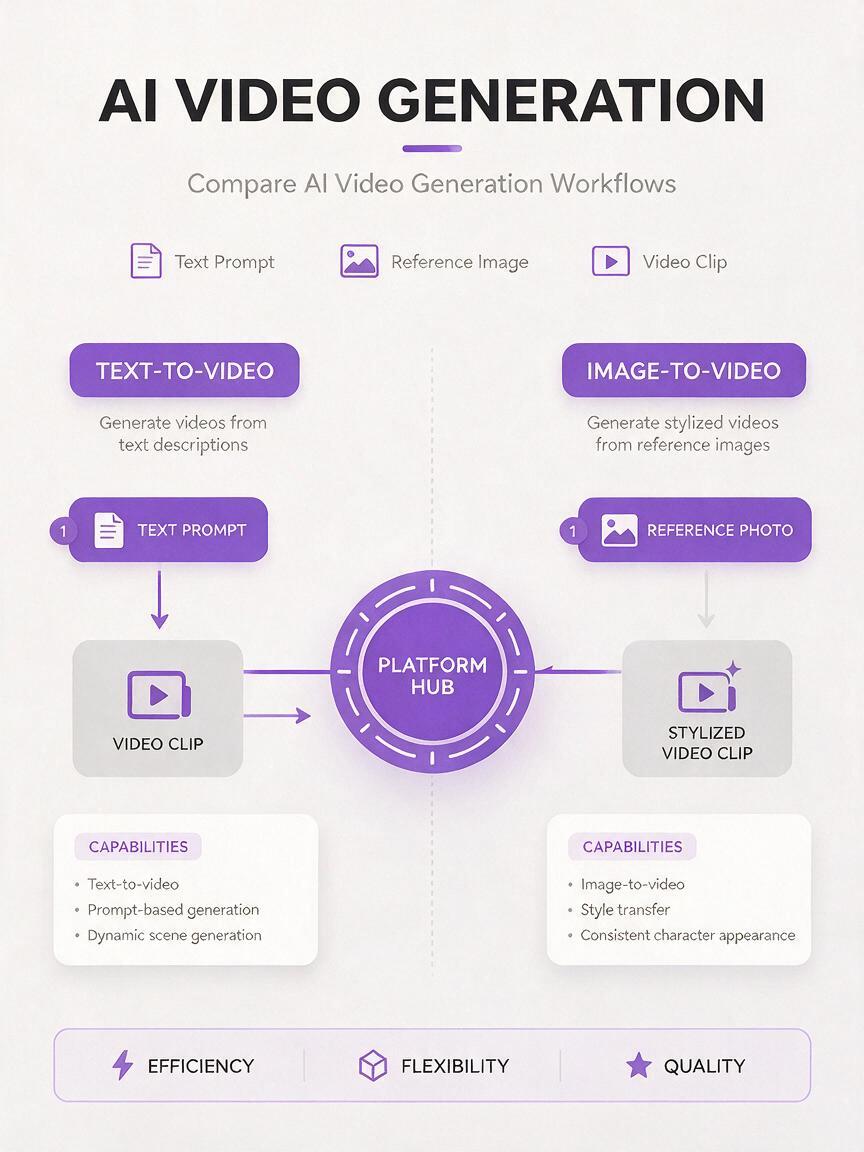
Different video projects call for different input paths. A short social media clip might start from a simple text prompt, while a more polished scene might require a reference image to lock in character design or art style. Teams that rely on only one input type limit their creative range and slow down production for projects that demand mixed approaches.
The most versatile AI video generator setups support both text to video and image to video workflows, so creators can choose the input method that matches their project needs without switching tools or learning new interfaces.
Consistent Availability for Scheduled Production
Creators who publish on fixed schedules — whether daily TikTok shorts, weekly YouTube essays, or client deliverables — can’t afford to wait for a single model to come back online after an outage. Even a few hours of downtime can push a project past its deadline, especially for time-sensitive content like trend-driven social posts.
Having access to multiple production-ready models through a single platform means you always have a backup option. If one model is experiencing high traffic or maintenance, you can route your work to another with comparable quality and keep your production schedule on track.
How to Integrate Multi-Model AI Tools Into Your Existing Workflow
Switching to a multi-model platform doesn’t require rebuilding your entire production pipeline from scratch. Most teams can integrate a centralized AI toolset gradually, starting with the parts of their workflow that cause the most friction.
- Start with a single project type: Test multi-model access on low-stakes content like social media shorts before moving to higher-investment long-form projects.
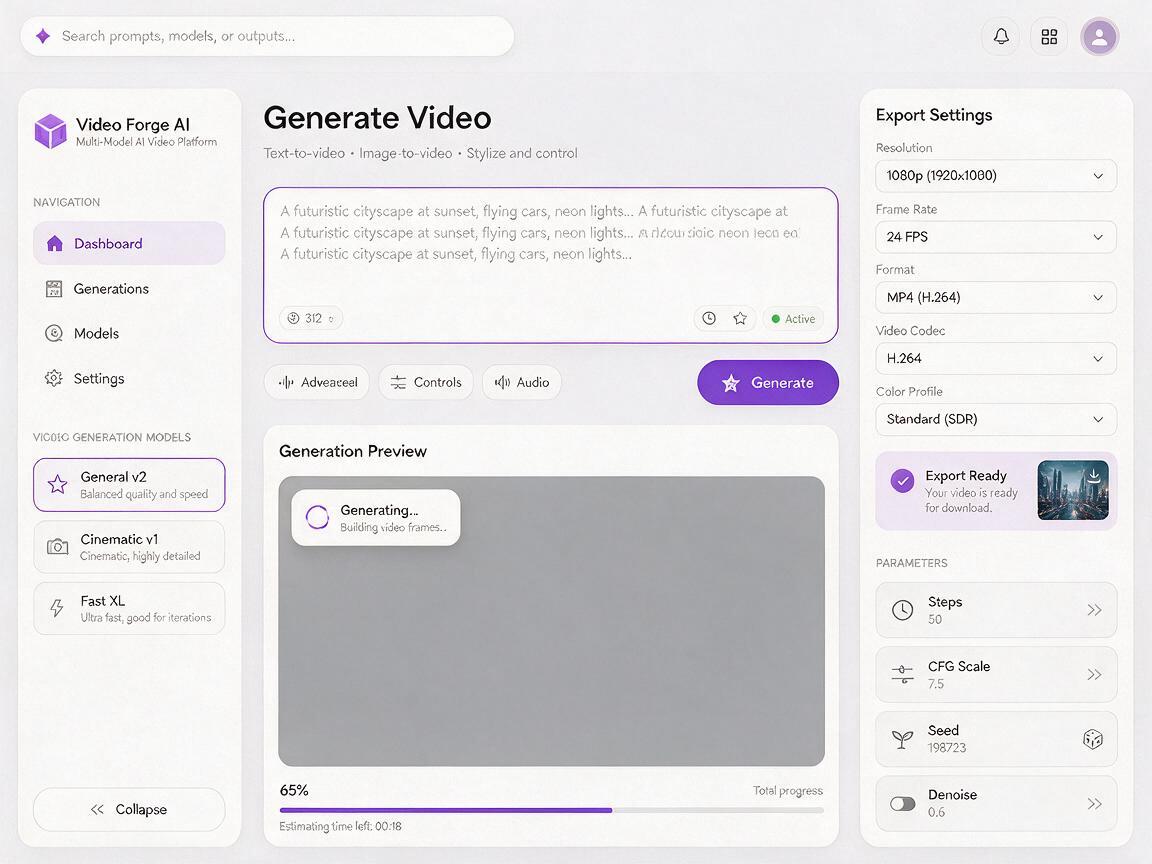
- Standardize export settings: Save your preferred resolution, frame rate, and codec presets so output from different models works seamlessly in your editing timeline.
- Document model strengths: Keep a quick reference note of which text to video or image to video model performs best for specific use cases — like realistic footage, animated styles, or product demos — so your whole team can make consistent choices.
Teams that centralize their AI video tool access report 30% less time spent on tool management and account administration, according to internal creator workflow surveys.
The MagicBoat Advantage for Creator Teams
MagicBoat is built specifically for creators who need reliable, flexible access to top-tier AI tools without the hassle of managing multiple accounts. The platform hosts a curated selection of industry-leading text to video and image to video models, all accessible through a single intuitive interface with unified billing and usage tracking.
Whether you’re generating concept art for a storyboard, producing short-form social content, or building full video scenes from reference images, MagicBoat gives you the flexibility to choose the right model for each task. And because you’re not locked into a single provider, you never have to pause production when one model experiences downtime or changes its feature set.
For teams, MagicBoat’s shared workspace features make it easy to collaborate on projects, share prompts and presets, and manage team usage all in one place. No more sharing login credentials or hunting for the right export settings across half a dozen different tools.
Key Takeaways
- Model reliability and access flexibility are more important for consistent production than chasing the latest feature launch.
- Centralized multi-model platforms eliminate the overhead of managing separate accounts for every AI tool.
- Support for both text to video and image to video workflows gives creators the flexibility to match their input method to each project.
- Gradual integration of multi-model tools minimizes disruption to existing production pipelines.
Ready to streamline your AI video workflow?
Visit MagicBoat today to explore a full suite of AI video generation tools and start building a more reliable, flexible content production pipeline.
Keywords
ai news, ai roundup, ai tools, ai video generator, text to video, image to video, creator workflow