Apple HomeView Launches at $299 With Siri AI and 7-Inch Display
Apple launched the $299 HomeView smart-home hub on October 14, 2026. Featuring a seven-inch square display, Siri AI, and companion Apple Home Collection accessories, the device introduces a dedicated household screen and highlights the need for adaptable, square-friendly content workflows.
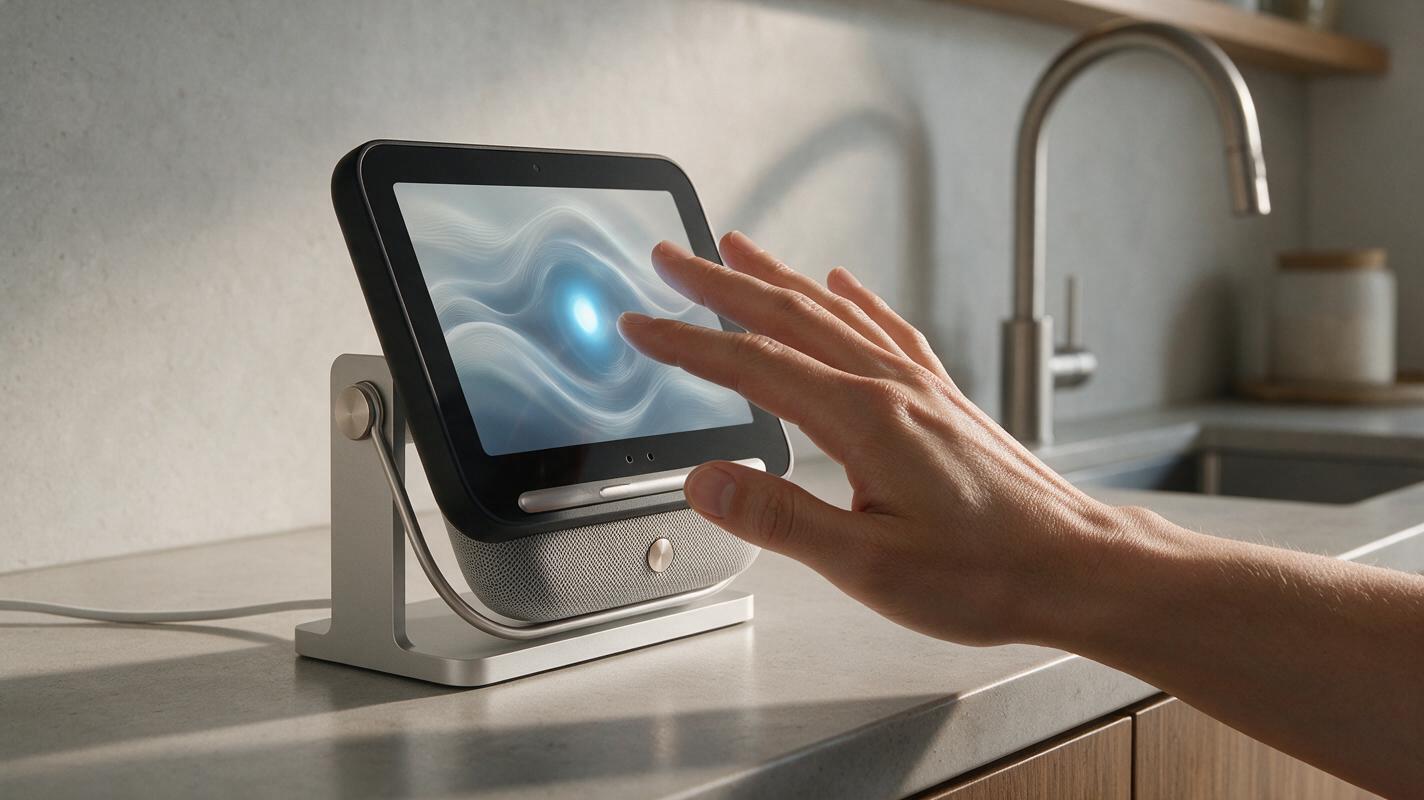
Table of contents
Apple Smart-Home News
Apple HomeView Launches at $299 With Siri AI and 7-Inch DisplayApple has introduced HomeView, a square smart-home display that places Siri AI at the center of a new household product category.
Published October 2026
Apple launched the HomeView smart-home hub on October 14, 2026, pricing the device at $299. The new product features a seven-inch square display and includes Siri AI, establishing a dedicated visual interface for Apple’s smart-home strategy rather than relying only on phones, tablets, televisions, or audio-first devices.
The HomeView announcement also included Apple Home Collection accessories. Together, the display and accessories position the launch as more than a standalone screen: Apple is presenting a broader collection intended for the home. The confirmed announcement details identify the price, screen format, Siri AI integration, and companion accessory line, but do not establish additional specifications, performance benchmarks, or subscription terms.
For content teams, the notable development is the arrival of another AI-enabled screen in an everyday environment. As AI moves into household interfaces, teams may need to think beyond conventional desktop and mobile layouts when planning scripts, images, short videos, and campaigns.
HomeView Gives Apple a Dedicated Smart-Home Screen
The physical format is central to the news. HomeView uses a seven-inch square display, giving Apple a purpose-built surface for smart-home interactions. That distinguishes the product from an audio-only device while making it more compact and specialized than a conventional computer or television.
| Launch detail | Confirmed information | Why it matters |
|---|---|---|
| Product | Apple HomeView | Introduces a dedicated Apple smart-home hub |
| Price | $299 | Defines the entry point for the new device |
| Display | Seven-inch square screen | Creates a distinct visual format for home interactions |
| AI interface | Siri AI | Places an AI assistant within the household display |
| Wider launch | Apple Home Collection accessories | Connects HomeView to a broader home-product offering |
The square display is especially relevant to visual communication. Most digital production has historically prioritized horizontal television frames, vertical phone feeds, or widescreen desktop pages. A compact square surface introduces another context in which composition, text density, subject placement, and readability can shape whether an asset works.
HomeView’s launch is not evidence that every campaign needs a new format immediately. It is a signal that AI-assisted interfaces are spreading into more physical settings, each with its own visual and editorial constraints.
Siri AI Moves Into a More Visible Household Role
Including Siri AI on a dedicated display makes the assistant a visible part of HomeView rather than an isolated software feature. The screen provides a visual layer for interactions in the home, while Apple Home Collection accessories broaden the product story around the hub.
The announcement does not provide enough information to claim particular Siri AI functions beyond its inclusion in HomeView. It also does not specify creative-generation features, model architecture, usage limits, or comparative performance. Those unanswered questions matter because the presence of AI in a product name or interface does not automatically reveal what production tasks it can complete.
For the wider AI industry, the launch illustrates a continuing shift from AI as a destination toward AI as an embedded interface. Users increasingly encounter assistants inside devices designed for a particular setting. This can influence how brands prepare content: shorter language may suit glanceable screens, strong visual hierarchy may become more important, and a single campaign may require several aspect ratios.
What the HomeView Launch Means for Content Teams
A new screen category creates both an opportunity and a practical production question. Content teams cannot assume that an asset designed for a phone will remain legible on a seven-inch square display. They may need alternate crops, simplified headlines, clearer focal points, and tighter scripts even when the central campaign idea stays the same.
Square-first visual planning becomes more relevant
The seven-inch square format highlights the value of adaptable source material. Teams can use an ai image generator to explore square compositions, test where a focal subject sits, and compare layouts before choosing a direction. These exploratory assets should still be reviewed for brand accuracy, visual consistency, and suitability for the intended publishing environment.
Campaign concepts need to travel across devices
Household displays join phones, tablets, computers, and televisions as possible audience touchpoints. A resilient campaign concept should therefore remain recognizable when its framing changes. Useful planning considerations include:
- Legibility: keep essential wording concise enough for a compact display.
- Composition: protect the main subject when adapting horizontal or vertical artwork to a square canvas.
- Continuity: preserve the same visual identity across still images, scripts, and motion assets.
- Context: account for content being viewed briefly and from farther away than a phone.
- Review: assess each output in its target format rather than approving only the master asset.
Motion teams face a similar challenge. An ai video generator can support rapid exploration of visual directions, but approved-output quality matters more than the number of drafts produced. Teams should evaluate framing, continuity, revision volume, and AI video cost together rather than treating the first generated clip as a finished deliverable.
Why a Multi-Model Workflow Complements Device-Specific AI
HomeView and Siri AI represent an ecosystem-specific experience. A content pipeline has a different job: it must prepare assets that can move between ecosystems, channels, screens, and campaign formats. Those two roles can complement each other without being interchangeable.
MagicBoat provides one account for working across AI creation models and media workflows. That can help a team compare creative directions without tying its entire production process to one household device or one embedded assistant. A centralized workflow is particularly useful when a campaign requires square images, alternate scripts, short motion concepts, and revisions for other channels.
The practical benefit is flexibility. If a particular model is better suited to one draft or format, the team can evaluate alternatives while keeping the campaign objective consistent. This also makes it easier to separate experimentation from final approval: AI can accelerate ideation, while people retain responsibility for factual review, brand standards, rights, and release decisions.
HomeView Expands the Canvas for AI-Assisted Content
Apple HomeView arrives as a $299 smart-home hub with a seven-inch square display, Siri AI, and an accompanying Apple Home Collection. The launch gives Apple a dedicated home screen and adds another physical context in which AI interfaces can appear.
For content teams, the immediate takeaway is not to rebuild every campaign around a new device. It is to create adaptable visual systems that can survive new shapes and viewing environments. Square-safe compositions, concise copy, reusable source assets, and consistent review practices can make that transition less disruptive.
- HomeView is a new Apple smart-home hub priced at $299.
- The device uses a seven-inch square display and includes Siri AI.
- Apple also launched Apple Home Collection accessories.
- The confirmed news does not establish extra specifications, benchmarks, or creative-generation capabilities.
- Content teams can prepare by designing adaptable assets for compact and square displays.
Build Flexible Assets for Emerging Screens
Explore image, video, and story workflows in one place and try these models for free. Compare creative options, develop format-ready concepts, and keep human review at the center of production.
Keywords: Apple HomeView, Siri AI, Apple smart-home hub, Apple Home Collection, AI industry, AI image generator, AI video cost