Apple Unveils macOS 27.3 Security Controls for AI Agent Disk Access
On November 16, 2026, Apple detailed new macOS 27.3 security controls designed to regulate AI agent access to Mac system functions and user data, including split permission settings, per-access prompts, and a transparency indicator for cross-app control. The update follows high-profile incidents involving Meta’s Muse app and a third-party ChatGPT Mac app that raised concerns about unregulated AI agent data access. For AI content creators, the changes offer more granular control over AI tool permissions, while web-based platforms like MagicBoat provide a secure alternative that avoids broad system access requirements.
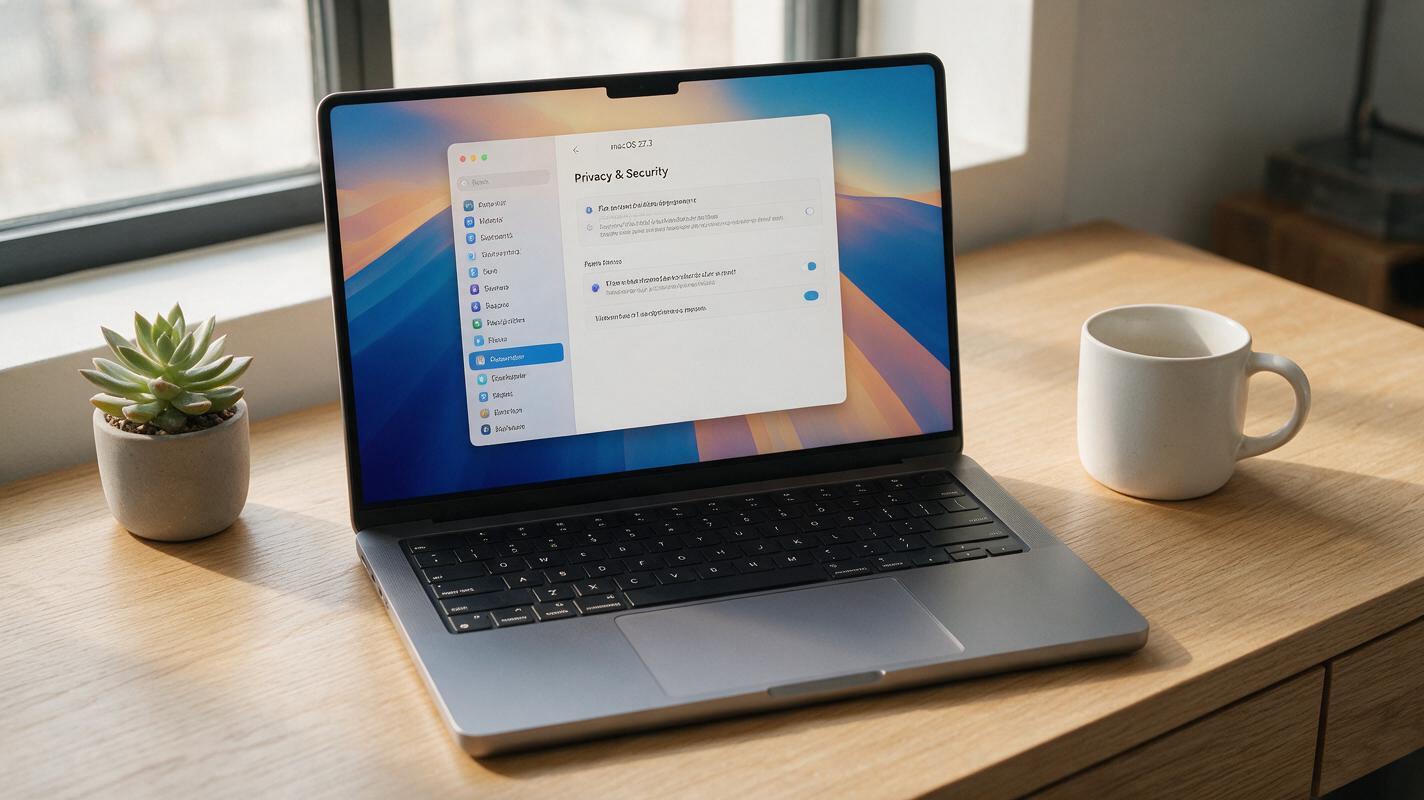
Table of contents
What Apple Announced About macOS 27.3 AI Agent Security
On November 16, 2026, Apple unveiled a set of new security controls coming to macOS 27.3 specifically designed to address the growing risk of AI agents requesting excessive system permissions on Mac devices. The update targets a common pain point with modern AI assistant apps: many demand full disk access and broad system control to function, leaving users’ personal and professional files exposed to potential overreach or security flaws.
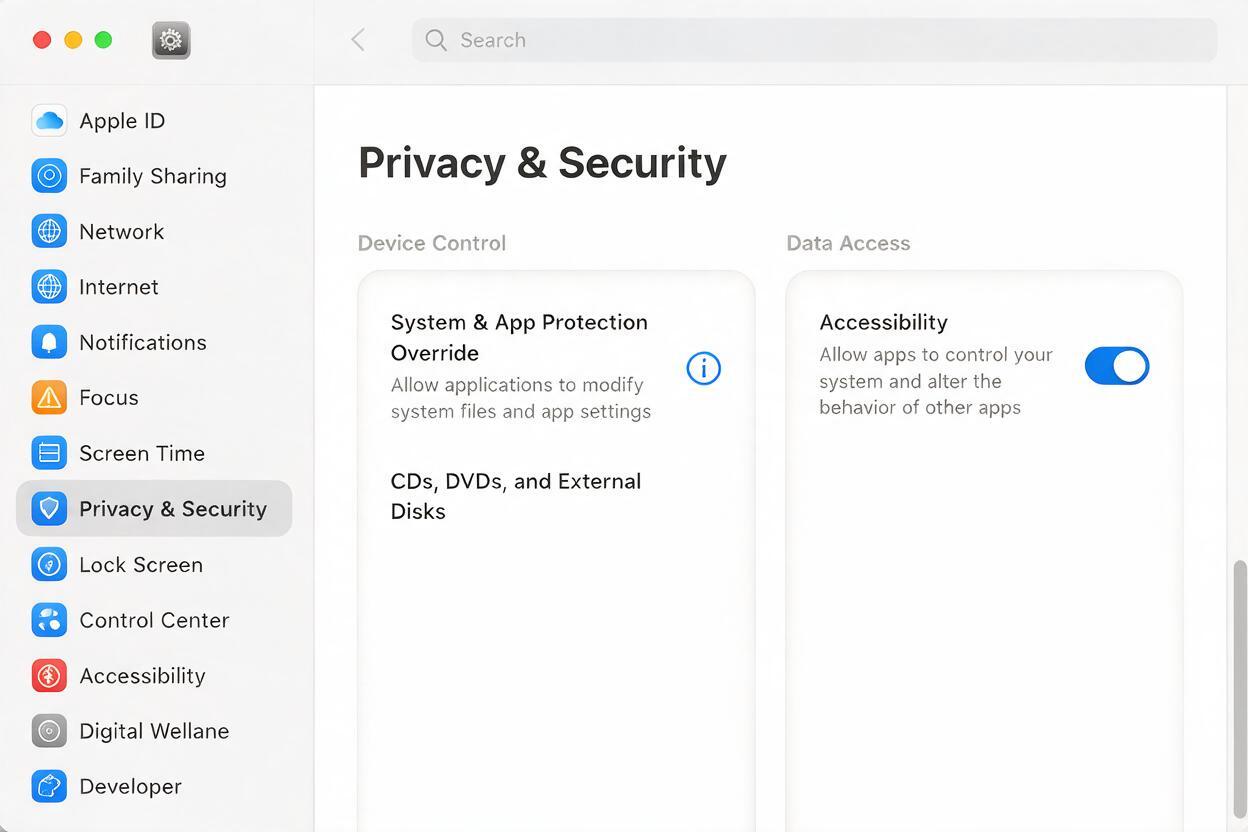
The core of Apple’s update restructures how macOS handles permissions for apps that control other apps or access sensitive system data, a category that includes most desktop AI agents. Instead of a single blanket permission setting, the company is splitting Device Control and Data Access into two distinct categories: System & App Protection Override and Accessibility. The update also adds per-access permission prompts, a new system-wide transparency indicator that appears when one app is controlling another, and updated developer guidance to help AI app builders implement more granular permission requests.
The announcement comes on the heels of two high-profile incidents that raised public concern about AI agent security on Macs. Reports emerged that Meta’s Muse AI assistant app had read a journalist’s private messages without clear user awareness, and Wired published a report detailing a security flaw in a ChatGPT Mac app that could expose user data.
How the New macOS 27.3 Permission System Works
The first major change is the split of device and data permissions into two separate toggles, a shift from the older model where granting accessibility access often gave an app broad control over both system functions and user data.
The System & App Protection Override setting controls whether an app can modify system-level protections or override security settings for other apps. This is the higher-stakes permission, as it could allow an AI agent to change security policies, install software, or modify other apps’ behavior without direct user input.
The Accessibility setting, by contrast, controls whether an app can interact with other apps and system features to perform actions on the user’s behalf — things like clicking buttons, typing text, or navigating menus. This is the permission most AI agents request to automate tasks, but it previously came with implicit access to far more system functionality than many users realized.
In addition to the split permissions, macOS 27.3 adds per-access permission prompts for AI agents and other apps that request broad control. Instead of a single one-time grant that gives permanent access, users will see prompts when an app attempts to perform specific sensitive actions, giving them more granular control over what each AI tool can do at any given time.
A new transparency indicator will also appear in the menu bar whenever one app is actively controlling another, making it immediately visible when an AI agent is interacting with other apps on the system. This addresses a key gap where users often had no way to know if a background AI agent was actively accessing their files or controlling their apps.
Apple is also releasing updated developer guidance alongside the update, encouraging AI app builders to request only the minimum permissions necessary for their features to work, rather than asking for full disk or system access as a default.
The Incidents That Pushed Apple to Act
Apple’s focus on AI agent permissions follows two widely reported incidents that highlighted the risks of unregulated desktop AI access.
In the first case, Meta’s Muse AI assistant app was found to have accessed a journalist’s private messages as part of its functionality, raising questions about how much user data AI agents collect and how they use it, even when users have granted broad permissions. The incident sparked debate about whether users fully understand the scope of access they are giving to personal AI assistants, especially when those agents are designed to integrate across multiple apps and services.
The second incident, reported by Wired, detailed a security flaw in a third-party ChatGPT Mac app that could expose user data to attackers. The flaw underscored the risk of granting broad system permissions to AI apps, especially those developed by third parties that may not have the same level of security rigor as larger platform companies.
Together, these incidents have put pressure on platform providers like Apple to take a more active role in regulating how AI agents interact with user devices and data. Apple’s approach follows a broader industry trend of tightening permission controls for AI tools, as regulators and users alike grow more concerned about data privacy and AI agent overreach.

What This Means for AI Content Creators
For AI content creators who rely on Mac-based AI tools and agents to manage their workflows, the macOS 27.3 update brings both benefits and important considerations.
Many creators use desktop AI agents to automate repetitive tasks: sorting through raw footage, organizing project files, generating captions, or batch-editing images. These tools often request broad permissions to access the file system and control other creative apps, which can leave sensitive content — including unreleased projects, client data, and personal files — vulnerable to accidental exposure or security flaws.
The new split permissions and per-access prompts give creators more control over exactly what their AI tools can access, reducing the risk of an agent accessing files it doesn’t need to do its job. The transparency indicator also makes it easier to monitor when AI agents are active, which can help creators catch unintended behavior early.
At the same time, creators will need to review the permissions for any AI apps they use after updating to macOS 27.3, as some tools may stop working correctly if their permissions are restricted. It’s important to audit each app’s permission requests and only grant access to the specific features and folders they need to function, rather than accepting blanket permission requests.
For creators who want to avoid the risk of granting broad system permissions entirely, web-based AI creative platforms offer a secure alternative. Tools like ai image generator and text to video on MagicBoat run entirely in the browser, so you never have to grant full disk access or system control to desktop AI apps. You can upload only the specific files you want to work with, and your data stays isolated from the rest of your system.
If you’re looking for a flexible, secure way to experiment with AI creative tools without risking broad system access, you can try these models for free on MagicBoat, with no desktop app installation required.

Key Takeaways
- Apple’s macOS 27.3 update splits AI agent permissions into two separate settings: System & App Protection Override and Accessibility.
- The update adds per-access permission prompts and a menu bar transparency indicator to show when one app is controlling another.
- The changes follow high-profile incidents involving Meta’s Muse app and a third-party ChatGPT Mac app that raised concerns about AI agent data access.
- AI content creators benefit from more granular control over AI tool permissions, reducing the risk of exposing sensitive project files.
- Web-based AI creative platforms like MagicBoat offer a secure alternative that doesn’t require broad system permissions.
Keywords
ai industry, ai security, macos 27.3, apple ai, ai agents, ai content creation, data privacy, ai tools