GPT-6 Buzz: A Safer Preflight System for AI Video Campaigns
GPT-6 is attracting creator attention, but the most valuable response is not an immediate model switch. This editorial guide shows how to turn the model conversation into a practical preflight system for safer, more consistent AI video campaigns.

Table of contents
GPT-6 Is a Workflow Signal, Not Just a Model Story
GPT-6 has joined Claude Opus and Gemini 4 at the center of the current AI-model conversation. For creators, the immediate opportunity is to build a model-agnostic preflight process that catches brand, continuity, and production problems before expensive video generation begins.
Every major model cycle creates pressure to replace tools, rewrite prompts, and rebuild workflows. That reaction can be premature. A new planning model may help creators reason through a campaign, but the quality of the final video still depends on the instructions, reference assets, shot structure, and review criteria supplied to the production pipeline.
A more durable approach is to use the GPT-6 conversation as a reason to strengthen the layer between an initial idea and an AI video render. That layer is the creative preflight: a compact set of checks that turns loose copy into production-ready shot cards.
The useful question is not “Which model sounds newest?” It is “Can this workflow detect a bad scene before it is rendered?”
What the GPT-6 Buzz Actually Changes
The arrival of a prominent model name changes creator expectations even before individual teams decide whether to use it. Clients expect faster ideation, stakeholders ask for more variations, and creators are encouraged to move directly from a short brief to a finished asset.
That speed can conceal unresolved decisions. A seemingly polished script may still contain an impossible camera move, inconsistent wardrobe, an unsupported product claim, or too many actions for one short shot. These are not exclusively model problems. They are specification problems.
For AI video production, a language model is most useful when it converts ambiguity into inspectable creative decisions. Instead of asking for “a viral product video,” creators can request a scene objective, visible subject, setting, action, framing, continuity notes, prohibited details, and a clear success condition for every shot.
Interpret the model as a pre-production collaborator
A planning model can occupy several roles without becoming the final creative authority:
- Brief interpreter: identifies the audience, offer, tone, format, and required message.
- Constraint checker: highlights conflicts involving duration, visual complexity, claims, or brand rules.
- Shot-card editor: rewrites abstract scenes as observable actions and compositions.
- Red-team reviewer: looks for continuity failures, unclear instructions, and elements that should not appear.
This framing also makes the workflow portable. A team can test GPT-6, Claude Opus, Gemini 4, or another planning model against the same brief and scoring rubric without rebuilding the production process around one vendor.
The Preflight Checks That Protect a Video Campaign
A useful preflight is short enough to repeat but specific enough to stop avoidable errors. Before sending a shot into an AI video model, review four areas: message accuracy, visual continuity, generation feasibility, and channel fit.
Message and brand accuracy
Every scene should have one communication job. If a five-second shot is expected to establish a location, demonstrate a product, show an emotional reaction, display legal copy, and end with a call to action, the creative brief is overloaded.
Ask the planning model to separate verified facts from persuasive language. Product names, visible packaging, mandatory phrases, and restricted claims should be copied into a locked section that cannot be casually paraphrased during later revisions.
Visual continuity
Continuity should be described as a collection of fixed details, not as a vague request to “keep everything consistent.” Useful locks include:
- Subject appearance, clothing, accessories, and handedness
- Product color, shape, label orientation, and scale
- Location, time of day, weather, and lighting direction
- Camera height, lens feel, movement, and composition
- Objects that must remain present or absent across shots
When a stable reference frame already exists, an image to video workflow can give the generation stage a clearer visual starting point than prose alone. The reference should still be accompanied by explicit notes about what may move and what must remain unchanged.
Generation feasibility
Translate abstract creative language into visible evidence. “Premium,” “trustworthy,” and “energetic” are directions, not filmable events. A production-ready card expresses those ideas through materials, lighting, pace, gesture, framing, and environment.
Each shot should also have a limited action budget. A close-up of a hand opening a package is easier to inspect than a scene that combines running, dialogue, a product transformation, a crowd reaction, and a rapid camera orbit.
Channel and edit fit
The preflight should state the intended aspect ratio, approximate shot duration, caption-safe area, opening hook, and final call to action. It should also identify whether each scene must work with sound muted. These choices affect composition before generation, not just during editing.
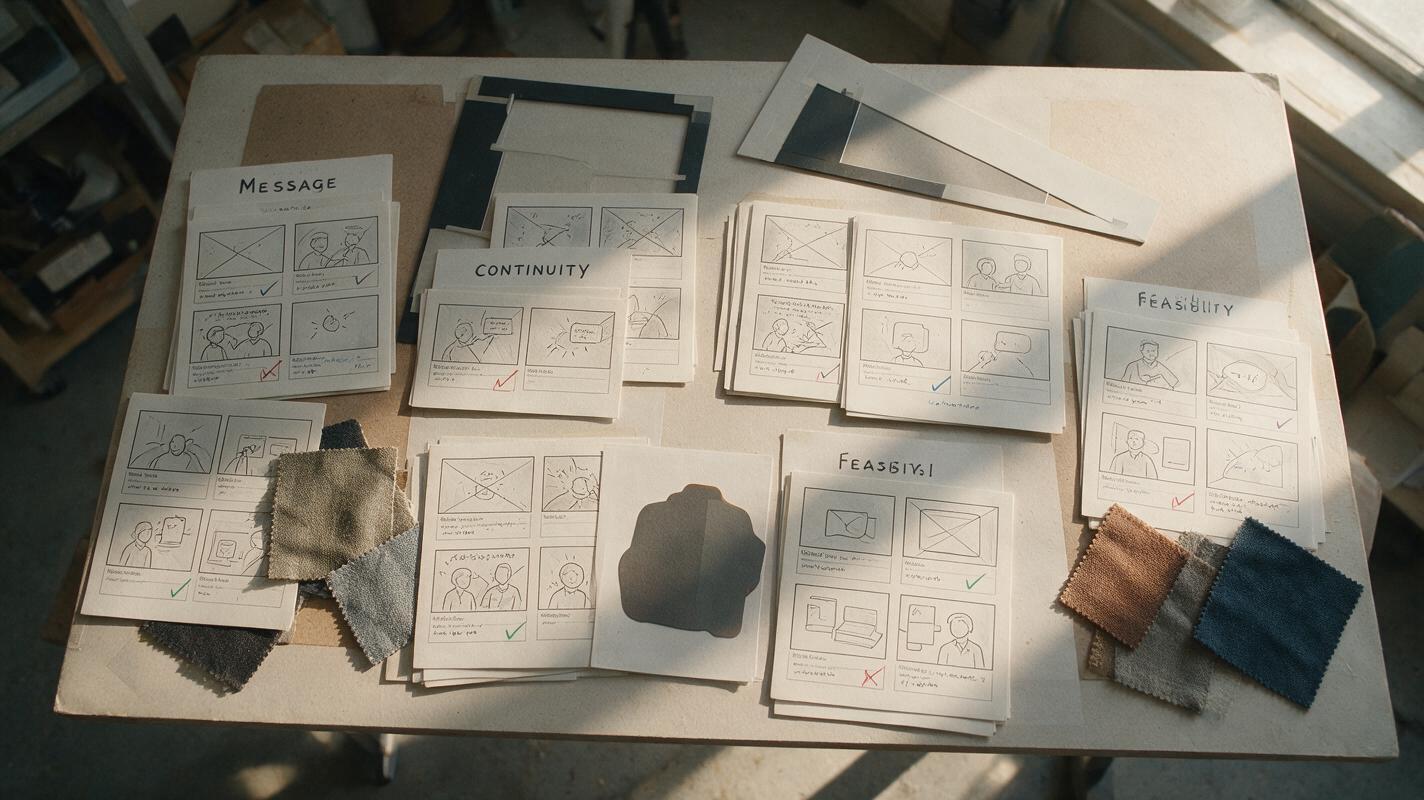
A Reusable Prompt for Production-Ready Shot Cards
The following prompt does not depend on unverified claims about any particular model. It gives GPT-6 or another planning model a constrained editorial task and requests an output that a human can review before generation.
Act as an AI video pre-production editor.

Turn the campaign brief below into production-ready shot cards.
Do not invent product facts, prices, testimonials, or performance claims.
If essential information is missing, mark it as NEEDS CONFIRMATION.

For each shot, provide:
- communication objective
- visible subject and setting
- one primary action
- framing and camera movement
- continuity locks
- prohibited or risky details
- on-screen copy, copied exactly when supplied
- success criteria that can be checked in a rendered clip

After the shot cards, run a preflight review for:
- unsupported claims
- continuity conflicts
- overloaded actions
- ambiguous visual language
- caption or crop risks

Campaign brief:
[PASTE APPROVED BRIEF]
The key phrase is “success criteria that can be checked.” A criterion such as “the label remains readable while the hand rotates the bottle” is easier to evaluate than “the shot feels premium.” The latter can remain a creative goal, but it should not be the only acceptance test.

Model Comparison Without Speculation
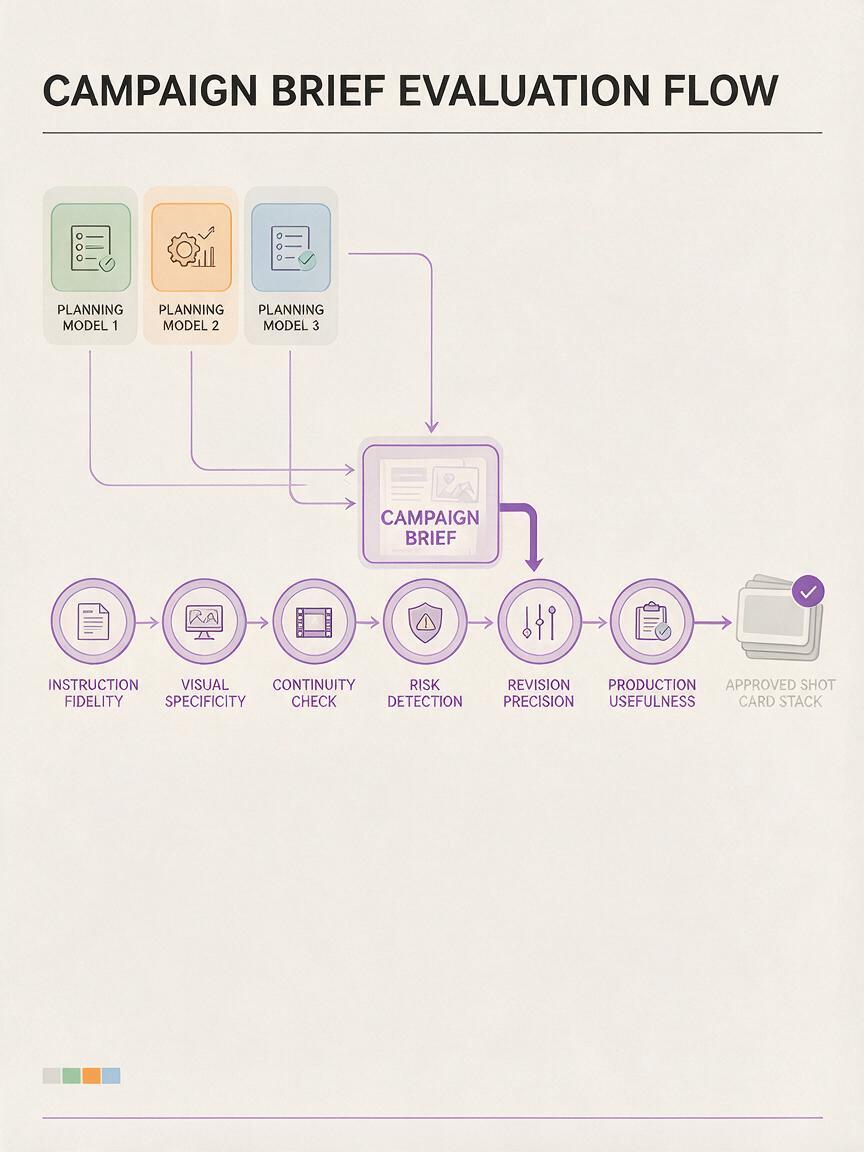
Creators do not need unverified benchmark claims to compare planning models. Give each model the same approved brief, require the same shot-card format, and score the resulting artifacts rather than the surrounding hype.
| Evaluation area | What to inspect | Warning sign |
|---|---|---|
| Instruction fidelity | Required phrases, exclusions, format, and audience are preserved | The model silently rewrites locked copy |
| Visual specificity | Scenes describe visible subjects, actions, framing, and settings | Cards rely on adjectives such as “epic” or “futuristic” |
| Continuity control | Recurring details are listed consistently across shots | Wardrobe, props, or lighting change without a story reason |
| Risk detection | Missing facts and unsupported claims are flagged | The model fills gaps with plausible-sounding details |
| Revision precision | A requested change affects only the targeted field or shot | One edit causes unrelated scenes to drift |
| Production usefulness | The output can be transferred into generation with minimal rewriting | The response is polished commentary rather than a usable specification |
This comparison can include GPT-6, Claude Opus, Gemini 4, or any other candidate. The goal is not to declare a universal winner. It is to identify which model produces the most dependable artifact for a particular team, campaign type, and review process.
From Approved Shot Cards to MagicBoat
Once the preflight is approved, the planning conversation should stop expanding. Transfer only the final visual instructions, reference assets, and continuity locks into the generation stage.
A practical bridge into MagicBoat is to divide the approved campaign into two input types:
- Text-led scenes: use concise descriptions when the environment and composition can be established from words.
- Reference-led scenes: use an approved image when product appearance, character identity, wardrobe, or composition needs a visual anchor.
For each output, compare the rendered clip with its success criteria. If the subject is correct but the camera movement fails, revise the movement instruction rather than rewriting the entire prompt. If continuity drifts, return to the locked reference details instead of adding more stylistic adjectives.
This makes MagicBoat’s text-to-video creation workflow the execution layer of a controlled process: the planning model organizes intent, the preflight catches risk, MagicBoat generates the visual material, and the creator makes the final editorial decision.
What This Means for Independent Creators and Teams
Independent creators can use the preflight to reduce wasted generations and preserve a recognizable style across a series. Agencies can attach approved shot cards to client review, making feedback more precise than comments such as “make it more dynamic.” In-house teams can keep factual claims and visual rules separate from experimental creative directions.
The system is also useful when experimenting with free AI tools. A free planning tool may be sufficient for drafting, while a stricter review process protects the campaign from confident but unsupported additions. Tool cost does not replace editorial control, and a prestigious model name does not remove the need for human approval.
GPT-6 may influence which planning model creators test next, but the larger advantage comes from owning the workflow around the model. A reusable preflight keeps that advantage intact when tools, access, and preferences change.
Final Checklist
- The campaign brief separates verified facts from creative language.
- Every shot has one primary communication objective and one main action.
- Recurring subjects, products, settings, and lighting have explicit continuity locks.
- Abstract style words are supported by visible production details.
- Unsupported claims and missing information are flagged instead of invented.
- Aspect ratio, caption space, duration, and muted playback are considered early.
- Each shot includes success criteria that can be checked in the rendered clip.
- Revisions target the failed field rather than rewriting the full campaign.
Turn your approved shot cards into visual tests and campaign-ready clips. Start creating with MagicBoat.
Keywords
gpt-6, ai video model, ai video preflight, text to video, image to video, claude opus, gemini 4