How to Recast a Wedding Scene With AI: Multi-Character Motion Transfer in MagicBoat
Keep the original acting, camera work, costumes, timing, and scene — then replace only the cast.
文章目录
Multi-character video replacement is much harder than swapping one face in one shot.
In a fast-cut wedding sequence, the model has to understand who is who, keep every replacement attached to the correct body, follow head turns and expressions, and avoid blending identities between characters.
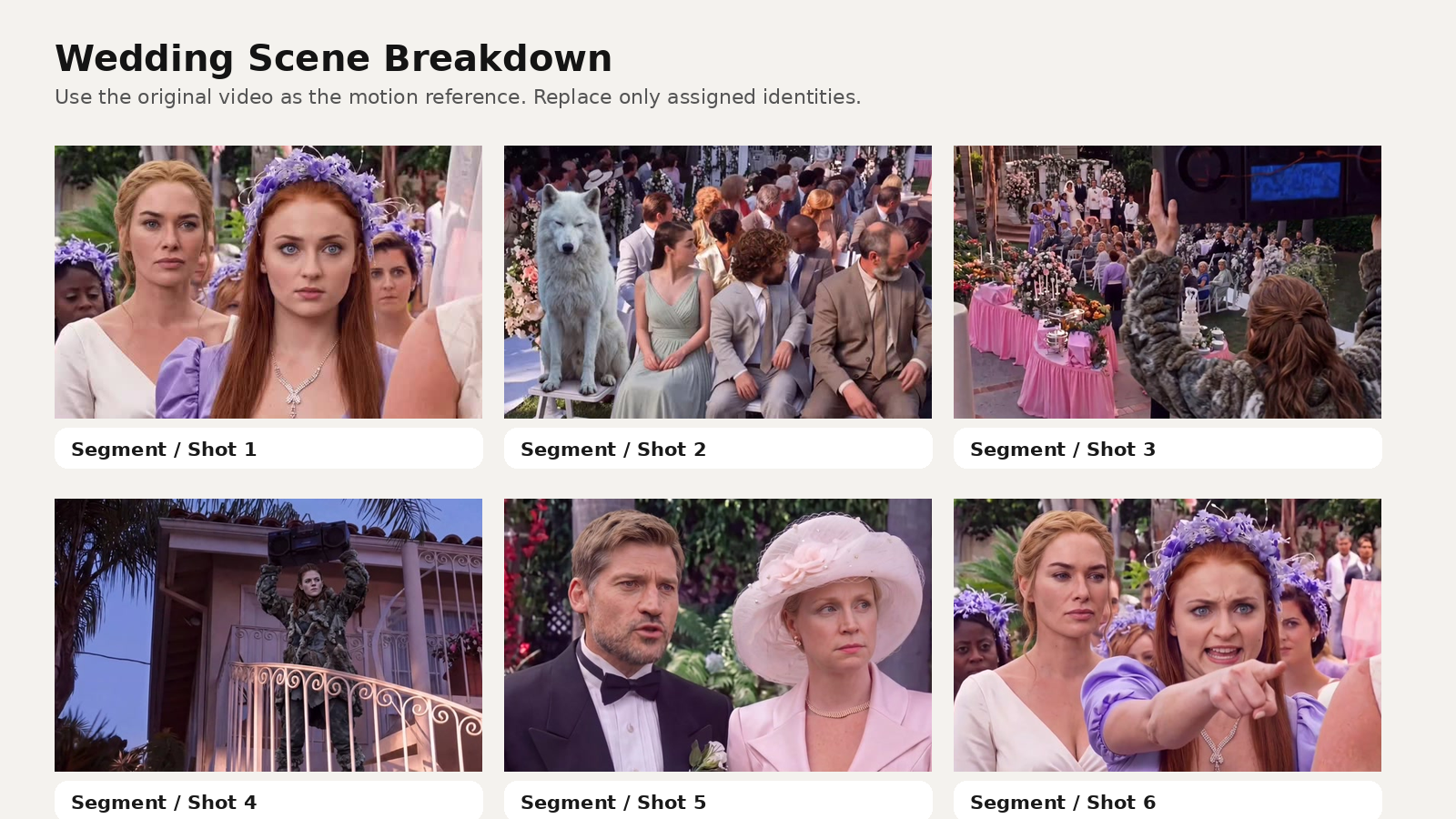
In this tutorial, we’ll use MagicBoat AI to recreate a roughly 32-second wedding clip with multi-character Motion Transfer. The original video remains the full motion and scene reference. We preserve the original camera movement, shot timing, editing rhythm, body motion, gestures, expressions, clothing, props, and background — and replace only the assigned identities.
What you need
- 1 reference video
- 10 clear face reference images
- a prompt that maps each image to the correct role
- strong consistency rules
- a quality checklist before export
The result we want
The finished video should look as if the original live-action footage was genuinely filmed with a new cast.
---
Step 1 — Use the source video as the complete motion reference
The most important decision is not to regenerate the scene.
The source video already contains the information you want:
- camera movement
- shot timing
- editing rhythm
- body motion
- gestures
- facial expressions
- lighting
- clothing
- props
- overall cinematic appearance
That means MagicBoat’s job is identity replacement only.
Core setup prompt
Use the uploaded reference video as the complete motion and scene reference.

Perform multi-character identity replacement only.

Do not redesign or regenerate the scene.
Do not change the original actions.
Do not change the original camera movement.
Do not change the original costumes.
Only replace the facial identity of the specifically assigned characters.
Step 2 — Upload 10 clear identity references
Every uploaded face image should represent one unique identity.
Use:
- clear single-person images
- near-front-facing or front-facing faces
- natural skin and lighting
- images without masks, heavy filters, or extreme occlusion
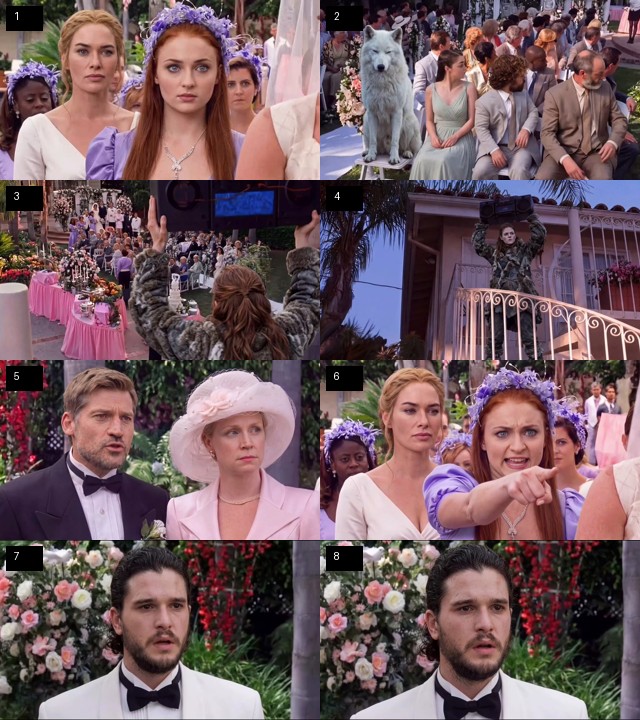
Step 3 — Map each identity to the correct role
For a multi-character sequence, vague prompting is not enough.
Segment 1
@image1 = the bride in the white wedding dress on the LEFT.
@image2 = the woman in the dark burgundy outfit in the CENTER.
@image3 = the man in the white tuxedo on the RIGHT.

Keep these three identities completely separate.
Never swap or blend their facial features.
Segment 2
@image4 = Character A in this segment.
@image5 = Character B in this segment.

Replace only these two corresponding characters.
Maintain their original positions, actions, expressions and screen direction.
Segment 3
@image6 = the male character.
@image7 = the female character wearing the pale pink outfit and large pink hat.

Keep both identities stable throughout every shot in which they appear.
Segment 4
@image8 = assigned character A.
@image9 = assigned character B.

Replace only the assigned characters.
All other background guests and secondary characters must remain exactly as in the source video.
Boombox character
@image10 = the character who raises and holds the large black boombox above their head.

Replace this character consistently in every appearance, including frontal, angled and distant shots.
Step 4 — Preserve transition and environment shots
One of the easiest ways to ruin continuity is to replace people in frames that should stay untouched.
Use a global instruction like this:
If a shot does not contain one of the assigned characters, preserve the original frame.
Do not invent, replace or modify background faces.
That keeps the unassigned guests and filler shots intact.
Step 5 — Add identity consistency rules
This is where many face-swap style outputs fail.
Use:
Each @image reference represents one unique identity.
Never merge identities.
Never transfer one reference face onto another character.

Track each character by original screen position, clothing, hairstyle, body and scene continuity.
These rules help the model distinguish characters even during motion, overlap, and cuts.
Step 6 — Make the new face follow the original acting
The new identity has to inherit the original performance.
That includes:
- blinking
- head rotation
- smiling
- mouth movement
- shouting
- micro-expressions
A good face-quality section is:
Preserve realistic human skin texture, visible pores, subtle facial asymmetry and natural expression deformation.

The replacement face must naturally follow the original head rotation, blinking, mouth movement, smile, shouting and micro-expressions.
Step 7 — Use a strong negative prompt
Bad motion-transfer outputs usually fail in the same predictable ways.
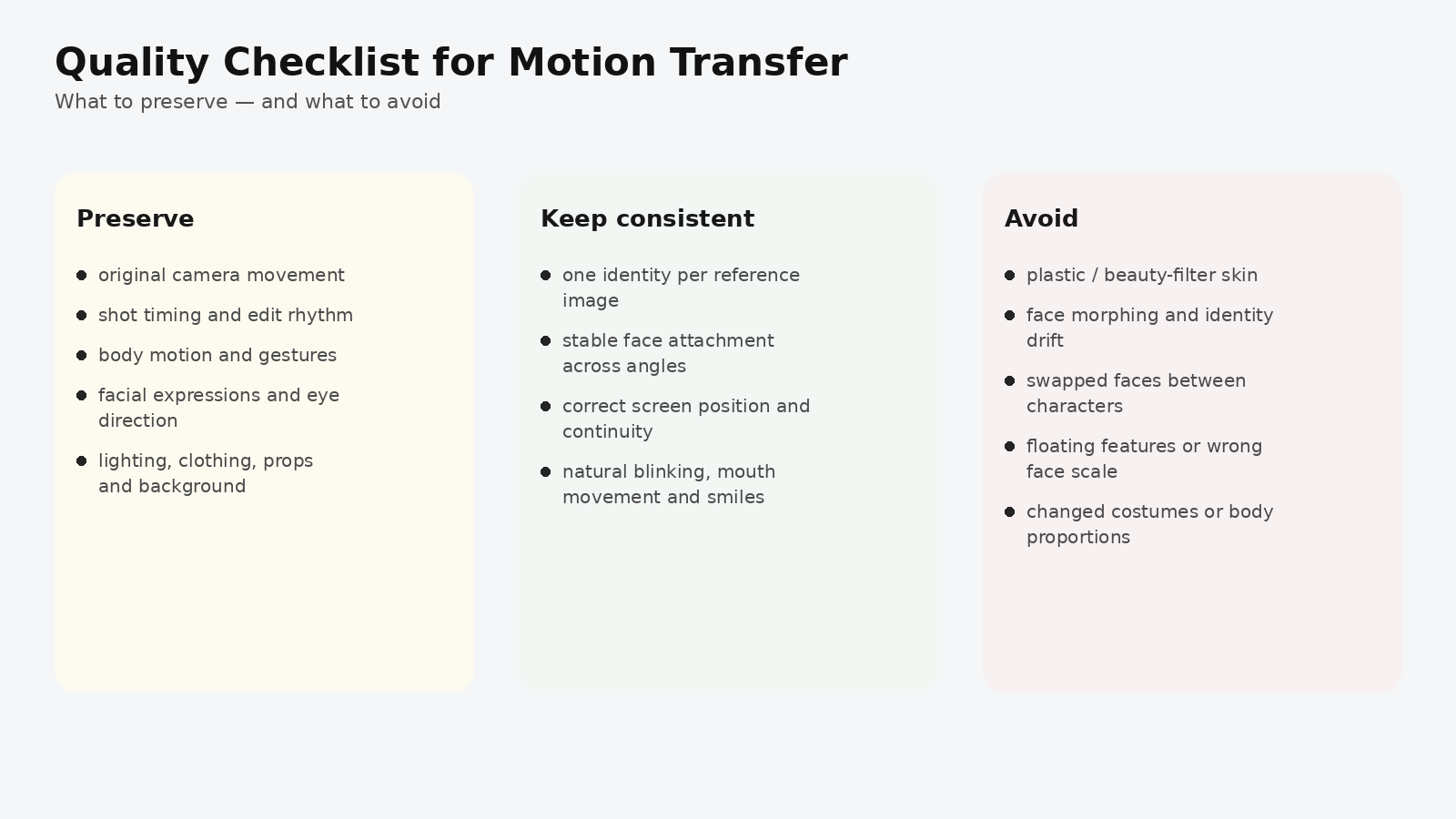
Avoid
plastic skin
beauty-filter skin
over-smoothed faces
wax-like texture
face morphing
identity drift
face swapping between characters
duplicate faces
floating facial features
incorrect face scale
changed hairstyles
changed costumes
changed body proportions
Full MagicBoat prompt
Here is the full copy-ready version:
Use the uploaded reference video as the complete motion and scene reference.

TASK
Perform multi-character identity replacement only.

PRESERVE EXACTLY
- camera movement
- shot timing
- editing rhythm
- body motion
- gestures
- facial expressions
- eye direction
- character interactions
- blocking
- composition
- background
- lighting
- clothing
- props
- overall cinematic appearance

IMPORTANT
Do not redesign or regenerate the scene.
Do not change the original actions.
Do not change the original camera movement.
Do not change the original costumes.
Only replace the facial identity of the specifically assigned characters.

CHARACTER MAPPING

SEGMENT 1
@image1 = bride in the white wedding dress on the LEFT.
@image2 = woman in the dark burgundy outfit in the CENTER.
@image3 = man in the white tuxedo on the RIGHT.

Keep all three identities completely separate.
Never swap or blend facial features.

SEGMENT 2
@image4 = Character A.
@image5 = Character B.

Replace only these two characters.
Maintain their original positions, actions, expressions and screen direction.

SEGMENT 3
@image6 = male character.
@image7 = female character wearing the pale pink outfit and large pink hat.

Keep both identities stable throughout every appearance.

SEGMENT 4
@image8 = assigned character A.
@image9 = assigned character B.

Replace only these assigned characters.
All other guests and secondary characters must remain unchanged.

TRANSITION / ENVIRONMENT SHOTS
If a shot does not contain an assigned character,
preserve the original frame.

Do not invent or replace background faces.

BOOMBOX CHARACTER
@image10 = character who raises and holds the large black boombox above their head.

Replace this character consistently in frontal, angled and distant shots.

IDENTITY CONSISTENCY
Each @image reference represents one unique identity.
Never merge identities.
Never transfer one reference face onto another character.

Track identities using:
screen position,
clothing,
hairstyle,
body,
and scene continuity.

FACE QUALITY
Preserve realistic skin texture, visible pores,
subtle asymmetry, and natural expression deformation.

The new face must naturally follow the original:
head rotation,
blinking,
mouth movement,
smiling,
shouting,
and micro-expressions.

AVOID
plastic skin,
beauty-filter skin,
over-smoothed faces,
wax-like texture,
face morphing,
identity drift,
face swapping between characters,
duplicate faces,
floating facial features,
incorrect face scale,
changed hairstyles,
changed costumes,
changed body proportions.

FINAL GOAL
The finished video should look as if the original live-action footage
was genuinely filmed with the new cast.
Why this workflow works in MagicBoat
The real challenge here is not a simple face swap.
It is multi-character continuity across an edited scene.
A good workflow separates three layers:
- Source video → motion, camera, scene, costume, timing
- Character references → identity
- Prompt mapping → who each identity belongs to and who must remain untouched
That separation makes the result much more stable.
Final checklist before export
- are all 10 identities attached to the right role?
- did any face drift between cuts?
- did any background guest change unintentionally?
- do expressions still feel natural?
- are clothing and body proportions untouched?
- does the boombox character remain consistent in every appearance?
Keywords
multi-character AI video, AI motion transfer, AI video face replacement, consistent character AI video, AI recasting tutorial, reference video AI, MagicBoat tutorial