Latest AI Video Model Updates: Atlas, Seedance 2.5, and Gemini Omni 1.1 Flash
文章目录
The most useful AI model news for creators this week is not simply that models are getting “better.” Three recent updates point to a more specific shift: AI video is becoming easier to direct.
World Labs introduced Atlas with native spatial and camera control. Seedance 2.5 is reaching more creator workflows built around longer, reference-led scenes. Google’s Gemini Omni 1.1 Flash adds a clearer draft, edit, extend, and upscale loop.
Below is what actually changed, what is available now, and how to prepare a prompt or project that uses the new controls instead of treating generation like a slot machine.

Quick answer: the three updates worth watching
| Model/update | What changed | Status | Best fit |
|---|---|---|---|
| World Labs Atlas | Native camera geometry, spatial reconstruction, video and explicit 3D output in one model | Select-partner early access | VFX, virtual production, product visualization, 3D and spatial storytelling |
| Seedance 2.5 ecosystem expansion | Up to 30-second generation, as many as 50 mixed references, and more creator-platform integrations | Model launched; available through multiple platforms | Multi-shot stories, music clips, ads, consistent characters |
| Gemini Omni 1.1 Flash | Scene extension, first-and-last-frame interpolation, faster low-resolution drafts, and up to 4K upscale | Rolling out in Google AI Studio, Flow, Gemini and developer channels | Rapid iteration, controlled transitions, creator tools and social video |
Also in AI today: OpenAI says its forthcoming Astra model has reached the company’s “Critical” cybersecurity threshold and will receive restricted access. That is significant for the wider industry, but it is not the most actionable headline for MagicBoat’s visual-creator audience.
The bigger trend: AI video is moving from prompting to directing
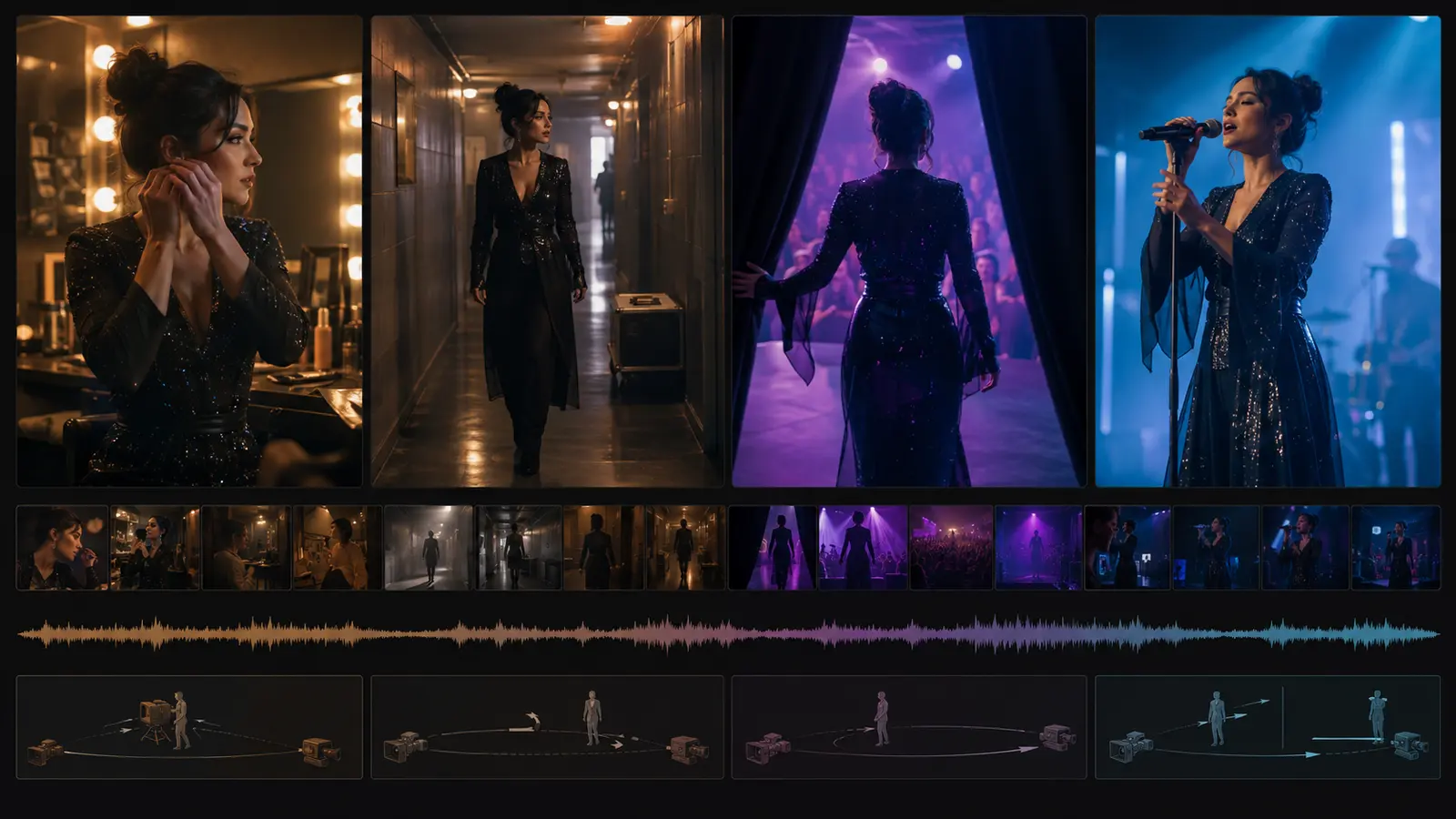
Earlier AI video workflows usually began with a prompt and ended with a clip. If the camera moved incorrectly, the subject drifted, or the ending did not connect, the creator rewrote the prompt and tried again.
The latest model updates attack different parts of that problem:
- Atlas makes space explicit. Camera positions and 3D context are native inputs.
- Seedance 2.5 gives the model more production context. A project can include many image, video, and audio references across a longer generation.
- Gemini Omni 1.1 Flash makes iteration more structured. Creators can draft cheaply, set boundary frames, extend a chosen take, and upscale the result.
The practical lesson is simple: prepare better creative assets before you generate. A reference board, approved character sheet, start and end frames, shot list, and camera plan now matter as much as the prose prompt.
1. World Labs Atlas puts spatial control inside the model
World Labs announced Atlas on September 1, 2026. The company describes it as an omni world model for spatial intelligence rather than a conventional text-to-video model.
According to the official announcement, Atlas currently works with text, images, camera poses, and 3D depth maps. Video is handled as a sequence of images grounded in explicit camera positions. That allows a creator to design a camera path through a scene instead of hoping the model interprets phrases such as “slow crane shot” consistently.
World Labs demonstrates four closely connected capabilities:
- Generate new image or video views from one or more reference images.
- Reconstruct a real scene from sparse input views.
- Output explicit 3D representations such as point clouds or Gaussian splats.
- Reframe space and time from multiple ordinary camera recordings.
The company also shows a one-minute, 1440p video generated from a small reference set and a hand-designed camera path. Atlas is only entering early access with select partners, so this is not yet a tool most creators can open and test today.

Why Atlas matters to visual creators
Atlas suggests that camera control may become a first-class input across future creative models. That matters for work where the space must remain stable while the view changes:
- virtual location scouting;
- product walkarounds;
- architecture and interior visualization;
- VFX reframing;
- game and 3D environment development;
- repeatable camera moves through an AI-generated set.
It may also reduce a familiar failure mode: a scene that looks convincing from one angle but changes shape when the camera moves.
A prompt brief to prepare for a spatial model
Atlas uses more than text, so the following is a creative brief, not a claim about its exact interface syntax:
Reconstruct a quiet coastal observatory from the three attached reference images. Preserve the circular brass telescope platform, the chipped blue wall paint, and the position of the ocean-facing windows. Begin at eye level outside the doorway, move forward into the room, arc clockwise around the telescope, then rise into a gentle crane shot that reveals the coastline through the open dome. Keep the room geometry, window positions, and telescope scale unchanged throughout. Blue-hour exterior light, warm practical lamps inside, slow continuous camera motion.
To make this brief useful, pair it with:
- two or more views of the same location;
- a rough floor plan or depth reference when supported;
- a start camera position;
- an end camera position;
- a simple path with one primary move.
Trust note: World Labs reports that Atlas outperforms specialist models on camera-conditioned generation and 3D reconstruction. Those comparisons are company-published, not independent tests. The camera test also gives Atlas a native camera-path input while competing video models receive camera instructions as text. Treat the results as promising evidence, not a final leaderboard.
2. Seedance 2.5 is spreading into more production workflows
ByteDance officially launched Seedance 2.5 on July 31, but the model continues to gain practical relevance as more creator platforms integrate it. On September 1, Reallusion released AI Studio 1.1 as a standalone application with Seedance 2.5, Seedance 2.0 Mini, 3D-guided workflows, and an upgraded AI Actor Creator. Seedance 2.5 is also currently listed as available on Runway.
The core model update is designed around completing a short creative work rather than producing one isolated moment. ByteDance documents:
- up to 30 seconds of audio-video generation in one pass;
- multiple rounds of extension;
- up to 30 image, 10 video, and 10 audio references in one generation;
- stronger multi-shot continuity;
- timestamp-level editing;
- reference-led camera, performance, green-screen, and scene controls.
That reference budget is useful only when the references have clear jobs. Fifty conflicting assets can confuse a model just as easily as one vague prompt.

A better way to organize Seedance references
| Reference group | What to include | What it controls |
|---|---|---|
| Character | Front, three-quarter, profile, full-body, signature wardrobe | Identity and appearance |
| Location | Wide establishing image, key set details, lighting reference | World continuity |
| Motion | A short movement or camera reference | Performance and camera behavior |
| Audio | Voice, music, ambience, timing cue | Pacing and sound direction |
| Story | Shot list or time-coded brief | Narrative order and transitions |
If the same person must survive several scenes, build the character asset first. MagicBoat’s guide to consistent AI characters across multiple shots explains how to separate immutable identity traits from scene variables.
Copyable 30-second micro-story prompt
Adapt the time blocks to the interface you use:
Create a 30-second vertical cinematic micro-story with synchronized ambient sound and music. Use the attached character sheet as the fixed identity reference and the café images as the location reference.
0–6 seconds: Close-up in a nearly empty late-night café. The same fictional woman in a deep red coat notices an unopened letter beside her coffee. Slow push-in. Soft rain on the windows.
6–14 seconds: She opens the letter. The camera moves to a controlled over-the-shoulder view. Her expression changes from caution to relief. Keep her face, coat, pendant, and table position consistent.
14–24 seconds: She leaves the café and walks into the rain. One continuous tracking shot from interior warmth to cool blue street light. Natural coat and hair movement.
24–30 seconds: She stops under a streetlamp, looks up, and smiles slightly. The camera rises into a restrained crane shot. Music resolves softly. No new characters, no wardrobe changes, no abrupt transitions.
This structure gives the model one story beat at a time while preserving a clear identity and visual arc.
3. Gemini Omni 1.1 Flash makes iteration more production-friendly
Google introduced Gemini Omni 1.1 Flash on August 27 and highlighted it again in its latest August AI update. The model’s most useful change is not one spectacular demo. It is a more economical path from idea to approved clip.
Google documents a workflow that can:
- analyze up to 10 seconds of prior video context;
- extend a scene in 10-second increments up to 40 seconds total;
- generate motion between specified first and last frames;
- create 360p drafts for faster, lower-cost exploration;
- upscale approved work to 1080p or 4K;
- use up to three seconds of video as a motion or context reference.
The 4K option is an upscale step, not evidence that every frame is natively generated at 4K. That distinction matters when comparing detail, texture stability, and cost.

The workflow to copy: draft, lock, extend, upscale
- Generate three or four low-resolution variations.
- Change only one variable between versions: camera, action, lighting, or pacing.
- Choose the strongest take and lock the first and last frames.
- Generate the transition between those frames.
- Extend only after the first segment is approved.
- Upscale the final version rather than every experiment.
This is less glamorous than pressing Generate once, but it is closer to a real editing process and makes failures easier to diagnose.
Copyable first-to-last-frame prompt
Use the first frame as the exact opening composition and the second frame as the exact ending composition. Create one continuous eight-second shot. The camera begins close to a glass perfume bottle on a dark stone table, then makes a smooth clockwise orbit while pulling back to reveal the same bottle beside an open window at sunrise. Preserve the bottle shape, label placement, liquid color, table texture, and window geometry. Only the camera position and natural sunrise light may change. No cuts, no new objects, no label distortion, and no sudden speed changes.
If the result drifts, simplify the move. Ask for an orbit or a pullback first, not three complex motions at once.
Atlas vs. Seedance 2.5 vs. Gemini Omni 1.1 Flash
No single model wins every creative job. Choose according to the constraint you need to control.
| If your priority is… | Model to watch first | Why |
|---|---|---|
| Precise movement through a stable 3D world | Atlas | Camera geometry and spatial context are native to the model |
| A complete 15–30 second story with many references | Seedance 2.5 | It accepts a large multimodal reference set and targets longer audiovisual continuity |
| Fast variations and controlled transitions | Gemini Omni 1.1 Flash | It separates low-resolution drafts, keyframe transitions, extension, and upscale |
| Public access today | Seedance 2.5 or Gemini Omni 1.1 Flash | Atlas remains in select-partner early access |
| A reusable consistent character | Workflow matters more than the model | Build and approve the character asset before animation |
What creators should do now
You do not need to change your entire tool stack every time a model launches. Prepare your projects so they can benefit from better models when access arrives.
Build a reusable creation package
For each video concept, save:
- one-sentence story goal;
- 3–6 shot outline;
- approved character sheet;
- location and style references;
- first and last frame for each important transition;
- one primary camera move per shot;
- audio, dialogue, and timing notes;
- immutable details the model must preserve.
This package can move between image-to-video, reference-to-video, and future spatial models without forcing you to rebuild the idea from zero.
Test models with one controlled scene
Do not compare models using unrelated viral demos. Give each one the same character, location, duration, camera move, and success criteria. Then inspect identity drift, geometry drift, motion quality, camera adherence, audio synchronization, transition quality, and the number of retries required.
The best model is the one that solves your shot with the least correction, not the one with the loudest launch video.
Frequently asked questions
Is World Labs Atlas available to everyone?
No. World Labs says Atlas is entering early access with select partners. Its official page currently offers an early-access request rather than open public access.
How long can Seedance 2.5 generate in one pass?
ByteDance states that Seedance 2.5 can generate up to 30 seconds of audio and video in one pass and supports multiple rounds of extension.
How many references can Seedance 2.5 use?
The official announcement lists up to 30 images, 10 video clips, and 10 audio clips in one generation, for a maximum of 50 reference assets.
Can Gemini Omni 1.1 Flash make a 40-second video?
Google says Omni 1.1 can extend clips in 10-second increments up to a cumulative 40 seconds. The workflow extends an existing scene rather than generating the entire duration as one untouched take.
Does Gemini Omni 1.1 Flash generate native 4K video?
Google describes 1080p and 4K as upscaled outputs. Use lower-resolution drafts to approve the composition and motion, then upscale the selected result.
Which update matters most for TikTok, Reels, or Shorts?
Seedance 2.5 is the clearest fit when you need a complete 15–30 second vertical story with multiple references. Gemini Omni 1.1 Flash is especially useful when you need fast variations, controlled start/end frames, or iterative extensions. The final choice still depends on your exact motion, character, and budget requirements.
Turn the update into a shot plan
Lock the character, define the world, design the camera move, and approve the story beat before chasing the final render.
Official sources
- World Labs: Atlas — A World Model for Spatial Intelligence
- ByteDance Seed: Introducing Seedance 2.5
- Reallusion: AI Studio 1.1 Major Update
- Google: Gemini Omni 1.1 Flash lets you build with more control
- OpenAI: Path to Astra
Keywords
AI short film, AI short film generator, AI film generator, AI video generator, script to video AI, AI filmmaking, AI movie maker, AI storyboard generator, text to video AI, AI video editing, consistent character AI, AI film production, best AI video generator 2026, AI filmmaking tools, MagicBoat AI
© 2026 MagicBoat AI. Built for creators, filmmakers, and teams turning ideas into finished videos.