ChatGPT Images 2.5 for AI Video: How to Build Consistent Storyboards Before You Animate
文章目录
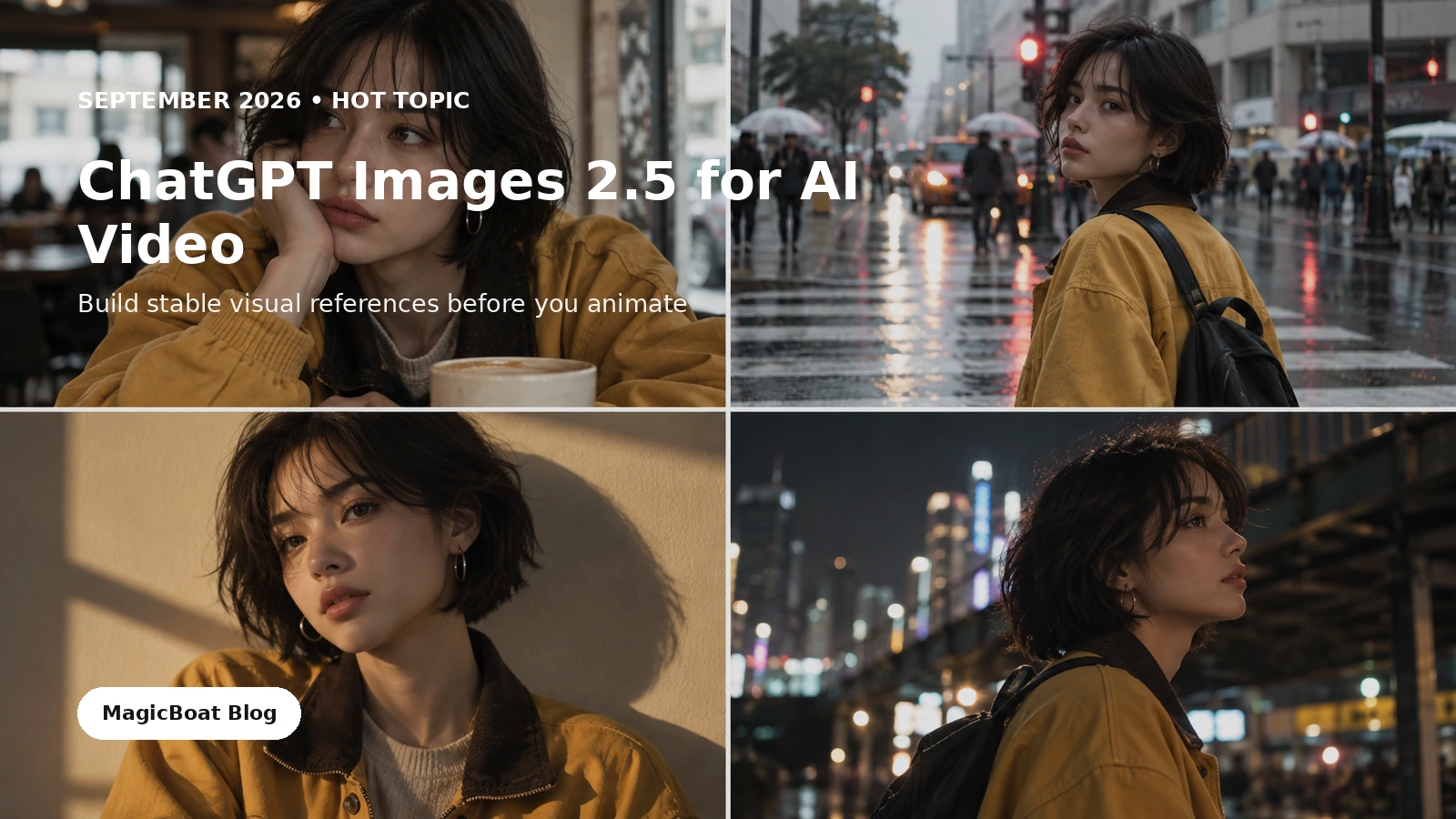
Visual note: The example images in this guide are illustrative workflow mockups created for this article. They are not presented as benchmark outputs from ChatGPT Images 2.5.
Quick answer
OpenAI released ChatGPT Images 2.5 on September 8, 2026. The company says the new model improves image fidelity, reference-photo preservation, precise editing, multi-turn editing consistency, complex layouts and generation speed. OpenAI also added Sketch, templates, image comments, prompt sharing, and two API variants: GPT-Image-2.5 Flare and GPT-Image-2.5 Sunburst.
For AI video creators, the most useful part is not “better pretty pictures.”
It is the ability to build a visual production asset, refine it over several turns, and keep the approved subject or composition intact while changing one controlled variable.
That makes Images 2.5 especially useful before animation:
reference → controlled variations → storyboard → motion brief → video generation
The better your still-image production bible is, the less work you spend trying to recover identity, wardrobe, color, props or framing after motion has already been introduced.
Why this matters more for video than for one-off images
A single image can survive a little inconsistency.
A film cannot.
If the first frame shows a woman with a short bob, mustard jacket and gold hoops, but the next scene quietly changes her hair length, earrings, jacket collar and face proportions, viewers notice the discontinuity before they notice the story.
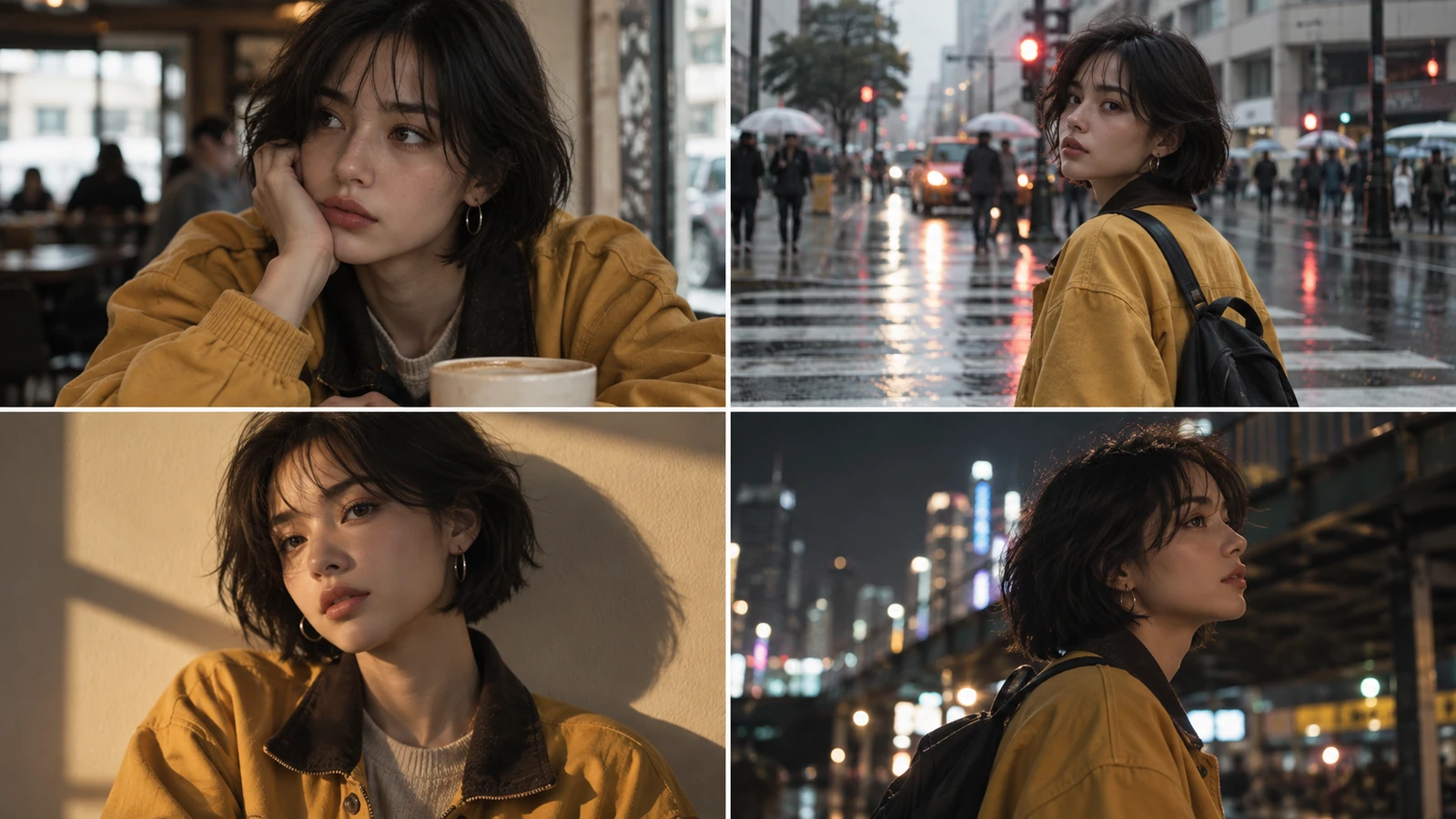
OpenAI says Images 2.5 is better at preserving recognizable subjects from reference images, following focused editing instructions, and carrying earlier changes through longer editing conversations. That is exactly the kind of behavior that matters when you need a series of approved frames instead of one finished poster.
The important workflow change is simple:
Do not ask the image model to reinvent the whole shot every time.
Ask it to preserve the approved production decisions and change only the variable you are testing.
Step 1 — Build one hero reference before you build a scene
Start with the person, product or environment that matters most.
For a recurring character, define:
- face and approximate age
- hairstyle
- one or two signature wardrobe items
- jewelry or accessories
- body silhouette
- visual palette
- image texture
- one neutral expression
- one clear lighting setup
Do not begin with six wildly different scenes.
First build the “source of truth.”
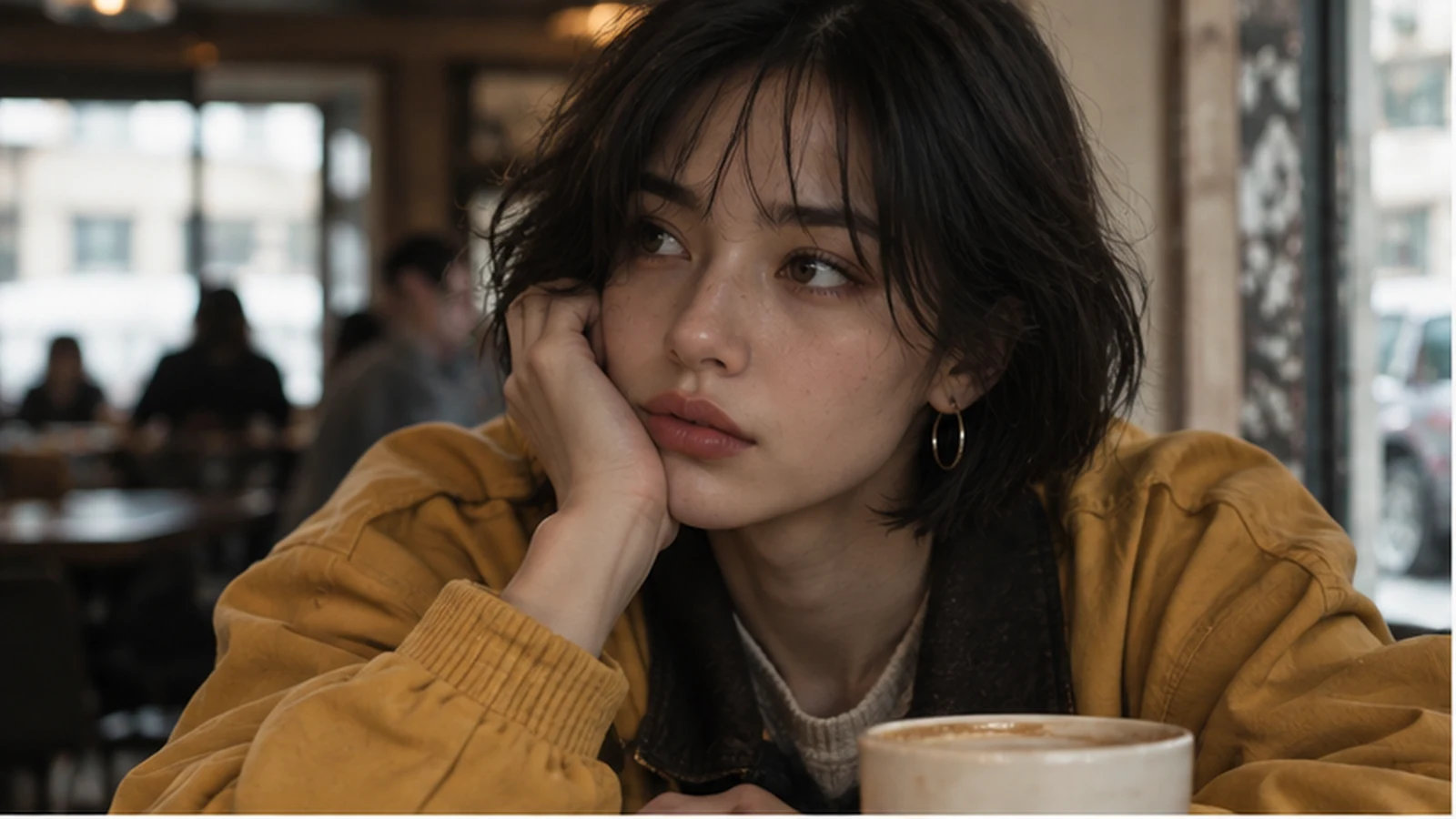
For example:
Create a grounded cinematic portrait of the same fictional woman who will appear
throughout a short film.

IDENTITY
Young adult woman, short dark bob with soft uneven fringe, warm brown eyes,
small gold hoop earrings, natural skin texture.

WARDROBE
Oversized mustard work jacket with dark brown collar over a cream knit top.
Keep the jacket, earrings and haircut as signature continuity elements.

SHOT
Medium close-up at a café table, 50mm-equivalent framing, eye-level camera.

LIGHT
Soft overcast window light from camera left, warm café practicals behind her.

STYLE
Natural editorial film still, subtle grain, realistic skin and fabric,
no beauty-commercial retouching.

This image will be used as the master visual reference for later storyboard frames.
Approve that frame before moving on.
Step 2 — Separate the edit from the locks
One of the strongest habits for reference-led image work is explicitly writing two lists:
what changes
and
what must stay locked
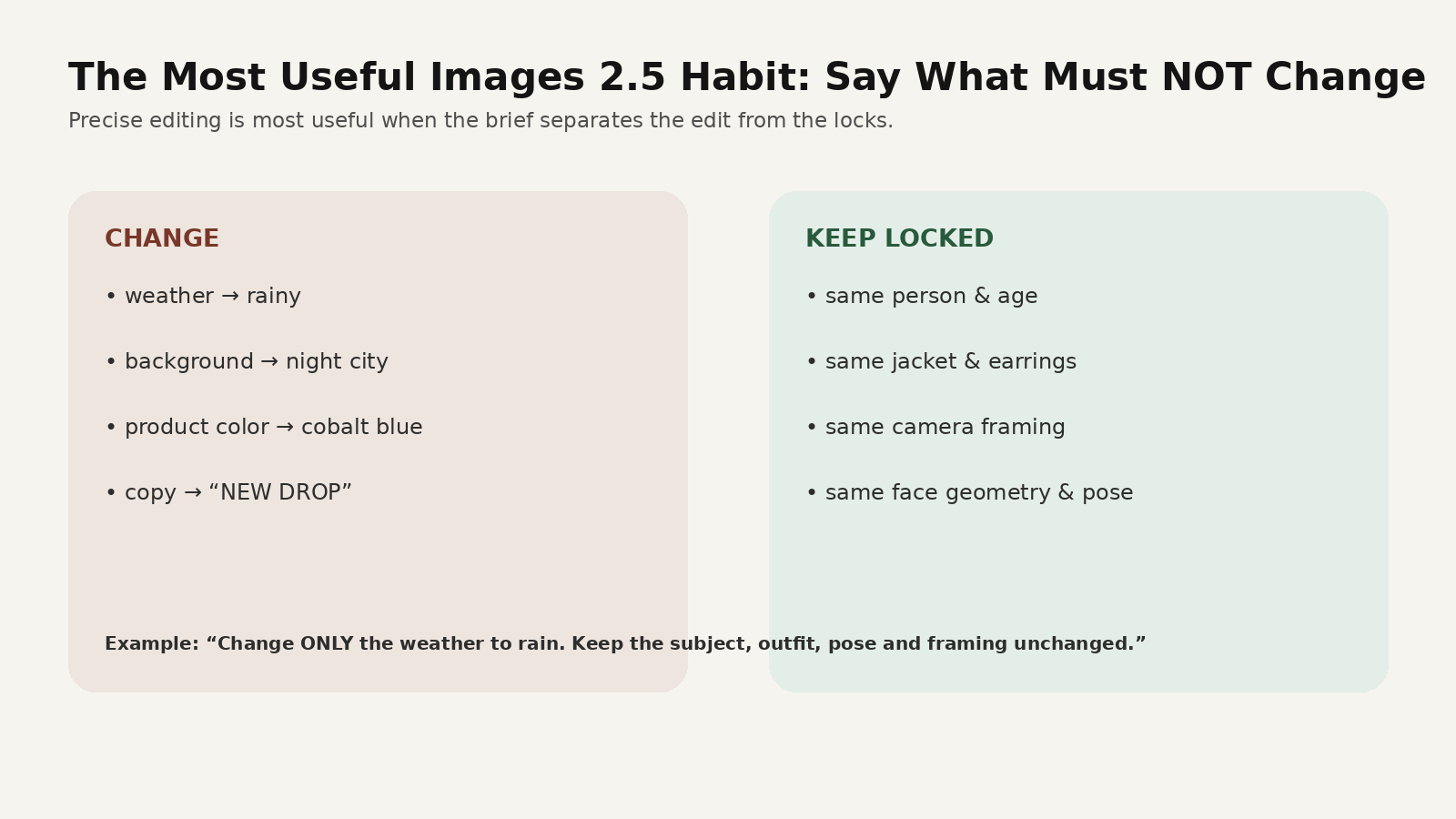
Instead of:
Make it a rainy night.
Use:
CHANGE ONLY:
- move the scene from afternoon to rainy evening
- replace the dry street with wet pavement and reflected city lights
- shift the overall environment to cool blue-grey rain

KEEP LOCKED:
- same woman and facial proportions
- same short dark bob
- same gold hoop earrings
- same mustard jacket
- same age
- same camera height and medium-close framing
- same body orientation

Do not redesign the subject.
This sounds repetitive, but production prompts should be repetitive.
A filmmaker does not assume continuity. A filmmaker specifies it.
Step 3 — Create controlled scene variations
Once the subject is approved, make the storyboard interesting by changing one production dimension at a time.
Location change
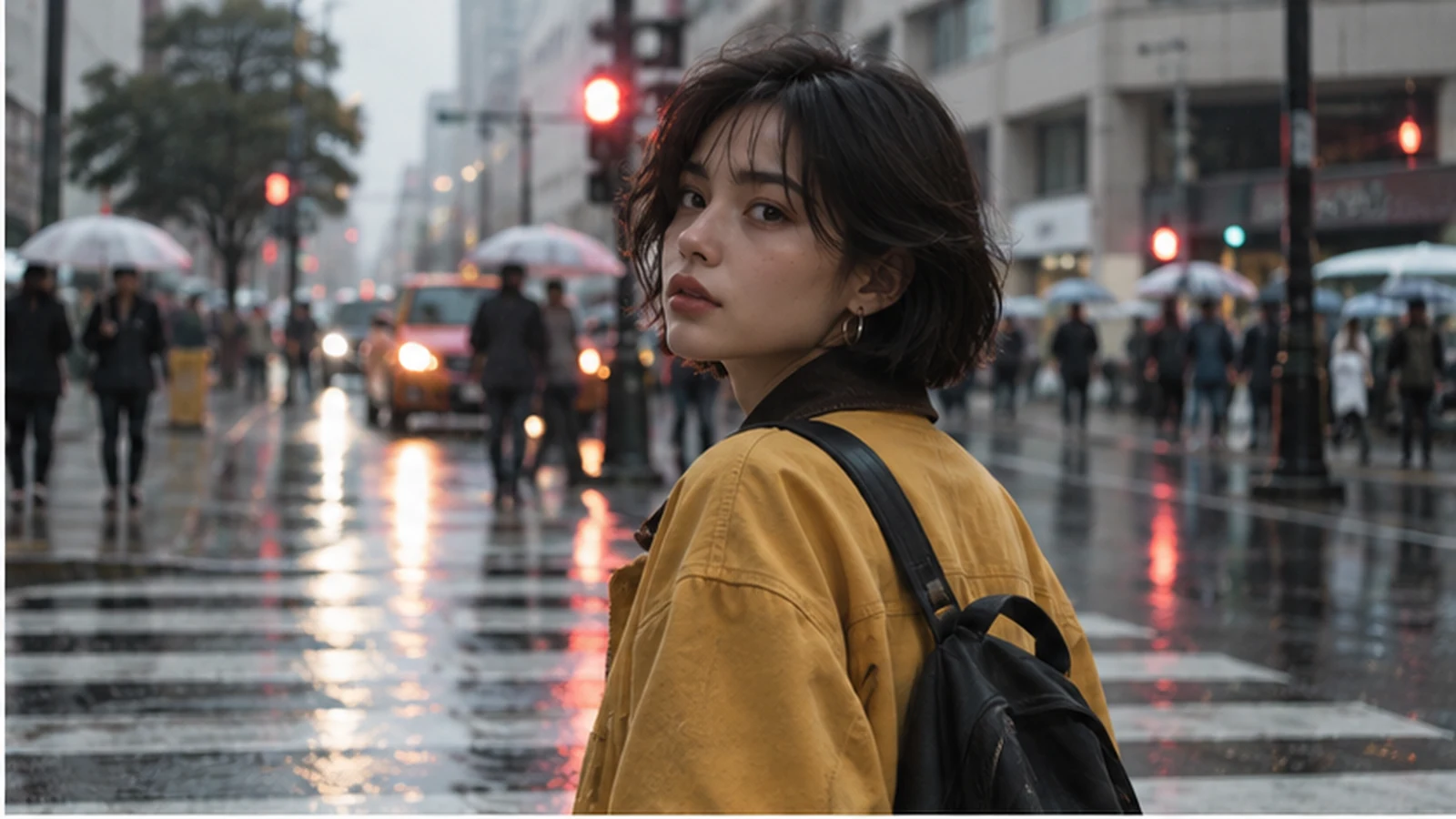
Use the approved character reference.

Change the location to a busy city street in light rain at dusk.
She looks back over her shoulder while walking.
Wet pavement reflects red traffic lights.

Keep the face, haircut, earrings, mustard jacket and overall age unchanged.
Keep realistic proportions and documentary-style city lighting.
Light change
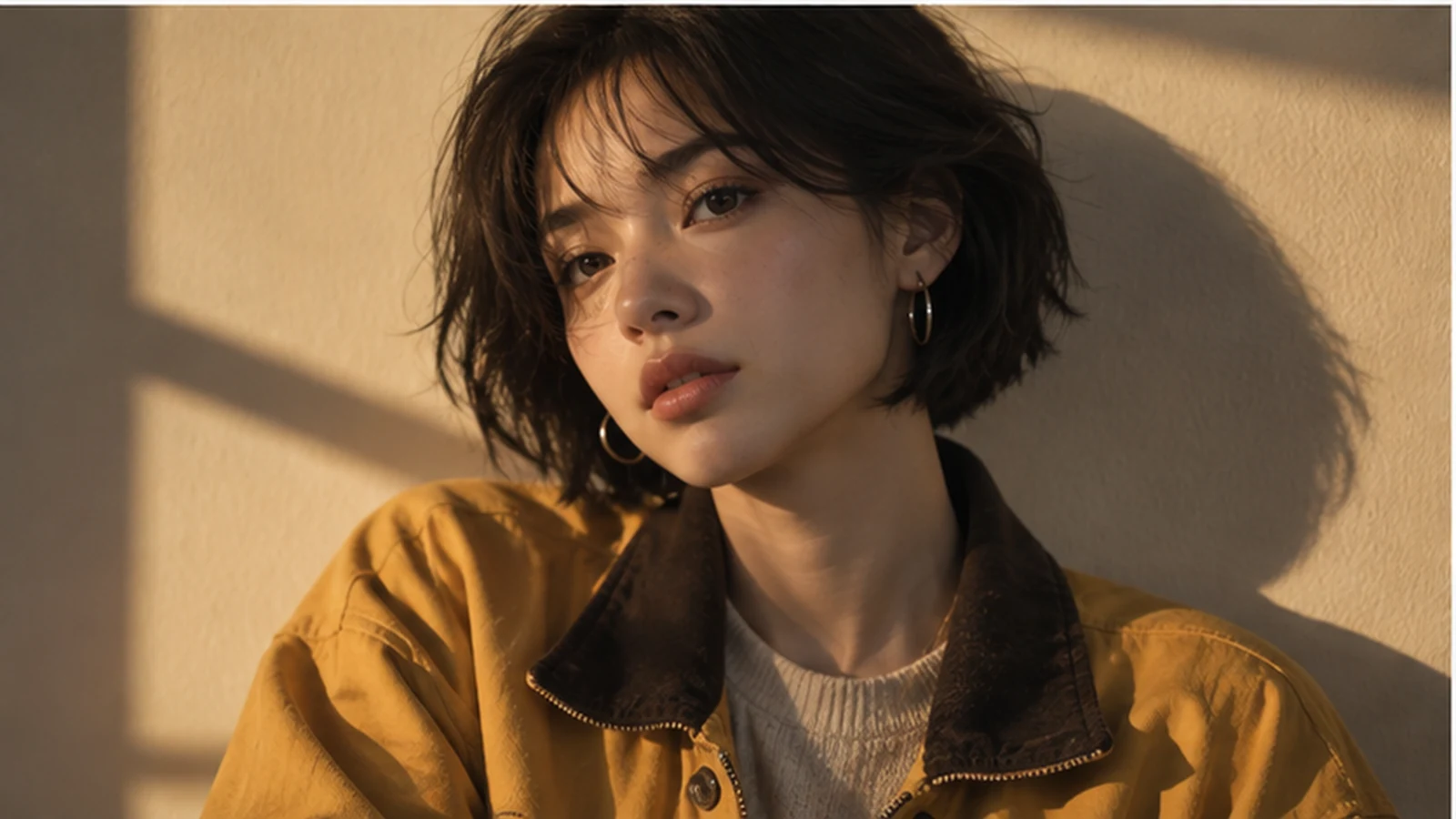
Keep the exact same character and wardrobe.

Move her against a simple interior wall with late-afternoon window shadows
forming one geometric band across the background.
Warm hard sunlight reaches one side of the face.
No change to haircut, earrings, jacket or facial structure.
Time-of-day change
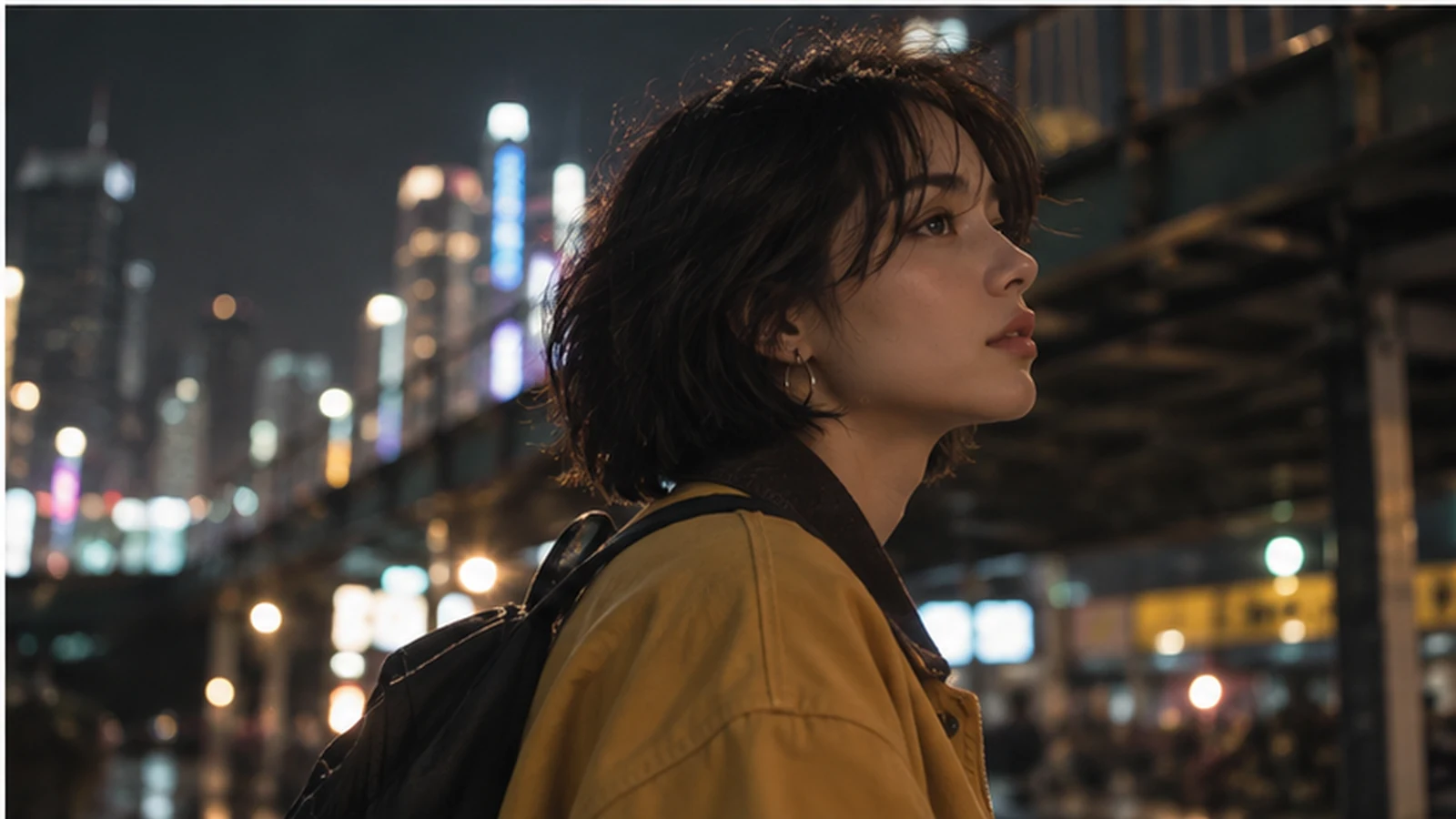
Keep the same character, wardrobe and facial identity.

Move the scene to a night city environment under an elevated structure.
She looks upward toward distant lights.
Background bokeh only; no large readable signage.

Cool ambient city light with small warm highlights on the face.
The goal is not to prove that every frame can be different.
The goal is to prove that the same production identity can survive useful differences.
Step 4 — Use multi-turn editing for the small fixes
OpenAI specifically highlights better multi-turn editing consistency in Images 2.5.
That means the production workflow can become more surgical.
Instead of regenerating an entire storyboard panel because the jacket color is wrong, try:
Change only the jacket body from mustard yellow to deep cobalt blue.
Keep the collar dark brown.
Do not change the face, pose, hair, earrings, framing, background or lighting.
Or:
Remove the coffee cup from the foreground.
Keep every other object in the same position.
Do not reframe the image.
Or:
Replace the poster on the wall with a blank cream paper rectangle.
Do not change the wall color, character, lighting or camera.
This is a much more useful creative behavior than simply generating ten alternatives and picking the least inconsistent one.
Step 5 — Use Sketch when composition matters more than description
OpenAI also introduced Sketch in ChatGPT Images 2.5.
For a video creator, this is useful when words such as “off-center,” “negative space,” or “foreground object” still produce unpredictable framing.
A rough sketch can define:
- where the character stands
- where a doorway sits
- where the product should appear
- how much clean text space a social ad needs
- the horizon line
- a foreground object that creates depth
- the direction of the subject’s look
The sketch is not the art.
It is blocking.
That makes it closer to a director’s thumbnail than a final illustration.
Step 6 — Turn approved frames into a storyboard
Do not animate yet.
Arrange your approved stills in narrative order and ask:
- Does the character still read as the same person?
- Does wardrobe continuity hold?
- Does the color script make sense?
- Does each frame have a different visual job?
- Are camera angles varied without becoming random?
- Does the next shot have a clear action to animate?
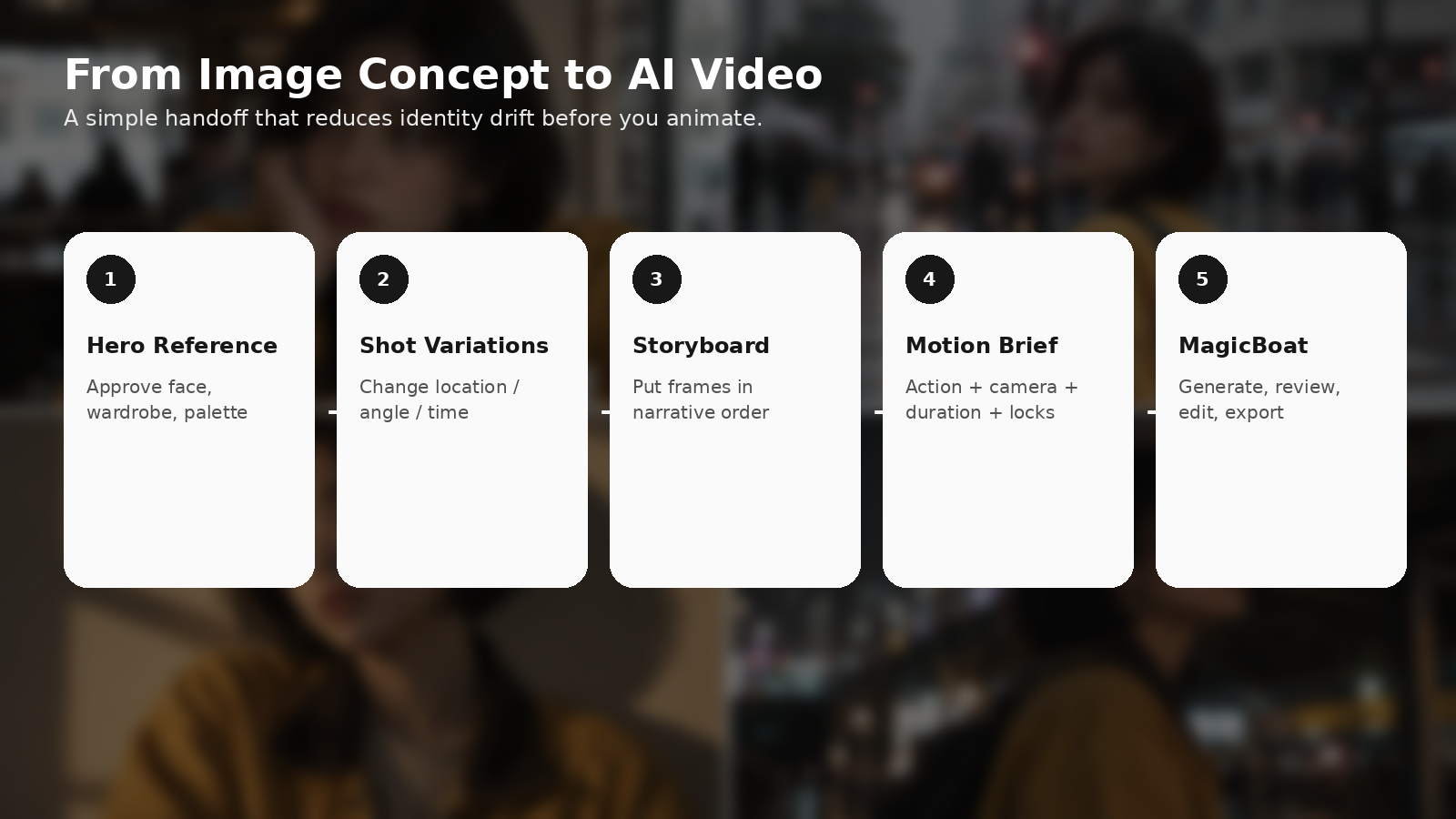
A simple six-shot short might look like:
| Shot | Still-image goal | Motion goal |
|---|---|---|
| 1 | Café close-up | subtle eye movement + push-in |
| 2 | Hand reaches for bag | natural hand action |
| 3 | Rainy street | walk + look back |
| 4 | Window-light portrait | stillness + hair movement |
| 5 | Night city | slow upward glance |
| 6 | Product / title frame | clean finishing beat |
Now the motion model is not inventing your visual identity.
It is animating a visual identity that has already been approved.
Step 7 — Write a motion brief, not another image prompt
This is where many workflows fail.
The still prompt described what the frame is.
The video prompt should describe what changes over time.
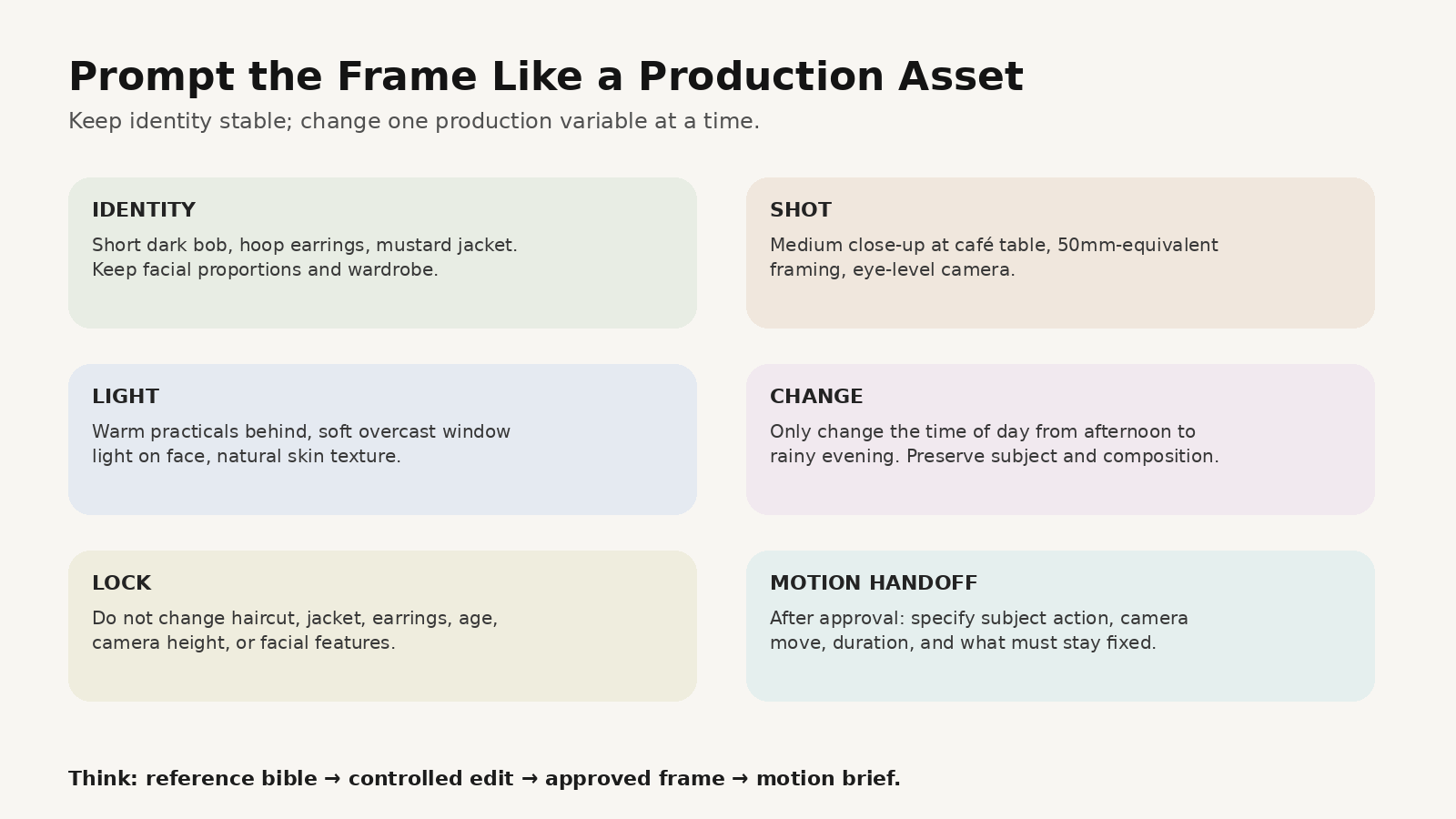
Use four parts:
SUBJECT ACTION + CAMERA ACTION + DURATION + LOCKS
Example:
DURATION
5 seconds, real-time motion.

SUBJECT ACTION
She sits still for the first second, blinks naturally, then turns her eyes toward
the rain outside the café window. A small breath lifts the shoulders.

CAMERA ACTION
Very slow 5% push-in, eye-level, no orbit and no lateral drift.

ENVIRONMENT MOTION
Soft rain movement outside the window; subtle background people move naturally.

LOCKS
Preserve the approved face, short bob, gold hoops, mustard jacket,
camera height, café table position and lighting direction.
Do not redesign the character.
If the model changes the character, do not immediately make the prompt longer.
Return to the still reference and simplify the motion.
How to connect this to MagicBoat
MagicBoat’s current site describes an end-to-end workflow covering scripts, storyboards, visual generation, character consistency, reusable project assets, voiceover, lip sync, music, editing and final video production, with a large model library for different visual tasks.
That makes a practical workflow:
1. Use ChatGPT Images 2.5 to explore and lock visual references
Approve:
- character
- product
- environment
- palette
- key storyboard frames
2. Bring the approved visual plan into MagicBoat
Use the project to:
- turn the idea into a script and shot structure
- keep recurring characters and project assets organized
- generate motion shot by shot
- create alternate visual versions
- add voice, subtitles, music and pacing
- assemble the final sequence
3. Treat the image model and video workflow as different jobs
The image stage answers:
What exactly should this shot look like?
The video stage answers:
What exactly should happen over time?
Keeping those jobs separate usually gives you more control than asking one long prompt to solve identity, composition, motion, camera, dialogue and editing at once.
Try the production workflow at https://www.magicboat.net/.
Three creator workflows worth testing this week
A. Fashion campaign → moving editorial
- Build one model reference.
- Create four locations while keeping the styling locked.
- Approve stills.
- Animate only hair, gaze, fabric and camera.
- Edit as a 10–15 second vertical campaign.
B. Product ad → seasonal variants
- Lock one product hero image.
- Change only the environment: summer / holiday / launch night.
- Keep product geometry and logo placement fixed.
- Animate condensation, light sweep, camera push or hand interaction.
- Reuse the same edit structure for several campaigns.
C. Short film → visual bible
- Build hero character.
- Build three locations.
- Create one “golden reference” frame for each location.
- Generate storyboard frames using those references.
- Animate only after the continuity pass.
Common mistakes
Mistake 1: Every prompt starts from zero
Fix: use one approved master reference and controlled edits.
Mistake 2: “Same character” is your entire continuity instruction
Fix: list signature identity elements explicitly.
Mistake 3: You change location, wardrobe, camera and lighting in one edit
Fix: change one production dimension at a time, then combine approved decisions.
Mistake 4: You animate the first image you like
Fix: complete a storyboard continuity pass first.
Mistake 5: You treat still prompts and motion prompts as the same thing
Fix: still = composition and identity; video = action and time.
FAQ
What is ChatGPT Images 2.5?
ChatGPT Images 2.5 is OpenAI’s image generation and editing model released on September 8, 2026. OpenAI says it improves fidelity, focused editing, multi-turn consistency, complex visual instructions and generation speed.
Is GPT-Image-2.5 the same as ChatGPT Images 2.5?
ChatGPT uses Images 2.5 in the product experience. OpenAI also released API models GPT-Image-2.5 Flare and GPT-Image-2.5 Sunburst for developers.
Can ChatGPT Images 2.5 generate video?
The release described here is an image generation and editing system. For final motion, use an AI video workflow or video generation model.
Why is Images 2.5 useful for AI video creators?
Because video continuity often fails before motion begins. Stronger subject preservation and targeted editing can help creators establish a more stable character, product and scene reference set before animation.
Should I generate every storyboard frame in one prompt?
Usually no. Build a master reference, create controlled variations, review continuity, then sequence the approved frames.
Can I use ChatGPT Images 2.5 with MagicBoat?
A practical workflow is to use Images 2.5 for visual exploration or reference creation, then use MagicBoat for script, storyboard, motion generation, reusable character/project assets, voice, music and editing. Check the current MagicBoat interface for exact model availability.
Sources
- OpenAI — Introducing ChatGPT Images 2.5 (September 8, 2026): https://openai.com/index/introducing-chatgpt-images-2-5/
- OpenAI Deployment Safety — ChatGPT Images 2.5 System Card: https://deploymentsafety.openai.com/chatgpt-images-2-5/safety-evaluations
- MagicBoat — Official product page: https://www.magicboat.net/
- Higgsfield — Blog / Guides: https://higgsfield.ai/blog/guides
Keywords
ChatGPT Images 2.5, GPT Image 2.5, GPT-Image-2.5, AI storyboard, AI video storyboard, consistent AI characters, image to video workflow, AI image editing, AI filmmaking workflow, visual reference sheet, MagicBoat AI